


If you’re a content creator tired of cramping fingers from manual YouTube video transcription. Stopping, rewinding, and typing for hours on end. A reliable YouTube video transcriber is your 2026 must-have. No more wasting time on tedious note-taking. This guide breaks down the best YouTube video transcriber tools, why they’re non-negotiable, and how to pick the right one for your workflow.
Why You Need a Reliable YouTube Video Transcriber in 2026
In 2026, YouTube’s algorithm rewards accessible, text-rich content. And a top-tier YouTube video transcriber is your shortcut to checking both boxes. Whether you’re a vlogger, marketer, or educator, transcription isn’t just a “nice-to-have” anymore. It’s critical for growth. Let’s start with the basics.
What Is a YouTube Video Transcriber & Why It Matters for Content Creators
A YouTube video transcriber is an AI-powered or manual tool that converts YouTube video audio into written text. Think of it as a tireless note-taker that works 10x faster than you. For creators, it matters for three big reasons. Accessibility is first. 85% of viewers watch videos without sound and 466 million people have hearing impairments. SEO is second. YouTube’s algorithm reads text to rank content. Time savings is third. No more tedious manual transcription.
In short, a YouTube video transcriber turns a chore into a 5-minute task. Freeing you up to create, edit, or just sip coffee. For 2026 creators, time is currency, and a good YouTube transcriber is your ATM.
Key Benefits of Using a High-Quality YouTube Video Transcriber
Beyond time savings and SEO boosts, a top YouTube video transcriber offers perks that elevate your content.
- Content Repurposing Goldmine: Transcripts become blog posts, social threads, or checklists. Helping you reach audiences beyond YouTube.
- Avoid Embarrassing Errors: YouTube’s native auto-captions are notoriously spotty. For example, “SEO tips” might become “CEO chips”. A high-quality YouTube video transcriber boasts 95% plus accuracy.
- AI-Powered Extras: Many tools add summarization, keyword extraction, or speaker identification. Turning transcription into content strategy.
- Cost-Effective: Human transcribers cost 1 to 3 dollars per minute. A paid YouTube video transcriber is 10 to 20 dollars per month for unlimited use. Even free YouTube transcriber tools work for basics.
Top 5 Best YouTube Video Transcriber Tools (2026 Reviews)
We tested dozens of tools to find the 2026 standouts. Below are our top picks in random order, streamlined for speed and value.
Tool 1: NoteGPT – The YouTube Video Transcriber with AI Summarizer Function
More than a YouTube video transcriber, NoteGPT is an AI content companion. Paste a YouTube URL, hit “Transcribe”, and get a full editable transcript in 60 seconds. Plus AI-generated key takeaways and blog outlines.
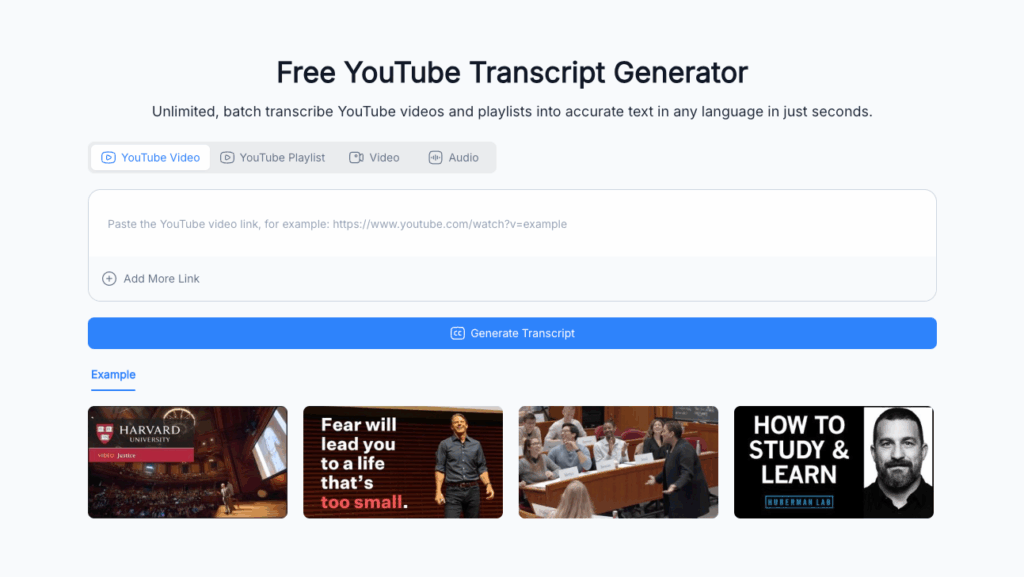
Key Features: 96% accuracy which handles mild background noise. 28-language support. Integrates with Google Docs, Notion, and Canva.
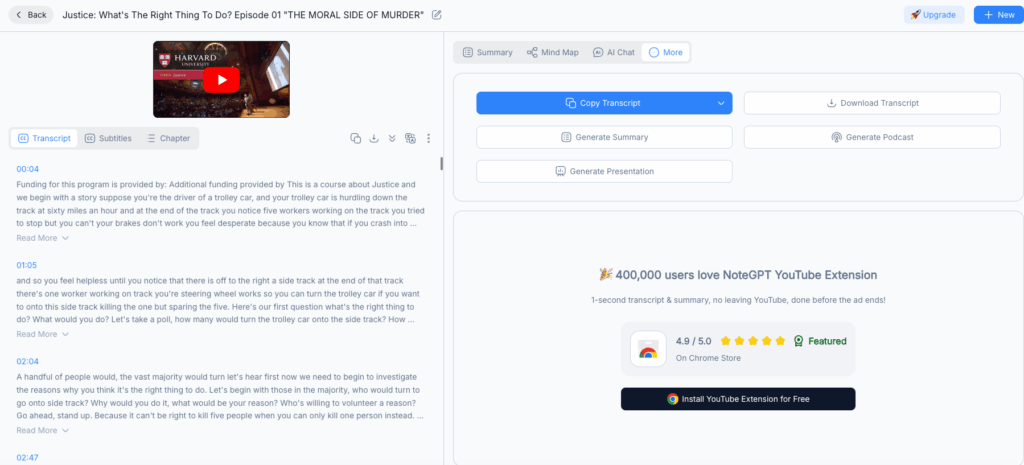
Pricing: Free with 3 transcriptions per month and 10-minute max per video. Pro plan at 19.99 dollars per month with unlimited transcriptions and full AI features.
Who It’s For: Creators repurposing video content such as bloggers, marketers, and educators.
Tool 2: Transkriptor – AI-Powered YouTube Video Transcriber for Fast Conversion
Speed is Transkriptor’s superpower. This YouTube video transcriber processes a 60-minute video in 4 minutes. Paste your URL, choose “Fast” or “Accuracy” mode, and get auto-corrected transcripts with speaker ID for up to 10 speakers and timestamps.
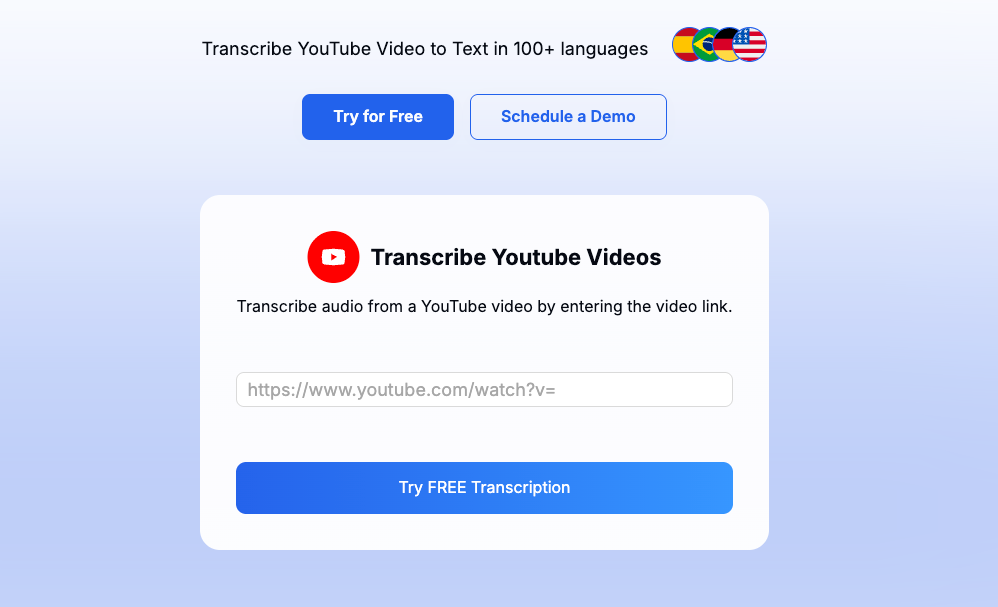
Key Features: 97% accuracy for clear audio. 92% accuracy for accented speech. Exports to Word, PDF, and SRT.
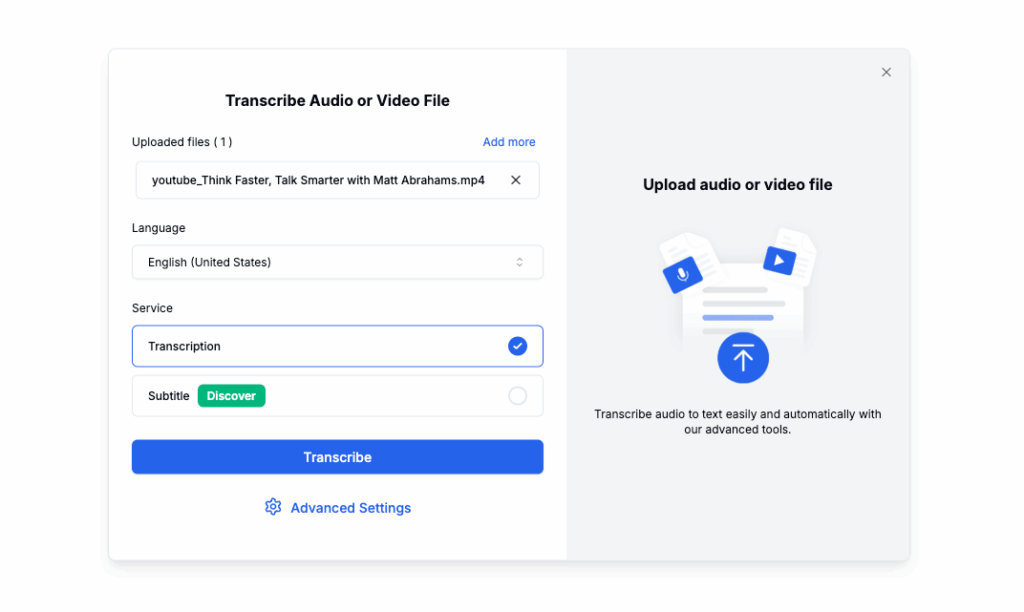
Pricing: Starter plan at 14.99 dollars per month with 10 hours of transcription. Pro plan at 29.99 dollars per month with unlimited hours. Enterprise plan with custom pricing.
Who It’s For: Creators with long-form content like webinars and interviews. Also great for teams needing bulk transcription.
Tool 3: Video Transcriber AI – Free Unlimited YouTube Video Transcriber Online
Video Transcriber AI is 100% free. No credit card is required and it offers unlimited transcriptions. Paste a YouTube URL, wait 2 minutes per 10 minutes of video, and get basic editable text plus SRT for captions.
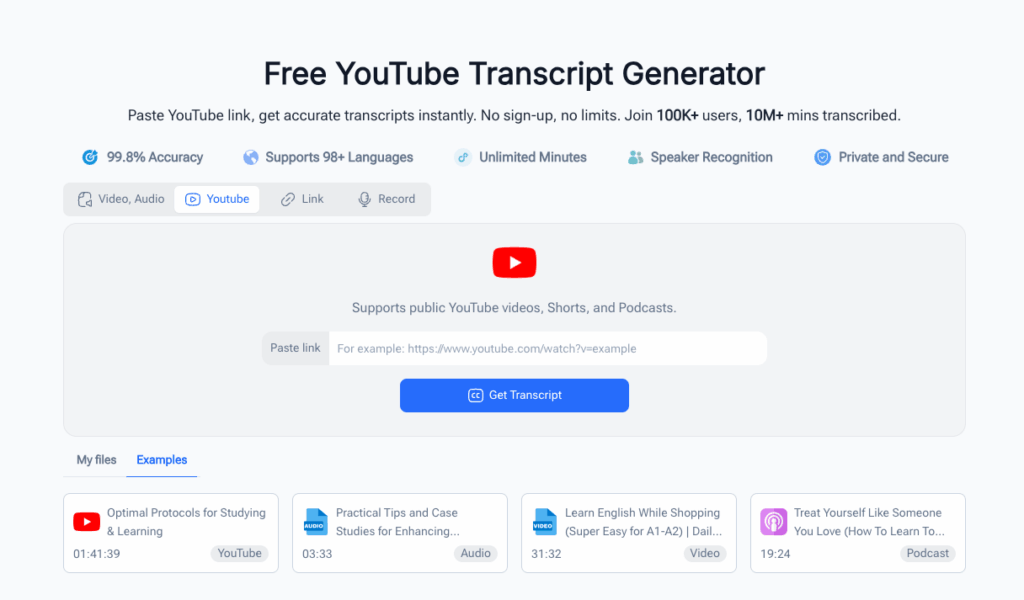
Key Features: 94% accuracy for clear audio. 15-language support. No time limits on videos.
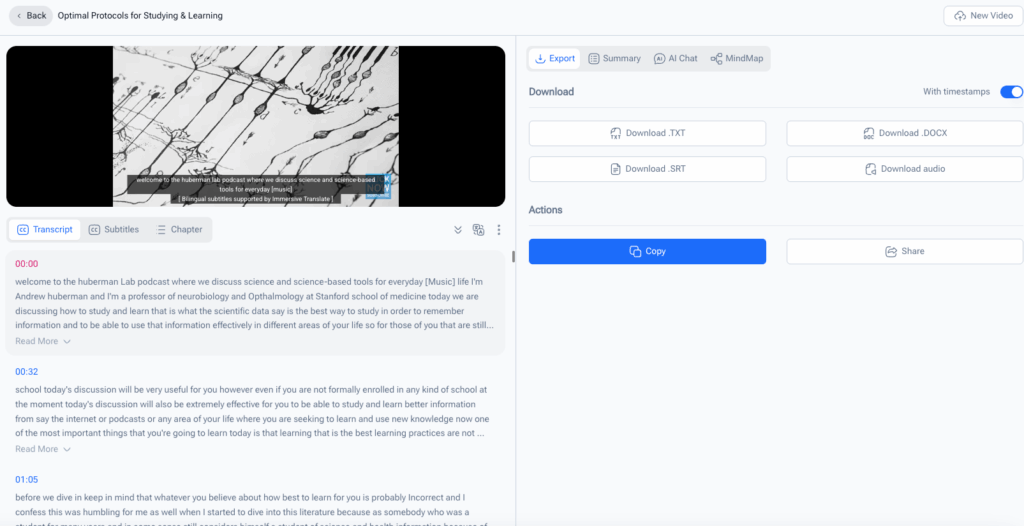
Pricing: Free forever. Funded by non-intrusive ads.
Who It’s For: New creators, students, or budget-conscious users needing basic transcription.
Tool 4: Otter.ai – Real-Time YouTube Video Transcriber with Speaker Identification
Otter.ai stands out as a versatile YouTube video transcriber. It excels in real-time transcription and crystal-clear speaker separation. This makes it ideal for panel discussions or interviews. Simply paste your YouTube URL, and it auto-detects speakers up to 20 while generating a timestamped, editable transcript.
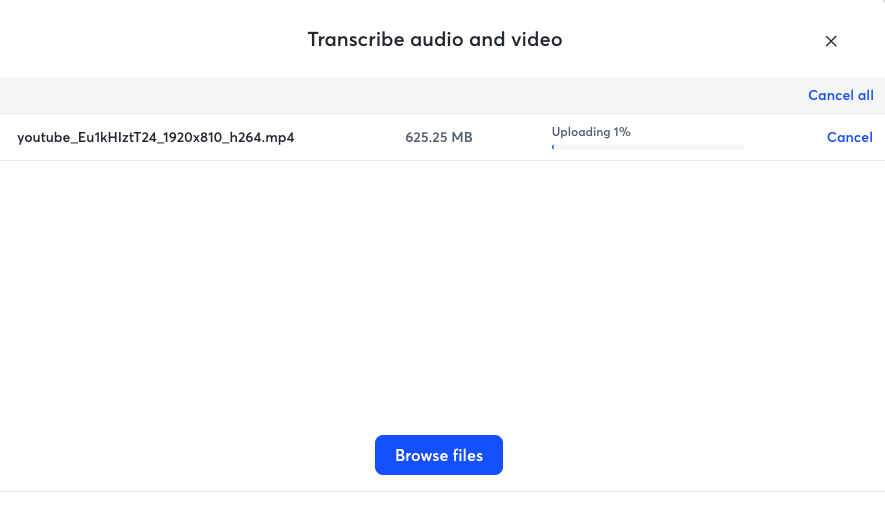
Key Features: 95% accuracy for clear audio. Real-time transcription option for live streams. Integrates with Zoom and Google Meet which is great for recording and transcribing live YouTube sessions. 16-language support.
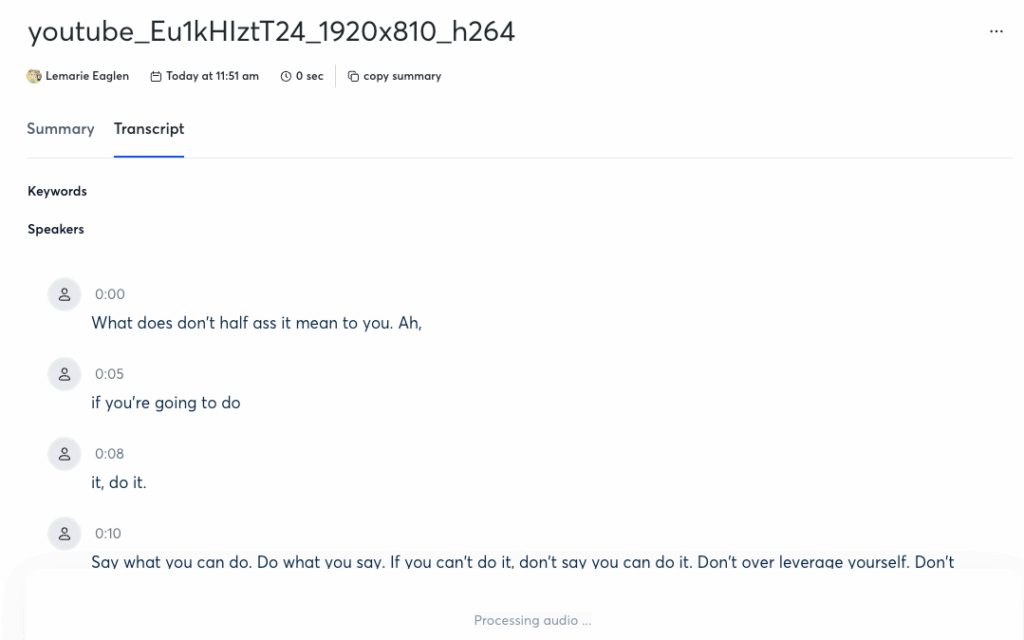
Pricing: Free with 300 minutes per month and 4 speakers max. Pro plan at 16.99 dollars per month with 1000 minutes and unlimited speakers. Business plan at 30 dollars per user per month with team collaboration features.
Who It’s For: Creators hosting live streams, interviews, or roundtables. Teams needing collaborative transcription workflows also benefit.
Tool 5: Yescribe.ai – High-Accuracy YouTube Video Transcriber for Content Creators
Yescribe.ai is the detail-oriented YouTube video transcriber for creators who refuse to compromise on accuracy. It’s optimized for YouTube’s most common content types including vlogs, tutorials, and reviews. It minimizes edits with advanced AI that handles filler words like um, like, and you know gracefully.
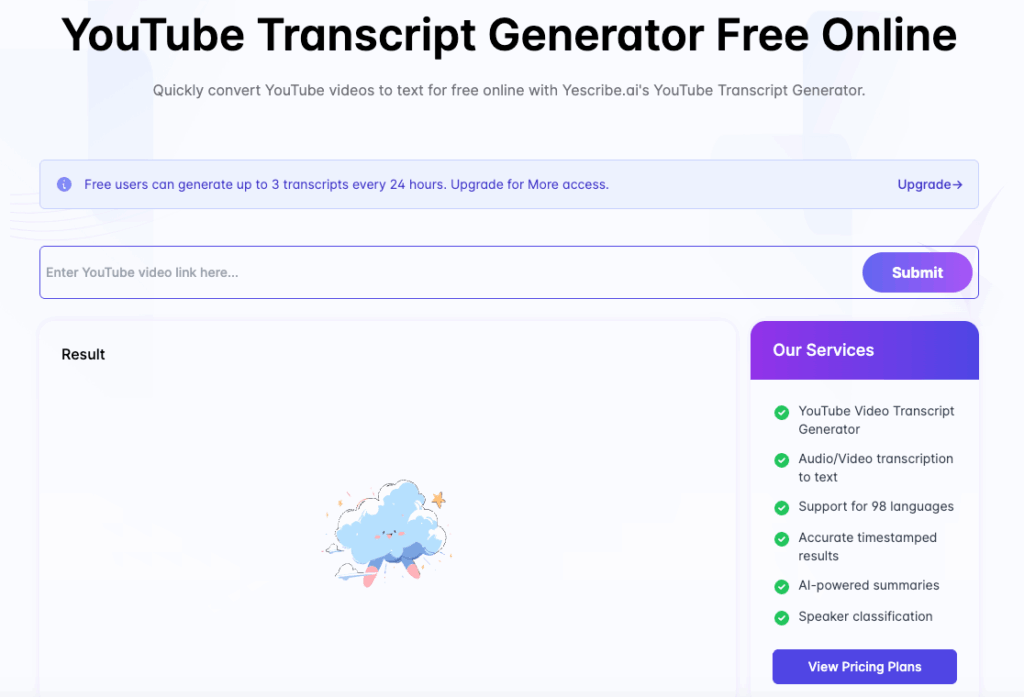
Key Features: 98% accuracy for clear audio which is top among 2026 tools. Filler word removal. Custom vocabulary for niche terms such as “SEO” and “vlogging gear”. Exports to SRT, TXT, or Google Docs.
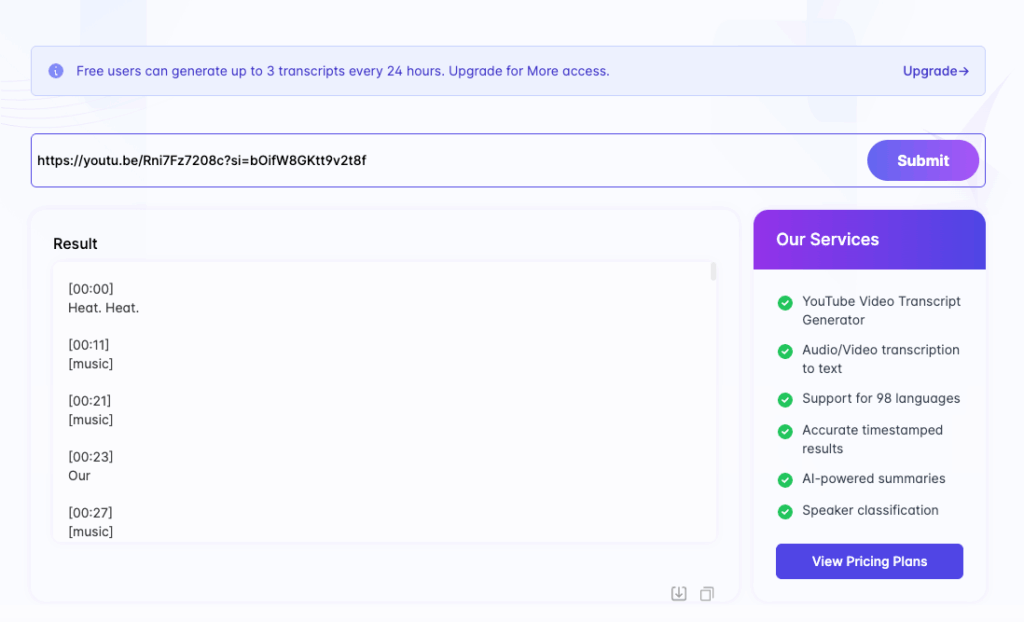
Pricing: Basic plan at 9.99 dollars per month with 5 hours of transcription. Premium plan at 24.99 dollars per month with 20 hours. Agency plan at 49.99 dollars per month with 50 hours and team access.
Who It’s For: Content creators prioritizing precision like tutorial makers and niche experts. Also suitable for those working with industry-specific jargon.
How to Choose the Right YouTube Video Transcriber for Your Needs
With so many YouTube video transcriber options, picking the right one boils down to your unique needs. Let’s break down the critical factors and weigh free vs. paid tools.
Critical Factors to Consider When Selecting a YouTube Video Transcriber
- Accuracy: Prioritize 95% plus accuracy if you’re creating captions or repurposing content. This helps avoid disasters like “CEO chips” instead of “SEO tips”. Test tools with a 1-minute clip of your typical video such as noisy vlogs or studio tutorials to gauge performance.
- Speed: If you transcribe long-form content like webinars and podcasts, a fast YouTube video transcriber such as Transkriptor will save hours. For short clips, speed is less critical.
- Language & Accent Support: If your audience is multilingual, choose a YouTube video transcriber with 15 plus language options like NoteGPT or Otter.ai. If you have a thick accent, test tools for accented speech accuracy. Transkriptor scores well here.
- Features: Need AI summarization? Go with NoteGPT. Need speaker ID? Choose Otter.ai or Transkriptor. Need filler word removal? Yescribe.ai is the choice. Don’t pay for features you won’t use.
- Integration: Pick a YouTube video transcriber that works with your existing tools like Google Docs, Notion, and Canva to streamline repurposing.
Free vs. Paid YouTube Video Transcriber: Which Is Better for You?
Free YouTube transcriber tools such as Video Transcriber AI are perfect for beginners, students, or creators with basic needs like simple captions. They’re cost-free but lack advanced features such as AI summarization and team collaboration. They may also be slower.
Paid YouTube video transcriber tools starting at 9.99 dollars per month are worth it if you meet certain criteria. These include transcribing videos regularly as unlimited plans save money compared to pay-per-minute options. Needing high accuracy is another factor as it’s critical for brand content or tutorials. Wanting AI extras like summarization and keyword extraction to boost productivity also justifies the cost. Working in a team that needs collaboration features like those in Otter.ai Business or Yescribe.ai Agency is another reason.
Pro tip: Most paid YouTube video transcriber tools offer 7-day free trials. Test them before committing.
FAQs About YouTube Video Transcriber Tools
How Accurate Are Modern YouTube Video Transcriber Tools?
Modern AI-powered YouTube video transcriber tools boast 94 to 98% accuracy for clear, studio-recorded audio. Accuracy drops slightly to 89 to 92% for noisy environments like outdoor vlogs or thick accents. That’s still light-years better than manual transcription which is prone to human error or YouTube’s native auto-captions which are often 80% accurate at best. For most creators, even 94% accuracy means minimal edits. Just a quick scan to fix minor blips.
Can a YouTube Video Transcriber Handle Different Accents and Dialects?
Yes. The best 2026 YouTube video transcriber tools such as Video Transcriber AI, Transkriptor, NoteGPT, and Otter.ai are trained on global accents and dialects. These include Australian English, Indian English, Spanish from Spain, and Spanish from Mexico. For ultra-specific dialects, test the tool’s free trial first. Many let you upload a short clip. Pro tip: Enable “accent adaptation” mode if available to boost accuracy for non-native speakers.
Conclusion
In 2026, a reliable YouTube video transcriber isn’t just a luxury. It’s a must-have for any content creator looking to save time, boost accessibility, and level up their SEO. Whether you’re a budget-conscious beginner who should go with Video Transcriber AI, a speed-focused long-form creator who benefits from Transkriptor, or a precision-driven niche expert who needs Yescribe.ai, there’s a YouTube video transcriber tailored to your needs.
Remember: The best YouTube video transcriber isn’t the fanciest one. It’s the one that fits your workflow, budget, and content style. Test free trials, prioritize the features that matter most such as accuracy, speed, and integration, and stop wasting hours on manual transcription. Your fingers and your content calendar will thank you.