

No browser needed
Launch the app and transcribe or translate in seconds — no browser tabs, just your desktop.
The free Video Transcriber AI Desktop APP. Transcribe audio, video, and links into text — or translate that text into 200+ languages. No browser needed.
Available for Windows 10+ / macOS 12+
99.9%
Accuracy
200+
Languages
100%
Private & secure
Free
Free to begin
WHY DESKTOP
Transcribe and translate from a native app — no browser tabs, just your desktop.
Launch the app and transcribe or translate in seconds — no browser tabs, just your desktop.
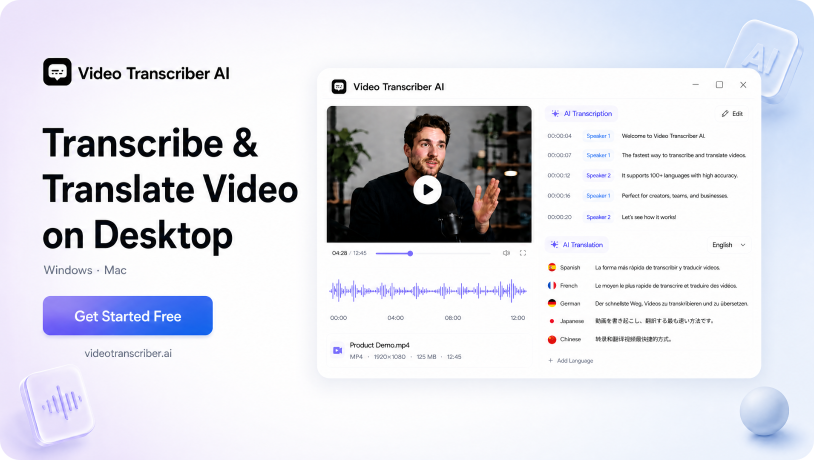
Upload an audio or video file, or paste a link. One click turns it into a timestamped transcript with speaker labels.
Translate any video with translated subtitles — reach audiences in 200+ languages, right from the app.
Automatic speaker labels tell you who said what — even in busy multi-person conversations.
Transcribe in over 200 languages with high accuracy, from English to less common tongues.
Drop in a multi-hour interview, a complete webinar, or an entire lecture series — all as one file. No splitting, no trimming, and no extra cost.
HOW IT WORKS
Get transcript and video translation in under a minute with Video Transcriber AI Desktop APP.
Get the app for Windows or macOS, then sign in with your free Video Transcriber AI account.
Drag in a video or audio file, or paste a video link. Processing starts instantly — no queue.
Review your transcript, translate the text into another language. Then download transcript to share or publish anywhere.
With the Video Transcriber AI desktop app, all you need is a free account — simply sign in, upload your file or paste a link, and download your transcript instantly, or translate it into another language.

J.T.
Podcast Producer
I produce a weekly interview podcast, and every episode needs a full transcript for show notes plus translated clips for our international feed. Video Transcriber AI Desktop App lets me do both in one place: I drop in the recording, get a clean timestamped transcript with speaker labels, then translate key segments for social media. The desktop window stays stable through hour-long files, which my old browser workflow never managed. I have cut post-production time nearly in half.

M.B.
Video Editor
I edit client footage every day, and most projects need transcription plus translated subtitles before delivery. The desktop client handles both workflows without me leaving the editing suite. I open the recording, generate the transcript with speaker labels, and export translated subtitles for an overseas launch. Video Transcriber AI Desktop App runs smoothly alongside my editing software, and I no longer lose work to browser crashes. It is now a permanent part of my pipeline.

S.K.
Investigative Journalist
I interview sources across time zones, and I need transcripts I can trust for fact-checking. Video Transcriber AI Desktop App processes my audio interviews without me juggling browser tabs, which matters when a conversation is sensitive. Speaker labels help me attribute statements accurately, and timestamped text lets me verify quotes against the recording in seconds. When a source answers in another language, I translate that segment in the same app instead of opening a separate tool.

L.W.
University Lecturer
I record lectures for students who attend remotely, and I now publish translated transcripts so international students can follow along. Video Transcriber AI Desktop App transcribes each session with speaker labels and lets me translate the text into several languages before uploading. The app handles ninety-minute recordings without slowing down, and the export formats drop straight into my course site. Students regularly tell me the transcripts help them study more effectively.

N.B.
Documentary Filmmaker
My documentaries include interviews in several languages, and subtitling used to mean outsourcing or long manual sessions. Video Transcriber AI Desktop App gives me timestamped transcripts and translated subtitles in one workflow. I refine the translation in the app, check it against the timeline, and export ready-to-publish subtitle files. Keeping the whole process on my own computer also protects unreleased footage. It has become essential to every production I start.

P.R.
Corporate Trainer
Our company trains employees across five countries, and every recorded session needs transcripts and translated summaries for each region. Video Transcriber AI Desktop App handles both tasks from my laptop, so I produce training materials without waiting on external services. Speaker labels separate instructor questions from participant answers, and translated subtitles help non-native speakers follow along. The same app works on Windows and Mac across the whole team.