


At first glance, comparing Video Transcriber AI and Evernote may seem unusual, but it reflects a real shift in how people work with information today.
Many users begin with Evernote as a general note-taking tool, but quickly encounter its limitations when handling long videos or large audio files. At that point, a dedicated transcription tool becomes necessary.
While both tools can help turn spoken content into text, they serve fundamentally different purposes. Evernote is designed for organizing manually created notes, whereas Video Transcriber AI focuses on converting audio and video into usable text automatically—along with generating concise summaries to quickly extract key insights from long-form content.
This comparison focuses on practical differences that matter most in real use: how each tool handles large files, long recordings, and end-to-end transcription workflows.
Video Transcriber AI vs Evernote Quick Comparison Table
| Metric | Video Transcriber AI | Evernote |
| Registration | ✅ Not required | ❌ Required |
| Free tier | 4 transcripts/day | 50 notes total |
| Max file size (per upload) | 5GB | 200MB |
| Total monthly storage limit | ✅ No limit | Starter: 1GB total storage; Advanced: Unlimited |
| Total note/attachment limit | ✅ No limit | Starter: 1,000 notes max, 1,000 attachments total |
| Device sync limit | ✅ No limit | Starter: 3 devices; Free: 1 device |
| YouTube support | No subtitles needed; unlimited length with subtitles | Relies on audio track |
| Accuracy | Up to 99.9% | Not disclosed |
| Languages | 200+ | 50+ |
| Speaker diarization | ✅ Yes | ✅ Yes |
| Online editor | ✅ Edit transcripts/subtitles | ❌ Copy-paste only |
| AI structured notes | ✅ Yes | ✅ Yes |
| Starting price | $5/mo | $14.99/mo |
The table above highlights where each tool places its emphasis. Video Transcriber AI prioritizes large-file handling and accessibility, while Evernote integrates transcription into a broader note-taking ecosystem with certain usage limits. Both approaches have their trade-offs. With that context in mind, let's take a closer look at how they perform in everyday scenarios.
What Is Video Transcriber AI?
Video Transcriber AI is an online transcription tool built for users who need to turn long video and audio files into accurate text without jumping through hoops. It is designed to handle large uploads, lengthy recordings, and YouTube content of any duration, all without requiring an account or imposing storage limits.
Unlike general-purpose productivity suites, Video Transcriber AI focuses on one thing: getting a clean, usable transcript from a big file as quickly as possible. Whether you are processing a three-hour lecture, a full-day conference recording, or a high-resolution video that exceeds 200MB, the tool removes the usual friction points that force users to split files or upgrade to expensive plans.
Standout features:
- No registration required, for a faster start with no account barriers
- 5GB per upload, for handling long lectures, conference recordings, and large video files that other tools reject
- No total storage, note, or device limits, for transcribing as much as you want without artificial ceilings
- YouTube without subtitles, for transcribing any online video even when no closed captions exist
- 200+ languages with up to 99.9% accuracy, for reliable transcripts across global and multilingual content
- Speaker diarization, for cleaner transcripts that distinguish between different speakers in interviews or panel discussions
- Online transcript editor, for reviewing and correcting text directly in the browser before downloading
- AI structured notes, for turning raw transcripts into organized summaries with key points clearly laid out
Rather than adding unnecessary complexity, Video Transcriber AI removes the barriers that make big-file transcription painful so users can upload once, get their transcript, and move on.
What Is Evernote?
Evernote is a comprehensive note-taking and productivity platform that includes transcription as one feature among many. With the introduction of AI Meeting Notes in version 11 (2026), users can record, transcribe, and summarize conversations with speaker recognition. However, the service is primarily designed for organizing notes, tasks, calendars, and documents, not for handling large video files.
For users who occasionally need to transcribe a short meeting or capture action items from a call, Evernote works well. But its per-note file limit of 200MB and its total storage caps (for example, 1GB on the Starter plan) make it less suitable for anyone who regularly works with long lectures, high-resolution videos, or large audio recordings.
Standout features:
- AI Meeting Notes with speaker recognition, for recording and transcribing conversations with labeled speakers and generated summaries
- AI Assistant and semantic search, for asking natural-language questions about your notes and finding information by meaning rather than exact keywords
- Web clipper and OCR, for capturing web content directly into Evernote and searching for text inside images and PDFs
- Cross-platform sync, for accessing your notes, tasks, and documents on Windows, Mac, iOS, Android, and the web
- Task and calendar integration, for managing to-dos and schedules alongside your notes in one unified space
Evernote turns transcription into a small part of a larger organizational system, which is fine for short recordings but a poor fit for users who need to process big video files on a regular basis.
Essential Differences Between Video Transcriber AI and Evernote
1. Video Transcriber AI vs Evernote: User Experience
| Aspect | Video Transcriber AI | Evernote |
| First action on homepage | Upload file or paste link - visible immediately | Choose product path or \"Get Started Free\" |
| Account required | No | Yes |
| Steps to first transcript | 4–5 clicks | 6–8 actions across multiple screens |
| Typical time to start processing | ~10 seconds | 1–2 minutes (account creation) |
| Processing speed (1-hour file) | Under 5 minutes | Under 1 minute |
| Can you save without logging in? | Yes - download TXT/SRT directly | No - requires account to save |
Video Transcriber AI: Direct and Immediate
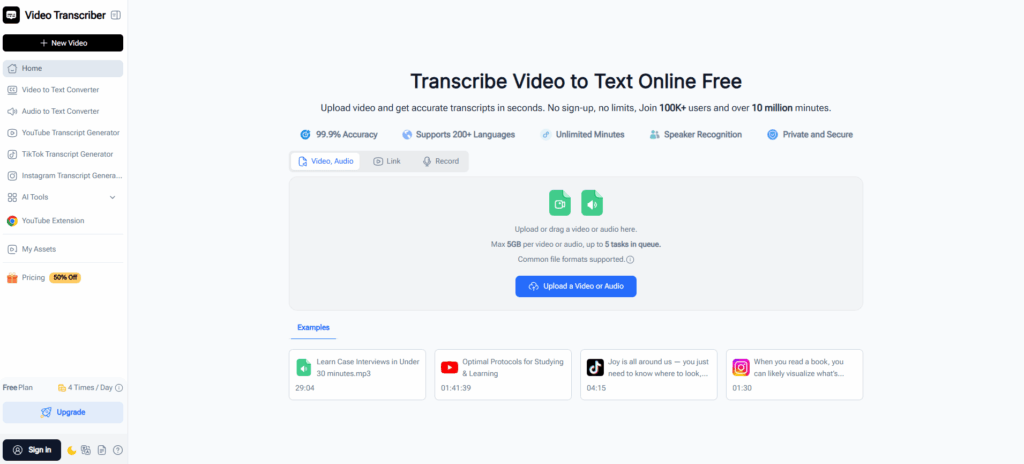
The product is built around a single task: turning video or audio into text. The homepage places the upload area front and center, with no distractions, no pricing tables, and no account prompts. Users can paste a YouTube link or drag a file, then hit "Transcribe". The entire experience is linear and predictable.
Typical flow:
- Open Video Transcriber AI's website
- Drop a file (up to 5GB) or paste a link.
- Click "Transcribe".
- Download or copy the result (TXT or SRT) within minutes.
Because there are no detours, Video Transcriber AI is ideal for users who want a transcript immediately, without learning a new interface or committing to an account.
Evernote: Feature‑Rich but Less Direct
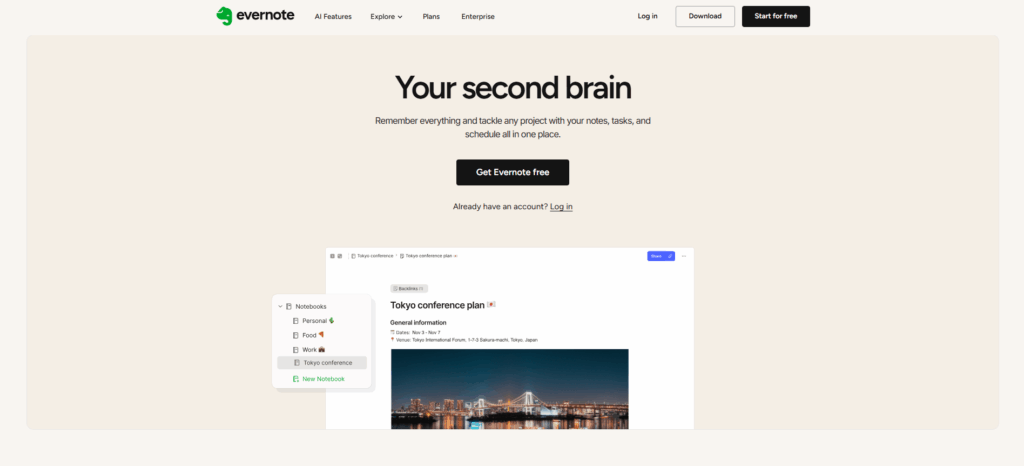
Evernote is a general‑purpose productivity hub. Transcription is available through its AI Meeting Notes feature or the standalone AI Transcribe web tool, but neither is the first thing a new user sees. The homepage promotes notebooks, tasks, calendars, and team collaboration. To transcribe a file, a user must first create an account (or log in), then locate the transcription feature, then create a note to hold the recording.
Typical flow:
- Go to Evernote's website
- Click "Get Started" and sign up (email verification).
- Log in and open a new note or navigate to the AI Transcribe tool.
- Upload a file (200MB max) or paste a YouTube link (requires existing subtitles).
- Click "Transcribe" and wait.
- Copy the transcript to paste elsewhere (no direct download).
This structure makes sense for Evernote's core audience – people who already use the platform to organize their lives. For a first‑time visitor who just wants a quick transcript, the extra steps add noticeable friction. Evernote works best when transcription is part of a larger workflow, not a standalone task.
Quick Takeaway
For a first-time user, the difference comes down to speed vs. structure. Video Transcriber AI puts transcription front and center with zero barriers — open, upload, done. Evernote wraps transcription inside a broader ecosystem, which adds value for existing users but friction for anyone who just needs a quick transcript. Choose Video Transcriber AI for instant access. Choose Evernote only if you are already committed to its note‑taking workflow.
2. Video Transcriber AI vs Evernote: Large File Handling
| Aspect | Video Transcriber AI | Evernote |
| Max file size per upload | 5GB (Pro) | 200MB (Paid) |
| Max duration per file | Unlimited | ~1 hour |
| YouTube without subtitles | ✅ Yes | ❌ No |
| Splitting required | ✅ No | ❌ Yes, for files over 200MB or longer than 1 hour |
Video Transcriber AI: Built for Large Files
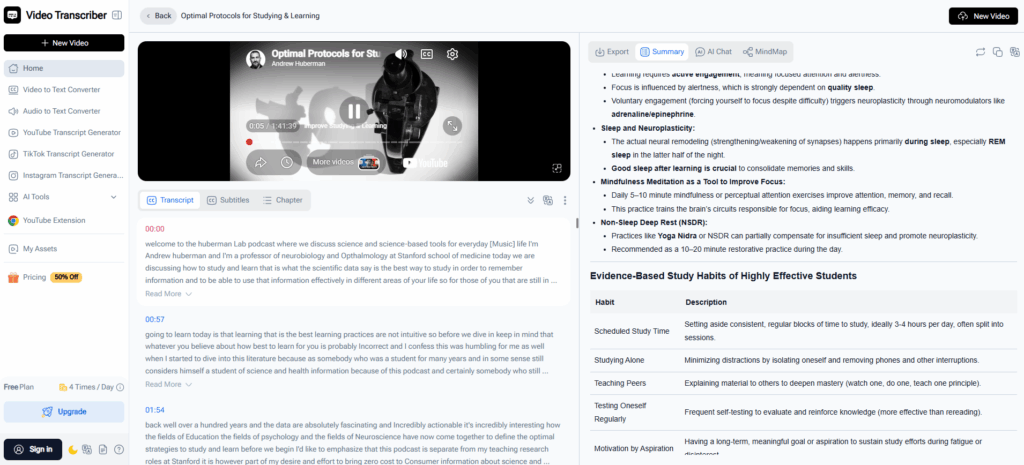
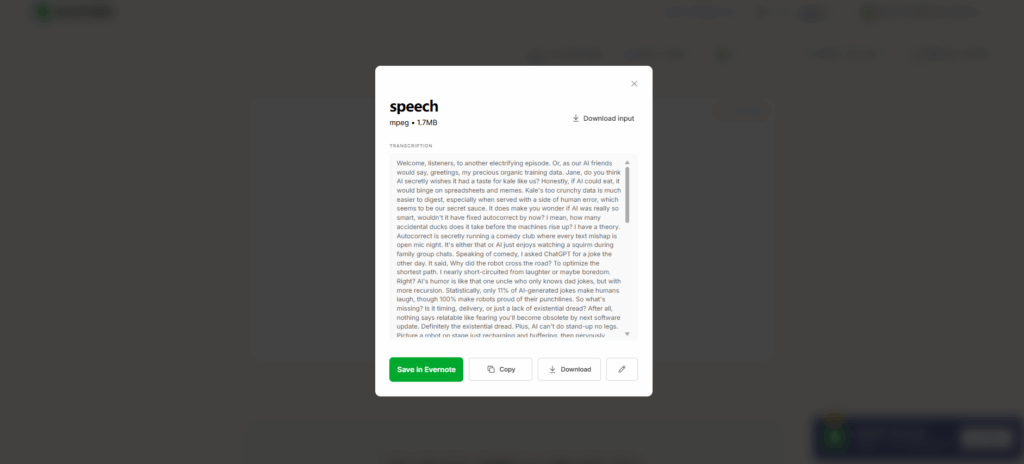
Video Transcriber AI is designed to handle content that exceeds the limits of general‑purpose tools. Its 5GB per‑upload cap means a three‑hour lecture or a 4K video can be processed as a single file. For YouTube videos, the tool transcribes directly from audio, even when no subtitles exist — a capability Evernote does not offer. A typical 1‑hour‑20‑minute Zoom call (79MB) uploads and returns a complete transcript without any splitting or third‑party software.
- Accepts up to 5GB per upload on the Pro plan
- No duration limit for YouTube videos with subtitles; Pro removes caps for videos without subtitles
- Transcribes YouTube videos even when no existing captions are present
- No file splitting or manual stitching required
Evernote: Designed for Shorter Content
Evernote takes a different approach. Its transcription feature works well for content that fits within a 200MB note and roughly one hour of duration. A 30‑minute meeting or a brief podcast episode transcribes quickly and integrates neatly into Evernote's note‑taking ecosystem. However, when files exceed these bounds — such as a 1‑hour‑20‑minute Zoom call (79MB) — users have reported a "FILE TOO BIG" error. The recommended workaround involves splitting the file using third‑party software, transcribing segments separately, and manually stitching the results.
- Caps each note at 200MB (paid plans) and transcription at ~1 hour per file
- Cannot transcribe YouTube videos without existing subtitles
- Files exceeding the limit require splitting and manual reconstruction
- Fast transcription when content fits within the envelope
Quick Takeaway
Evernote is a reliable choice for short recordings under one hour and 200MB. Video Transcriber AI is built for larger workloads: 5GB uploads, unlimited duration, and YouTube videos without subtitles — all without splitting. Choose Video Transcriber AI if you regularly handle long lectures, conference recordings, or YouTube content lacking captions. Choose Evernote for brief meetings and podcasts that stay within its limits.
3. Video Transcriber AI vs Evernote: Storage and Account Limits
| Aspect | Video Transcriber AI | Evernote |
| Free tier storage | ✅ No total cap | 50 notes total |
| Paid tier storage | ✅ No total cap | Starts at 5GB total (Starter), upgrades available |
| Note / transcript limit | ✅ None | Free: 50 notes, Starter: 1,000 notes |
| Device limit | ✅ None | Free: 1 device, Starter: 3 devices |
Video Transcriber AI: No Storage Ceilings
Video Transcriber AI imposes no total storage limits at any level. Free users get four daily transcriptions without worrying about how many files accumulate over time. Paid users enjoy the same freedom — no counting gigabytes, no deleting old transcripts to make space. The only distinction between free and paid is the per‑upload file size and daily transcription quota. Storage itself is never capped.
- No total storage caps for free or paid users
- No limits on number of transcripts stored
- No device restrictions at any tier
- Free vs paid: primarily file size and daily quota, not storage
Evernote: Storage and Note Caps Across All Tiers
Evernote limits storage even for paying customers. The free tier caps total notes at 50 — meaning once you reach 50 notes, you cannot create another without deleting an existing one. Paid plans remove the monthly upload cap but introduce total storage limits: the Starter plan includes 5GB total, and users must upgrade to Advanced for unlimited storage. Device sync is also restricted (1 device on free, 3 on Starter). A long‑time user on the Evernote forum noted that after accumulating thousands of notes over a decade, they could no longer create new notes or add attachments without upgrading to a higher tier.
- Free tier: 50 total notes, 1 device
- Paid tiers still have storage caps (Starter: 5GB total)
- Note limits apply even on Starter (1,000 notes)
- Exceeding any cap blocks creating new content until deletion or upgrade
Quick Takeaway
Video Transcriber AI never caps how much you can store, regardless of free or paid status. Evernote imposes storage and note limits at every tier, which can create inconvenience for users who need to keep many notes or large amounts of content without constantly deleting old items or upgrading. If you want to transcribe without managing storage space or hitting note ceilings, Video Transcriber AI offers a more straightforward experience.
4. Video Transcriber AI vs Evernote: Security and Privacy
Video Transcriber AI: Private by design, no credentials to steal
Video Transcriber AI requires no accounts, no passwords, and no sign-up. Because there is no user database, the service does not collect or store any personal information from users who transcribe without logging in. There are no stored emails, no password hashes, and no usage history tied to an identity. For students, creators, and solo professionals, this means one less account to manage and nothing for attackers to target — even if the service were compromised, there would be no user data to expose.
Evernote: Enterprise compliance for regulated teams
Evernote offers formal enterprise‑grade certifications: ISO 27001, SOC 2 Type II, and GDPR compliance. These are essential for legal firms, healthcare providers, and large media teams that must meet regulatory requirements. However, this security framework comes with mandatory account creation and ongoing data retention. Users must provide personal information, manage passwords, and trust that Evernote protects their stored data.
Quick Takeaway
For strong privacy without the hassle of accounts, passwords, or stored personal data, choose Video Transcriber AI. Pick Evernote only if your organization is bound by formal compliance requirements like SOC 2 or GDPR.
5. Video Transcriber AI vs Evernote: Pricing
| Plan | Video Transcriber AI | Evernote |
| Free | 4 transcripts/day,500MB per uploaded file,YouTube (with subs) unlimited,YouTube (no subs) 150 min | 50 notes, 1 notebook, 1 device |
| Basic / Starter | $5/mo,5GB per uploaded file, Unlimited via link,Unlimited Storage | $14.99/mo,1,000 notes, 5GB total storage, 3 devices |
| Pro / Advanced | $18/moUnlimited minutes, 5GB per uploaded file, Unlimited via linkUnlimited Storage | $24.99/mo,Unlimited notes, Unlimited devices |
| Top-tier | Pro is highest | Enterprise, 20GB monthly uploadCustom pricing, SSO, Enhanced compliance |
Video Transcriber AI: Affordable and Transparent
Video Transcriber AI keeps pricing simple and accessible. The free tier is genuinely useful — four full transcripts every day, not a time-limited trial. A key distinction: only uploaded files have size limits (500MB on free, 5GB on paid plans). YouTube links and other online sources face no such restrictions — they transcribe without worrying about file size at all.
For light users, the Basic plan at $5 per month provides 5GB per uploaded file, unlimited transcription via links, and unlimited storage. Heavy users can upgrade to Pro at $18 per month for unlimited minutes, the same 5GB per uploaded file, and unlimited link transcription. Both paid plans include core features: 200+ languages, speaker recognition, noise reduction, and AI summaries. There are no per-minute overage fees, no storage caps, and no hidden device limits.
- Free: 4 daily transcripts, 500MB per uploaded file, unlimited via link
- Basic ($5/mo): 5GB per uploaded file, unlimited via link, unlimited storage
- Pro ($18/mo): Unlimited minutes, 5GB per uploaded file, unlimited via link, unlimited storage
Evernote: Higher Cost for a Broader Ecosystem
Evernote's pricing reflects its all-in-one note-taking platform, not a transcription-first tool. The free tier is severely restricted — 50 notes total and one notebook — making it impractical for regular use. The Starter plan at $14.99 per month adds 1,000 notes, 5GB total storage, and sync on three devices, but still caps notes and storage. To remove those limits, users must upgrade to Advanced at $24.99 per month, which costs significantly more than the Starter plan.
- Free: 50 notes, 1 notebook, 1 device
- Starter ($14.99/mo): 1,000 notes, 5GB total storage, 3 devices
- Advanced ($24.99/mo): Unlimited notes, unlimited devices (storage still capped at 20GB monthly upload for Enterprise)
- Enterprise: Custom pricing, SSO, enhanced compliance, 20GB monthly upload
Quick Takeaway
For users whose primary need is transcription, Video Transcriber AI offers better value at every tier. The free plan is usable, the Basic plan starts at just $5 per month (compared to Evernote's $14.99 Starter), and the Pro plan provides unlimited minutes for $18 per month (compared to Evernote's $24.99 Advanced). A key advantage: only uploaded files have size limits — links transcribe freely without restrictions, making Video Transcriber AI more flexible for online content. Evernote's pricing makes sense only if you are already deeply invested in its note-taking ecosystem and need features like task management, calendar sync, or enterprise compliance. For transcription alone, Video Transcriber AI delivers a more affordable and straightforward experience.
6. Video Transcriber AI vs Evernote: Best Use Cases
Both tools transcribe speech to text, but they fit different workflows. Video Transcriber AI focuses on fast, large‑file transcription with online editing and AI summaries. Evernote wraps transcription inside its note‑taking and task management ecosystem.
Video Transcriber AI: Best for Creators and Transcription‑Heavy Users
- Students & educators – Transcribe long lectures, seminar recordings, or course videos. Get speaker labels, timestamps, and structured notes.
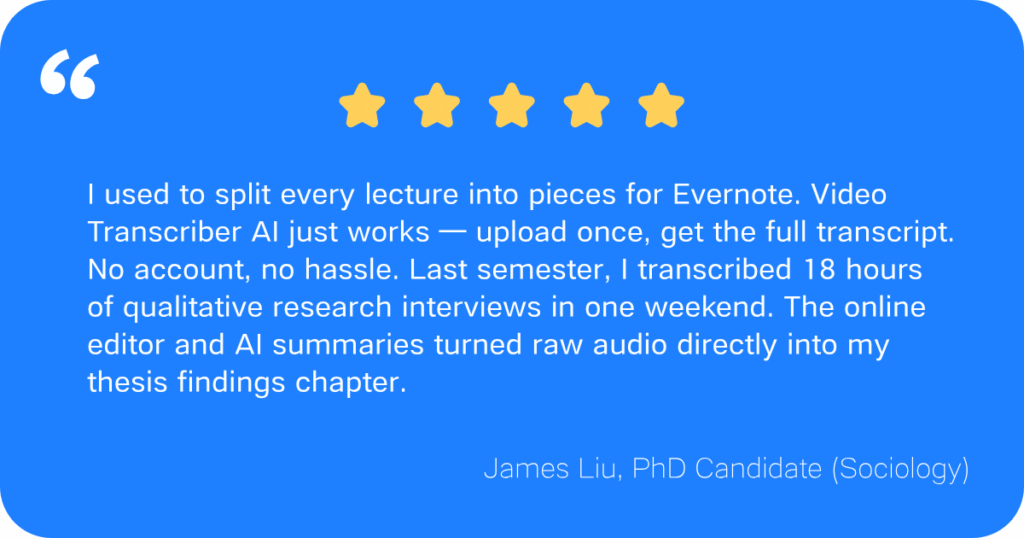
- Content creators (YouTubers, podcasters, TikTokers) – Turn videos into captions, show notes, or blog posts. Online editing lets you polish transcripts and subtitles before export. AI summaries extract key insights from long recordings — ideal for repurposing content.
- Journalists & researchers – Transcribe interviews or focus groups. No account for one‑off jobs, and paid plans handle large files without splitting.
- Multilingual users – 200+ languages for international content or translation.
Evernote: Best When You Already Live in Evernote
- Existing Evernote users – Transcription lives inside your Evernote notebooks alongside notes, tasks, and calendars. No need to switch tools.
- Teams using Evernote – Shared Evernote notebooks and real‑time sync keep meeting transcripts organized with team projects.
- Businesses with compliance needs – Evernote offers ISO 27001, SOC 2 Type II, and GDPR for regulated industries.
- Short‑form transcription – For meetings under one hour or files under 200MB, Evernote transcribes quickly and saves directly to your Evernote account.
Quick Takeaway
Choose Video Transcriber AI when you need to transcribe large files (lectures, long podcasts, YouTube without subtitles), edit transcripts online, and turn spoken content into publishable material with AI summaries. Choose Evernote if you are already invested in the Evernote ecosystem and want transcription as one feature within your existing Evernote notes, tasks, and teams. For most creators and solo professionals, Video Transcriber AI is the more flexible and affordable choice.
Final Verdict
Why wrestle with clunky limits and surprise error messages when you can just hit "go"? Video Transcriber AI keeps things simple: upload a file or paste a link, and watch the magic happen. No account, no storage math, no "sorry, you've hit your note limit" nonsense. It's like having a transcription wizard that actually likes your big files.
Best part? You get four free transcriptions every single day — no credit card, no catch, not even a login. That's four lectures, four YouTube videos, four podcast episodes, totally on the house. Go ahead, give it a spin at Video Transcriber AI. Your next transcript is ten seconds away.