


People compare Video Transcriber AI and Sonix because both tools can turn audio and video into text. But they are not built for the same kind of user.
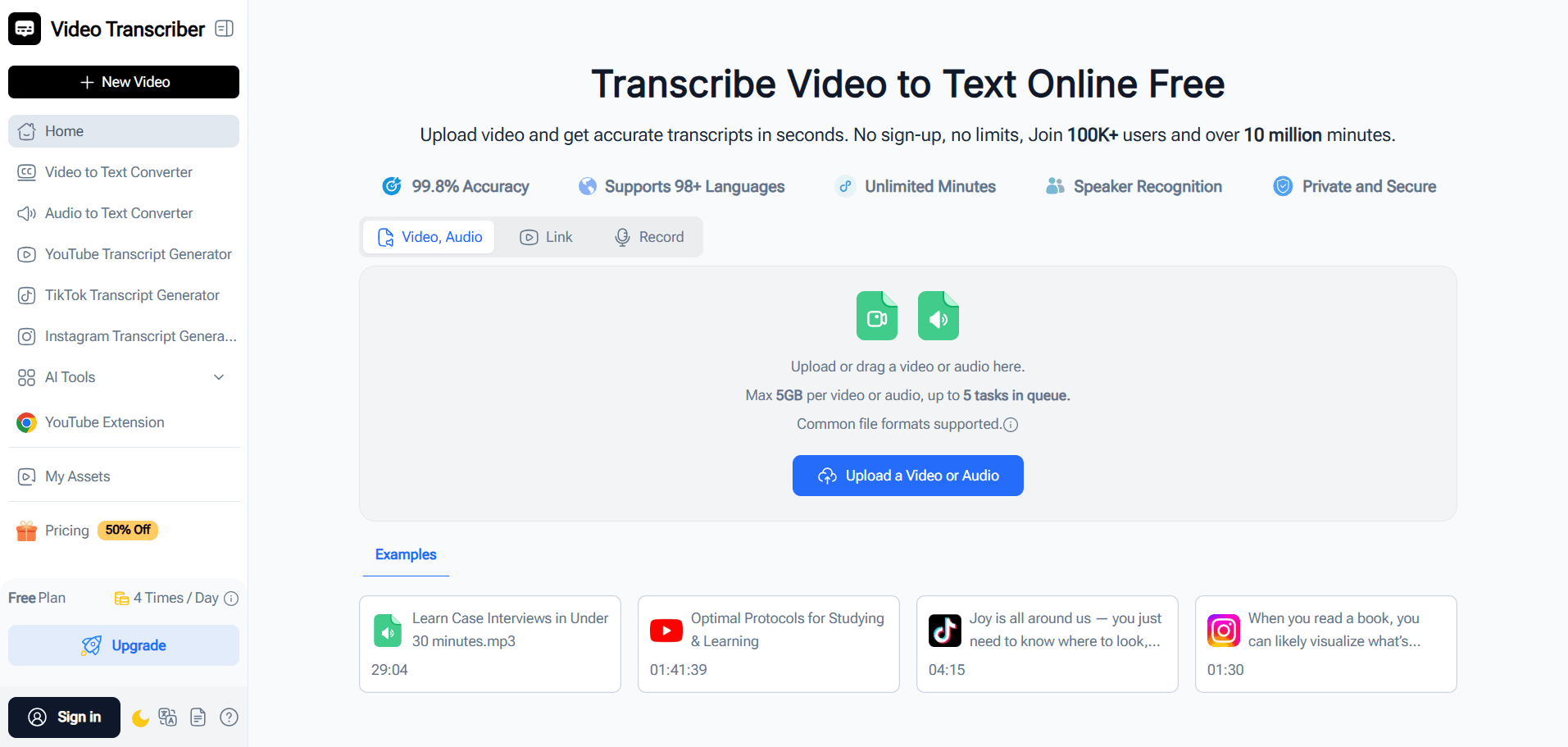
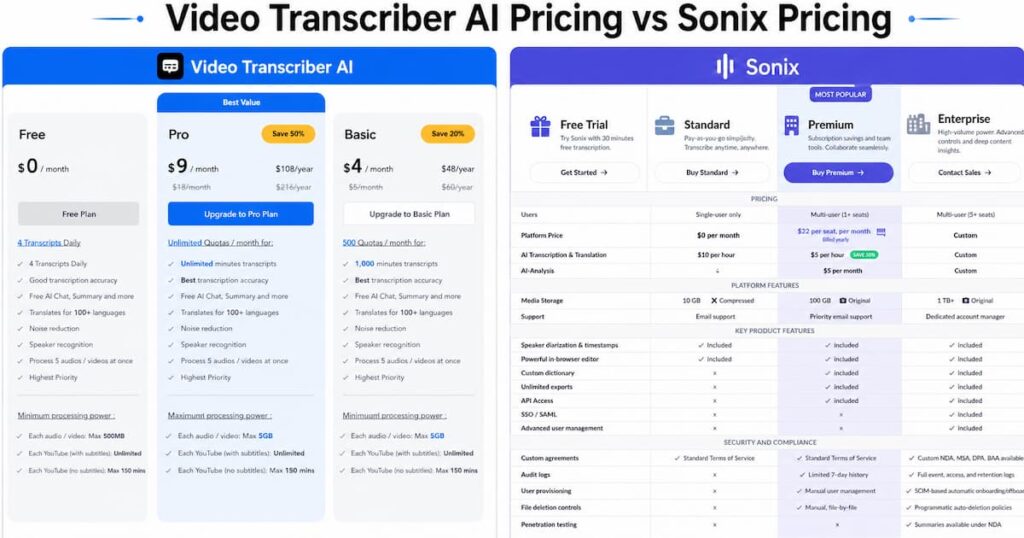
Video Transcriber AI is easier to understand as a lower-friction transcript workflow tool. It is built for users who want to upload a file, get a transcript, and keep working with that transcript through summaries, AI chat, translation, export, and mind maps. According to your product specs, Video Transcriber AI offers 99.9% accuracy and supports 200+ languages. Its public pricing page also shows a free plan with 4 transcripts daily, AI chat, summary, translation, noise reduction, speaker recognition, and the ability to process 5 audio or video files at once.
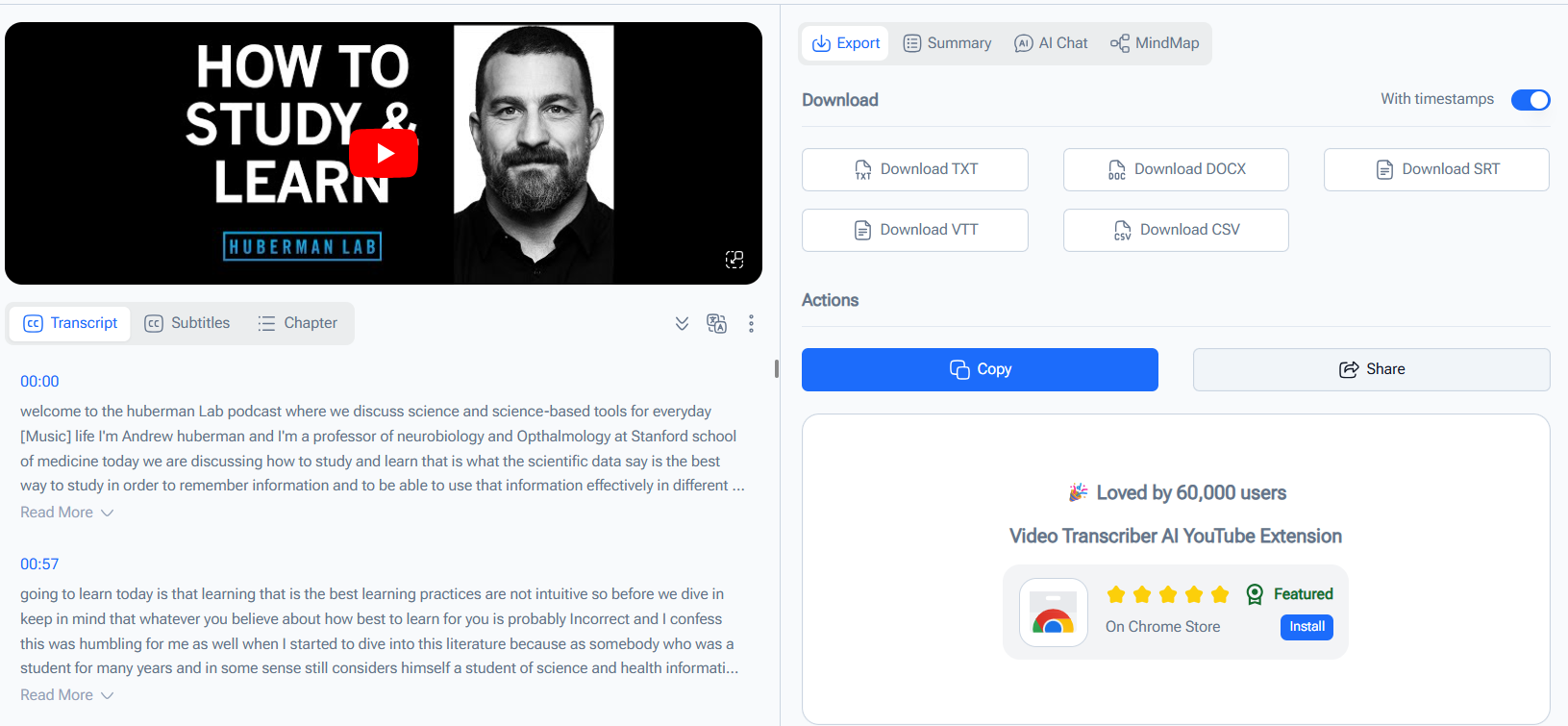
Sonix is different. Sonix is a professional AI transcription platform with a stronger focus on accuracy, security, collaboration, translation, subtitles, and enterprise workflows. Sonix publicly highlights 99% accuracy, 53+ languages, AI summaries, chapters, sentiment analysis, speaker diarization, SOC 2, HIPAA, ISO 27001, AES-256 encryption, and zero training on customer data. Sonix also offers a 30-minute free trial and a pricing model built around hourly transcription and team seats.
This comparison follows the same general logic as the HappyScribe vs Sonix comparison: the question is not only which tool transcribes, but which tool better fits a specific workflow. Sonix is strong for professional transcription and team use. Video Transcriber AI is easier to position for fast, lower-cost transcript workflows, especially for students, creators, researchers, and individual users who want post-transcription value without stepping into a heavier platform.
Video Transcriber AI vs Sonix Quick Comparison Table
The table below compares Video Transcriber AI and Sonix around the core question: which tool is better for fast transcript workflows?
| Field | Video Transcriber AI | Sonix |
| Registration required | Basic public features can be used with lower friction | Free trial / account flow |
| Free allowance | 4 transcripts daily | 30 minutes free trial, no credit card required |
| Accuracy | 99.9% | 99% accuracy on public Sonix pages |
| Supported languages | 200+ languages | 53+ languages |
| Maximum file size | Free 500MB; paid up to 5GB/file | Not highlighted as the main public comparison point |
| Core workflow style | Transcript-first: transcribe, summarize, chat, mind map | Professional platform: transcribe, translate, subtitle, analyze, collaborate |
| Security posture | Private and secure messaging, lighter start | SOC 2, HIPAA, ISO 27001, AES-256 encryption, zero training on customer data |
| Starting price | Basic from $4/month yearly; Pro from $9/month yearly | Standard $10/hour; Premium $5/hour plus $22/user/month |
| Best use case | Students, creators, researchers, lower-cost transcript workflows | Teams, enterprises, compliance-heavy workflows, subtitle and translation work |
The quick takeaway is clear. Video Transcriber AI is better when users want a fast, simple, lower-cost transcript workflow. Sonix is better when users need a professional transcription platform with enterprise security, team collaboration, translation, subtitle workflows, and deeper admin controls. Sonix is not weak. Sonix is simply built for a different level of workflow complexity.
A’s defining trait: Video Transcriber AI focuses on transcript reuse after transcription.
B’s defining trait: Sonix focuses on professional transcription, security, collaboration, and multilingual media workflows.
What is Video Transcriber AI?
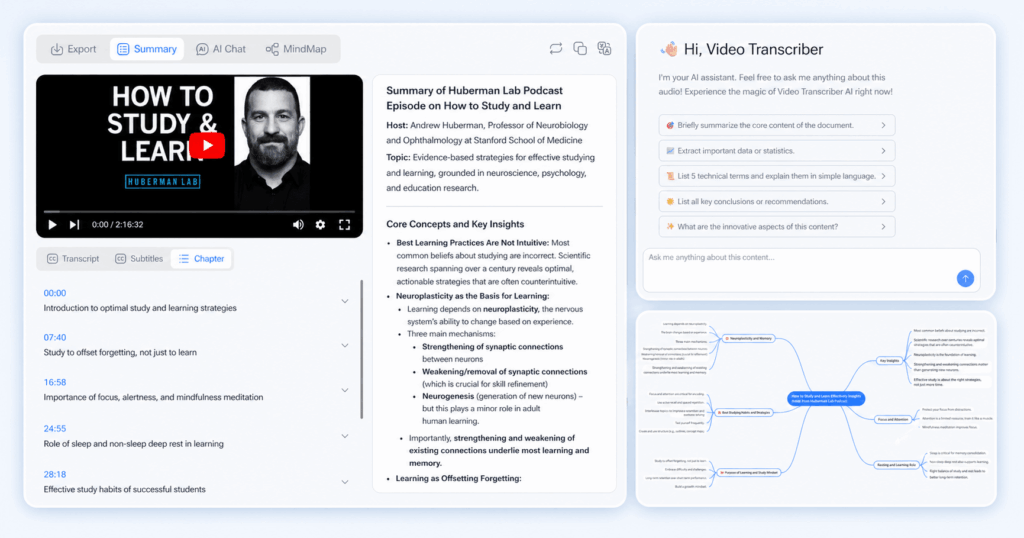
Video Transcriber AI is an online AI transcription tool built for users who want to turn video, audio, YouTube links, and live recordings into editable text quickly. Its help center describes Video Transcriber AI as a tool that supports transcription, translation, structured summaries, and AI-powered follow-up actions such as chatting with transcripts and generating mind maps. That makes Video Transcriber AI more than a basic speech-to-text converter.
The main value of Video Transcriber AI appears after the transcript is created. A student can turn a long lecture into a readable summary. A creator can turn a video into a draft or outline. A researcher can ask questions about an interview transcript. A meeting user can turn a recording into structured notes. This is where Video Transcriber AI separates itself from simple conversion tools.
Standout features:
- No-sign-up style public workflow for basic use
- 4 transcripts daily on the free plan
- 99.9% accuracy
- 200+ languages
- Structured summaries from transcript content
- AI chat with transcript content
- Mind maps from transcript content
- Export options for transcript and subtitle workflows
- Speaker recognition and noise reduction on public pricing pages
The simplest way to describe Video Transcriber AI is this: it is built for users who want to keep working after the transcript is generated.
What is Sonix?
Sonix is a professional AI transcription, translation, subtitle, and analysis platform. Sonix publicly positions itself around accurate transcription, 53+ languages, automatic timecode sync, AI summaries, chapters, sentiment analysis, enterprise-grade security, and zero training on customer data. Sonix is designed for professionals who need more than a quick transcript.
Sonix also has a stronger security and compliance story than many lightweight transcription tools. Sonix publicly references SOC 2, HIPAA, ISO 27001, AES-256 encryption, and enterprise-grade security. Sonix also has plans and features that make sense for teams, including Premium pricing with per-hour transcription plus per-user subscription fees.
Standout features:
- 99% transcription accuracy
- 53+ languages
- AI summaries
- Chapters and sentiment analysis
- Speaker diarization
- Translation and subtitle workflows
- Collaboration features
- SOC 2, HIPAA, ISO 27001, and AES-256 security positioning
- Standard and Premium pricing models for professional users
- API and enterprise workflows
The simplest way to describe Sonix is this: Sonix is a professional transcription platform for users who need accuracy, security, collaboration, and multilingual media workflows.
Essential differences between Video Transcriber AI and Sonix
1. Video Transcriber AI vs Sonix: User Experience
| UX factor | Video Transcriber AI | Sonix |
| First impression | Lightweight transcript workflow | Professional transcription platform |
| First-use path | Upload, transcribe, summarize, chat, export | Free trial, upload, transcribe, analyze, collaborate |
| Registration friction | Lower for basic use | More account/workspace oriented |
| Learning curve | Lower for individual users | Higher, but stronger for teams |
| Best first-use feel | Fast and direct | Professional and structured |
Video Transcriber AI is easier for someone who only wants to get a transcript and keep moving. The user does not need to understand team permissions, compliance controls, collaboration settings, or hourly pricing before starting. Video Transcriber AI feels more direct because the workflow is centered on the transcript.
Typical Video Transcriber AI workflow:
- Open the page.
- Upload audio or video.
- Generate transcript.
- Review transcript.
- Continue with summary, AI chat, mind map, or export.
Sonix has a more professional user experience. Sonix asks users to step into a platform environment. That makes sense for teams and professional workflows, but it can feel heavier for students, creators, or casual users. Sonix is not difficult. Sonix is simply more platform-like. Sonix is built for users who may also want collaboration, subtitle exports, translation, AI analysis, and secure team management.
Typical Sonix workflow:
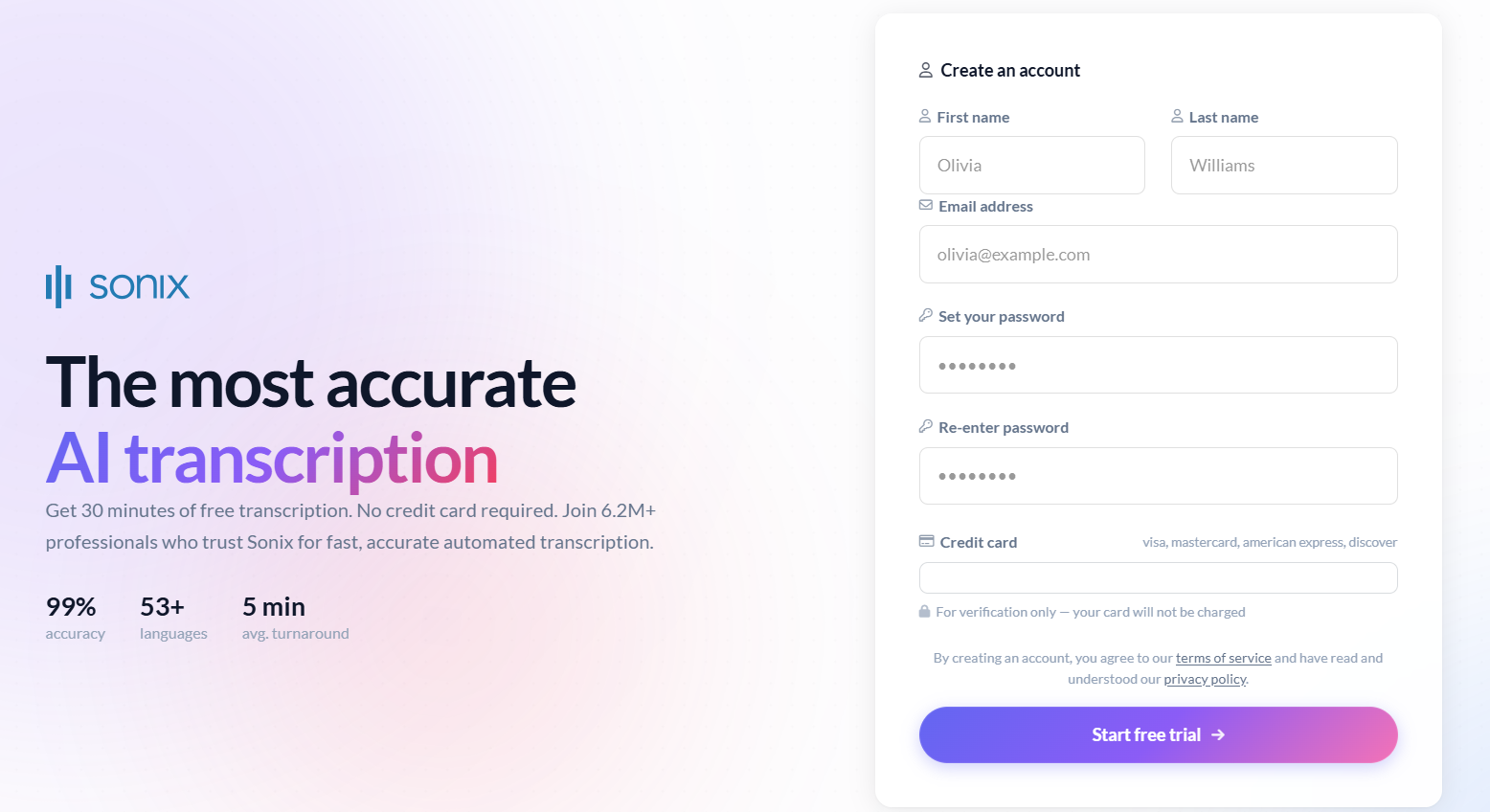
- Start a Sonix free trial.
- Enter the Sonix workspace.
- Upload audio or video.
- Generate transcript.
- Use the Sonix editor, AI analysis, translation, subtitles, collaboration, or export features.
Summary: Video Transcriber AI is lower-friction for first-time transcript workflows. Sonix is more structured for professional transcription teams.
2. Video Transcriber AI vs Sonix: Accuracy and Language Support
| Capability | Video Transcriber AI | Sonix |
| Accuracy | 99.9% | 99% accuracy |
| Languages | 200+ languages | 53+ languages |
| Speaker support | ✅Yes | Speaker diarization |
| Translation | Transcript and summary translation | Translation in professional workflows |
| Best language story | Broad transcript workflow coverage | Professional multilingual transcription and translation |
Video Transcriber AI has the stronger language coverage story based on your product specs. With 200+ languages and 99.9% accuracy, Video Transcriber AI is easy to position for users who want broad AI transcription coverage without entering a professional platform.
Sonix has a strong accuracy story too. Sonix publicly claims 99% accuracy and 53+ languages. Sonix also offers speaker diarization, AI summaries, translation, and subtitle-related workflows. That makes Sonix a strong choice for professional users who need a reliable platform with more formal workflow options.
The difference is in how the language support is used. Video Transcriber AI uses language support as part of a transcript-first workflow. Sonix uses language support as part of a broader transcription, translation, subtitle, and collaboration platform. Sonix can be a better fit for multilingual teams. Video Transcriber AI can be a better fit for individuals who need fast multilingual transcript output and post-transcription tools.
Summary: Video Transcriber AI has the stronger broad-language transcript story. Sonix has the stronger professional transcription platform story.
3. Video Transcriber AI vs Sonix: Transcript Usability
| Transcript usability factor | Video Transcriber AI | Sonix |
| Editable transcript | ✅Yes | ✅Yes |
| AI Summary | ✅Yes | ✅Yes |
| AI chat with transcript | ✅Yes | AI analysis, not positioned the same way |
| Mind map | ✅Yes | Not a core public Sonix workflow |
| Chapters | ✅Yes | ✅Yes |
| Sentiment analysis | Not the main public story | ✅Yes |
| Collaboration | Lighter individual workflow | Stronger team workflow |
| Best for | Understanding and reusing transcripts | Professional review and analysis |
Video Transcriber AI is strongest when the user wants to understand the transcript after it appears. The transcript can become a summary. The transcript can become a chat source. The transcript can become a mind map. This is useful when the goal is learning, research, content reuse, meeting notes, or interview analysis.
Sonix is also useful after transcription, but Sonix is useful in a different way. Sonix publicly highlights AI summaries, chapters, sentiment analysis, and full-suite AI features. Sonix also emphasizes collaboration and professional review. That makes Sonix strong for teams that need to analyze, translate, subtitle, and manage transcript content in a shared environment.
If the user is an individual, Video Transcriber AI may feel more natural because the next actions are simple: summarize, ask questions, export, or create a mind map. If the user is a professional team, Sonix may feel more natural because Sonix is designed around a larger editing and collaboration environment.
Summary: Video Transcriber AI is better for individual transcript understanding and reuse. Sonix is better for professional review, collaboration, and analysis workflows.
4. Video Transcriber AI vs Sonix: Security and Privacy
Security is one of Sonix’s biggest advantages.
Video Transcriber AI has a lighter trust model. Its public help center discusses privacy and security, and its workflow is easier for users who do not want to create an account before trying basic features. For students, creators, and casual users, that low-friction model can be more comfortable.
Sonix has a more formal security story. Sonix publicly highlights SOC 2, HIPAA, ISO 27001, AES-256 encryption, and zero training on customer data. Sonix is clearly built to reassure professionals, regulated teams, researchers, enterprises, healthcare-adjacent users, and security-conscious organizations.
This is not a small difference. Sonix is easier to recommend when security documentation is part of the buying process. A team that needs HIPAA-compliant transcription with BAA agreements, SOC 2 Type II certification, and encrypted infrastructure will naturally look more closely at Sonix.
Summary: Video Transcriber AI is simpler for everyday users. Sonix is stronger for teams that need formal security, compliance, and enterprise controls.
5. Video Transcriber AI vs Sonix: Pricing and Plans
| Pricing factor | Video Transcriber AI | Sonix |
| Free entry | 4 transcripts daily | 30 minutes free trial |
| Credit card | Basic public workflow is lower friction | No credit card required for trial |
| Entry paid model | Basic from $4/month yearly | Standard $10/hour |
| Mid-tier model | Pro from $9/month yearly | Premium $5/hour plus $22/user/month |
| Pricing logic | Low-cost subscription for transcript workflows | Usage-based and team-oriented pricing |
| Best value | Students, creators, researchers | Teams, enterprises, professional users |
Video Transcriber AI has the clearer value story for cost-sensitive users. The free plan includes 4 transcripts daily, and the Basic and Pro plans are much lower than typical professional transcription platforms. This makes Video Transcriber AI easier to justify for students, creators, researchers, and solo users.
Sonix pricing is more professional. Sonix offers a 30-minute free trial with no credit card required, Standard at $10/hour, and Premium at $5/hour plus $22/user/month. Sonix Premium is designed to make more sense for users who transcribe regularly and need team tools. Sonix pricing is not unreasonable. Sonix pricing simply reflects a platform built for professional workflows.
For users who transcribe occasionally, Video Transcriber AI is likely easier to justify. For users who transcribe professionally, manage teams, or need security features, Sonix can make more sense. Sonix gives more platform depth. Video Transcriber AI gives lower-cost transcript workflow access.
Summary: Video Transcriber AI is easier to justify for low-cost transcript workflows. Sonix is easier to justify for professional users who need enterprise-grade transcription, collaboration, and security.
6. Video Transcriber AI vs Sonix: Best Use Cases
| User type | Better choice | Why |
| Student | Video Transcriber AI | Lower cost, summaries, AI chat, mind maps |
| Creator | Video Transcriber AI | Fast transcript reuse |
| Researcher | Video Transcriber AI | Interview transcripts and AI chat |
| Solo user | Video Transcriber AI | Lower friction and lower cost |
| Professional team | Sonix | Collaboration, sharing, admin controls |
| Enterprise user | Sonix | SOC 2, HIPAA, security posture |
| Legal or healthcare-adjacent team | Sonix | Compliance and terminology workflows |
| Media subtitle team | Sonix | Translation, subtitles, professional editing |
Video Transcriber AI is better for users who want a lightweight transcript workflow. This includes students, creators, researchers, interviewers, educators, and people who mainly want to turn spoken content into usable text.
Sonix is better for professional teams. Sonix fits users who need collaboration, subtitle workflows, translation, enterprise security, integrations, admin controls, or compliance. Sonix also fits users who need a stronger professional platform around transcription rather than a simple transcript-first tool.
Summary: Video Transcriber AI is better for lightweight transcript workflows. Sonix is better for professional transcription teams.
Frequently Asked Questions About Video Transcriber AI vs Sonix
Is Video Transcriber AI a good Sonix alternative?
Yes, Video Transcriber AI can be a good Sonix alternative for users who want a lower-cost, lower-friction transcript workflow. If the user mainly needs fast AI transcription, summary, AI chat, mind maps, and exports, Video Transcriber AI is easier to start with. Sonix is still better for enterprise security, team collaboration, subtitle translation, and professional transcription workflows.
Is Sonix better than Video Transcriber AI?
Sonix is better for professional transcription teams, enterprise security, and collaboration. Sonix offers 99% accuracy, 53+ languages, AI summaries, speaker diarization, SOC 2, HIPAA, ISO 27001, and zero training on customer data. Video Transcriber AI is better for users who want lower cost, faster setup, and transcript-focused post-processing.
Which is cheaper: Video Transcriber AI or Sonix?
Video Transcriber AI is cheaper for most individual users. Video Transcriber AI starts at a much lower monthly price. Sonix Standard is $10/hour, and Sonix Premium is $5/hour plus $22/user/month. Sonix can be worth it for teams, but Sonix is not the lowest-cost option for casual users.
Does Sonix support AI summaries?
Yes. Sonix publicly highlights AI summaries, chapters, and sentiment analysis as part of its AI features. Sonix is not limited to raw transcription. Sonix includes transcript analysis features that are useful for professional review.
Which tool is better for students and creators?
Video Transcriber AI is usually better for students and creators. Students and creators often care about cost, speed, summaries, AI chat, and content reuse. Sonix can work, but Sonix may be more than they need if they do not require team collaboration or enterprise security.
Which tool is better for enterprise transcription?
Sonix is better for enterprise transcription. Sonix has a stronger enterprise story because Sonix publicly highlights SOC 2, HIPAA, ISO 27001, AES-256 encryption, team workflows, and zero training on customer data. Video Transcriber AI is better for individual transcript workflows.
Final Verdict
Choosing between Video Transcriber AI and Sonix depends on what kind of transcription workflow you need.
If your main need is fast AI transcription, lower cost, broad language support, summaries, AI chat, mind maps, and reusable transcript outputs, Video Transcriber AI is the easier choice. It is simpler, lighter, and better aligned with students, creators, researchers, educators, and solo users. Video Transcriber AI is especially strong when the transcript is the main output and the next step is understanding or reusing that transcript.
If your main need is a professional transcription platform, Sonix is easier to justify. Sonix is strong because Sonix combines transcription, translation, AI summaries, chapters, sentiment analysis, subtitle workflows, speaker diarization, collaboration, enterprise security, and formal compliance positioning. Sonix is the better choice for teams, businesses, healthcare-adjacent users, legal-adjacent workflows, and organizations that need SOC 2, HIPAA, ISO 27001, and AES-256 security language.
So the cleanest conclusion is simple.
Video Transcriber AI is better for lightweight, lower-cost transcript workflows.
Sonix is better for professional transcription teams, enterprise security, and collaboration-heavy workflows.
If you want a simpler and lower-cost Sonix alternative for fast AI transcript work, Video Transcriber AI is the easier tool to try first.