


AI transcription has become an indispensable tool for content creators, business teams and digital marketers. While dedicated tools like Video Transcriber AI serve this need well, ElevenLabs has also launched its robust Speech to Text solution in this space. As part of the renowned ElevenLabs AI ecosystem, its transcription feature stands out with flexible modes and practical functions. Many users are curious if this tool can rival professional transcription software, and how its real-time and batch transcription perform. In this in-depth review, we test and break down all core features of ElevenLabs Speech to Text to help you pick the right tool.
What Is Elevenlabs Speech to Text? Core Overview of Elevenlabs Transcription
If you’re searching for a reliable AI transcription tool, you’ve likely encountered Elevenlabs. Elevenlabs Speech to Text is an AI-powered transcription solution designed to turn audio and video content into clean, editable text. While Elevenlabs is widely known for its text-to-speech technology, its Elevenlabs transcription feature has quickly become a popular tool for content creators and business users. Elevenlabs audio to text handles noisy audio, diverse accents, and multilingual dialogue well, yet Elevenlabs Speech to Text comes with notable pros and cons that we break down in this honest review.
Manual transcription is a tedious, time-wasting task, and Elevenlabs Speech to Text streamlines this work through full automation. It supports pre-recorded file processing and Elevenlabs real-time transcribe functions, covering both post-production and live scenarios. Like all AI tools, Elevenlabs transcription has limitations. In this guide, we analyze its core features, real-world use cases, strengths, weaknesses, and market competitiveness.
Core Functional Features of Elevenlabs Speech to Text
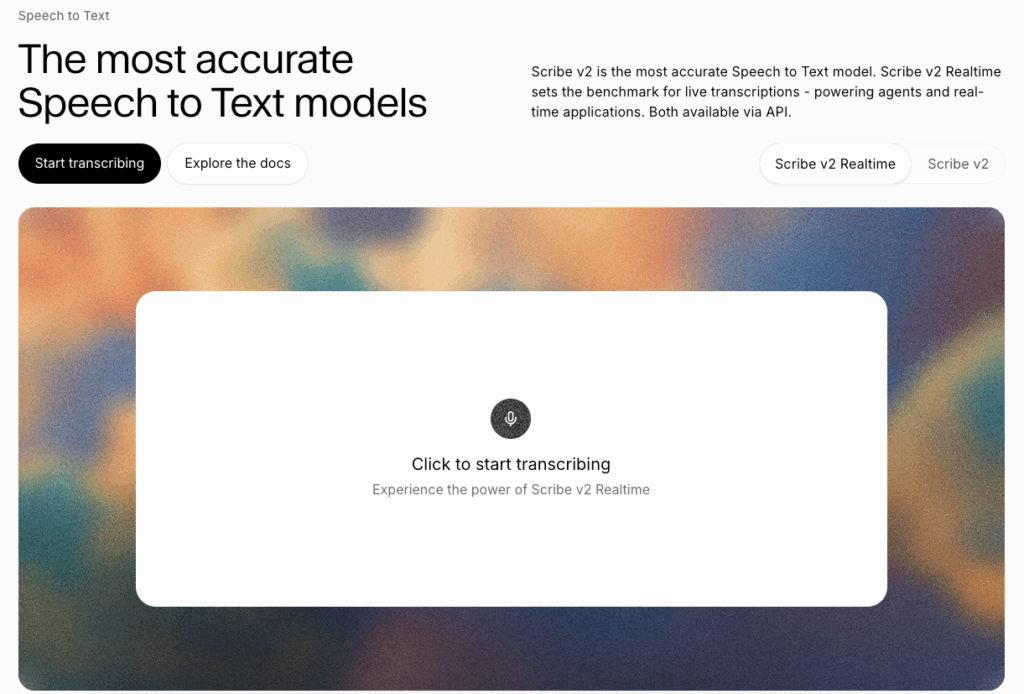
The AI transcription space is crowded, but Elevenlabs Speech to Text stands out with practical, professional-grade features for individuals and teams. Unlike basic STT tools that only support simple single-language transcription, Elevenlabs transcription solves common workflow pain points, including noisy audio, multi-speaker confusion, mixed-language speech, and low-latency live transcription needs via robust Elevenlabs audio to text technology.
Multilingual Transcription Performance of Elevenlabs STT
Elevenlabs STT boasts impressive multilingual support, covering 99 global languages, including regional dialects and lesser-known tongues ignored by most competitors. A key strength of Elevenlabs transcription is its mixed-language transcription capability, which automatically detects and transcribes mid-conversation language switches, ideal for international meetings and cross-border content. Optimized on diverse datasets, Elevenlabs audio to text also handles accents and informal slang accurately. That said, it may produce minor errors in extremely noisy audio or rare dialect scenarios, a small downside for precision-focused professional users.
Elevenlabs Batch Offline Audio & Video Transcription
Elevenlabs batch offline transcription caters perfectly to post-production workflows. Elevenlabs Speech to Text supports long audio and video file uploads, delivering stable, high-precision transcription with word-level timestamps for easy editing and subtitling. Unlike free tools with strict file size and length limits, Elevenlabs batch transcription offers strong scalability. Elevenlabs transcription processes full-length recordings while preserving complete context, producing coherent text ideal for bulk subtitling, interview sorting, and archived meeting transcription tasks.
Low-Latency Real-Time Transcription Built in Elevenlabs
Elevenlabs real-time transcribe enables low-latency live transcription with a 150ms delay, outperforming most mid-tier AI tools. This feature delivers synchronized text for live streams, webinars, customer service, and remote meetings, eliminating laggy, out-of-sync subtitles. Elevenlabs Speech to Text continuously converts live audio to readable text, upgrading Elevenlabs transcription from a post-production tool to a real-time workflow assistant. Note that minor accuracy tradeoffs exist in live mode to ensure ultra-low latency, which is unnoticeable for daily use.
Elevenlabs Speaker Separation & Environmental Sound Labeling
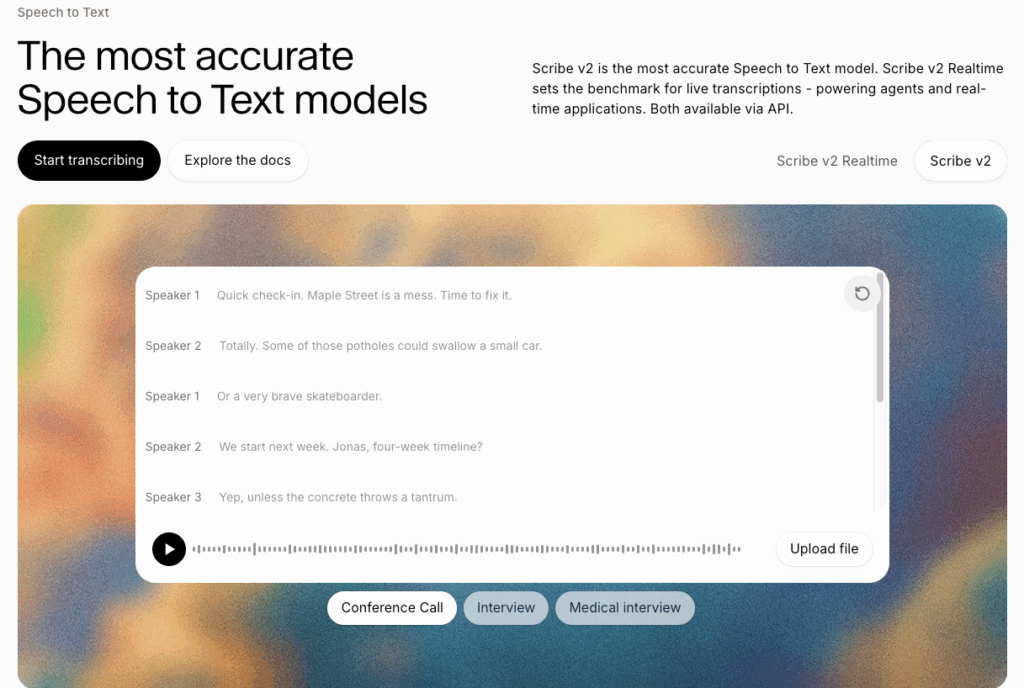
Elevenlabs speaker separation is one of its most valuable professional features, solving the common headache of untangling multi-speaker recordings. Elevenlabs Speech to Text can identify up to 48 distinct speakers in a single file, far more accurately than generic tools that frequently mix up speaker labels. Beyond Elevenlabs speaker separation, Elevenlabs audio to text automatically detects and tags ambient sounds like laughter and applause, adding contextual detail to transcripts. This saves massive manual editing time and makes Elevenlabs transcription output far more polished for podcasts and interviews.
Custom Keyword Tuning for Elevenlabs Transcription Accuracy
Most basic AI transcription tools struggle with niche jargon, brand terms, and industry vocabulary, but Elevenlabs transcription fixes this with custom keyword tuning. Elevenlabs Speech to Text lets users add thousands of exclusive keywords, prioritizing professional terminology to cut down recognition errors. Marketing, tech, and medical teams can build custom keyword libraries for Elevenlabs audio to text, securing consistent, high-accuracy results after a one-time setup. This simple yet effective optimization explains why many professionals rely on Elevenlabs Speech to Text for daily transcription work.
Common Application Scenarios for Elevenlabs Speech to Text
The versatile features of Elevenlabs Speech to Text make it suitable for a wide range of personal and commercial scenarios. From office teamwork to content creation, Elevenlabs transcription adapts to different use cases, greatly improving overall work efficiency. Below are the most practical and popular usage scenarios for Elevenlabs audio to text in daily work.
Elevenlabs STT for Business Meeting Transcripts
Corporate meetings, remote team discussions, and client negotiations often generate hours of audio records. Elevenlabs STT simplifies meeting documentation with fast, accurate transcription and reliable Elevenlabs speaker separation. It clearly marks each speaker’s dialogue, so teams no longer need to sort out chaotic conversation content manually. Elevenlabs Speech to Text turns messy meeting recordings into structured, searchable text minutes, perfect for team review, work record archiving, and task tracking.
Elevenlabs Speech to Text for Podcast Content Transcription
Podcast creators rely heavily on accurate transcripts for content reuse, and Elevenlabs Speech to Text fits this demand perfectly. Elevenlabs transcription captures casual dialogue, guest interviews, and spontaneous conversations with high accuracy. Its environmental sound labeling also retains the unique atmosphere of podcast shows. Creators can use Elevenlabs audio to text outputs to write show notes, create blog content, or extract key highlights for social media promotion, maximizing the value of original podcast recordings.
Elevenlabs STT for Video Caption & Subtitle Creation
Video subtitles are essential for boosting video reach and user experience, and Elevenlabs STT accelerates the entire subtitling process. Elevenlabs Speech to Text generates precise word-level timestamps, ensuring perfectly synchronized subtitles for YouTube videos, short clips, and corporate promotional videos. The multi-language support of Elevenlabs transcription also helps creators produce multilingual subtitles easily, expanding their content to global audiences without heavy manual translation work.
Advantages & Drawbacks of Elevenlabs Speech to Text Service
No AI tool is completely flawless, and Elevenlabs Speech to Text has its own set of strengths and weaknesses. Understanding both sides helps users judge whether Elevenlabs transcription matches their actual workflow needs, avoiding blind tool selection.
Notable Strengths of Elevenlabs Transcription Tool
First, Elevenlabs Speech to Text delivers outstanding comprehensive accuracy across different audio environments. Its powerful multilingual support and accent adaptability outperform many ordinary transcription tools. Second, Elevenlabs real-time transcribe offers ultra-low latency, supporting smooth live transcription for various real-time scenarios. Third, professional functions including Elevenlabs speaker separation, sound labeling, and custom keyword tuning meet enterprise-level demands. Finally, the dual batch and real-time modes make Elevenlabs audio to text highly flexible for both post-production and live work.
Shortcomings Restricting Elevenlabs STT Practical Use
Despite its many strengths, Elevenlabs Speech to Text has obvious limitations. For starters, Elevenlabs transcription still struggles with extremely noisy audio with heavy background interference, resulting in occasional mis-transcriptions. Additionally, while it supports numerous languages, the accuracy for rare regional dialects remains unstable. Most importantly, Elevenlabs STT is mainly famous as an accessory function of its TTS product, meaning its overall optimization priority is lower than professional dedicated transcription tools. For users pursuing 100% precise commercial transcripts, Elevenlabs audio to text still has room for improvement.
Elevenlabs Speech to Text vs Video Transcriber AI: Detailed Comparison
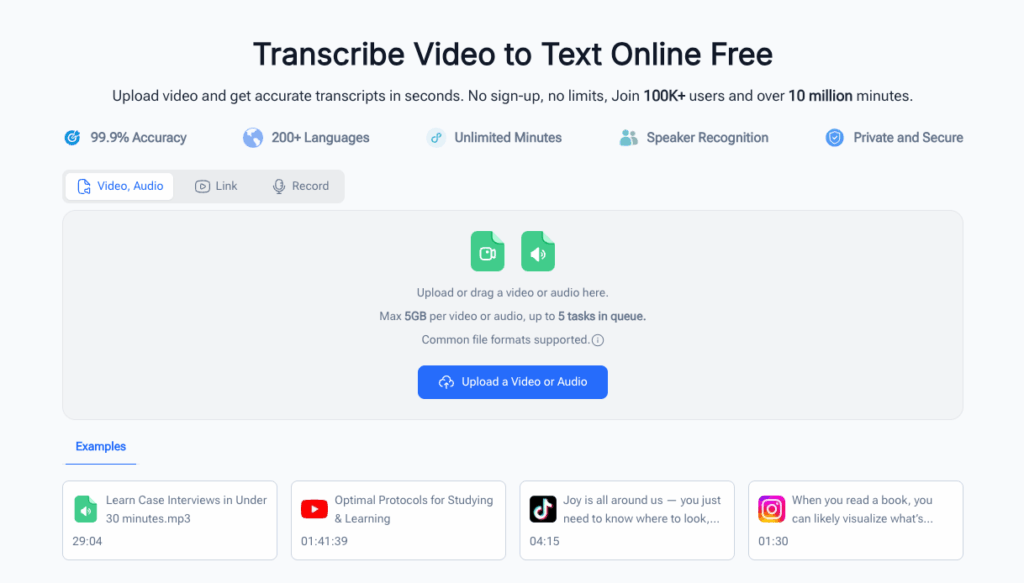
To objectively measure the real-world value of Elevenlabs Speech to Text and figure out whether it fits your transcription workflow, we compare it side-by-side with Video Transcriber AI, a professional, free browser-based transcription tool dedicated purely to video and audio-to-text conversion. As a lightweight, accessible professional transcription platform, Video Transcriber AI focuses on hassle-free, high-precision transcription for all types of video and audio files. Below, we break down the core differences between Elevenlabs transcription and Video Transcriber AI in language support, transcription modes, file processing rules, and practical user experience.
Elevenlabs and Video Transcriber AI on Language Coverage
Elevenlabs Speech to Text boasts an impressive lineup of 99 supported languages, enabling robust multilingual transcription and flexible mixed-language recognition for Elevenlabs transcription users. It handles cross-language conversations and diverse regional dialects well, which benefits international teams and cross-border content creators.
Meanwhile, Video Transcriber AI delivers reliable multilingual support covering mainstream global languages, focusing heavily on optimization for high-frequency daily and commercial languages like English, Spanish, and mainstream Asian languages. While Elevenlabs audio to text has broader language quantity coverage, Video Transcriber AI offers more stable and consistent accuracy for everyday transcription scenarios, with fewer recognition errors for common accents and daily conversational speech.
Transcription Modes: Elevenlabs Against Video Transcriber AI
Elevenlabs Speech to Text features a dual-mode system combining batch offline processing and Elevenlabs real-time transcribe functionality. Its biggest advantage lies in ultra-low-latency live transcription, making Elevenlabs transcription ideal for live streams, real-time meetings, and instant subtitle generation.
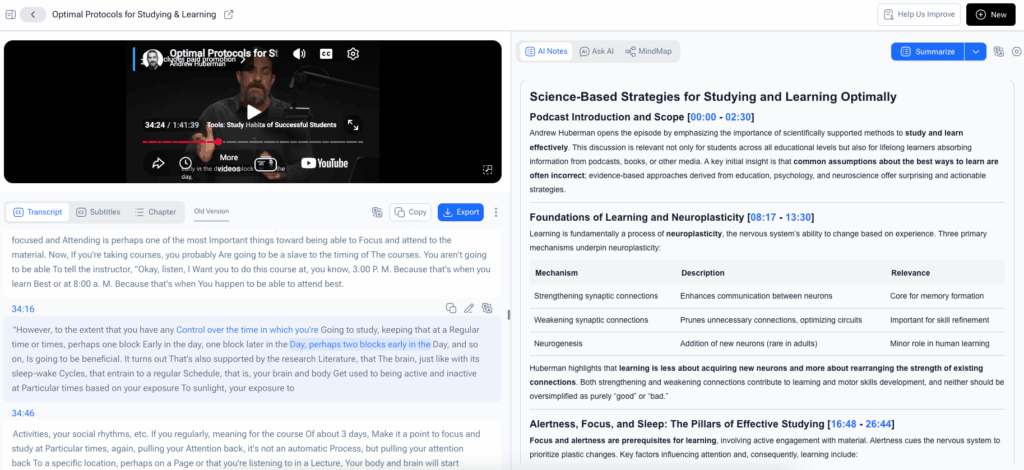
In contrast, Video Transcriber AI is fully optimized for browser-based offline video and audio transcription, tailored perfectly for post-production content processing. It supports all mainstream media formats including MP4, MOV, AVI, Zoom meeting recordings, and direct YouTube link transcription. A standout feature of Video Transcriber AI is its adjustable multi-level accuracy modes, letting users freely balance transcription speed and precision based on their project needs. Unlike Elevenlabs audio to text, which leans toward scenario diversity covering both live and offline work, Video Transcriber AI focuses entirely on polishing static file transcription quality for video and audio content.
Cost & Practical Experience Between Elevenlabs and Video Transcriber AI
Elevenlabs Speech to Text bundles its STT function with its core TTS service, so users often need to purchase a full-suite package to unlock high-precision Elevenlabs transcription and advanced features, resulting in higher comprehensive usage costs for users who only need audio-to-text tools.
In contrast, Video Transcriber AI provides completely free transcription services with no mandatory account sign-ups or software downloads. It supports single video files up to 1GB and allows users to queue up to 5 transcription tasks for efficient bulk processing. In practical daily use, Video Transcriber AI generates cleaner transcripts with fewer invalid recognition tags and redundant markers, while Elevenlabs audio to text often requires minor manual polishing to fix small recognition errors for perfect final output.
Final Review Conclusion on Elevenlabs Speech to Text
Overall, Elevenlabs Speech to Text is a well-rounded AI transcription tool with rich functions including multilingual recognition, Elevenlabs speaker separation, custom keyword optimization, and dual real-time and batch modes. Elevenlabs transcription is more than competent for daily office transcription, personal content creation, and lightweight live subtitle scenarios.
Even so, Elevenlabs audio to text is not a perfect one-size-fits-all solution. It still has stability flaws in extreme audio environments and professional high-precision transcription scenarios. If you are an ordinary user looking for a multi-functional, easy-to-use STT tool, Elevenlabs Speech to Text is a qualified choice. But if you need long-term, high-precision commercial transcription for professional video and audio content, dedicated tools like Video Transcriber AI can deliver more reliable and cost-effective results.