


People compare Video Transcriber AI and Maestra because both can turn speech into text, but they are not really optimized around the same first job.
If you use the product specs you shared for Video Transcriber AI, the product sits at 99.9% accuracy and 200+ supported languages. That immediately makes Video Transcriber AI competitive on the headline numbers. The more interesting difference, though, is not the numbers. It is the product shape.
Video Transcriber AI feels like a transcript-first workflow. Maestra feels like a multilingual media and localization platform. On its public pages, Maestra talks about transcription, subtitles, voiceover, real-time translation, integrations, and global accessibility. On its public Audio to Text and pricing pages, Maestra also highlights summaries, chapters, quizzes, keywords, custom dictionary support, teams, API access, and real-time products. In other words, Maestra does not present itself as “just a transcript tool.” Maestra presents itself as a bigger multilingual content workflow.
That is why this comparison matters. If your main need is to get a transcript fast and then keep working with that transcript through summaries, AI chat, exports, and structured outputs, Video Transcriber AI is easier to frame as the more focused option. If your main need is multilingual subtitles, dubbing, real-time translation, or team localization workflows, Maestra has a broader public platform story. This article compares Video Transcriber AI and Maestra across the practical dimensions that actually shape user choice: getting started, accuracy and language support, transcript usability, security and privacy, pricing, and best use cases.
Video Transcriber AI vs Maestra Quick Comparison Table
Below is the fastest way to understand Video Transcriber AI and Maestra for transcript-heavy work.
| Field | Video Transcriber AI | Maestra |
| Registration required | No sign-up required on core public workflow pages | Maestra publicly offers free trial / get started flow and no-credit-card trial language on tool pages |
| Free allowance | 4 transcripts daily | Free trial; Pay As You Go starts at $12 for 60 credits |
| Accuracy | 99.9% | Maestra describes “near-perfect accuracy” on public Audio to Text copy |
| Supported languages | 200+ languages | 125+ languages |
| Maximum file size | 500MB on free, up to 5GB on paid plans | Not prominently surfaced on main Maestra transcription pages |
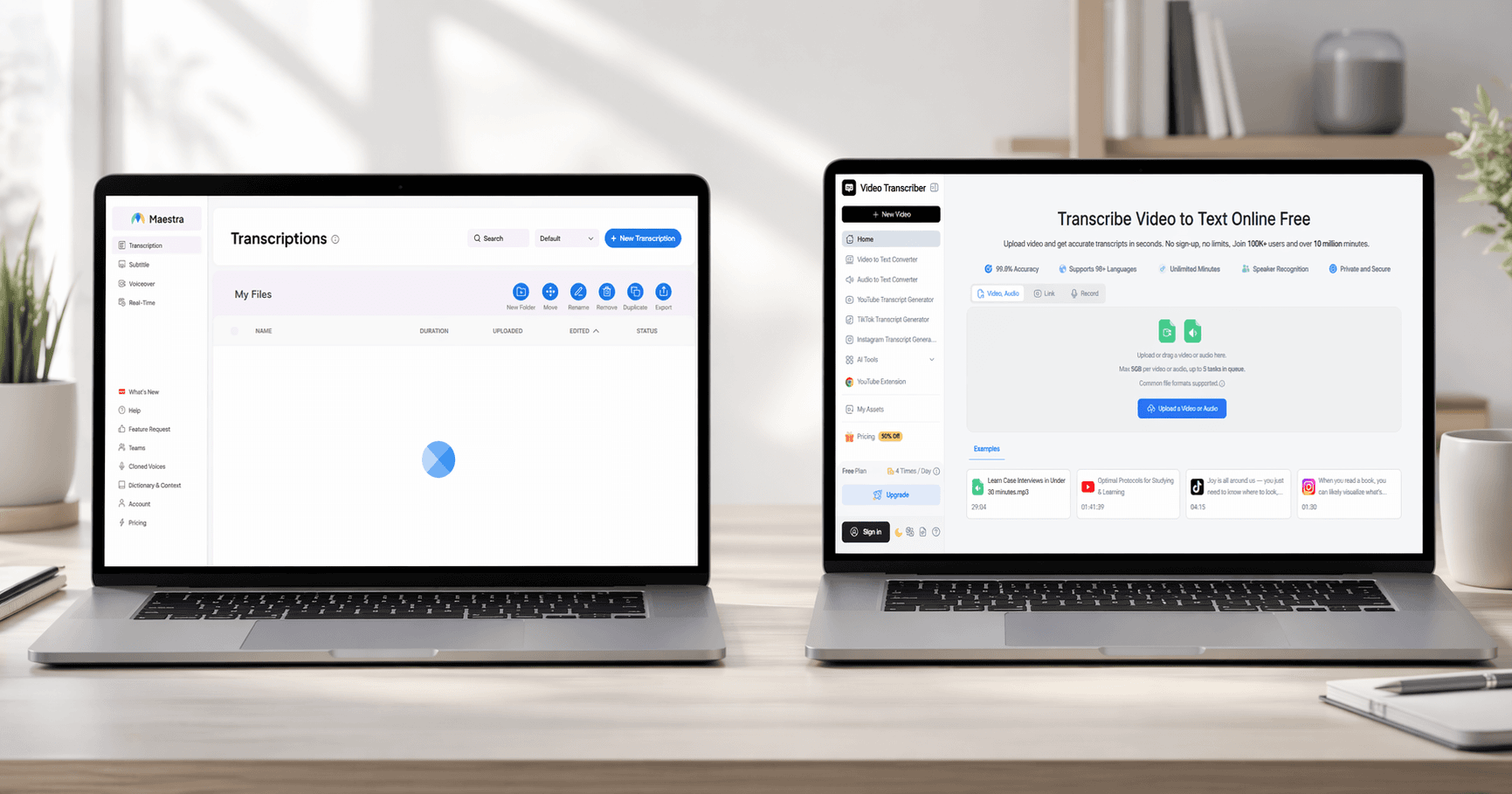
| Core workflow style | Transcript-first: transcribe, summarize, chat, mind map | Localization-first: transcribe, subtitle, translate, dub, share |
| Security posture | Private-and-secure messaging plus no-sign-up simplicity | Online-and-secure messaging, file sharing, teams, centralized billing, enterprise plans |
| Starting price | Basic from $4/month billed yearly | Lite from $23/month billed yearly; Basic from $39/month billed yearly |
| Best use case | Students, researchers, interviewers, transcript-first users | Multilingual subtitles, dubbing, localization, teams, real-time sessions |
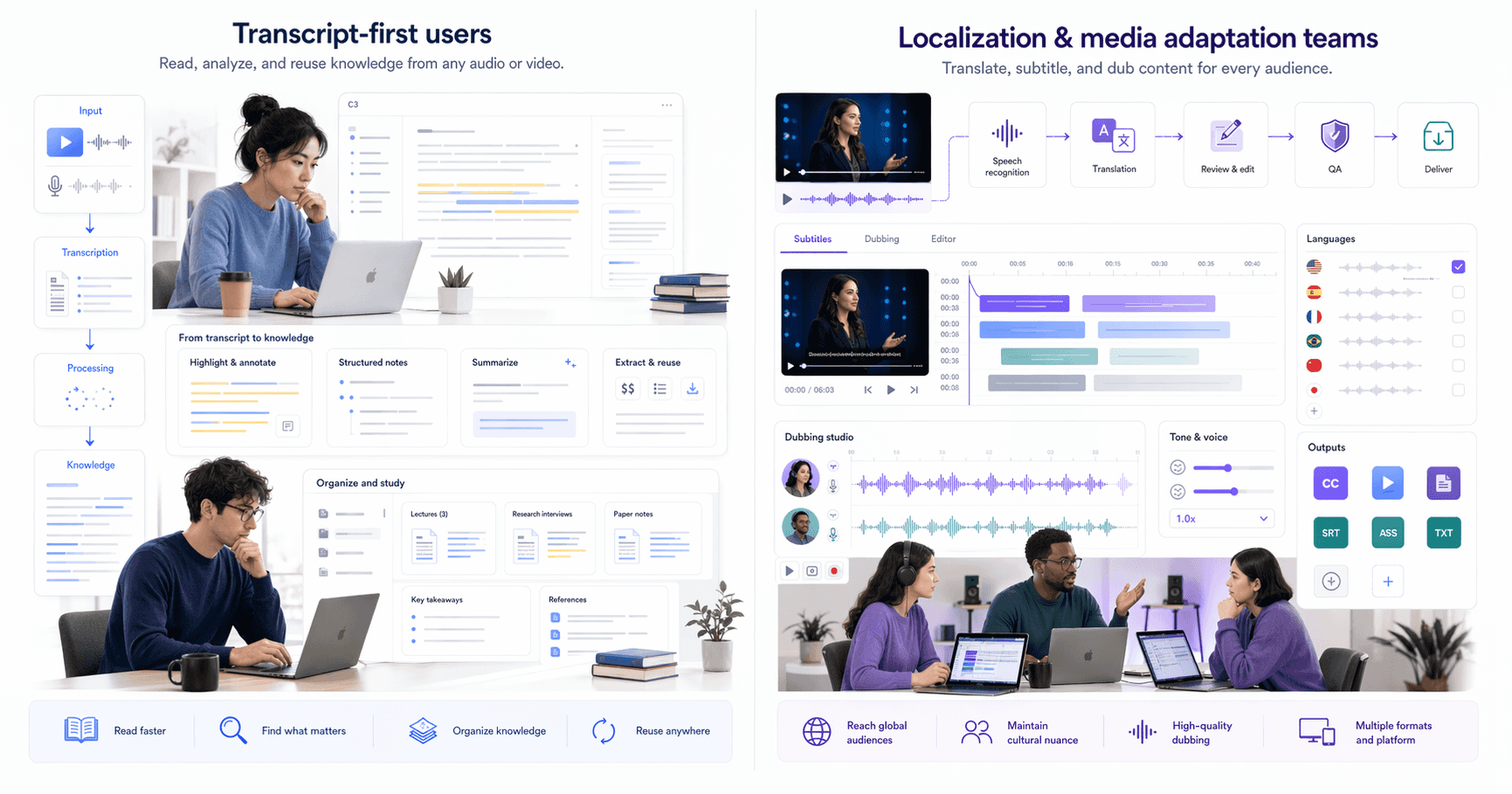
The table already shows the main split. Video Transcriber AI is easier to position as a tool for people who care about the transcript itself. Maestra is easier to position as a platform for people who need multilingual media output after transcription. The public pages for Maestra make that very clear: Maestra is not just pushing audio-to-text. Maestra is pushing translation, subtitles, voiceover, teams, integrations, and real-time language workflows.
Video Transcriber AI’s defining trait: Video Transcriber AI treats the transcript like a working asset and extends that workflow into summary, AI chat, translation, and mind maps.
Maetra’s defining trait: Maestra treats transcription like one part of a broader multilingual content pipeline built around subtitles, dubbing, translation, live captions, and integrations.
What is Video Transcriber AI?
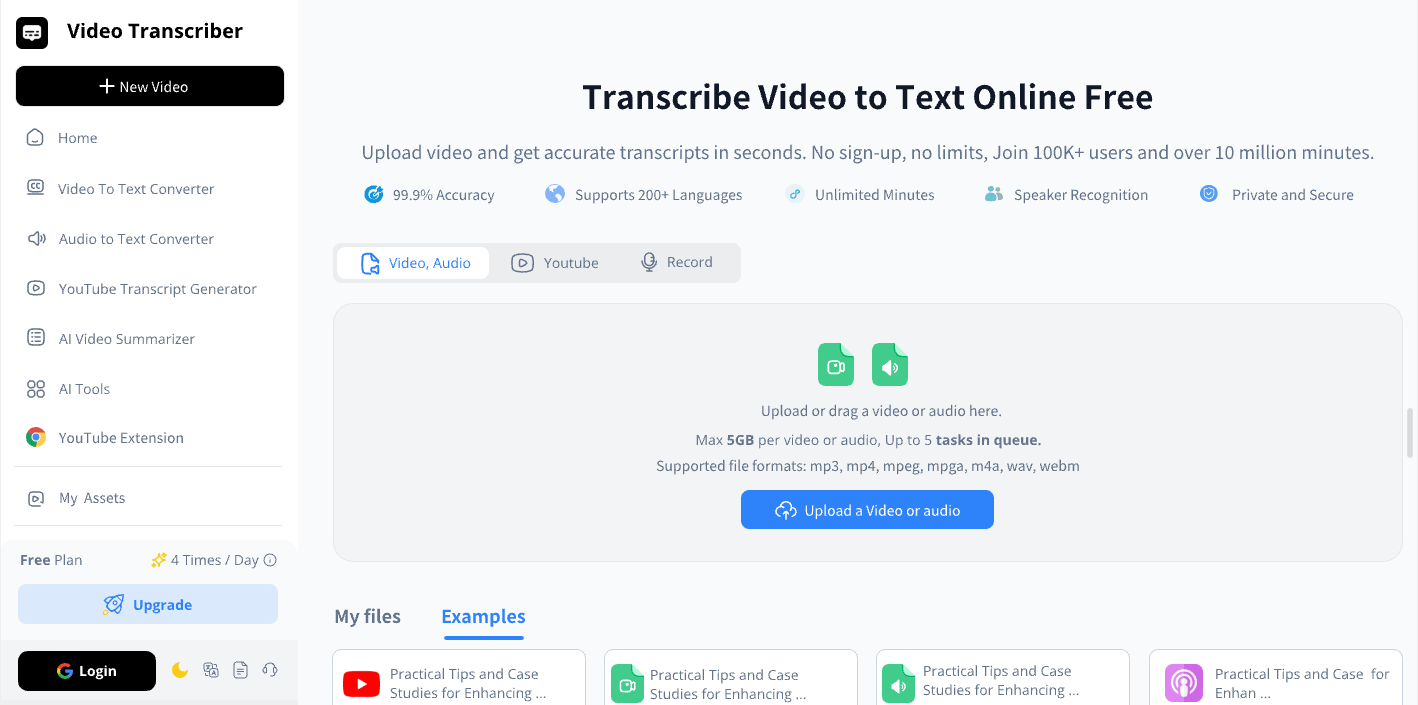
Video Transcriber AI is a transcript-first product. That is the cleanest way to define it. On its public pages, Video Transcriber AI is structured around direct transcription tasks rather than a bigger media workspace. Its homepage points users toward transcript-oriented tools right away, while its pricing page reinforces the same story with 4 daily free transcripts, AI chat, summaries, translation for 100+ languages, speaker recognition, noise reduction, and the ability to process five audio or video files at once.
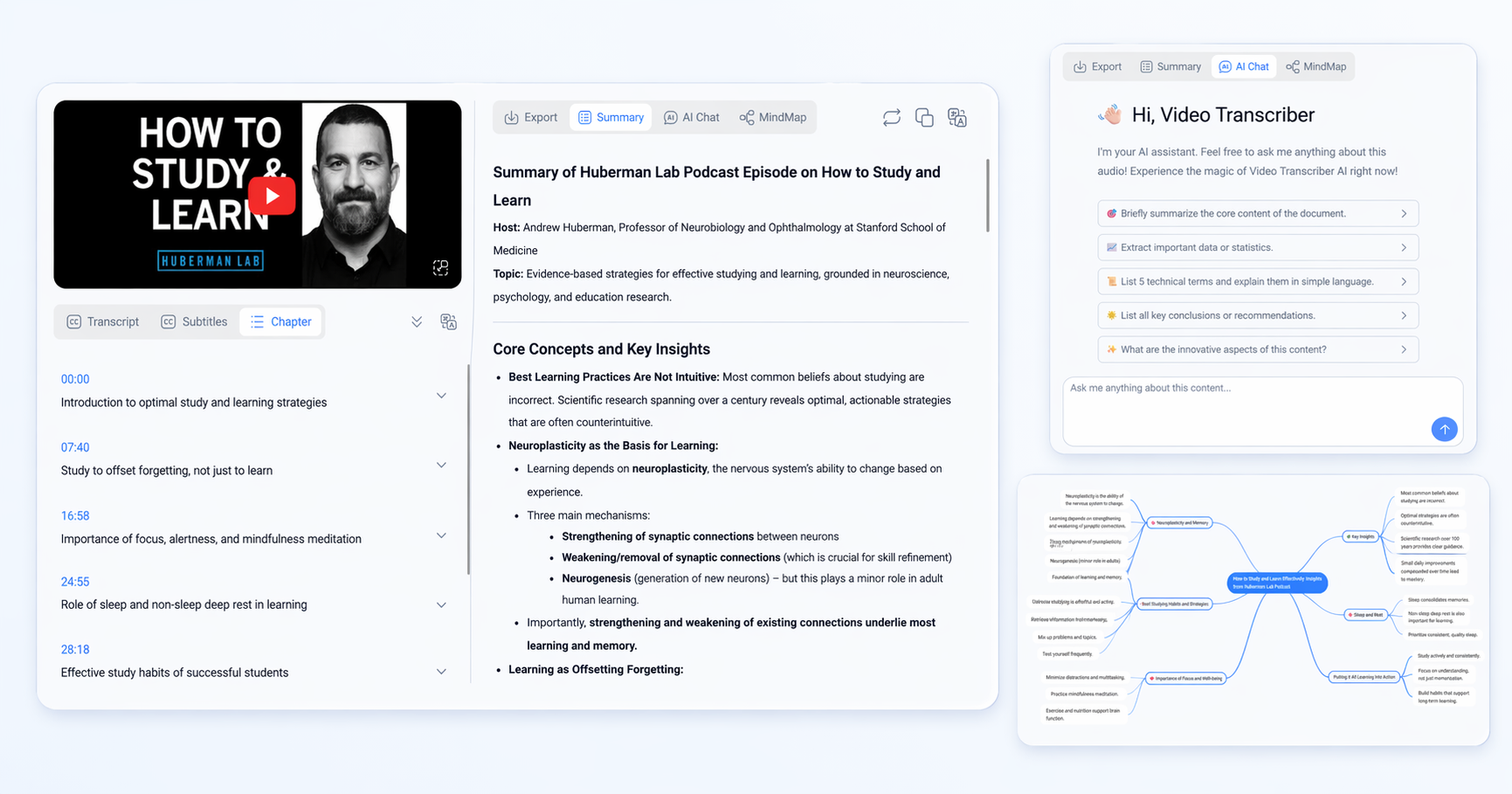
The stronger difference appears in the help content. The Help Center says Video Transcriber AI turns video, audio, YouTube links, and live recordings into editable text, then supports structured summaries, AI-powered follow-up actions such as chatting with transcripts, and mind maps generated from transcript content. That is what makes Video Transcriber AI feel less like a plain converter and more like a product built for transcript work after the initial transcription is done.
Standout features
- No sign-up required on public workflow pages
- 4 free transcripts daily
- Editable transcripts
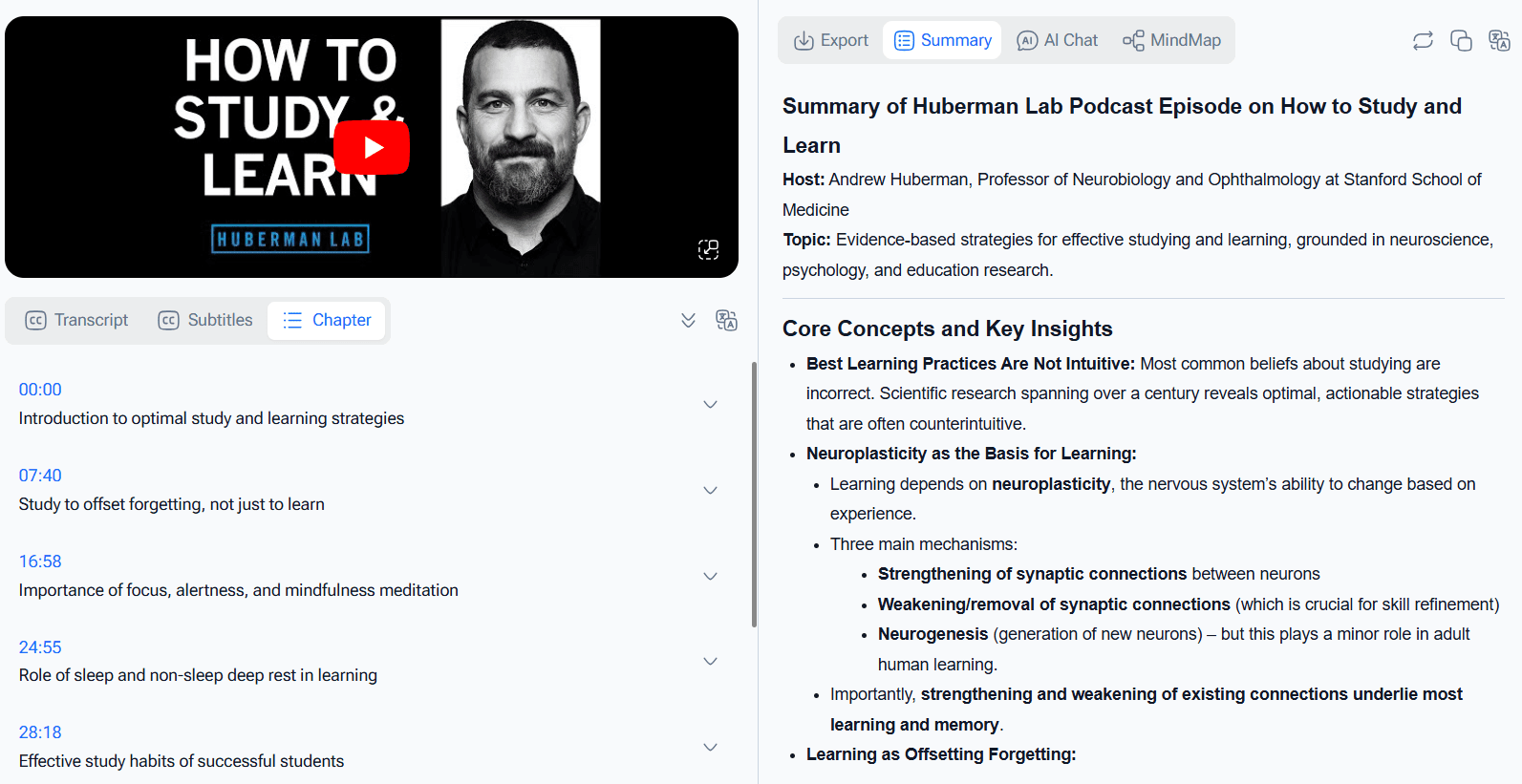
- Structured summaries
- AI chat with transcript content
- Mind maps from transcript content
- Multi-format export including TXT, DOCX, SRT, VTT, and CSV
- Speaker recognition and translation features on public pricing/help pages
A short way to summarize Video Transcriber AI is this: it feels like a place where a transcript becomes something you can actively work with.
What is Maestra?
Maestra is broader. That is the key to understanding Maestra. On its public homepage, Maestra describes itself as an AI media translation, subtitles, and dubbing platform. The homepage and tools pages show that Maestra is designed for transcription, translation, captioning, dubbing, live captions, real-time translation, and platform integrations with places like Zoom, OBS, YouTube, TikTok, Slack, and vMix. This makes Maestra feel much closer to a localization platform than to a transcript-only tool.
The public Audio to Text page gives more detail. Maestra says its audio-to-text converter can create summaries, chapters, quizzes, keywords, and sentiment analysis from transcripts, supports 125+ languages, works in a browser-based editor, can export transcripts in formats such as DOCX, TXT, or PDF, and can include speaker names for clarity. The public pricing page adds more layers: Maestra offers AI summary, custom dictionary, MaestraCloud file sharing, Teams, API access, real-time products, and higher-tier translation features like OpenAI prompts and DeepL on some plans. That means Maestra is not a weak product at all. Maestra is simply optimized around a wider multilingual workflow.
Standout features
- Transcription in 125+ languages
- AI summary and chapters on public Audio to Text page
- Custom dictionary for accuracy on domain-specific terms
- Subtitle, voiceover, and translation workflows
- Real-time captions and translation products
- Integrations with Zoom, OBS, TikTok, YouTube, Slack, and more
- Team billing, file sharing, and API access on higher plans
The best one-line description of Maestra is this: Maestra feels less like a transcript-only tool and more like a multilingual media production platform.
Essential differences between Video Transcriber AI and Maestra
1. Video Transcriber AI vs Maestra: User Experience
| UX factor | Video Transcriber AI | Maestra |
| First impression | Transcript-first | Multilingual platform-first |
| Shortest path to first transcript | Upload → transcribe → work with transcript | Upload → transcribe → subtitle / translate / dub / share |
| Registration friction | Lower | Slightly higher because Maestra pulls users into a broader app/workspace flow |
| Learning curve | Lower for transcript-only users | Broader because Maestra exposes more workflow directions |
| Best first-use feel | Focused and direct | Flexible but bigger |
Video Transcriber AI: focused from the first click The user experience on Video Transcriber AI is easier to understand if your goal is simply transcript work. Open the page, upload media, get the transcript, then continue with summary, AI chat, or export. The product identity is clear before you have to think. That is why Video Transcriber AI feels lower-friction for students, note-takers, interviewers, and solo users who do not want to step into a large media workspace first.
Typical first-use flow on Video Transcriber AI
- Open the homepage or a transcript-focused page.
- Upload video or audio.
- Start transcription.
- Review transcript and continue into summary, AI chat, or export.
Maestra: broader from the first click The user experience on Maestra is still friendly, but it is broader. Maestra wants users to see a platform, not a single tool. That means Maestra introduces more possibilities early: subtitle workflows, translation, voiceover, real-time features, sharing, teams, and integrations. If you want those things, Maestra feels capable. If you only want a transcript, Maestra can feel like more product than you need.
Typical first-use flow on Maestra
- Open a Maestra tool or app page.
- Upload media.
- Start transcription in the editor.
- Continue into subtitles, translation, summary, export, sharing, or other Maestra workflows.
Summary For a transcript-first task, Video Transcriber AI is more low-friction. For multilingual media workflows, Maestra feels more natural because Maestra is built to open up many options after upload.
2. Video Transcriber AI vs Maestra: Accuracy and Language Support
| Capability | Video Transcriber AI | Maestra |
| Accuracy | 99.9% | Maestra publicly describes near-perfect accuracy on tool pages |
| Language count | 200+ | 125+ |
| Custom terminology control | Not the main public story | Custom Dictionary is a named feature |
| Speaker labeling | ✅Yes | Maestra can include speaker names in transcript export |
| Language workflow style | Transcript understanding | Multilingual localization and content output |
Video Transcriber AI in this category Using your product specs, Video Transcriber AI is strong on the raw numbers. The more interesting point is how those numbers fit the workflow. Video Transcriber AI frames language handling around transcript work: editable text, summaries, AI chat, translation, and mind maps. That makes the language support feel connected to reading, understanding, and structuring content.
Maestra in this category Maestra publicly supports 125+ languages and adds a feature that matters in professional environments: Custom Dictionary. The Custom Dictionary help page says Maestra uses that feature to transcribe chosen words more accurately, which is a real advantage in technical, branded, or domain-heavy content. This is one of the strongest reasons Maestra feels professional in localization-heavy scenarios.
Summary If the goal is transcript-centered understanding, Video Transcriber AI feels more focused. If the goal is multilingual production and terminology control, Maestra feels stronger because Maestra has already built those localization features into its public story.
3. Video Transcriber AI vs Maestra: Transcript Usability
| Transcript usability factor | Video Transcriber AI | Maestra |
| Editable transcript | ✅Yes | ✅Yes |
| Summaries | ✅Yes | ✅Yes |
| AI chat with transcript | ✅Yes | ❌️Not clearly foregrounded as a main public feature |
| Mind maps | ✅Yes | ❌️Not clearly foregrounded as a main public feature |
| Chapters / quizzes / keywords | ❌️Not the main public story | Publicly highlighted on Audio to Text page |
| Best transcript follow-up style | Summarize, ask, structure | Summarize, subtitle, localize, repurpose |
This is where the comparison gets more nuanced. Maestra is not bare-bones. In fact, Maestra now publicly highlights summaries, chapters, quizzes, keyword extraction, sentiment analysis, and transcript editing. That is important, because it means Maestra is no longer just a subtitle pipeline. Maestra has meaningful transcript follow-up tools too.
Still, Video Transcriber AI feels more centered on transcript usability as an end in itself. The public Help Center of Video Transcriber AI turns the transcript into something you can summarize, question, translate, and map visually. The public Audio to Text page of Maestra turns the transcript into something you can summarize, break into chapters, and then feed into subtitle, translation, and voiceover workflows. So even when both products go beyond raw text, the center of gravity is different. Video Transcriber AI stays closer to transcript understanding. Maestra stays closer to multilingual media reuse.
Summary If transcript usability means “help me understand the content better,” Video Transcriber AI feels more focused. If transcript usability means “help me turn this into multilingual output,” Maestra feels stronger because Maestra is built for that next step.
4. Video Transcriber AI vs Maestra: Security and Privacy
The security comparison is more about posture than about one dramatic winner. Video Transcriber AI benefits from a lighter trust model. Its public workflow does not require sign-up to get started, and its public help content addresses privacy and data questions in a way that feels reassuring for individuals and small teams. For many users, especially first-time users, that lower-friction model is already a meaningful privacy benefit.
Maestra presents security more through a platform lens. The public Audio to Text page says Maestra is fully online and secure, and the pricing structure of Maestra includes team features, centralized billing, file sharing, API access, and enterprise plans. Public Maestra material and Maestra-owned content also reference higher compliance expectations in broader business contexts. So even where Maestra is not foregrounding a dedicated security landing page in this comparison, Maestra still looks more enterprise-oriented in how it talks about teams, permissions, cloud workflows, and organizational use.
Summary For individuals and low-friction use, Video Transcriber AI feels simpler and lighter. For teams and enterprise-style workflows, Maestra feels more naturally aligned with platform-style governance and collaboration.
5. Video Transcriber AI vs Maestra: Pricing and Plans
| Pricing factor | Video Transcriber AI | Maestra |
| Free entry | 4 transcripts daily | Free trial / Pay As You Go |
| Entry paid tier | Basic from $4/month yearly | Lite from $23/month yearly |
| Mid-tier | Pro from $9/month yearly | Basic from $39/month yearly |
| Platform extras | Summary, AI chat, translation, speaker recognition, 5 files at once | AI summary, Custom Dictionary, file sharing, Teams, API, translation options |
| Best value story | Better for transcript-first individuals | Better for localization-heavy teams |
Pricing is where Video Transcriber AI has the easiest cost story. The public free plan of Video Transcriber AI already includes enough depth to feel like a real workflow: daily transcripts, AI chat, summaries, translation, speaker recognition, and multi-file handling. That makes Video Transcriber AI easy to recommend to users who want to test a transcript-first setup without paying much.
Maestra is priced differently because Maestra is selling a broader platform. The public pricing page for Maestra starts with Pay As You Go at $12 per 60 credits, then Lite at $23, Basic at $39, and Premium at $79, with further Business and Enterprise tiers in subtitle, voiceover, and real-time products. That pricing makes sense if the buyer actually wants the larger Maestra world of translation, dubbing, glossary controls, team workflows, or live products. It is harder to justify if the buyer only wants a transcript-first workflow.
Summary For individual transcript work, Video Transcriber AI is much easier to justify on price. For multilingual media operations, Maestra makes more sense because Maestra bundles a broader workflow around that higher cost.
6. Video Transcriber AI vs Maestra: Best Use Cases
Video Transcriber AI is a better fit for:
- students reviewing lectures
- researchers working with interviews
- podcasters, educators, and webinar hosts who need summaries and notes
- users who want transcript chat and mind maps after transcription
- people who care more about the transcript than the multilingual media output
Maestra is a better fit for:
- teams creating multilingual subtitles
- users who need dubbing, voiceover, or translated media output
- creators or companies managing subtitles and localization at scale
- teams that need file sharing, centralized billing, API access, and integrations
- live sessions where captions and translation happen in real time
Summary The cleanest distinction is this: Video Transcriber AI is better when the transcript is the main output. Maestra is better when the transcript is one part of a larger multilingual production pipeline.
FAQ
Is Maestra better than Video Transcriber AI?
Not automatically. Maestra is broader. If you need multilingual subtitles, dubbing, translation, live captions, or team workflows, Maestra can be the better fit. If you need a transcript-first product with summaries, transcript chat, and mind maps, Video Transcriber AI is easier to recommend.
Does Maestra focus more on subtitles and localization than transcript processing?
Yes, that is the clearest public reading of Maestra. The homepage, pricing page, and tools all show that Maestra is built around transcription plus subtitles, translation, dubbing, and real-time localization.
Which is more affordable: Video Transcriber AI or Maestra?
For transcript-first use, Video Transcriber AI is clearly more affordable, with a free plan and paid tiers starting at $4/month yearly. Maestra starts much higher because Maestra is packaging a broader set of multilingual media workflows.
Who should choose Maestra instead of Video Transcriber AI?
Choose Maestra if your work goes beyond transcript handling into subtitles, dubbing, translation, real-time captions, integrations, teams, or API-based localization workflows. Maestra is much easier to justify in those cases.
Can Video Transcriber AI do more after transcription than Maestra?
In transcript-first terms, yes. Video Transcriber AI more clearly surfaces transcript chat and mind maps as public workflow features. Maestra also goes beyond transcription with summaries, chapters, quizzes, and keywords, but Maestra puts more emphasis on multilingual output and media localization.
Which tool is better for students, researchers, and interview transcripts?
For those use cases, Video Transcriber AI is usually the more focused option because it stays closer to transcript understanding and reuse. Maestra can still work, but Maestra is broader than most transcript-only users actually need.
Final Verdict
If your main need is a transcript-first workflow, Video Transcriber AI is the better fit. It feels more focused, more direct, and more aligned with the kinds of tasks people usually do after transcription: summarizing, asking follow-up questions, exporting, translating, and organizing information. That is why Video Transcriber AI is easier to recommend to students, researchers, solo creators, interviewers, and knowledge-heavy individual workflows.
If your main need is multilingual content production, Maestra is the more natural platform. Maestra is stronger when the transcript is only one part of the job and the real goal is subtitles, dubbing, translation, real-time captions, live sessions, team operations, or integrations. That is what the public pages of Maestra consistently point toward. Maestra is not weaker. Maestra is just broader.
So the clearest conclusion is this: Video Transcriber AI is better for transcript-heavy workflows, while Maestra is better for multilingual media and localization workflows. If you care most about getting a transcript fast and turning it into something more useful right away, Video Transcriber AI is the easier product to start with.