


People compare Video Transcriber AI and Rev because both can turn audio or video into text. But they are built for different kinds of users.
Video Transcriber AI is easier to understand as a fast AI transcription workflow. It is built for users who want to upload a file, get a transcript quickly, and keep working with that transcript through summaries, AI chat, translation, exports, and mind maps. Based on your product specs, Video Transcriber AI offers 99.9% accuracy and supports 200+ languages, which makes it a strong option for multilingual AI transcription and transcript reuse.
Rev is different. Rev is known as a professional transcription platform with both AI and human transcription. Rev also offers captions, subtitles, court reporting, AI Notetaker, legal workflow tools, multi-file analysis, and compliance-focused security language. Rev’s public AI transcription page states 96%+ AI transcription accuracy, while Rev’s human transcription service is positioned around 99% accuracy. Rev’s pricing page also shows a free tier with 45 AI transcription minutes per month, plus paid plans for teams and professional workflows.
So the real question is not whether Video Transcriber AI or Rev can transcribe.
The better question is this:
Do you want a fast, lower-cost AI transcript workflow, or do you need a professional transcription service with human review, legal tools, and formal compliance support?
This article compares Video Transcriber AI and Rev across user experience, accuracy, language support, transcript usability, security, pricing, and best use cases. The structure follows the comparison logic: both tools can solve speech-to-text needs, but they serve different workflows and different user priorities.
Video Transcriber AI vs Rev Quick Comparison Table
The table below compares Video Transcriber AI and Rev for users focused on fast AI transcription and transcript workflows.
| Field | Video Transcriber AI | Rev |
| Registration required | No sign-up required for core public workflow | Account / plan / service-order flow |
| Free allowance | 4 transcripts daily | 45 AI transcription minutes/month, English only |
| Accuracy | 99.9% based on your product specs | 96%+ AI transcription; 99% human transcription |
| Supported languages | 200+ based on your product specs | 37+ languages on Rev AI transcription plans; Rev AI API lists 57+ languages |
| Maximum file size | Free 500MB; paid up to 5GB/file | Depends on upload method and Rev product flow |
| Core workflow style | AI transcript-first: transcribe → summarize → chat → mind map | Service/platform-first: AI transcription + human transcription + captions + legal workflows |
| Security posture | Private and secure messaging + low-friction start | HIPAA, CJIS, and SOC 2 Type II claims on Rev AI transcription/security pages |
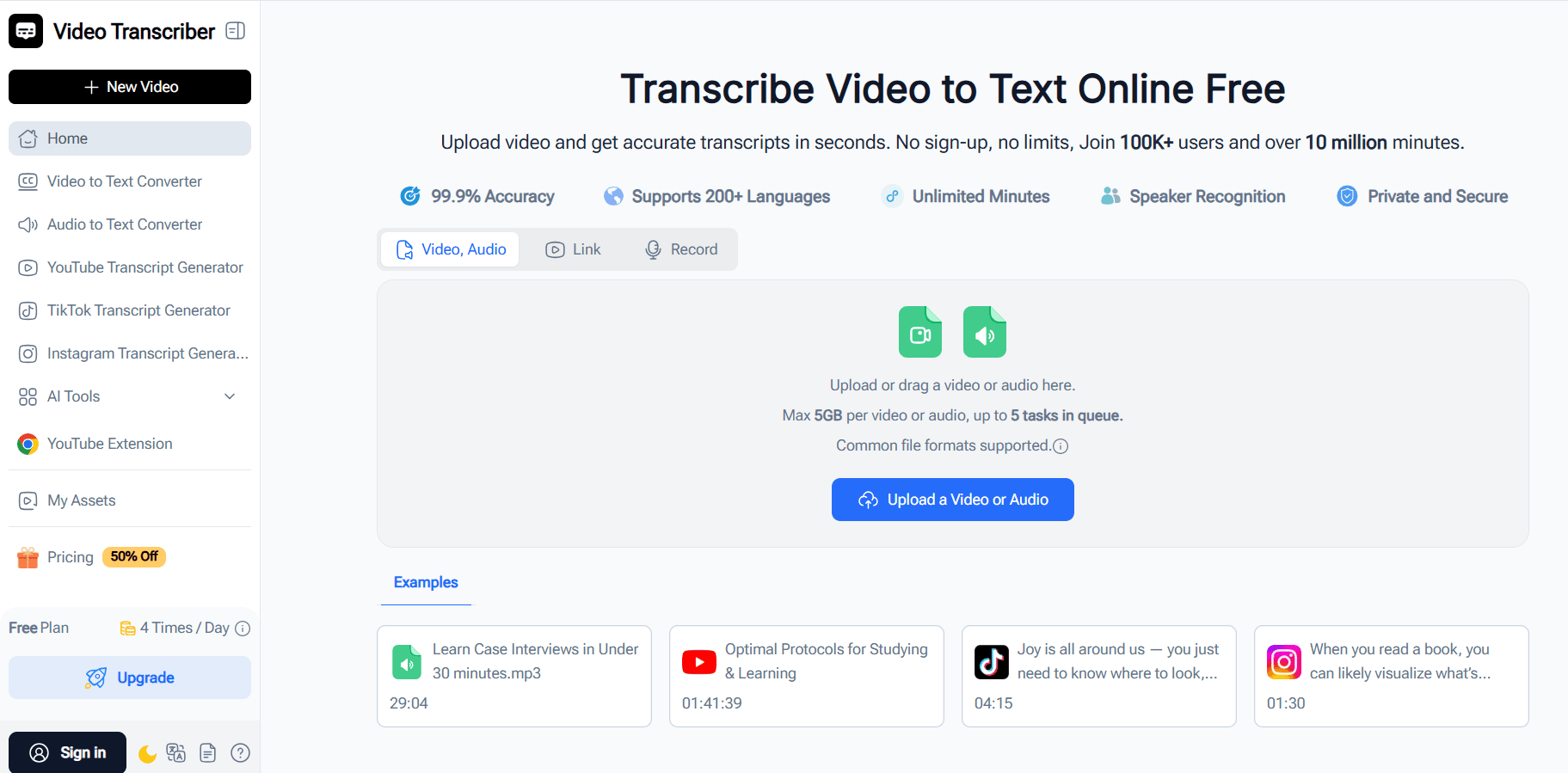
| Starting price | Basic from $4/month yearly | Essentials from $25.49/seat/month yearly; AI transcription also $0.25/minute |
| Best use case | Students, creators, researchers, fast AI transcript workflows | Legal, compliance, human transcription, professional documentation |
Rev is clearly stronger when users need professional transcription services, human-reviewed transcripts, legal workflows, and compliance-heavy documentation. Rev has a deeper service layer, especially for teams and accuracy-sensitive industries. But Video Transcriber AI has a clearer advantage for users who want fast AI transcription, lower cost, no-sign-up entry, and post-transcription features like summaries, AI chat, and mind maps.
A’s defining trait: Video Transcriber AI is built for fast AI transcript workflows and post-transcription reuse.
B’s defining trait: Rev is built for professional transcription services, human review, legal workflows, and compliance-sensitive use cases.
What is Video Transcriber AI?
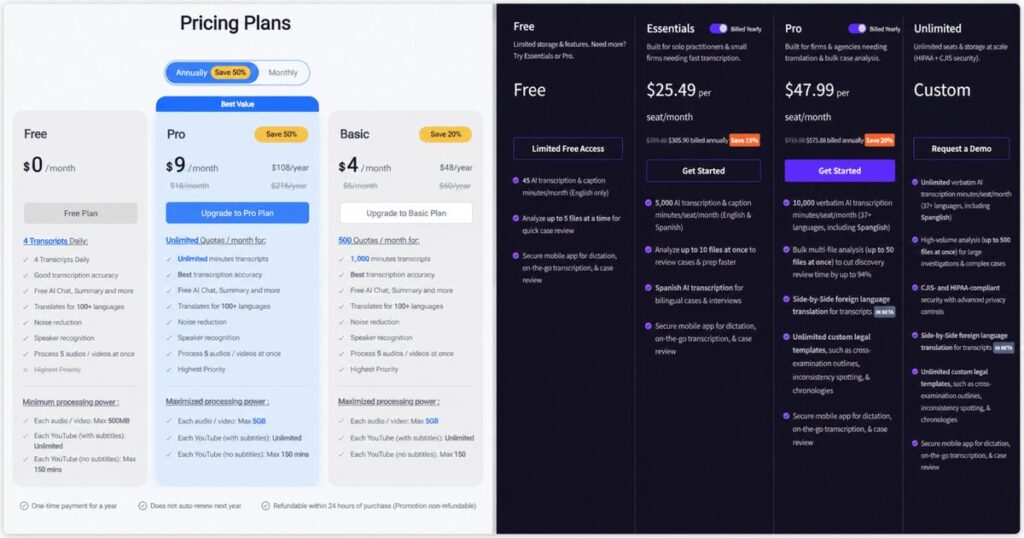
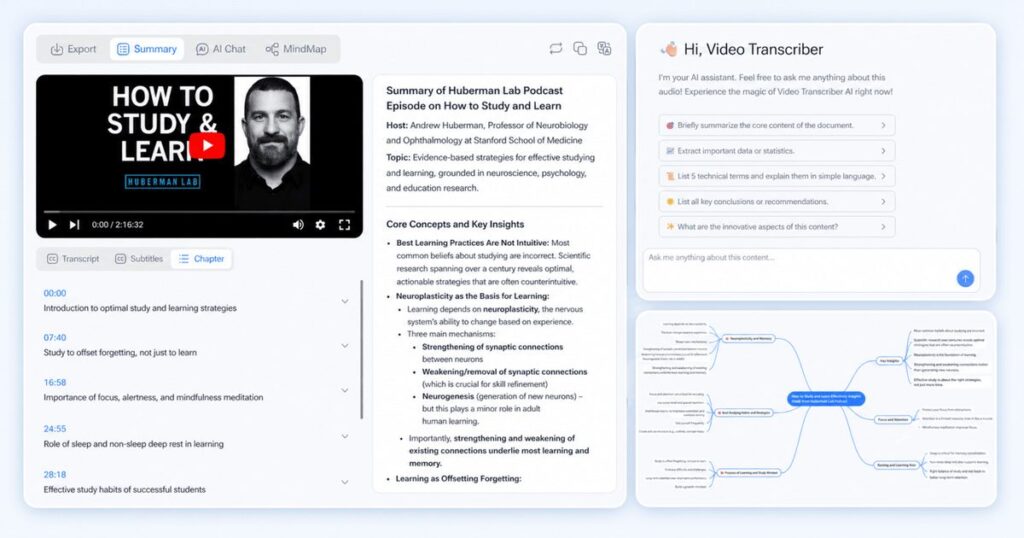
Video Transcriber AI is an online AI transcription tool for users who want to turn video, audio, YouTube links, or recordings into editable text quickly. Its public help center describes Video Transcriber AI as a tool that supports transcription, translation, structured summaries, and AI-powered follow-up actions such as chatting with transcripts and generating mind maps. That makes Video Transcriber AI more than a simple speech-to-text converter. It is a transcript workflow product.
The important point is what happens after transcription. Many tools create a text file and stop there. Video Transcriber AI is easier to position as a tool for users who want to keep working with the transcript. A student can turn a lecture into notes. A creator can turn a video into a content draft. A researcher can ask questions about an interview. A meeting user can turn a recording into a summary and action-ready text.
Standout features
No-sign-up public workflow
4 transcripts daily on the free plan
99.9% accuracy based on your product specs
200+ languages based on your product specs
Structured summaries from transcript content
AI chat with transcript content
Mind maps from transcript content
Export options for transcript and subtitle workflows
A simple way to summarize Video Transcriber AI is this:
Video Transcriber AI is built for users who want to keep working after the transcript is generated.
What is Rev?
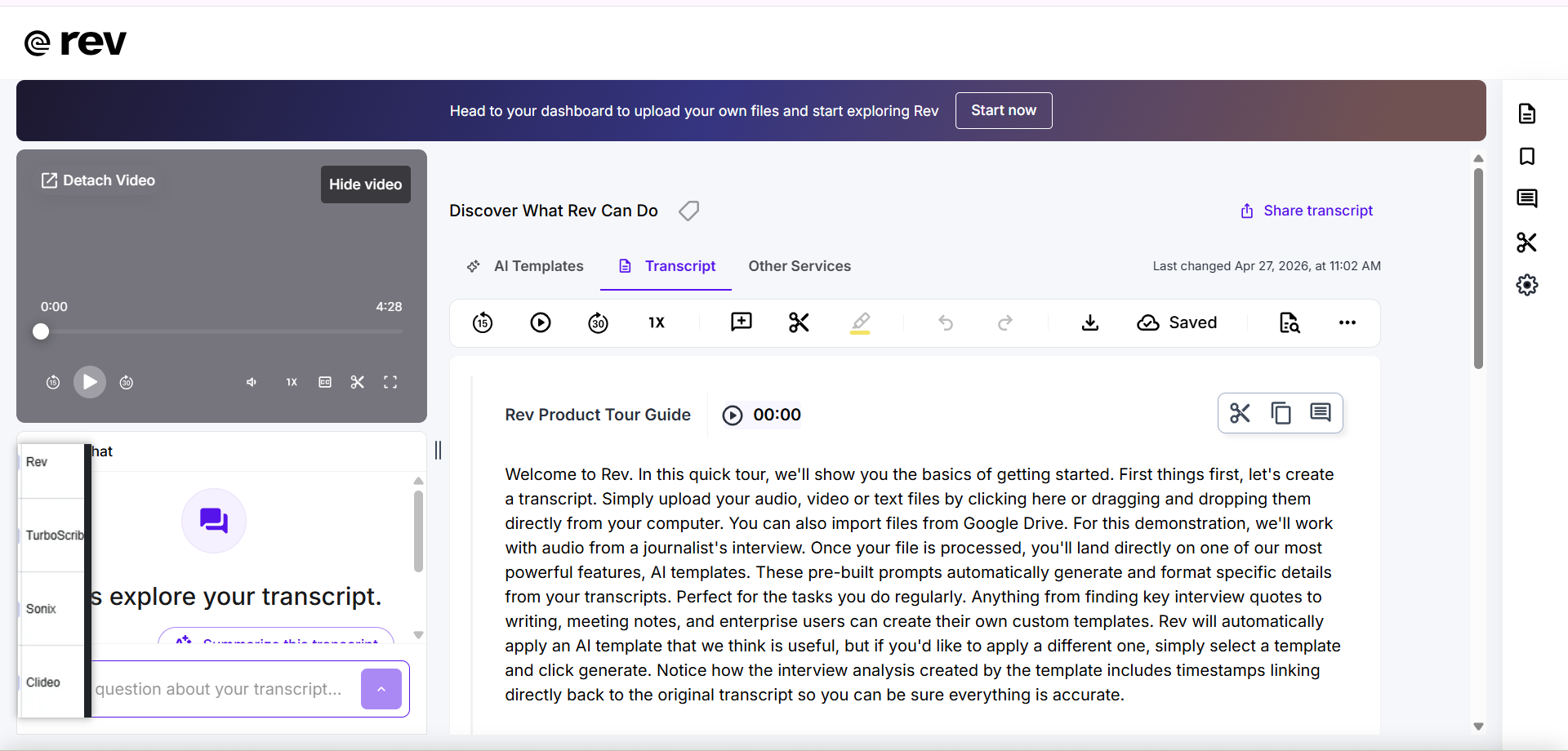
Rev is a professional transcription and captioning platform. Rev offers AI transcription, human transcription, captions, global subtitles, court reporting, AI Notetaker, mobile dictation, and professional workflow features. Rev’s public pricing page also emphasizes legal workflows, multi-file analysis, case preparation, and team features.
Rev is best known for combining AI transcription with human transcription. Rev’s AI transcription page says Rev offers 96%+ AI transcription accuracy, while Rev’s human transcription service is positioned around 99% accuracy and turnaround in 12 hours or less. Rev also sells automated transcription at $0.25 per minute, while Rev human transcription starts at $1.99 per minute.
That makes Rev useful for a different type of buyer. Rev is strong when users need human review, legal documentation, enterprise security, captions, compliance, and professional service support. Rev is not just a lightweight AI transcription tool. Rev is a service-heavy transcription platform.
Standout features
AI transcription with 96%+ accuracy
Human transcription with 99% accuracy
Human captions and global subtitles
Court reporting and legal workflow support
AI Notetaker and meeting features
Multi-file analysis for professional review
HIPAA, CJIS, and SOC 2 Type II compliance claims
Pay-by-minute AI and human transcription options
A short way to describe Rev is this:
Rev is built for users who need professional transcription services, not just fast AI transcript output.
Essential differences between Video Transcriber AI and Rev
1. Video Transcriber AI vs Rev: User Experience
| UX factor | Video Transcriber AI | Rev |
| First impression | Fast AI transcript workflow | Professional transcription service platform |
| First task path | Upload → transcribe → summarize/chat/export | Choose AI/human service or plan → upload/order → review/download |
| Registration friction | Lower | More account/service-plan oriented |
| Workflow complexity | Simple for transcript-first users | Broader and more professional |
| Best first-use feel | Lightweight and direct | Service-driven and structured |
Video Transcriber AI: faster for transcript-first users
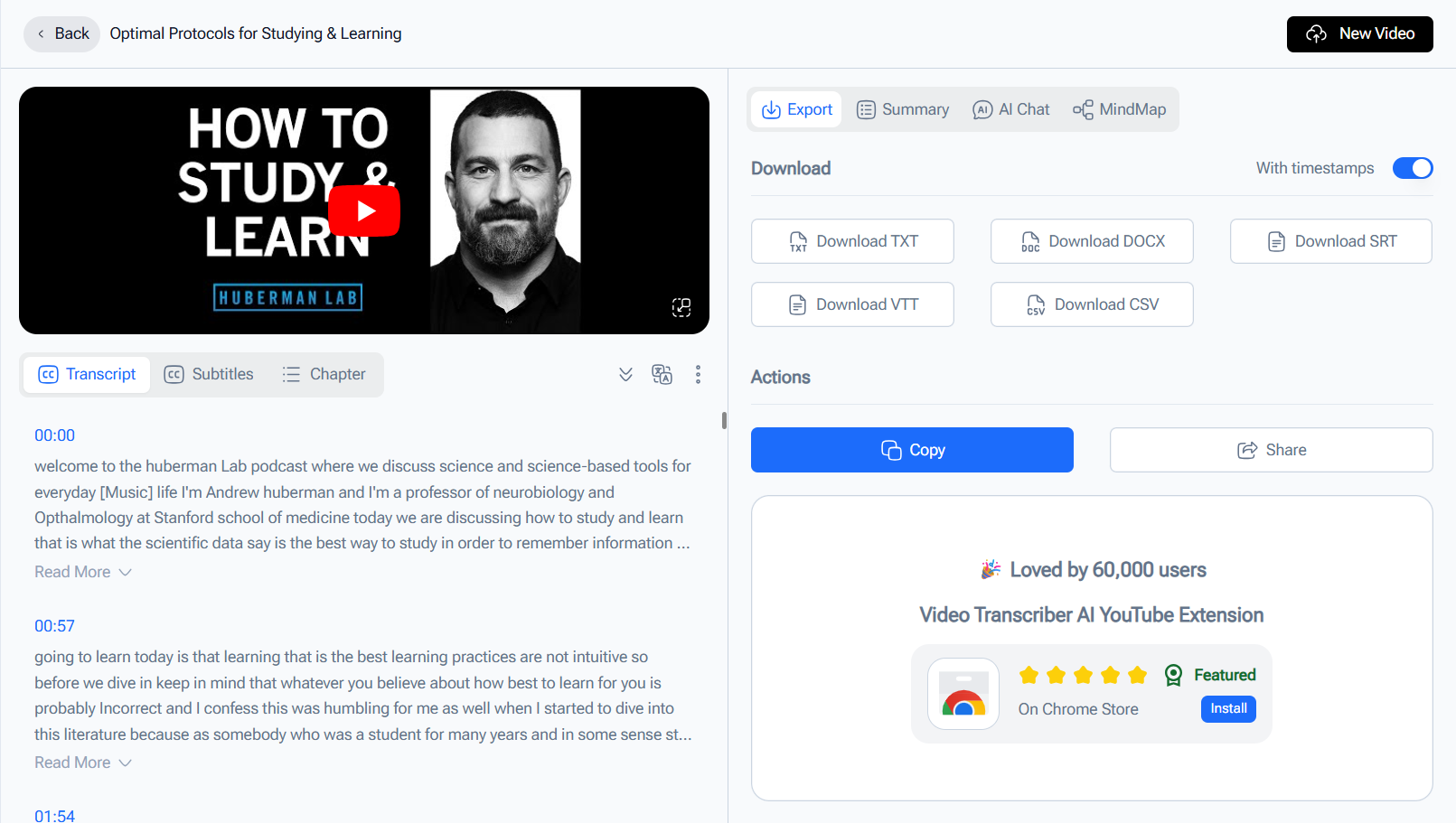
Video Transcriber AI is designed around a short path. The user opens the page, uploads a file, generates a transcript, and then continues with summary, AI chat, mind map, or export. That makes Video Transcriber AI easier for students, creators, researchers, and casual users who mainly want speed.
Typical Video Transcriber AI workflow
Open the page.
Upload audio or video.
Generate transcript.
Review transcript.
Continue with summary, AI chat, mind map, or export.
Rev: more professional, but more service-led
Rev gives users more service choices. That is good for professional users, but it also creates more decision points. With Rev, a user may choose AI transcription, human transcription, captions, court reporting, AI Notetaker, or a subscription plan. Rev’s experience is more structured because Rev is built for more than one type of transcription job.
Typical Rev workflow
Choose AI transcription, human transcription, captions, or a Rev plan.
Upload or record content.
Wait for AI or human processing.
Review in Rev’s editor or workspace.
Download, share, analyze, or continue with team/legal workflows.
Summary
For quick AI transcription, Video Transcriber AI feels easier. For professional transcription services, Rev gives more options. Rev is stronger for users who need those options. Video Transcriber AI is better for users who do not.
2. Video Transcriber AI vs Rev: Accuracy and Language Support
| Capability | Video Transcriber AI | Rev |
| AI accuracy | 99.9% based on your product specs | 96%+ AI transcription |
| Human accuracy | Not positioned as human transcription | 99% human transcription |
| Language count | 200+ based on your product specs | 37+ languages on Rev AI transcription plans; 57+ on Rev AI API |
| Best accuracy story | Fast multilingual AI transcription | Human-reviewed accuracy and professional assurance |
| Best language story | Broad AI transcription coverage | Stronger professional service framing |
Video Transcriber AI in this category
Video Transcriber AI has a strong AI-first story. Based on your product specs, Video Transcriber AI offers 99.9% accuracy and 200+ languages. That makes Video Transcriber AI easier to recommend for multilingual users who want fast AI transcription without moving into a heavy service platform.
Rev in this category
Rev has a different accuracy story. Rev’s AI transcription page states 96%+ AI transcription accuracy. Rev’s human transcription service offers 99% accuracy, which is important for users who need human-reviewed transcripts. Rev is strongest when accuracy responsibility matters more than speed or low cost.
Summary
Video Transcriber AI wins for fast multilingual AI transcription. Rev wins when users need human transcription, formal review, and professional accuracy assurance.
3. Video Transcriber AI vs Rev: Transcript Usability
| Transcript usability factor | Video Transcriber AI | Rev |
| Editable transcript | Yes | Yes |
| Summary | Yes | AI Notetaker / summaries on plans |
| AI chat with transcript | Yes | More focused on multi-file analysis and professional review |
| Mind map | Yes | Not a core public Rev workflow |
| Multi-file analysis | Not core public story | Rev strength |
| Legal templates | Not core public story | Rev strength |
| Best usability style | Understand and reuse transcript | Review, certify, analyze, document |
Video Transcriber AI in this category
This is where Video Transcriber AI is easiest to defend for everyday users. The transcript is not just a file. It can become a summary, a chat source, a mind map, or reusable written material. This is useful for lectures, interviews, podcasts, research recordings, YouTube videos, and meeting notes.
For example, a student can use Video Transcriber AI to create lecture notes. A creator can use Video Transcriber AI to turn a video into a script or article outline. A researcher can use Video Transcriber AI to ask questions about an interview transcript.
Rev in this category
Rev is also useful after transcription, but Rev is useful in a more professional way. Rev’s pricing page highlights AI Notetaker, summaries, action items, multi-file analysis, legal templates, chronologies, inconsistency spotting, and case preparation features. Those features make Rev strong for legal, business, and team workflows.
Summary
Video Transcriber AI is better for everyday transcript reuse. Rev is better for professional transcript handling, legal review, and structured case workflows.
4. Video Transcriber AI vs Rev: Security and Privacy
Security is one of Rev’s strongest areas.
Rev publicly states that its AI transcription service is built for confidential workflows with zero data sharing to third parties, end-to-end encryption, and protection for privileged information. Rev also says it is HIPAA, CJIS, and SOC 2 Type II compliant on its AI transcription page. That gives Rev a strong public security story for legal, healthcare-adjacent, public sector, and enterprise users.
Video Transcriber AI has a lighter security and privacy story. Its advantage is low-friction access. Users can start without creating an account in the core public workflow, which makes Video Transcriber AI more comfortable for casual users who do not want to go through a service-order or enterprise-style setup.
Summary
Video Transcriber AI is simpler for everyday users. Rev is stronger for compliance-heavy users who need formal security language and documented controls.
5. Video Transcriber AI vs Rev: Pricing and Plans
| Pricing factor | Video Transcriber AI | Rev |
| Free entry | 4 transcripts daily | 45 AI transcription minutes/month, English only |
| Entry paid plan | Basic from $4/month yearly | Essentials from $25.49/seat/month yearly |
| Pro plan | Pro from $9/month yearly | Pro from $47.99/seat/month yearly |
| Pay-by-minute AI | Not core pricing model | $0.25/minute |
| Human transcription | Not core product | Starts at $1.99/minute |
| Best value story | Low-cost AI transcript workflow | Professional service and compliance workflow |
Video Transcriber AI in this category
Video Transcriber AI is easier to justify for individual users. The free plan gives daily transcript access, and the paid plans are much lower than Rev subscription pricing. For students, creators, researchers, and solo users, Video Transcriber AI feels like the more accessible tool.
Rev in this category
Rev is priced more like a professional service platform. Rev’s pricing page lists Free, Essentials, Pro, and Unlimited plans, with Essentials starting at $25.49 per seat/month billed yearly and Pro starting at $47.99 per seat/month billed yearly. Rev also offers AI transcription at $0.25/minute and human transcription starting at $1.99/minute.
Summary
Video Transcriber AI is better for low-cost AI transcription. Rev is easier to justify when users need human transcription, legal workflows, and compliance-heavy service layers.
6. Video Transcriber AI vs Rev: Best Use Cases
| User type | Better choice | Why |
| Student | Video Transcriber AI | Lower cost, faster start, summary and AI chat |
| Creator | Video Transcriber AI | Better for transcript reuse and content drafts |
| Researcher | Video Transcriber AI | Good for interviews, summaries, and transcript Q&A |
| Casual user | Video Transcriber AI | Easier and lighter |
| Legal team | Rev | Human transcription, court reporting, case review |
| Enterprise team | Rev | Security, compliance, multi-file analysis |
| Human-reviewed transcript user | Rev | Rev’s human transcription is the main advantage |
| Compliance-heavy workflow | Rev | HIPAA, CJIS, SOC 2 Type II claims |
Video Transcriber AI is a better fit for users who want fast AI transcription, transcript summaries, AI chat, mind maps, and lower-cost access.
Rev is a better fit for legal teams, enterprises, compliance-heavy organizations, and users who need human-reviewed transcription. Rev is also better when transcription is part of a formal documentation or evidence workflow.
Summary
Video Transcriber AI is for fast AI transcript workflows. Rev is for professional transcription services.
FAQ
Is Video Transcriber AI a good Rev alternative?
Yes, Video Transcriber AI is a good Rev alternative if you want fast AI transcription, lower cost, summaries, AI chat, and mind maps. It is not a direct replacement for every Rev use case. Rev is still stronger for human transcription, legal workflows, compliance-heavy documentation, and professional service needs.
Is Rev better than Video Transcriber AI?
Rev is better for human transcription, legal transcription, court reporting, compliance, and professional accuracy assurance. Video Transcriber AI is better for fast AI transcript workflows, lower cost, and transcript reuse.
Which is cheaper: Video Transcriber AI or Rev?
Video Transcriber AI is cheaper for most AI-first users. Video Transcriber AI starts at a much lower monthly price, while Rev Essentials starts at $25.49 per seat/month billed yearly. Rev also offers AI transcription at $0.25/minute and human transcription starting at $1.99/minute.
Does Rev offer human transcription?
Yes. Rev offers human transcription with 99% accuracy, according to its public human transcription service page. This is one of Rev’s biggest advantages over AI-only tools.
Which tool is better for students and creators?
Video Transcriber AI is usually better for students and creators because it is faster, lighter, cheaper, and better suited to transcript summaries, AI chat, mind maps, and content reuse.
Which tool is better for legal transcription?
Rev is better for legal transcription. Rev’s public pages emphasize legal workflows, court reporting, privileged information, HIPAA, CJIS, SOC 2 Type II, and multi-file analysis.
Final Verdict
Choosing between Video Transcriber AI and Rev depends on what kind of transcript workflow you need.
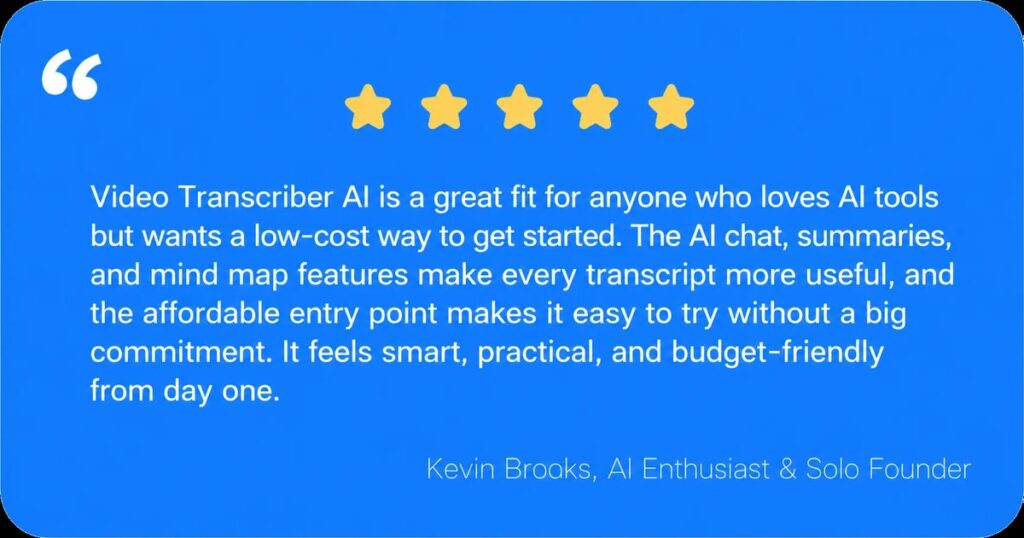
If you want fast AI transcription, lower cost, broad language support, summaries, AI chat, mind maps, and reusable transcript outputs, Video Transcriber AI is the better fit. It is easier to start, easier to understand, and better suited to users who want to move quickly from spoken content to useful text. For students, creators, researchers, educators, and casual users, Video Transcriber AI is the more practical first choice.
If you need human transcription, legal workflows, court reporting, compliance-heavy documentation, or formal security claims, Rev is the better fit. Rev costs more, but Rev also offers a different kind of value: AI transcription, human transcription, captions, legal workflows, multi-file analysis, mobile dictation, and strong compliance positioning. Rev is not just a transcription tool. Rev is a professional transcription service platform.
So the cleanest conclusion is simple:
Video Transcriber AI is better for fast AI transcript workflows. Rev is better for human-reviewed, legal, and professional transcription services.
If your main goal is to get a transcript quickly and turn it into useful content, Video Transcriber AI is the easier tool to try first.