


People compare Video Transcriber AI and VEED because both can turn spoken content into text, but they do not feel like they were built for the same first job. Video Transcriber AI feels like a transcript-first product. VEED feels like a broader video platform where transcription is one part of a larger creative workflow. That difference shows up before you even upload a file. On its public homepage, VEED leads with AI video creation, editing, avatars, subtitles, and social video production. Video Transcriber AI, by contrast, puts transcript-oriented tools like Video to Text Converter, Audio to Text Converter, and YouTube Transcript Generator right in the main navigation.
That is why this comparison matters. If you just want to transcribe a file and keep moving, VEED and Video Transcriber AI will feel very different. If you want to go from transcript to summary, chat, notes, or a cleaner structure, the gap gets even wider. This article compares Video Transcriber AI and VEED through the dimensions that actually shape user choice: getting started, accuracy and language support, transcript usability, security and privacy, pricing, and best-fit use cases.
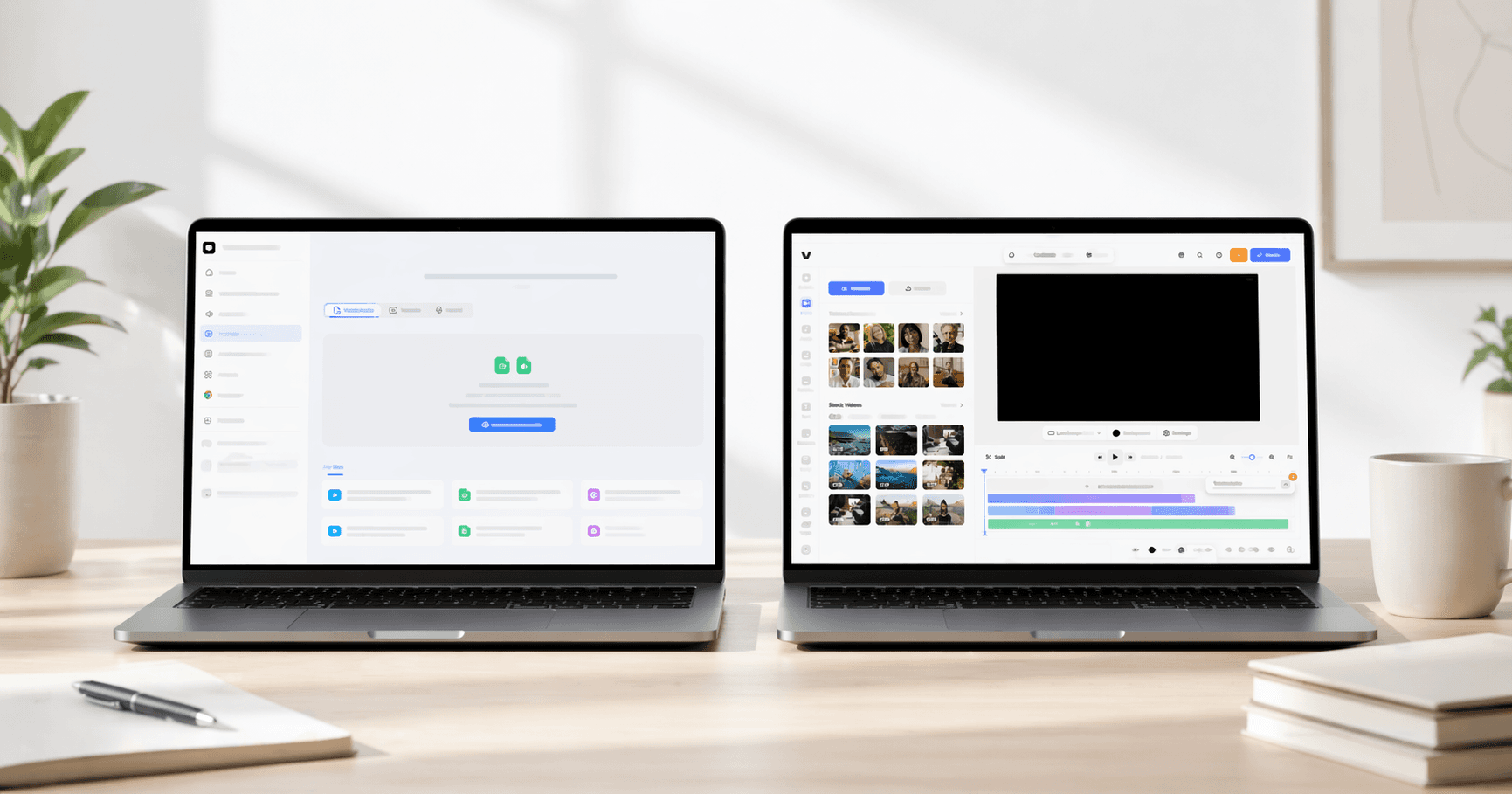
Video Transcriber AI vs VEED Quick Comparison Table
Below is the fastest way to understand Video Transcriber AI and VEED for the core need of fast online transcription. The table uses your provided product specs for Video Transcriber AI accuracy and language support, plus current public information from both products’ live pages for the other fields. VEED’s public pages position the platform as a broader AI video creation and transcription suite. Video Transcriber AI’s public pages position it as a more transcript-first workflow.
| Field | Video Transcriber AI | VEED |
| Registration required | No sign-up required | No initial signup required on transcription tools |
| Free allowance | 4 transcripts daily | Free to start, but some transcript/download capabilities depend on plan |
| Accuracy | 99.9% | 99.9% |
| Supported languages | 200+ | 125+ |
| Maximum file size | 500MB on free, up to 5GB on paid plans | Not clearly surfaced on the main transcription tool pages |
| Core workflow style | Transcript-first, upload and continue working with transcript | Video-editor-first, transcribe inside a broader creation workflow |
| Security credentials | Public “Private and Secure” positioning, no-sign-up workflow | GDPR/CPPA compliance, encryption in transit and at rest, 2FA, SSO |
| Starting price | Basic from $4/month billed yearly | Lite from $9/month billed yearly |
| Best use case | Fast transcription plus summary, AI chat, and transcript reuse | Video creation, subtitles, and transcription inside a broader editor |
The short version is simple. Video Transcriber AI looks better when the transcript itself is the center of the job. VEED looks better when transcription is just one step in a larger video workflow. VEED is strong. But VEED is also broader, and that broadness changes the experience. For transcript-first users, that matters.
A’s defining trait: Video Transcriber AI treats the transcript like a working asset, not just a downloadable file. B’s defining trait: VEED treats transcription like one useful part of a much wider AI video platform.
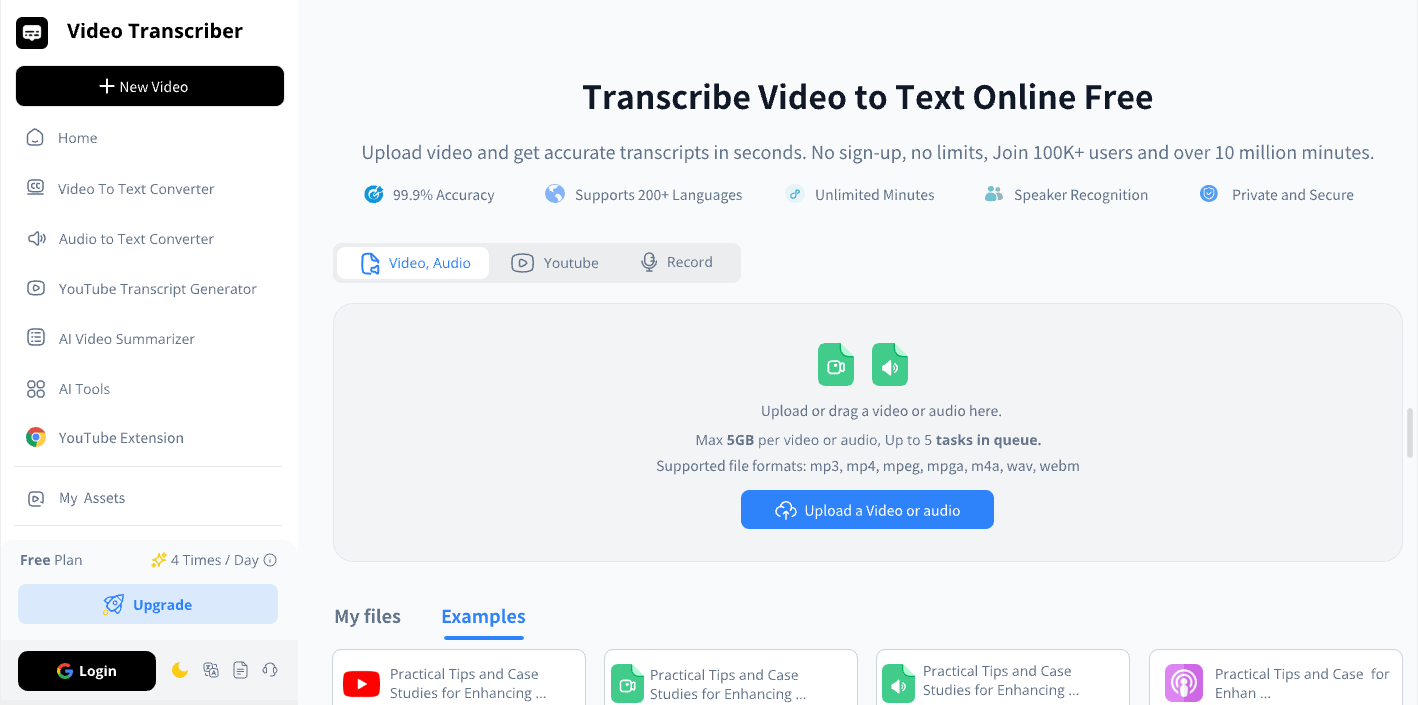
What is Video Transcriber AI?
Video Transcriber AI is a transcript-first product. That is the cleanest way to describe it. The public homepage puts transcription tasks front and center, and the pricing page expands that story by showing daily free transcripts, AI chat, summaries, translation for 100+ languages, noise reduction, speaker recognition, and the ability to process five audio or video files at once. Even before you open the help center, Video Transcriber AI feels like a tool that expects the transcript itself to be the main event.
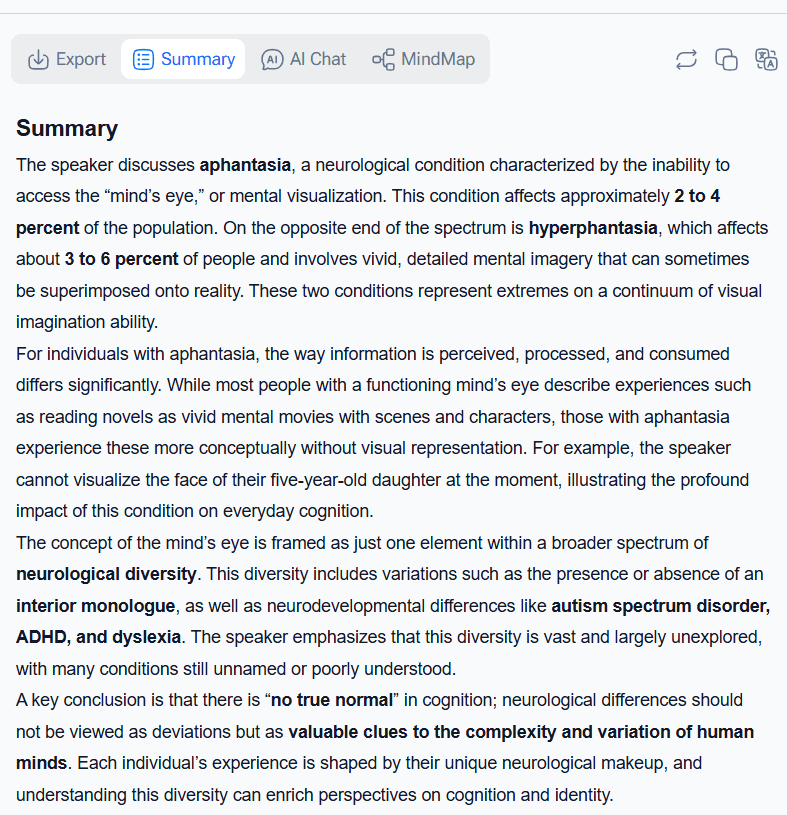
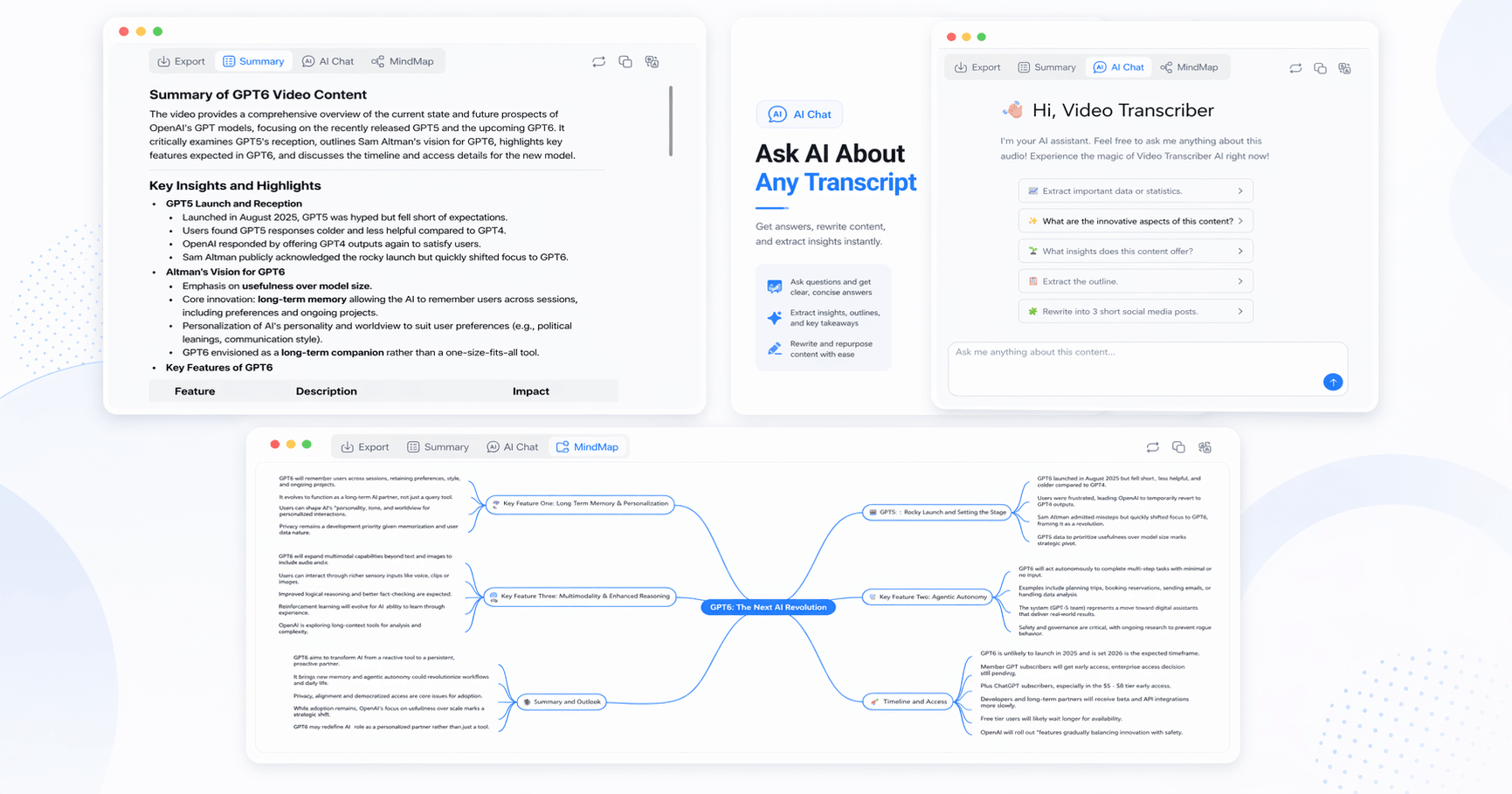
The stronger difference appears in the help content. The help center for Video Transcriber AI says the product supports editable transcripts, structured summaries, transcript-based AI chat, translation, timestamps, and mind maps from transcript content. That turns Video Transcriber AI into more than a converter. It becomes a place where spoken content is turned into something you can actually work with. For students, researchers, interviewers, creators, and people who deal with long recordings, that is a big distinction. Raw transcript output is useful. Structured transcript output is much better.
Standout features
- No sign-up required on core public workflow pages
- 4 free transcripts daily
- 99.9% accuracy and 200+ language support based on your provided specs
- Editable transcript workflow with export options
- Structured summaries and AI chat based on transcript content
- Mind maps and follow-up transcript organization features
A simple way to sum up Video Transcriber AI is this: it feels like a product built for what happens after transcription, not just for the moment the transcript appears.
What is VEED?
VEED is an AI video creation platform that also does transcription very well. The public homepage of VEED leads with video creation, editing, subtitles, dubbing, avatars, and social content production. That means VEED is not introducing itself as “the transcription tool.” VEED is introducing itself as “the video platform that also includes transcription.” This is not a weakness. But it is the reason VEED feels different from a dedicated transcript-first product.
The transcription side of VEED is still real and capable. The VEED Video to Text page says VEED can convert video to text with 99.9% accuracy in 125+ languages. The VEED Audio to Text page makes a similar claim and frames VEED as a place where users can transcribe and edit content in one place. VEED also lets users download TXT, SRT, and VTT files, which makes VEED useful for subtitles, captions, and transcript exports. The difference is not whether VEED can transcribe. The difference is that VEED is doing transcription inside a much wider ecosystem.
Standout features
- AI video creation and editing in one browser-based workflow
- Video to Text and Audio to Text tools
- 99.9% accuracy claim on public transcription pages
- 125+ language support
- Strong subtitle, caption, and social-video workflow
- Public security documentation with GDPR, CPPA, encryption, 2FA, and SSO
The best way to summarize VEED is this: VEED feels like a bigger editor platform where transcription is one strong feature, not the main identity of the product.
Essential differences between Video Transcriber AI and VEED
1. Video Transcriber AI vs VEED: User Experience
| UX factor | Video Transcriber AI | VEED |
| First impression | Transcript-first tool | AI video creation platform |
| Shortest path to first transcript | Homepage upload → transcribe → transcript tools | Tool page/editor flow → upload → auto-transcribe → review/export |
| Registration requirement | No sign-up required | No initial signup required on VEED Video to Text |
| Product learning curve | Lower for transcript-only users | Higher if you only want transcription |
| Likely friction level | Lower for focused transcript tasks | Slightly higher for transcript-first users |
Video Transcriber AI feels lighter to enter if your only goal is transcription. The homepage tells you what to do. The navigation tells you what the product is for. The workflow feels short. You upload, transcribe, then move into transcript work like summary or AI chat. That is why Video Transcriber AI feels lower-friction for people who arrive with a very narrow intent.
Typical first-use flow on Video Transcriber AI
- Open the homepage.
- Upload audio or video.
- Start transcription.
- Review transcript and continue with summary, chat, or export.
VEED is also easy to start, but VEED feels different because the context is broader. The VEED transcription pages still let you upload and begin quickly, but the workflow is attached to a larger editor experience. That means VEED can feel like a bigger space to enter if all you want is the transcript. For users who already want subtitles, clips, and editing, VEED may feel efficient. For users who do not want those things, VEED may feel like extra product surface area.
Typical first-use flow on VEED
- Open a VEED transcription page.
- Upload the file.
- Use the subtitle or transcription workflow inside VEED.
- Review and export from the VEED interface.
Summary For transcript-first jobs, Video Transcriber AI is more low-friction. For broader creator workflows, VEED feels more natural. VEED is not harder in a technical sense. VEED is simply bigger, and that changes the user experience.
2. Video Transcriber AI vs VEED: Accuracy and Language Support
| Capability | Video Transcriber AI | VEED |
| Public accuracy claim | 99.9% | 99.9% |
| Public language count | 200+ | 125+ |
| Timestamps | Yes | Available through transcript/subtitle exports |
| Multi-speaker support | Yes | Not highlighted as strongly on main VEED pages |
| Translation angle | Transcript and summary workflow | Subtitle and video translation workflow |
In headline terms, VEED looks very strong. The public VEED transcription pages say VEED offers 99.9% accuracy and support for 125+ languages. Those are strong front-facing numbers, and they fit the broader VEED story of accessibility, captions, and multilingual distribution. VEED looks especially compelling here if your content strategy already depends on subtitles and social-video reach.
Video Transcriber AI, using the specs you provided, matches VEED on accuracy and exceeds VEED on language support. But the more interesting difference is not the raw numbers. It is how the numbers fit into the workflow. With Video Transcriber AI, accuracy and language support are framed as part of a transcript-centered process that continues into summaries, AI chat, translation, and mind maps. With VEED, those strengths feed back into a video-centered workflow.
Summary If you compare the surface claims, VEED looks excellent. If you compare how those capabilities support transcript work, Video Transcriber AI still feels more transcript-first, while VEED feels more creator-first.
3. Video Transcriber AI vs VEED: Transcript Usability
| Transcript usability factor | Video Transcriber AI | VEED |
| Editable transcript | ✅Yes | ✅Yes |
| Export formats | TXT, DOCX, SRT, VTT, CSV | TXT, VTT, SRT |
| Structured summaries | ✅Yes | Not clearly foregrounded on main VEED transcription pages |
| AI chat with transcript | ✅Yes | Not clearly foregrounded on main VEED transcription pages |
| Mind maps | ✅Yes | Not clearly foregrounded on main VEED transcription pages |
| Best for transcript reuse | Stronger | Better for subtitle/editor integration |
This is where Video Transcriber AI starts to feel clearly different from VEED. The transcript on Video Transcriber AI is not just something you export. It becomes the source for summaries, transcript Q&A, translations, and mind maps. That makes Video Transcriber AI feel stronger for research, learning, documentation, interviews, and knowledge-heavy content. The transcript has a second life.
VEED is still useful once a transcript exists, but the center of gravity is different. On VEED, the transcript tends to sit closer to subtitles, captions, and the editor workflow. That makes VEED very useful if your next step is to polish a video, publish clips, or create social content. But for transcript-as-document workflows, VEED is less obviously optimized than Video Transcriber AI.
Summary If transcript usability means “what can I do with the text after it appears,” Video Transcriber AI is stronger. If transcript usability means “how does this help my video workflow,” VEED feels more natural.
4. Video Transcriber AI vs VEED: Security and Privacy
Video Transcriber AI has a lighter trust model. The public pages emphasize no-sign-up use, “Private and Secure” messaging, and help content around privacy and file handling. For many users, especially casual or solo users, that is already enough to create confidence. There is comfort in not having to create an account before testing a transcript workflow. That lighter approach can feel more private simply because it reduces the amount of setup and account commitment upfront.
VEED has the stronger documented compliance and controls story. The public VEED security documentation references GDPR and CPPA, Google Cloud Platform, encryption in transit and at rest, access logging, 2FA, and SSO. That gives VEED more formal security language, especially for teams, companies, and procurement-minded buyers who want controls stated clearly on paper.
Summary For everyday users, Video Transcriber AI feels safely lightweight. For organizations and security-conscious teams, VEED presents the stronger formal security narrative.
5. Video Transcriber AI vs VEED: Pricing and Plans
| Pricing factor | Video Transcriber AI | VEED |
| Free entry | 4 transcripts daily | Free to start |
| Entry paid tier | Basic from $4/month yearly | Lite from $9/month yearly |
| Pricing narrative | Better value for transcript-first users | Better value for broader video creation |
| Free extras | AI chat, summary, translation, speaker recognition, 5 files at once | Try VEED workflow, broader capabilities unlocked on plans |
| Best value for | Transcript-first workflows | All-in-one video workflows |
The public pricing story of Video Transcriber AI is easy to defend on value. Even the free layer is unusually deep. Video Transcriber AI includes daily transcript usage plus AI chat, summaries, translation, speaker recognition, and batch-style handling. That makes Video Transcriber AI feel generous for the exact kind of users who want to test a transcript-first workflow before paying.
The public pricing story of VEED is different. VEED is not really trying to win on “cheapest transcript tool.” VEED is trying to sell access to a larger platform. So the $9 Lite positioning on public VEED pages makes more sense if you actually want editing, subtitles, content repurposing, and a creator ecosystem. If you only want transcript depth, Video Transcriber AI gives you more directly relevant value sooner.
Summary If you care about value for transcript-first work, Video Transcriber AI wins more easily. If you care about value for a broader video platform, VEED becomes easier to justify.
6. Video Transcriber AI vs VEED: Best Use Cases
Video Transcriber AI is better for:
- students who want transcripts plus summaries
- researchers working with interviews
- podcasters or webinar hosts who need notes and structure
- users who care about transcript reuse more than video editing
- people who want summaries, transcript chat, and mind maps from the same workflow
VEED is better for:
- creators already working inside a video editor
- marketers making subtitles and short-form content
- teams producing caption-heavy social video
- users who want transcription inside a broader editing and publishing workflow
- organizations that want stronger public security documentation
Summary The cleanest split is simple. Video Transcriber AI is better when the transcript is the main output. VEED is better when the transcript is one supporting step inside a larger content-production process.
Frequently Asked Questions About Video Transcriber AI vs VEED
Is VEED better than Video Transcriber AI for transcription?
Not automatically. VEED is better known as a broader video platform. Video Transcriber AI is easier to recommend if the transcript itself is your main goal and you want summaries, transcript chat, and mind maps after the transcript is created.
Does VEED require signup before transcription?
The public VEED Video to Text page says you can start for free without initial signup. But depending on the exact output and workflow, VEED may reserve some transcript download or export convenience for paid access.
Which is better for transcript summaries, Video Transcriber AI or VEED?
Based on the current public product pages, Video Transcriber AI is clearly better for transcript summaries because those features are surfaced directly in the transcript workflow. VEED is less summary-first in its main transcription narrative.
Is VEED more secure than Video Transcriber AI?
For formal documentation, yes, VEED has the stronger public security story. VEED explicitly documents compliance, encryption, 2FA, and SSO. Video Transcriber AI offers a lighter privacy/security posture that may still feel better for quick no-sign-up use.
Which is the better VEED alternative for transcription-first users?
If someone likes VEED but wants a tool built around transcript work rather than a broader editor, Video Transcriber AI is a strong VEED alternative for transcription-first users.
Should I choose a dedicated transcription tool or an all-in-one video editor?
Choose a dedicated option like Video Transcriber AI when the transcript is the core output. Choose a broader option like VEED when transcription is only one part of a larger video workflow.
Final Verdict
If your core need is fast online transcription and you want the transcript to stay useful after it appears, Video Transcriber AI is the better fit. It feels more focused, more transcript-first, and more helpful once the text is already on screen. The public workflow of Video Transcriber AI is built around transcript reuse, not just transcript generation.
If your core need is a broader AI video creation platform where transcription is one piece of a much bigger workflow, VEED is easier to justify. VEED is strong. VEED is polished. VEED is clearly built for creator workflows, subtitle workflows, and social-video production. But that same breadth is the reason VEED can feel less direct for transcript-first users.
So the fairest conclusion is simple. Video Transcriber AI is better for transcript-first users. VEED is better for video-workflow-first users. If you want the easier place to start for transcription, summaries, chat, and transcript reuse, Video Transcriber AI is the better first tool to try.