


A free video transcriber turns spoken video into searchable text within minutes. The real challenge is finding one that stays useful before a paywall appears.
This guide compares five current tools and explains how to choose a free video transcriber for lectures, interviews, meetings, captions, and creator workflows.
What Is a Free Video Transcriber?
How a Free Video Transcriber Converts Video to Text
A free video transcriber uses speech recognition to extract a video's audio and convert spoken words into editable text. Most tools return a transcript with timestamps. Better options can identify speakers, translate the text, or generate subtitle files.
The workflow is simple: upload an MP4 or MOV file, select the language, and start processing. Some services accept YouTube or social media links, saving you from downloading and re-uploading the video.
Why People Use Video Transcription
Video is easy to watch but awkward to search. A free video transcriber lets students review lectures, journalists locate interview quotes, and teams document meetings. Creators can also repurpose transcripts into captions, articles, newsletters, and social posts.
Transcripts improve accessibility for people who cannot hear the audio or prefer reading. They also make long recordings easier to scan, quote, and share.
What “Free” Really Means
Free does not always mean unlimited. One free video transcriber may work without registration, while another offers monthly credits or a few short files per day. Check these details first:
- File size and duration limits
- Daily or monthly allowances
- Supported languages and formats
- TXT, DOCX, SRT, or VTT exports
- Account and payment requirements
- Storage, deletion, and privacy policies
5 Best Free Video Transcriber Tools in 2026
1. Video Transcriber AI: Best Without Sign-Up
Sometimes you do not want a dashboard or onboarding tour. You just want the words from a video. Video Transcriber AI offers that direct experience: upload a file or provide a supported link, choose the settings, and start without creating an account.
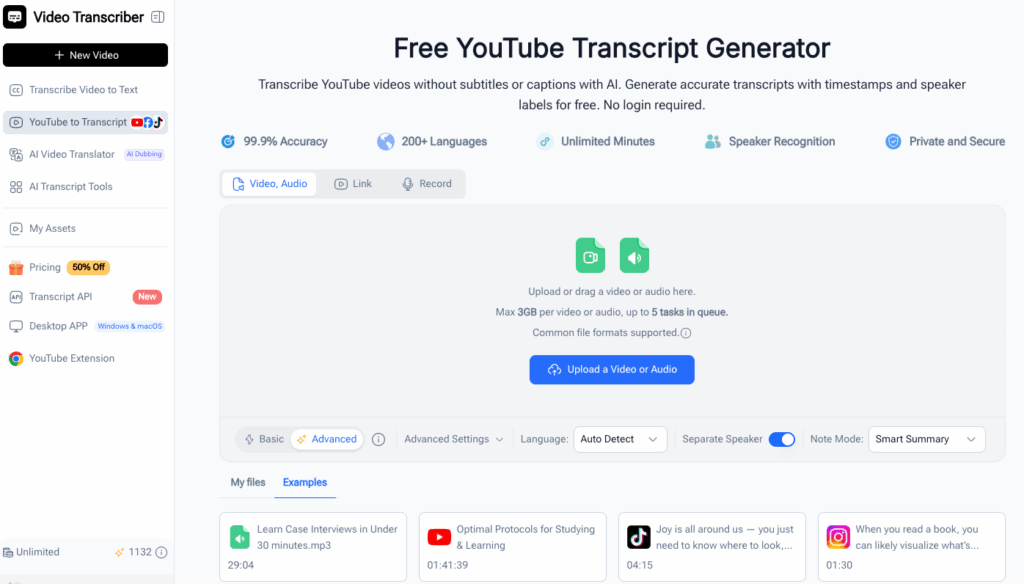
The site supports common audio and video formats, more than 200 languages, speaker recognition, and multiple processing modes. It can handle content from YouTube, TikTok, Instagram, Facebook, X, and Bilibili, making it a flexible free video transcriber for files and online media.
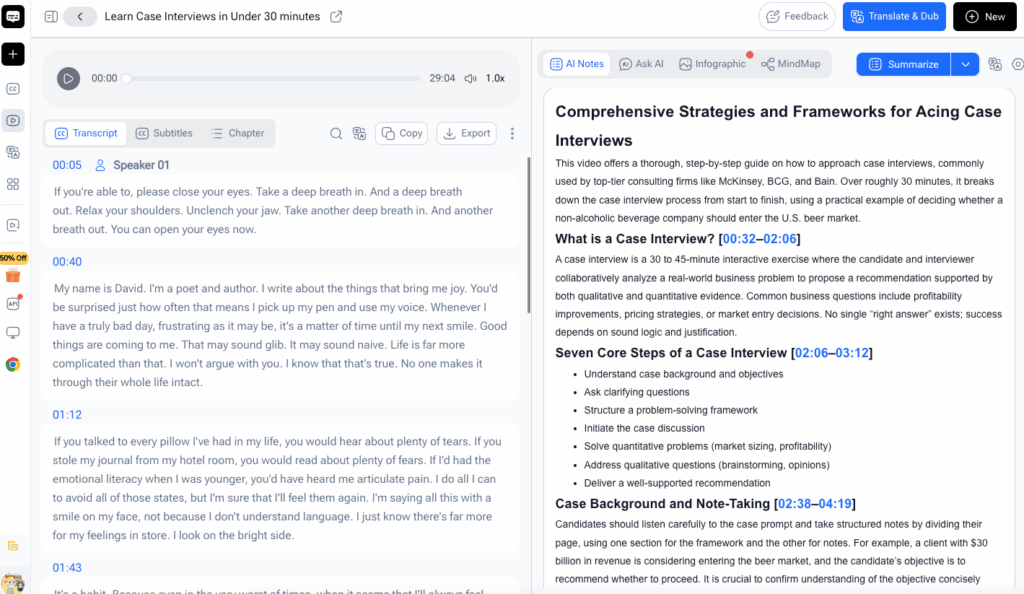
Choose this free video transcriber when speed and minimal setup matter. It suits lectures, Zoom recordings, interviews, and content research. Check the current upload screen before processing a large file, since service limits can change.
2. NoteGPT: Best for Batch Transcription and AI Notes
Imagine returning from a conference with eight recorded sessions. Uploading each one separately, then manually turning every transcript into notes, sounds like punishment. NoteGPT addresses this with batch processing, speaker separation, transcript editing, downloads, summaries, and structured notes.
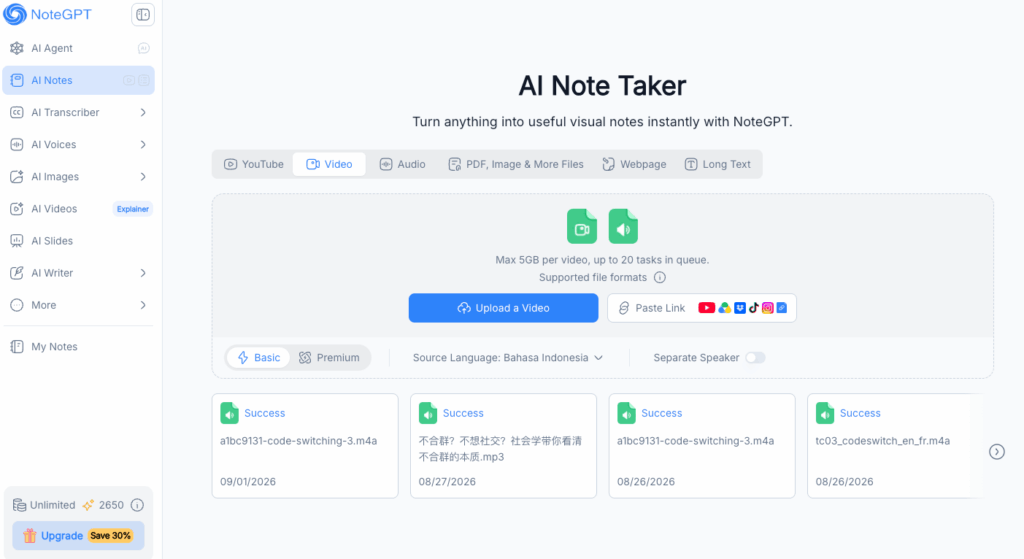
NoteGPT accepts uploads and links. Its current tool page supports files up to 5GB and queues multiple tasks. That makes this free video transcriber useful for research, courses, meetings, and long-form material that must become organized notes.
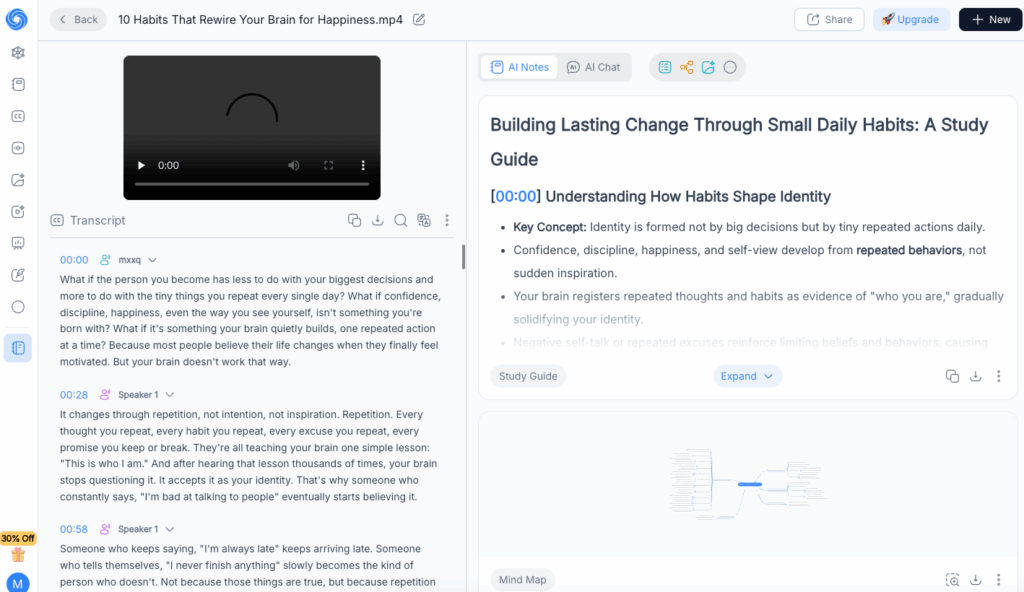
The free plan uses monthly quotas, so it fits occasional work better than constant production. NoteGPT currently gives free accounts 15 quotas per month. Pick this free video transcriber when transcription is only the first step in a larger learning or research workflow.
3. Riverside: Best for Recording, Transcribing, and Editing
Riverside is useful when transcription belongs inside a production process. Instead of switching among a recorder, transcriber, subtitle editor, and video editor, you can record or upload media and keep the workflow together.
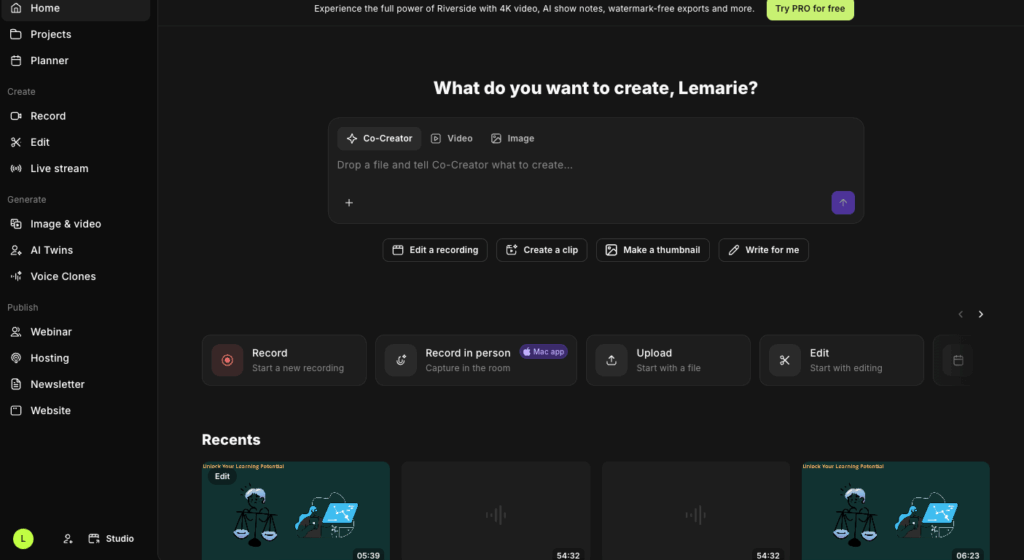
The Riverside transcription tool accepts audio and video, supports more than 100 languages, and provides transcript or SRT downloads. Its broader platform includes speaker detection, captions, text-based editing, and recording tools.
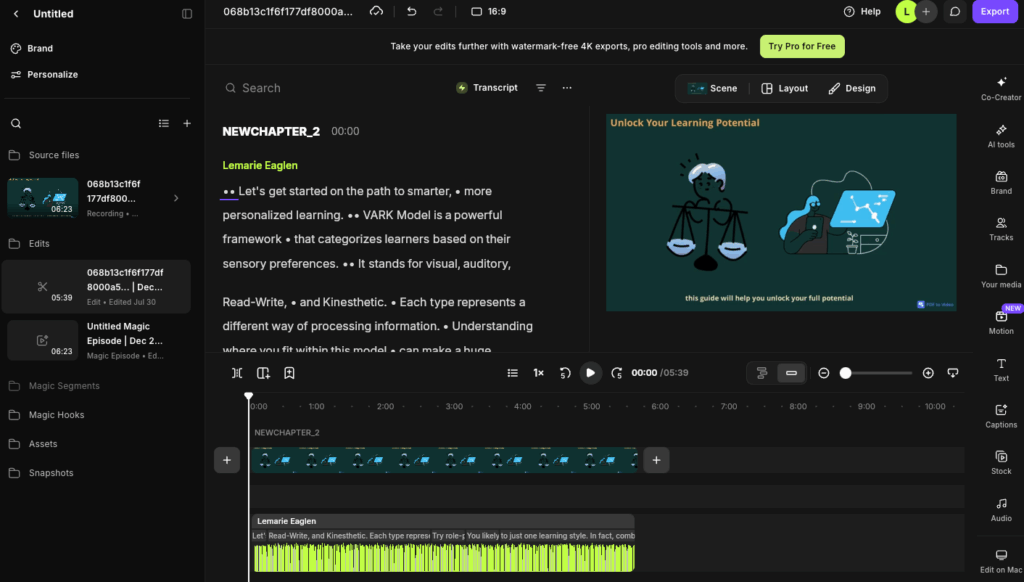
This free video transcriber suits podcasters, interviewers, and remote teams that later need clips or captions. If you only need plain text, the extra features may feel like bringing a film crew to photograph a sandwich. For creators, they are genuinely useful.
4. TurboScribe: Best for Three Free Transcripts per Day
A clear limit is easier to plan around than vague “free access.” TurboScribe offers three free transcripts per day, with each free upload limited to 30 minutes.
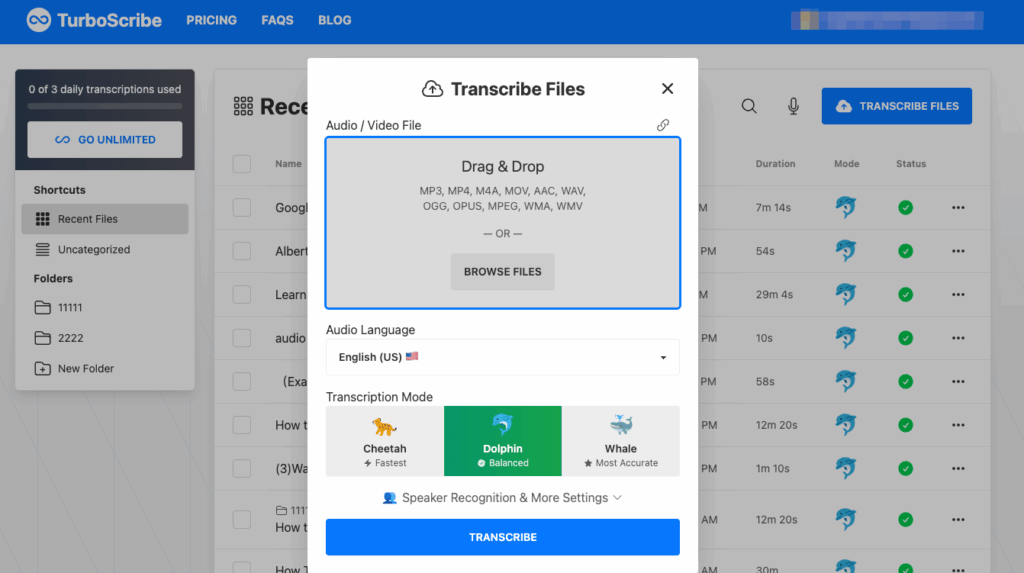
TurboScribe supports common formats, speaker recognition, more than 98 languages, and DOCX, PDF, TXT, SRT, and VTT exports. This free video transcriber works well for short interviews, lessons, voice notes, and social videos.
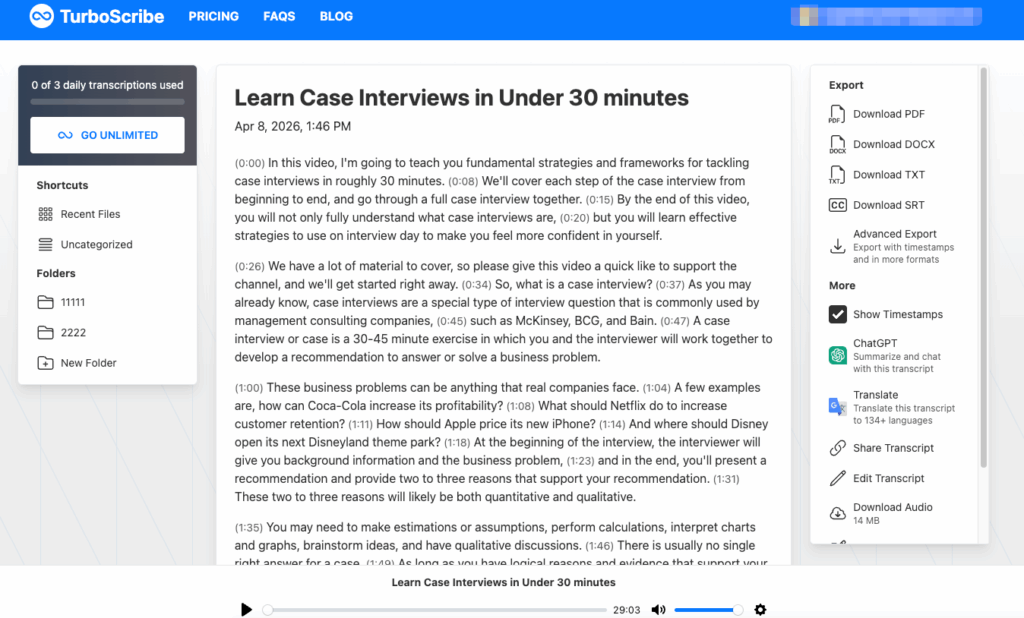
It is less suitable for one long recording on the free tier. Split files only at natural pauses, or the free video transcriber may produce broken sentences and confused speaker labels between segments.
5. Notta: Best for Multilingual Video Transcription
Language support matters when a recording contains international interviews, classes, or customer conversations. Notta focuses on multilingual transcription and an organized editing workflow.
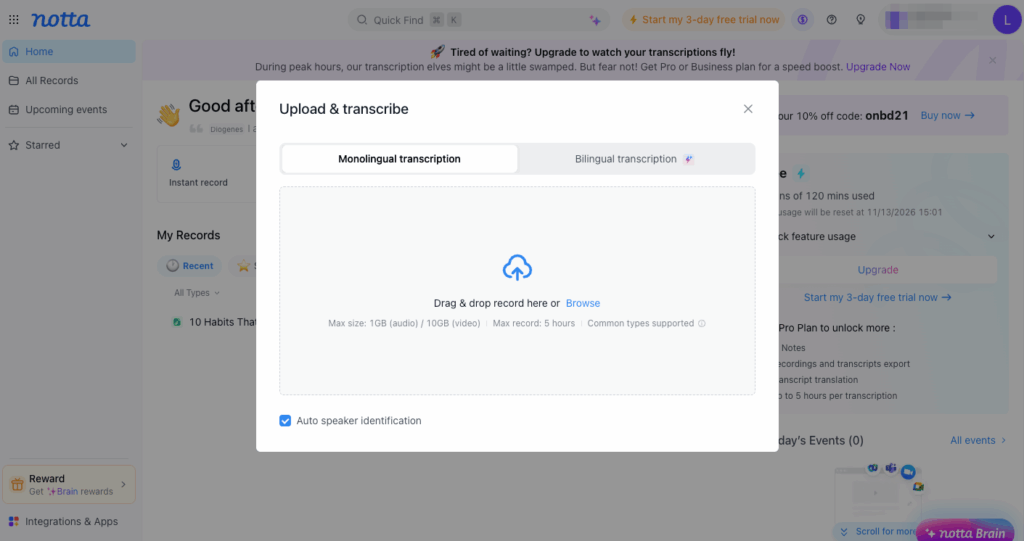
Its video-to-text page lists 58 transcription languages, translation into 42 languages, speaker identification, custom vocabulary, and TXT, PDF, DOCX, and SRT exports. Custom vocabulary helps with product names, acronyms, and technical terms that speech recognition often mangles.
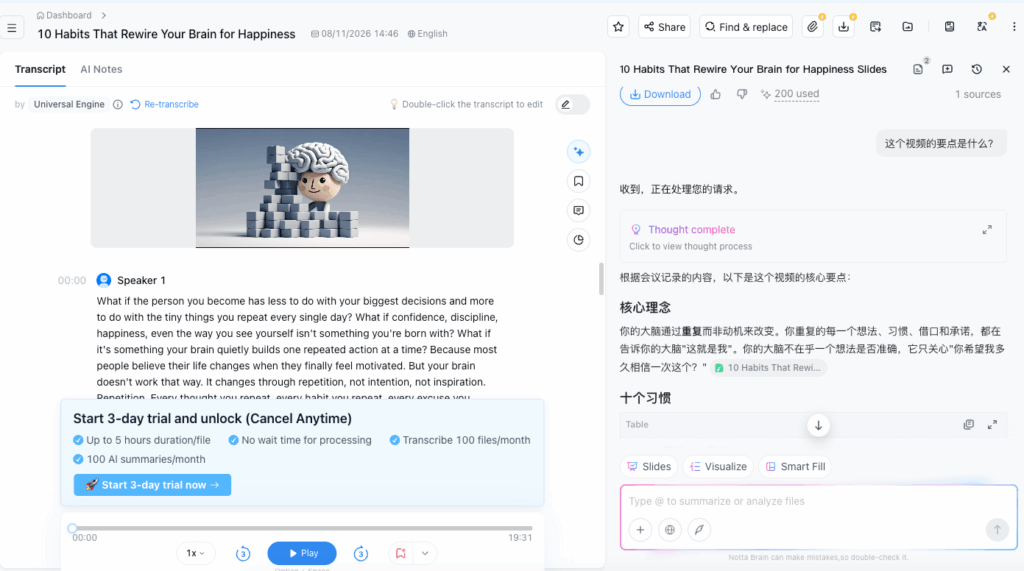
Notta offers free access with plan limits. Choose this free video transcriber when multilingual work, terminology, or reusable exports matter more than unlimited volume.
Free Video Transcriber Comparison
Use this free video transcriber comparison to match each service with the job it handles best.
| Tool | Free access | Strongest use case | Notable capabilities |
|---|---|---|---|
| Video Transcriber AI | No sign-up required | Fast files and online links | 200+ languages, speaker recognition |
| NoteGPT | 15 monthly quotas | Batch research and notes | Large uploads, summaries, batch tasks |
| Riverside | Free browser tool | Recording and creator workflows | 100+ languages, TXT and SRT |
| TurboScribe | 3 files daily, 30 minutes each | Predictable short jobs | 98+ languages, broad exports |
| Notta | Free plan with limits | Multilingual teams | Translation, custom vocabulary |
No free video transcriber wins every category. Video Transcriber AI minimizes friction. NoteGPT connects transcripts with notes. Riverside fits production, TurboScribe offers a clear daily allowance, and Notta supports multilingual work.
How to Choose the Best Free Video Transcriber
The best free video transcriber is the one that fits your source files, output needs, and working habits.
Compare Accuracy, Speakers, and Editing
Accuracy depends on the recording as much as the tool. Clear speech near a microphone will beat a distant speaker in a noisy café. Test the same two-minute sample with two services before processing an archive. Include names, numbers, accents, and specialist terms.
For interviews, speaker labels save cleanup time. For captions, timestamps matter as much as words. If revisions are likely, select a free video transcriber with an editor rather than one that returns static text.
Check Limits, Privacy, and Exports
A large upload limit does not guarantee generous free usage. Confirm duration, task count, monthly credits, queue priority, and download restrictions. TXT works for articles and notes, while SRT or VTT works for subtitles.
Avoid uploading confidential material until you understand storage and deletion policies. For medical, legal, or unreleased content, a local tool may be safer than an online free video transcriber.
Decide When Free Is Enough
Free plans suit occasional lectures, short interviews, trials, and one-off caption jobs. Paying makes sense when transcription is weekly work or when you need reliable long-file support, faster queues, or collaboration.
Count the time spent splitting files and correcting output. If a paid plan saves hours each month, “free” may become expensive. Until then, the right free video transcriber can handle substantial work.
How to Transcribe a Video to Text for Free
Upload a File or Paste a Link
Use the cleanest source available. Upload the original video instead of a compressed social copy when possible.
- Open your chosen free video transcriber.
- Upload the file or paste a supported URL.
- Select the spoken language.
- Enable speaker recognition for conversations.
- Start processing and keep the source until verification.
Review the Transcript
Never publish raw AI output without review. Correct names, numbers, jargon, speaker changes, and text affected by overlapping speech. If sample sections contain frequent errors, improve the audio or try another free video transcriber before polishing the entire transcript.
Export the Right Format
Use TXT or DOCX for articles, research, and meeting notes. Choose SRT or VTT for timed captions. Keep an editable master copy and use descriptive filenames such as customer-interview-2026-10-13-en.srt, not final-final-new-2.srt.
Frequently Asked Questions
Is There a Completely Free Video Transcriber?
Yes. Some browser tools work without payment or registration, while open-source software can run locally for free. Online allowances can change, so confirm current limits before a large project. A free video transcriber may still restrict duration, priority, advanced modes, or storage.
Can a Free Video Transcriber Handle Long Videos?
Some can. The actual constraint may be size, duration, quotas, or queue time. NoteGPT currently advertises large uploads and batching, while TurboScribe limits free files to 30 minutes. Check the upload screen before splitting a long recording.
Can I Transcribe YouTube Videos for Free?
Yes, when the video and tool permit it. Some services accept a YouTube URL, while others require an uploaded file. YouTube also provides transcripts for many videos. Respect copyright, privacy, and platform rules for content you do not own.
How Accurate Are Free AI Video Transcription Tools?
Accuracy changes with microphones, accents, noise, language, overlapping speakers, and terminology. Marketing percentages are hard to compare because tests differ. Use a representative sample and treat every free video transcriber as a fast first draft, not an infallible court reporter.
Conclusion: Choose the Right Free Video Transcriber
Video Transcriber AI is the direct no-sign-up choice. NoteGPT helps with batches and notes. Riverside connects transcription to production, TurboScribe provides a clear daily allowance, and Notta supports multilingual workflows. Together, they show why the best free video transcriber depends on the job you need to complete.
Before settling on a free video transcriber, test one real sample, then compare limits, exports, privacy, and cleanup time. The right free video transcriber should reduce work without hiding essential exports behind a surprise upgrade. With that small check, a free video transcriber can become a dependable part of your study, reporting, meeting, or content workflow.