


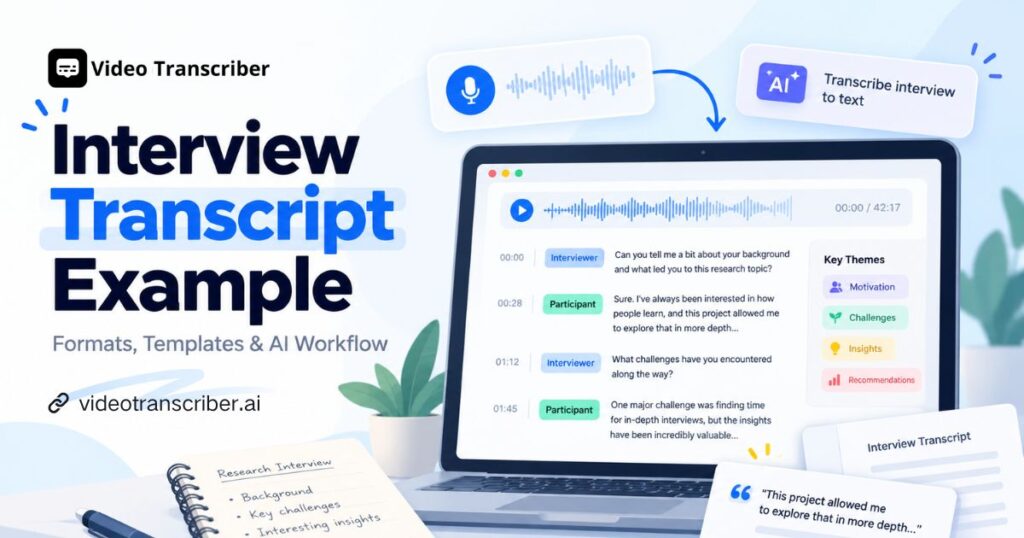
A one-hour interview usually produces 7,000 to 9,000 spoken words, and typing them out by hand often takes four to six hours. A typical qualitative study may involve 12 to 30 such interviews, which adds up to hundreds of pages before any analysis begins. Under that workload, a clear interview transcript example saves real time.
A good interview transcript example shows how to label speakers, order questions, keep meaningful details, and link written answers back to the recording. This guide compares each interview transcript format, offers a copyable interview transcript template, explains how to transcribe an interview with AI, and shows how researchers code transcripts for analysis.
What Is an Interview Transcript?
An interview transcript is a written record of a conversation between an interviewer and one or more participants. It may keep every spoken word or present a cleaned version that reads more easily. A typical interview transcript example includes speaker labels, questions, answers, and sometimes timestamps or notes on nonverbal behavior.
Unlike meeting notes, an interview transcript example preserves the actual wording, which matters when a researcher studies participant language or a journalist confirms a quotation. A dissertation may need speech patterns, while a published Q&A prioritizes readability, so choosing the right interview transcript format early prevents rework.
Interview Transcript Examples for Different Use Cases
The best interview transcript example depends on your goal. The samples below use fictional conversations to show formatting conventions, not real research evidence.
1. Qualitative Research Interview Transcript Example
A qualitative research interview transcript example keeps responses detailed enough for interpretation, coding, and thematic analysis. In this case, a researcher asks why users abandon an app's registration process.
Participant: P03 | Format: Semi-structured | Duration: 18 minutes
[00:00:18] Researcher: Which part of the process felt most difficult?
[00:00:24] P03: Probably when it asked for my phone number. I wasn't sure why it was necessary before I could try anything.
[00:00:38] Researcher: How did that affect your decision to continue?
[00:00:43] P03: I stopped there. I might have continued if I could explore the features first.
This qualitative interview transcript example ties each answer to a question, and the timestamps let researchers return to the audio. Anonymous identifiers such as P03 protect confidentiality, and phrases like "wasn't sure why" can become initial codes about trust.
2. Q&A Interview Transcript Example
A Q&A interview transcript example uses a simple question-and-answer structure, which suits journalism, recruitment, and published conversations.
Q: What challenges do employees still face in remote work?
A: Separating work from personal life is one. Another is making sure remote employees get equal access to information and opportunities.
This interview transcript example prioritizes readability. A Q&A interview transcript example can be lightly edited for punctuation, but edits must never change the speaker's meaning.
3. Verbatim Interview Transcript Example
A verbatim interview transcript example preserves hesitation, repetition, filler words, and relevant nonverbal expressions. It fits studies where how something is said matters as much as what is said.
[00:02:36] Participant: Well, there were, like, three different buttons, and I... I didn't know which one I was supposed to click. [laughs]
A clean interview transcript example would read: "There were three buttons, and I didn't know which one to click." Both convey the experience, but only the verbatim interview transcript example keeps the uncertainty. Define editing rules before finalizing, because removing hesitation can distort studies of emotion or confidence.
4. Semi-Structured Interview Transcript Example
A semi-structured interview combines prepared questions with spontaneous follow-ups, so the conversation can follow the participant's experience.
[00:04:27] P07: Sometimes I take notes, but it's hard when the instructor moves quickly. I wish I could search the video like a document.
The interview transcript example above started with study habits and uncovered a broader access problem. Follow-up questions often surface themes beyond the original guide.
Interview Transcript Formats and Templates
The right interview transcript format depends on audience, analytical method, and intended use. An interview transcript example prepared for publication looks different from a research interview transcript example prepared for coding.
| Transcript Format | Main Characteristics | Best For |
| Full Verbatim | Keeps fillers, repetitions, and speech details | Discourse analysis, detailed qualitative research |
| Clean Verbatim | Removes selected fillers and repetitions | General research, journalism, review |
| Q&A Format | Organizes questions and answers into sections | Published interviews, recruitment |
| Timestamped Transcript | Links dialogue to recording positions | Verification, media production |
| Edited Summary | Organizes key findings instead of full dialogue | Reporting, internal briefings |
An interview transcript example used as research evidence should always remain distinguishable from an edited summary.
Interview Transcript Template You Can Copy
This interview transcript template, a reusable interview transcript example structure, works for research, journalism, and professional settings.
INTERVIEW TRANSCRIPT

Interview Title:
Interview Date:
Research Topic / Project:
Interviewer:
Participant ID / Name:
Recording Duration:
Transcription Method:
Transcript Format:

[00:00:00] Interviewer:
[Opening question]

[00:00:15] Participant:
[Participant response]

NOTES:
- Unclear audio:
- Relevant nonverbal observations:
- Items requiring verification:
Adapt this interview transcript example for a dissertation, podcast, or customer interview, and use participant identifiers instead of names for sensitive projects. You can also paste the template into a document and save the interview transcript example PDF for sharing or archiving.
How to Transcribe an Interview to Text with AI
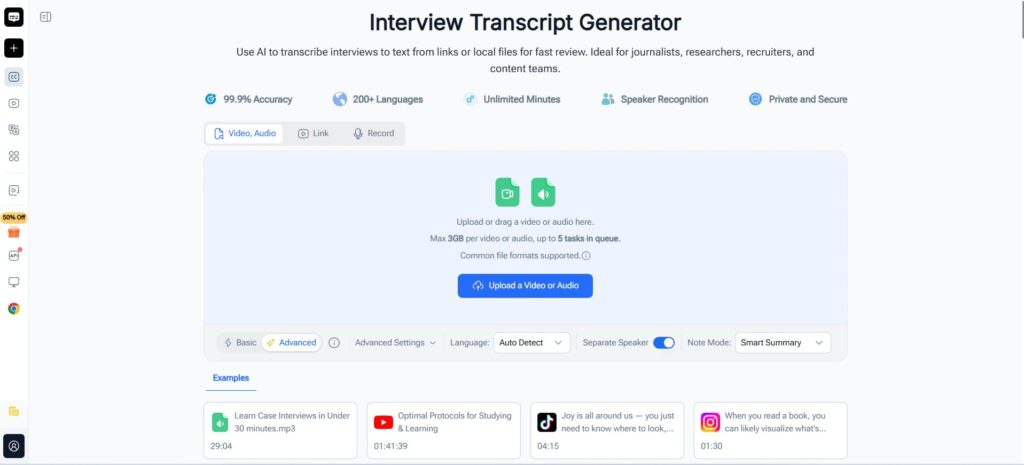
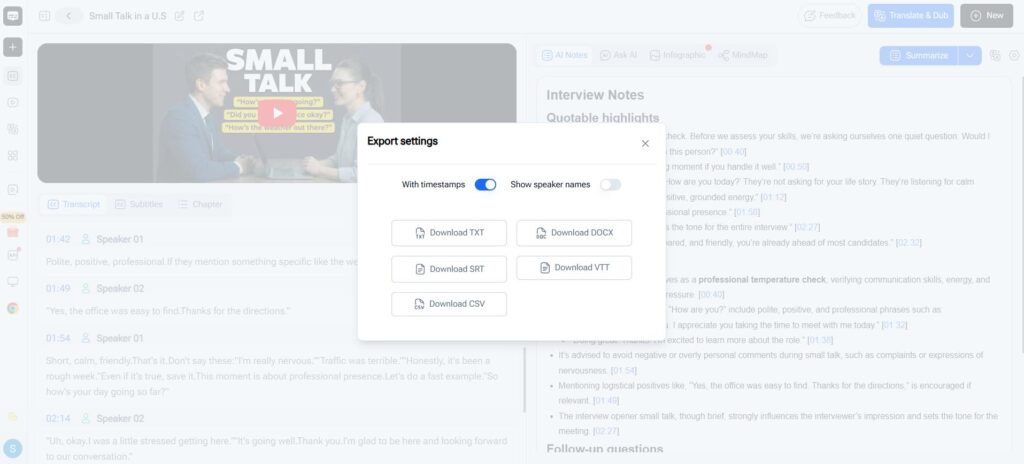
Manual transcription slows down with long or multi-speaker recordings, while AI interview transcription gives you a faster first draft. Tools such as Video Transcriber AI Interview Transcript Generator turn audio or video into searchable text with speaker labels and timestamps. Here is how to transcribe an interview in four steps.
Step 1: Upload Your Interview Audio or Video
Start with a clear MP3, WAV, or MP4 file. Before you transcribe interview audio to text, check for background noise, missing sections, and overlapping speech. For research interviews, also confirm participant consent and your institution's data-handling requirements.
Step 2: Generate Speaker Labels and Timestamps
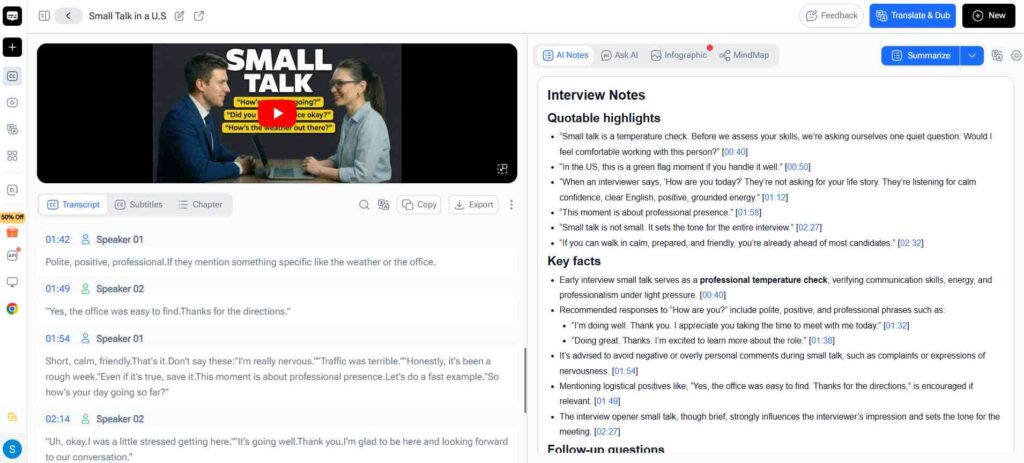
After processing, the tool separates speakers and links passages to positions in the audio. A basic interview transcription example looks like this:
[00:01:12] Speaker 1: What challenges did you experience while using the platform?
[00:01:18] Speaker 2: The registration process took longer than I expected.
Check speaker identities carefully, because automated recognition can fail when voices overlap or sound similar.
Step 3: Create Custom Transcripts with AI Prompts
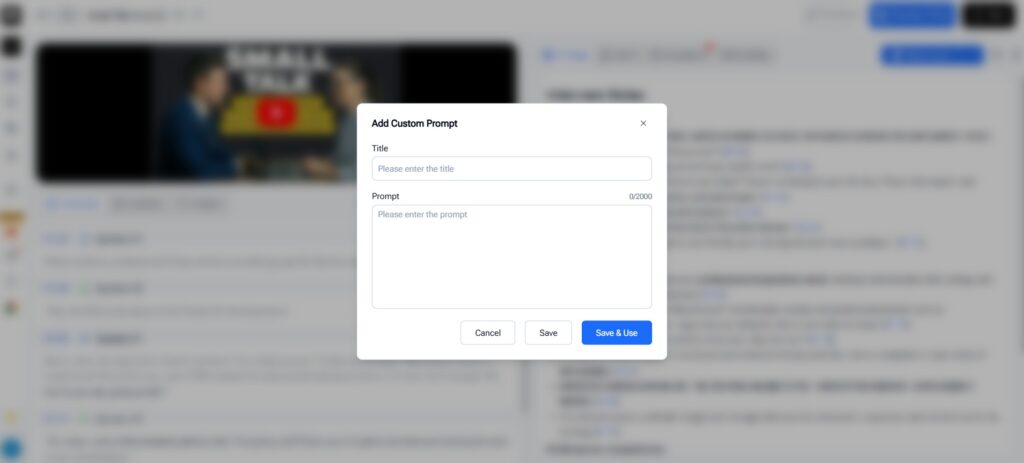
AI summaries and custom prompts can reshape a finished transcript for a specific workflow. Video Transcriber AI supports summaries, transcript-based questions, and prompt-based organization. Two practical prompts:
Q&A version: "Organize this interview into question-and-answer format. Identify the interviewer and participant, preserve the meaning of each response, and keep the original question order. Do not invent dialogue. Flag unclear passages."
Research version: "Organize this research interview into labeled questions and responses with timestamps. List recurring subjects in a separate summary, and do not present interpretations as direct quotations."
A prompt-generated summary is not a verbatim interview transcript example, so keep the original text whenever exact wording matters.
Step 4: Review, Edit, and Export
Even a well-formatted AI interview transcript example needs review. Replay passages with technical terms, names, and key quotations, then correct labels and timestamps. Export in the format your next stage requires, such as a document for coding or a searchable file for journalists. The goal when you transcribe interview to text is a reliable written record, not just fast output.
Best Tools to Create and Analyze Interview Transcripts in 2026
When choosing software to produce an interview transcript example, consider both transcription features and what happens after the text is generated.
| Tool | Best For | Main Strength |
| Video Transcriber AI | Custom transcript formats | AI transcription, summaries, custom prompts |
| Dovetail | Research insights | Synthesizing interview findings |
| MAXQDA | Academic coding | Structured coding and analysis |
| Trint | Professional interviews | Editing, collaboration, quote selection |
| Rev | Human-verified transcripts | AI and human transcription options |
1. Video Transcriber AI: Best for Custom Interview Transcript Formats
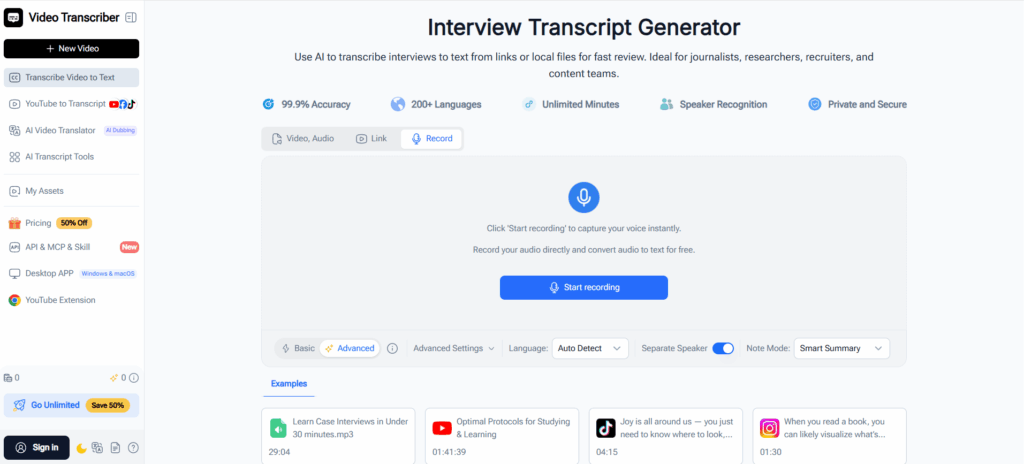
Video Transcriber AI covers the path from recording to organized text. You can upload a file, paste an online link, or record audio online, then receive a transcript with speaker recognition, timestamps, and editable text. AI summaries, transcript-based Q&A, and custom prompts then shape it into a structured interview transcript example, such as a readable Q&A version or a summary of recurring concerns. Formal coding frameworks and cross-interview comparison may still call for dedicated qualitative analysis software.
2. Dovetail: Best for Qualitative Research Insights
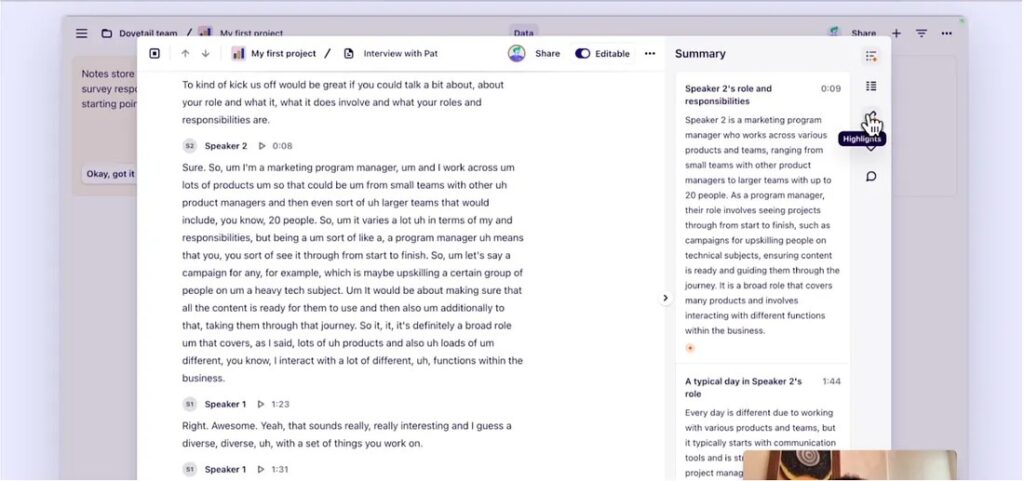
Dovetail is built for research synthesis rather than standalone transcripts. It gathers interview recordings and qualitative feedback into one project, with transcription, highlighted passages, theme identification, and links from each finding to its supporting evidence. A basic interview transcript example shows one conversation, while Dovetail helps a UX team running 15 onboarding interviews highlight recurring complaints and compare the experiences of different users.
3. MAXQDA: Best for Academic Qualitative Coding
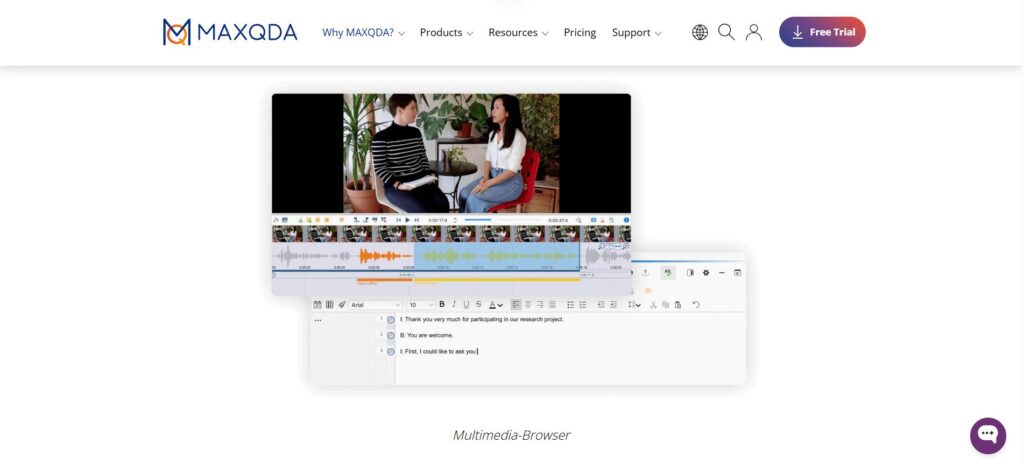
MAXQDA is qualitative and mixed-methods analysis software commonly used in academic research for systematic coding. Researchers can import documents, organize codes, review coded segments, and analyze patterns across a dataset, while automatic transcription is available through a separate service. A dissertation built on a qualitative interview transcript example can code statements about privacy concerns or registration difficulties and keep each decision transparent, though that depth may exceed what a short interview needs.
4. Trint: Best for Professional Interview Transcription
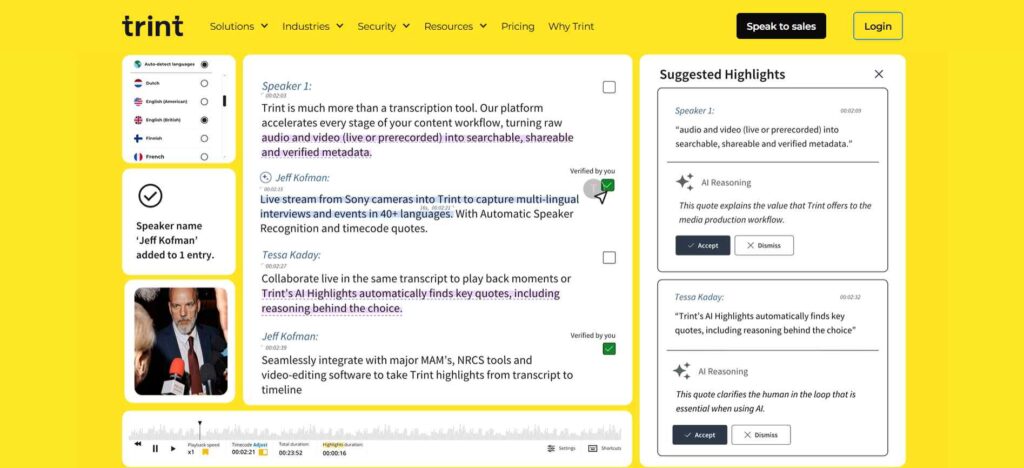
Trint is a transcription and editing platform for teams working with recorded conversations and media content. Its editor lets users review transcripts, highlight key passages, add comments, and collaborate on selected material. A journalist working through a lengthy expert interview can search the text, identify quotations, and refine an interview transcript example across several review rounds, which suits journalism, publishing, and content production.
5. Rev: Best for Human-Verified Interview Transcripts
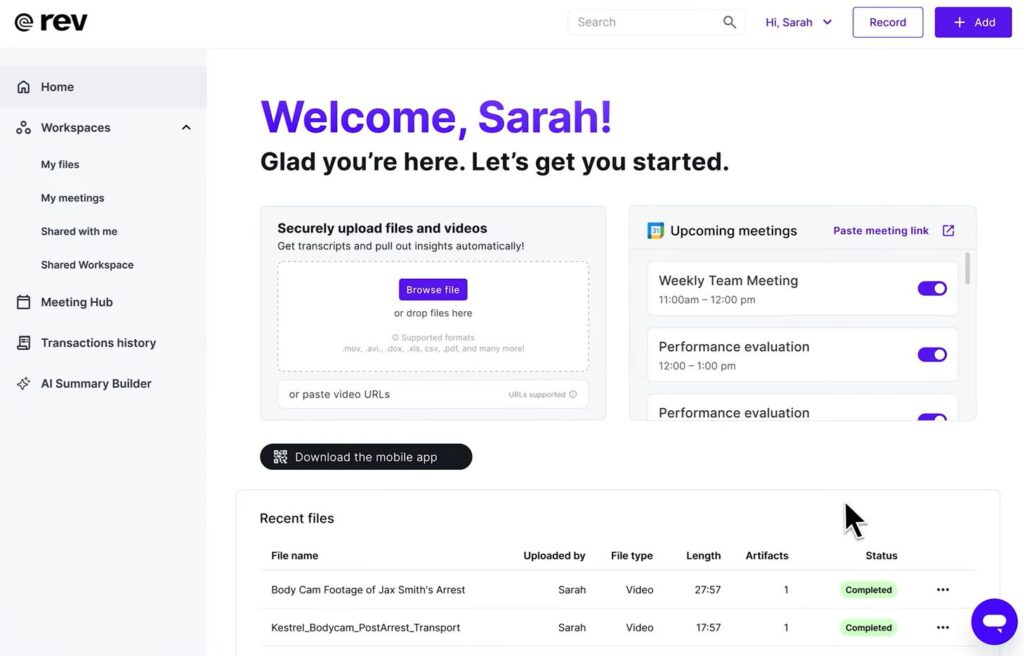
Rev offers both automated transcription and professional human transcription, so users can choose the level of review a project needs. The human option suits sensitive quotations, specialized vocabulary, and difficult audio, such as an interview transcript example for an important report where errors could change the interpretation. Rev also supports transcript editing and timestamped output, though options and turnaround differ, and even professional transcripts deserve a final review.
How to Use Interview Transcripts for Qualitative Research
In qualitative research, transcription is where analysis begins. Imagine a university team that conducts 12 semi-structured interviews about why students struggle to finish online courses.
Organize Interview Responses into Research Data
Assign each participant an identifier and keep recordings, transcripts, interview guides, and contextual notes together. Every research interview transcript example in the project should follow the same rules for speakers, timestamps, unclear speech, and nonverbal information, so formatting differences are not mistaken for behavioral patterns. Keep summaries separate from every underlying interview transcript example.
Code Interview Transcripts and Identify Themes
Qualitative coding assigns descriptive labels to meaningful segments of data. This interview transcript coding example uses fictional statements:
| Statement | Initial Code | Potential Theme |
| \"I kept losing my place when the lesson moved too quickly.\" | Learning pace difficulty | Learning accessibility |
| \"I wanted to search for an explanation instead of replaying the video.\" | Difficulty retrieving information | Content navigation |
| \"A written summary would help me review before an exam.\" | Need for review materials | Study support |
These codes are not findings. Researchers must compare statements across interviews, refine definitions, and weigh contradictory evidence. A qualitative interview transcript example is most useful when every interpretation traces back to the participant's original words.
Validate Findings with Original Quotes
AI summaries can reveal patterns but may overemphasize repeated topics. A summary might suggest that most participants dislike online learning, while the transcripts show they enjoy the courses but struggle to search long videos. When an interview transcript example supports a published claim, verify timestamps and follow the project's consent and anonymization rules. The strongest workflow pairs efficient transcription with careful human interpretation.
Tips for Creating Accurate Interview Transcripts
Whether you prepare a simple Q&A or an academic interview transcript example, accuracy depends on recording quality and review habits.
- Record in a quiet space. Place microphones close enough to capture clear speech.
- Avoid overlapping questions. Let participants finish their thoughts.
- Choose the right style for your interview transcript example. Use full verbatim when speech matters and clean verbatim when readability matters.
- Keep speaker labels consistent. Every interview transcript example in a project should follow the same privacy rules.
- Verify key statements. Check quotations, names, and numbers in each interview transcript example against the recording.
Documenting choices such as filler removal also makes the process easier to audit.
Frequently Asked Questions About Interview Transcription
How Do You Write an Interview Transcript?
Review the recording, identify speakers, and choose a format. Write each question and answer in order, adding timestamps when needed. A standard interview transcript example keeps labels and punctuation consistent. AI can draft the text, but check important quotations manually.
How Do You Transcribe an Interview for Qualitative Research?
Preserve the participant's meaning and the speech details your methodology requires. A qualitative research interview transcript example often includes timestamps and contextual notes, and coding with thematic analysis follows.
Can AI Generate an Interview Transcript Example?
Yes. AI can convert a recording into text and organize it into Q&A transcripts, research documents, or summaries. Any quotation should still be verified against the source, and an AI-written fictional dialogue is not a substitute for real participant data in academic research.
Conclusion
A useful interview transcript example turns spoken conversations into organized, searchable, and reliable records. Whether you are preparing a qualitative research interview, a published Q&A, or a verbatim transcript, the right format depends on how the material will be used. Templates keep each interview transcript example consistent, while AI tools simplify transcription, formatting, and preliminary review before coding.
If you already have a recording, Video Transcriber AI's Interview Transcript Generator can convert it into editable text with speaker labels and timestamps, then organize the content with AI summaries and custom prompts. The most valuable interview transcript example is not the one that looks most professional. It is the one that preserves the conversation accurately and supports the work that follows.