


If you've ever tried to prep for a hearing with a transcript full of misheard names, missing speaker labels, or garbled legal terms, you already know why "just use any transcription app" doesn't work for legal teams.
Court recordings are unforgiving. Depositions run for hours, witnesses talk over each other, and a single mislabeled speaker or dropped word can change the meaning of sworn testimony. On top of that, the files themselves are sensitive, client-privileged, case-critical, and not something you want sitting in a vendor's system without real security controls.
Beyond raw accuracy, what lawyers actually care about is control: being able to verify a transcript themselves before it goes into a motion, knowing exactly who can see the recording, and getting text they can drop straight into a draft without retyping a quote from memory. Solo attorneys and small firms in particular want this without hiring a transcription assistant or waiting on a vendor's queue.
We reviewed the transcription services legal teams actually use in 2026, weighing accuracy, security, turnaround time, and how well each one fits into a real litigation workflow, and shortlisted the seven best options below, starting with our own platform, Video Transcriber AI.
TL;DR
- Video Transcriber AI, Best for fast, free, no-sign-up AI transcription of depositions, hearings, and witness statements
- GMR Transcription, Best for 100% human, certified/notarized transcripts for evidentiary use
- SpeakWrite, Best for rapid human turnaround (as fast as 3 hours)
- Rev, Best for large-scale evidence review and case management
- Verbit, Best for real-time transcription during live litigation
- U.S. Legal Support, Best for complex formats and multilingual, enterprise-scale litigation support
- Ditto Transcripts, Best for U.S.-based, CJIS/HIPAA-compliant court transcripts
What Should You Look for in a Court Transcription Tool?
Court transcripts aren't just notes, they're working documents that get filed, cited, and cross-examined. Before you pick a tool, weigh it against these criteria.
1. Accuracy with legal terminology
Depositions and hearings involve fast talk, overlapping speakers, and dense legal jargon. A tool that can't reliably tell "I don't recall" from "I don't remember", or that mishears a case citation, creates rework you don't have time for.
2. Speaker recognition and multi-speaker handling
Attorneys, witnesses, judges, and court reporters often speak in the same recording, sometimes over each other. Reliable speaker separation is the difference between a usable transcript and a transcript you have to re-listen to line by line.
3. Data security and confidentiality
Court recordings routinely contain privileged, sensitive, or sealed information. Encryption in transit and at rest, isolated processing, and clear data-retention policies aren't "nice to have", they're the baseline for any tool touching case files.
4. Turnaround time
Hearings and depositions can run for hours, and case prep doesn't wait. Look for a service that can turn around a working transcript quickly, with a clear path to rush delivery when a deadline is close.
5. Formatting and export options
A transcript is only useful if it fits your workflow. Speaker labels, timestamps, verbatim mode, and export formats like TXT, DOCX, and PDF save you from manual cleanup before a filing, and let you pull an exact quote straight into a motion or letter instead of retyping it from memory.
6. Verifiability and editing control
No AI transcript should go into a filing unread. The tools lawyers trust most let you review and correct the text yourself, ideally with the audio or video right next to it, instead of forcing you to take the output on faith or wait on someone else's edit queue.
7. Data ownership and no AI training on your files
Privileged conversations shouldn't end up as training data for someone else's model. Ask any provider directly whether uploaded recordings are ever used to train AI systems, and whether you can view, export, or permanently delete your files on demand.
Best Court Transcription Services at a Glance
| Tool | Best For | Transcription Model | Pricing | Languages | Security |
| Video Transcriber AI | Fast, free AI transcripts for daily case work | AI, speaker recognition | Free to start; paid plans for larger files | 200+ | TLS 1.3 in transit, AES-256 at rest, sandboxed processing |
| GMR Transcription | Certified, evidentiary-grade transcripts | 100% human (U.S.-based) | Custom quote | English-focused | Access controls, no AI training reuse |
| SpeakWrite | Fast human turnaround | Human | From $1.50/audio minute | English, Spanish | Encryption, background-checked typists |
| Rev | Bulk evidence review | AI + human | $0.25–$1.99/minute | English | SOC 2, HIPAA, CJIS |
| Verbit | Real-time litigation transcripts | Hybrid AI + human | From $29/month | 40+ (AI) | SOC 2, ISO 27001, HIPAA, GDPR |
| U.S. Legal Support | Complex formats, multilingual cases | Human + enterprise workflows | Custom quote | 200+ | SOC 2 Type II, HIPAA |
| Ditto Transcripts | Certified U.S. court transcripts | 100% human | From $1.50/minute | 5+ | CJIS, HIPAA |
1. Video Transcriber AI
Best for: Fast, free, no-sign-up AI transcription of depositions, hearings, and witness statements
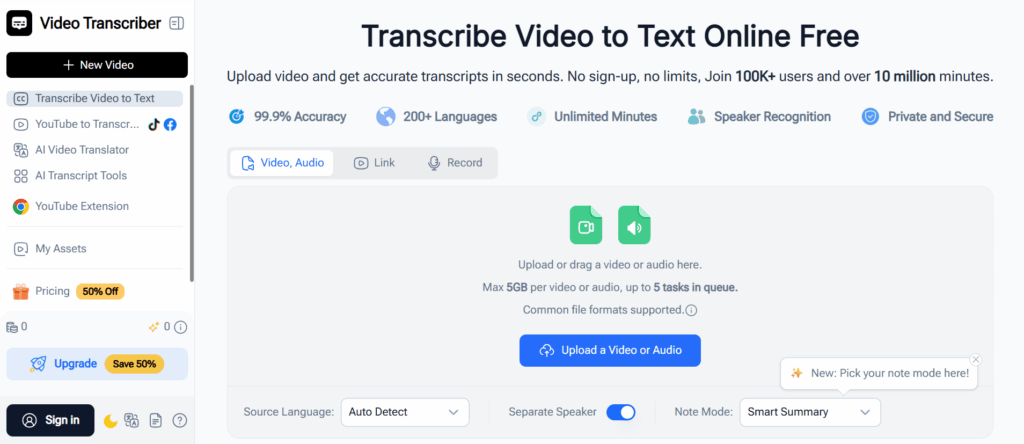
Video Transcriber AI is built for legal teams and solo practitioners who need a working transcript fast, without booking a vendor call, signing a contract, or waiting days for delivery. Upload a recording (or paste a link), and the platform returns an editable, speaker-labeled transcript you can search, copy, or export right away.
Key features
- High accuracy across 200+ languages, tuned for long, multi-speaker recordings
- Speaker recognition that separates attorneys, witnesses, and court staff automatically, useful for deposition transcripts and witness statement transcripts, where knowing exactly who said what matters as much as the words themselves
- Flexible input options, upload audio/video files up to 5GB, paste a link, or record directly, which makes it a practical fit for hearing transcripts pulled straight from a Zoom or in-person recording
- Editable output you review and correct yourself before it goes anywhere near a filing, no need to wait on a vendor's edit queue for a quick fix
- Copy-ready export so an exact line from a deposition or hearing can go straight into a motion, memo, or letter instead of being retyped from memory
- Transcript API for firms that want to plug transcription directly into their own case management or document workflows
Data security
Because case audio is privileged by default, Video Transcriber AI is built around security controls designed specifically for sensitive legal material:
- Encryption in transit: all data transfer runs over HTTPS/TLS 1.3
- Encryption at rest: files are stored using AES-256 encryption, with keys managed independently from the stored data
- Isolated processing: every transcription job runs in a sandboxed environment, and files are securely wiped immediately after processing completes
- Access controls: staff cannot directly access user files, and every operation is logged for auditability
Pricing
Free to start, with no sign-up required for individual transcription jobs. Paid plans unlock larger files, batch processing, and API access, see current pricing on the pricing page.
Pros
- Fast, AI-driven turnaround, no waiting days for a human queue
- No sign-up needed to try it on a real recording
- Broad language support (200+) for multilingual cases
- Purpose-built pages for deposition, witness statement, and hearing transcripts
- Transparent, layered security (TLS 1.3, AES-256, sandboxed processing, access logging)
- Good fit for solo attorneys and small firms who need to self-serve without hiring a transcription assistant
Cons
- AI-first workflow, teams that need certified or notarized transcripts for formal submission should pair it with a human review step
- Best suited to draft/working transcripts and internal case prep rather than official court filings requiring a certified court reporter
Try Video Transcriber AI for court transcription
2. GMR Transcription
Best for: Certified, notarized transcripts for evidentiary use
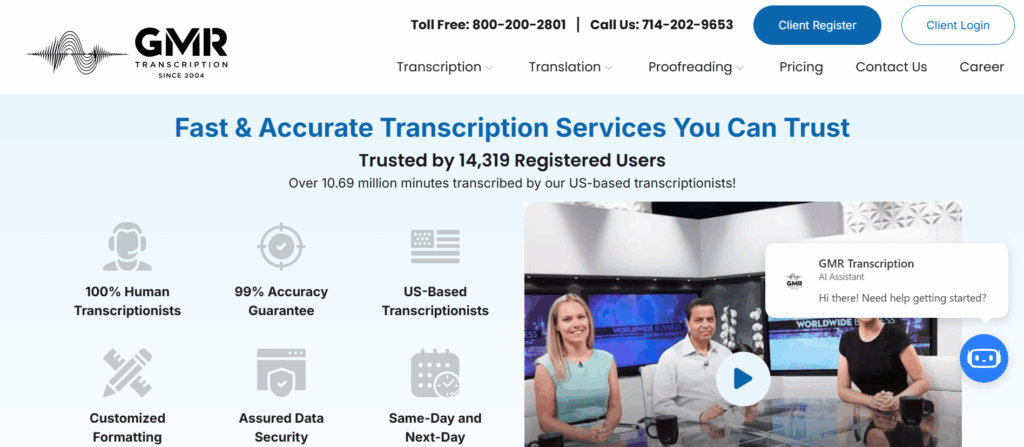
GMR Transcription takes the opposite approach from AI-first tools: every transcript is produced by trained, U.S.-based human transcriptionists, with a defined revision and accountability process. That makes it a strong fit for depositions, sworn statements, and any recording that might later be challenged or cited in court.
Key features
- 100% human transcription, no AI-first pipeline
- Certificates of authenticity and notarization available
- Verbatim and clean verbatim formatting options
- Strong speaker identification for multi-party recordings
Pros
- High accountability, an identifiable transcriptionist stands behind each transcript
- Well suited to evidentiary and sworn material
- Notarization option for formal submission
Cons
- Human-only model means longer turnaround than AI tools
- Pricing is quote-based rather than transparent
3. SpeakWrite
Best for: Fast human transcription turnaround
SpeakWrite is a human-powered service known for turning around legal recordings in as little as three hours. It's a pay-as-you-go model with no contracts, which suits firms that need reliable transcripts on an occasional basis rather than a standing subscription.
Key features
- Human transcriptionists with background checks and multi-level encryption
- Rapid turnaround, with rush options
- Pay-as-you-go pricing, starting around $1.50 per audio minute
Pros
- Fast for a fully human service
- No contracts or minimum commitments
- Strong reputation in legal and law enforcement transcription
Cons
- Per-minute pricing can add up for long, multi-hour recordings
- Limited language support compared to AI-first tools
4. Rev
Best for: Large-scale evidence review and case management
Rev has grown from a straightforward transcription vendor into more of an evidence-management hub, with tools for bulk uploads, deep search across files, and AI-assisted summaries. It's a good fit for firms and agencies handling large volumes of recordings under tight deadlines.
Key features
- Both AI and human transcription tiers
- Multi-file search and annotation across case evidence
- SOC 2, HIPAA, and CJIS compliance
Pros
- Strong accuracy across both AI and human tiers
- Useful for bulk evidence handling, not just single recordings
- Clear, published per-minute pricing
Cons
- Human review turnaround can vary during busy periods
- Primarily English-language support
5. Verbit
Best for: Real-time transcription during live litigation
Verbit pairs proprietary AI with human review to handle both live and recorded legal proceedings. It stands out for teams that need transcripts as a hearing happens, not just after the fact, useful during active litigation where real-time insight matters.
Key features
- Real-time transcription for live hearings and depositions
- Customizable templates, Q&A labeling, and glossary support
- SOC 2, ISO 27001, HIPAA, and GDPR compliance
Pros
- Genuinely useful live-transcription capability
- Deep compliance certifications
- Collaborative, editable transcript platform
Cons
- Turnaround can slow down on larger projects
- Onboarding and permissions setup can take time to configure
6. U.S. Legal Support
Best for: Complex formats and multilingual, enterprise-scale cases
U.S. Legal Support functions more like a full litigation support partner than a pure transcription vendor, covering everything from unusual media formats to multilingual, technical recordings. It suits large firms managing high-volume, high-stakes matters across multiple cases.
Key features
- Support for audio, video, streaming, and legacy media formats
- Coverage across 200+ languages and technical specialties
- SOC 2 Type II and HIPAA-level security
Pros
- Handles difficult formats and urgent requests reliably
- Strong fit for multilingual or multi-party litigation
- Broad litigation-support ecosystem beyond transcription alone
Cons
- No upfront pricing, quote required
- U.S.-only case coverage
- More standardized workflow, less flexibility for custom requests
7. Ditto Transcripts
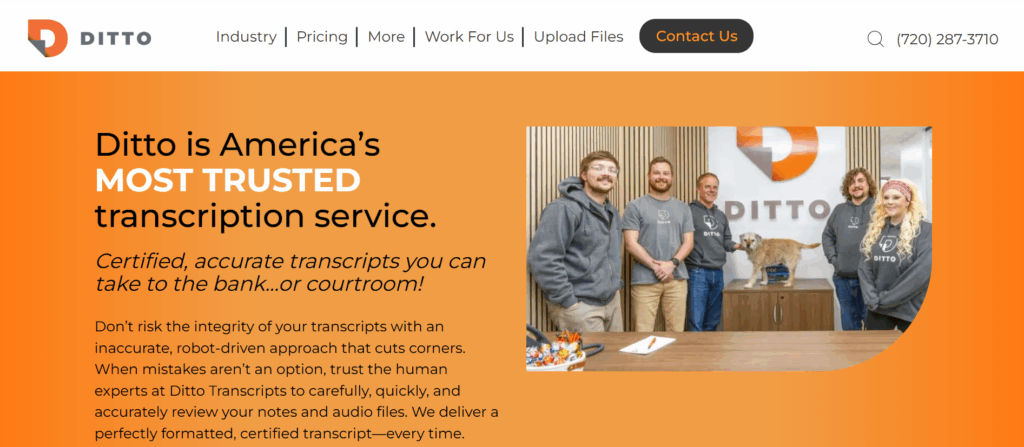
Best for: Certified, U.S.-based court transcripts
Ditto Transcripts is a U.S.-based, human-only service built specifically for legal, medical, and business transcription. Its focus on formal U.S. court requirements makes it a reliable pick when a transcript needs to meet strict compliance standards.
Key features
- 100% U.S.-based, certified human transcriptionists
- CJIS and HIPAA compliant
- Accepts 45+ digital formats and physical media
Pros
- High accuracy on difficult legal audio
- Reliable formatting for formal U.S. court use
- Strong compliance posture
Cons
- Higher cost, with a project minimum and no free trial
- Turnaround can run up to 10 business days for longer files
- Limited language support
Which Court Transcription Tool Should You Pick?
| Your use case | Recommended tool | Why |
| Fast, free transcripts for daily case prep, depositions, or hearings, especially for solo attorneys and small firms | Video Transcriber AI | No sign-up, self-serve editing, broad language support, purpose-built for deposition/witness/hearing recordings, layered security (TLS 1.3, AES-256, sandboxed processing) |
| Certified, notarized transcripts for evidentiary submission | GMR Transcription | 100% human, accountable, notarization available |
| Occasional recordings that need a fast human turnaround | SpeakWrite | As fast as 3-hour delivery, pay-as-you-go |
| High-volume evidence review across many files | Rev | Bulk upload, deep search, AI + human tiers |
| Live hearings or active litigation | Verbit | Real-time transcription and insights |
| Multilingual or unusual-format cases at enterprise scale | U.S. Legal Support | 200+ languages, all-format handling |
| U.S. court filings requiring strict compliance | Ditto Transcripts | CJIS/HIPAA compliant, certified transcripts |
For most legal teams, and especially solo and small-firm attorneys who don't have a transcription assistant on staff, the daily need is speed and self-serve control without sacrificing security. That's why Video Transcriber AI is the most practical starting point for depositions, witness statements, and hearing recordings: no sign-up, an editable transcript you verify yourself, and copy-ready text for drafting. Bring in a human-reviewed or certified service as a next step when a transcript needs to be submitted formally.
Frequently Asked Questions
What is a court transcription service?
A court transcription service converts audio or video recordings from hearings, depositions, and other legal proceedings into formatted, searchable text. Files are uploaded, processed by AI, a human transcriptionist, or both, and returned as a document ready for case review or filing.
How much does court transcription cost?
Rates typically range from about $1.50 to $5.00 per audio minute for human transcription, depending on turnaround time, speaker count, and formatting needs. AI-based transcription is often free or priced well below that for standard use.
What's the difference between a court reporter and a transcriptionist?
A court reporter captures testimony live, in real time, during a proceeding, usually via stenography or digital reporting. A transcriptionist works from a recorded audio or video file after the fact to produce a written transcript.
How accurate is AI court transcription?
AI transcription accuracy varies by tool and audio quality, but most AI-only tools perform best as a fast working draft rather than a final, certified record. For sworn testimony or evidentiary use, pairing AI output with human review or a certified transcription service is the safer approach.
Is my data secure when I upload a court recording?
It depends entirely on the provider. Look for encryption in transit (TLS) and at rest (AES-256 or equivalent), isolated or sandboxed processing, clear data-deletion practices, and access controls that prevent staff from viewing files directly, all standards worth confirming before uploading privileged case audio.
What's the typical turnaround time for court transcription?
AI transcription can return a working draft in minutes. Human transcription services typically deliver within a few hours to a few business days, depending on the provider and rush options selected.
Do I need consent to record a hearing, deposition, or client call?
It depends on where you're recording. Some U.S. states only require one party's consent (often the attorney's own), while others are "two-party" or "all-party" consent states, meaning everyone on the call or in the room must agree to being recorded. Court proceedings usually have their own separate rules about recording devices. Confirm the law in your jurisdiction, and get explicit consent where required, before you record anything you plan to transcribe.
Can I edit or correct an AI transcript myself?
With most AI-first tools, yes, including Video Transcriber AI, where the transcript is fully editable after it's generated. That matters in legal work: you shouldn't have to take an AI transcript on faith, and being able to fix a misheard name or term yourself, on your own timeline, beats waiting on a vendor's revision queue.
How do I get started with Video Transcriber AI for a real case recording?
Ready to try it on a real recording? Start with Video Transcriber AI for depositions, witness statements, and hearing transcripts.