


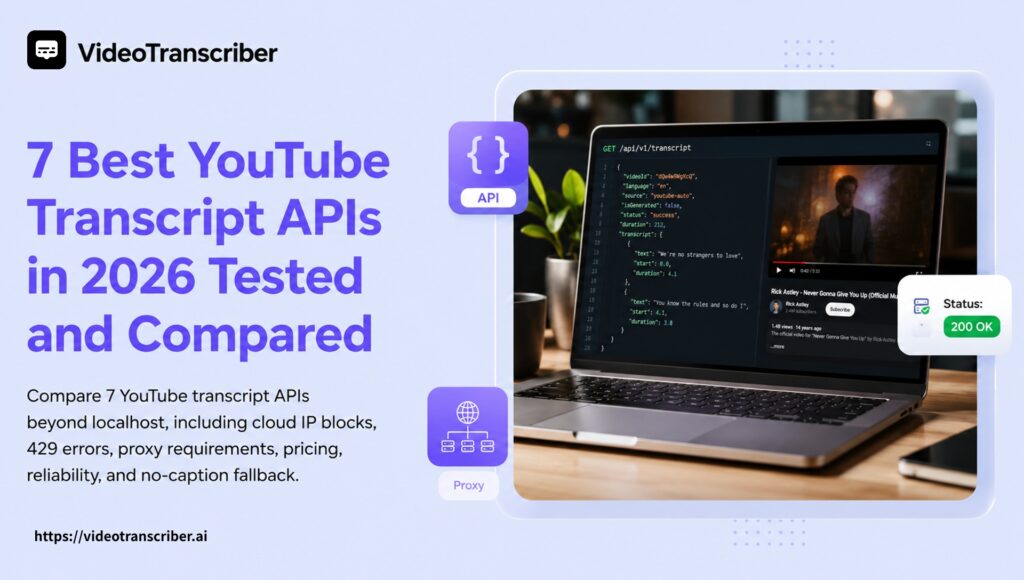
If a YouTube transcript tool works perfectly on localhost but starts returning 429 errors after deployment, you are not alone. Cloud IP blocks, proxy maintenance, missing captions, long videos, and changing YouTube endpoints can turn a simple Python prototype into a fragile production dependency.
We compared seven popular YouTube transcript API options using the criteria that matter after launch: public-video access, cloud reliability, no-caption fallback, timestamps, speaker labels, pricing model, and developer maintenance.
Last reviewed: September 2026 Disclosure: Video Transcriber AI is one of the services included in this comparison. Provider features and pricing can change, so verify current documentation and test each API with your own videos before committing to production.
Quick Comparison of the Best YouTube Transcript APIs
| API | Best for | API type | Public YouTube URLs | No-caption fallback | Timestamps and speakers | Pricing model | Main tradeoff |
| Video Transcriber AI | Videos without captions and multi-source transcription | AI transcription API | Yes | Yes | Timed segments and optional speaker labels | Media duration | Slower than retrieving an existing caption track |
| TranscriptAPI | YouTube-only production workflows | Hosted transcript API | Yes | Limited or provider-dependent | Timestamped transcripts | Credits or requests | Focused primarily on YouTube |
| Supadata | Multi-platform apps that need AI fallback | Retrieval plus AI transcription | Yes | Yes | Timestamped segments | Credits; generated transcription may use more | Cost depends on retrieval method and video length |
| ScrapeCreators | Transcripts combined with social data | Social data API | Yes | No documented audio fallback | Timed segments | Pay-as-you-go credits | Less transcription-specific functionality |
| Scrapingdog | Predictable, high-volume caption retrieval | Hosted scraping API | Yes | No documented audio fallback | Caption segments | Monthly credits | Monthly capacity and concurrency limits |
| youtube-transcript-api | Free local Python projects | Open-source Python library | Yes | No | Caption segments | Free software plus infrastructure | Cloud IP blocking, proxies, and maintenance |
| YouTube Data API v3 | Captions for videos you own or manage | Official Google API | No, not for arbitrary public videos | No | Caption files | Google quota | OAuth and video-owner permissions |
The 30-second answer
- Best for videos without captions: Video Transcriber AI
- Best for YouTube-only hosted workflows: TranscriptAPI
- Best multi-platform alternative: Supadata
- Best for transcripts plus social data: ScrapeCreators
- Best free Python option: youtube-transcript-api
- Best official option for owned videos: YouTube Data API v3
There is no universal winner. The right choice depends on whether you want to retrieve an existing YouTube caption track or generate a new transcript from the video’s audio.
That distinction affects reliability, processing time, output quality, and cost.
Why YouTube Transcript APIs Fail Beyond Localhost
Most developers begin with the open-source youtube-transcript-api Python package. The setup is simple, there is no API key, and the first local test often works immediately.
Problems tend to appear after deployment.
A developer described exactly this experience in a Reddit discussion about finding a consistent YouTube transcript API: the Python package was being used with a proxy, but requests were still getting blocked.
This happens because a local residential IP and a cloud data-center IP do not look the same to YouTube. Requests originating from AWS, Google Cloud, Azure, Vercel, or another hosting provider may be rate-limited or blocked more aggressively.
Common production failures include:
- HTTP 429 responses
RequestBlockedorIPBlockederrors- Empty transcript responses
- Expired or unavailable caption URLs
- Language-track selection failures
- Parser failures after YouTube changes an internal response
- Proxy IPs that work briefly and then become blocked
- Retry loops that increase latency and infrastructure costs
A free library may still be the right choice for a local script. But once transcript retrieval becomes part of a customer-facing product, the real cost includes proxy traffic, retries, monitoring, failed jobs, and engineering maintenance.
“Free” describes the software license. It does not necessarily describe the production system.
Reliability means more than one successful request
Many providers describe their APIs as reliable, but reliability should be measured against specific conditions:
- Does it work from a cloud server?
- Can it process arbitrary public YouTube URLs?
- What happens when the requested caption language is unavailable?
- Can it handle Shorts and long-form videos?
- Does it retry temporary failures safely?
- Does it return structured error codes?
- Can it process a video with no captions?
- Does its response schema remain consistent?
- Does a failed request consume credits?
- How much maintenance remains with the developer?
One successful request from a laptop is not an uptime benchmark. A useful evaluation needs a mixed set of videos and clearly defined failure cases.
Caption Retrieval and AI Transcription Are Not the Same
The term “YouTube transcript API” is used for two technically different services.
Caption retrieval APIs
A caption retrieval API looks for an existing caption track associated with a YouTube video. That track may have been uploaded by the creator or generated automatically by YouTube.
This approach is usually fast because the API is retrieving text that already exists. It may also be inexpensive because the provider is not running speech recognition across the entire video.
However, caption retrieval has an unavoidable limitation: if the video has no usable caption track, there may be nothing to retrieve.
A provider can improve proxies, retries, caching, and parser maintenance, but it cannot retrieve a caption track that does not exist.
AI transcription APIs
An AI transcription API processes the video’s audio and generates a new transcript. This makes it possible to support videos that do not have YouTube captions.
The tradeoff is that audio transcription takes longer and is commonly billed by media duration. A two-hour podcast requires far more processing than retrieving a cached caption file.
AI transcription can also provide features that are not always available from YouTube captions, including:
- Speaker diarization
- Word-level or segment-level timestamps
- Automatic language detection
- Subtitle generation
- Translation
- Chapters and summaries
- A normalized response across multiple media platforms
This distinction matters when comparing prices. A service charging per caption request cannot be compared directly with a service charging per minute of newly generated transcription.
Which type do you need?
Choose caption retrieval when:
- Most of your videos already have captions
- Low latency is more important than no-caption coverage
- You need a large number of simple transcript lookups
- Speaker identification is not required
- You want a predictable per-request price
Choose AI transcription when:
- Videos may not have captions
- You need speaker labels
- You need consistent timestamps or subtitle files
- Your input may also come from TikTok, Instagram, audio files, or cloud storage
- Transcript completeness matters more than retrieving an existing caption as quickly as possible
How We Compared the APIs
We evaluated each option against a production-oriented checklist rather than ranking products by the size of their feature lists.
The main criteria were:
- Public-video access: Can the API process an arbitrary public YouTube URL?
- Deployment reliability: Does the architecture reduce cloud IP blocking and proxy maintenance?
- Missing-caption behavior: Does the request fail, return a clear error, or generate a transcript from audio?
- Output structure: Does the response include plain text, timed segments, speakers, or subtitle files?
- Language handling: Can the API select, detect, or translate languages?
- Pricing unit: Is billing based on requests, credits, media duration, Google quota, or self-managed infrastructure?
- Developer experience: Are authentication, errors, retries, and examples documented clearly?
- Maintenance ownership: Which problems are handled by the provider, and which remain with the developer?
This is not a controlled, long-term uptime study. Public pricing and product capabilities were reviewed from provider documentation, while provider-published speed or scale claims should be treated as self-reported unless independently reproduced.
For your own evaluation, use a fixture set containing manual captions, automatic captions, no-caption videos, non-English videos, Shorts, multi-speaker content, and at least one long video.
1. Video Transcriber AI — Best for Videos Without Captions
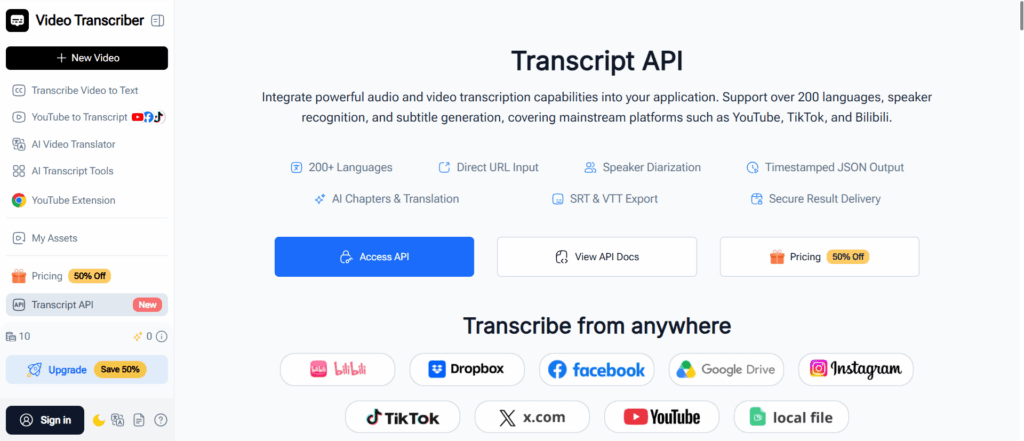
Video Transcriber AI is designed for cases where retrieving an existing caption track is not enough. It processes the source media and produces structured transcript output, including timed segments and optional speakers.
Its production-ready transcript API accepts public URLs from YouTube, TikTok, Instagram, Facebook, X, and Bilibili, as well as links from Google Drive, Dropbox, and direct media files. These sources use one REST workflow instead of requiring separate integration logic for every platform.
The API follows an asynchronous model:
- Submit a public media URL.
- Receive a request ID and polling URL.
- Poll according to the returned retry interval.
- Retrieve the completed transcript and requested outputs.
This is a better fit for long-running transcription than holding a single HTTP request open while an hour-long video is processed.
Key features
- More than 200 supported languages
- Automatic language detection
- Timed transcript segments
- Optional speaker diarization
- SRT and VTT subtitle output
- AI-generated chapters
- Transcript translation
- Structured JSON responses
- Idempotency keys for safer retries
- Rate-limit and retry headers
- Partial-success responses
- Signed result download URLs
For interviews, podcasts, panels, and other multi-person recordings, developers can use automatic speaker labels in transcription to keep dialogue attributed instead of receiving one undifferentiated block of text.
Applications that need searchable playback, clip selection, or subtitle synchronization can also generate transcripts with synced time codes, allowing each segment to remain connected to its location in the source video.
Best for
Video Transcriber AI is best suited to:
- Videos that may not contain captions
- Multi-speaker interviews and podcasts
- Subtitle and localization workflows
- Applications that accept more than YouTube URLs
- Searchable transcript players
- Media-analysis and content-repurposing pipelines
Main tradeoff
A full AI-generated transcript is not the same as retrieving a cached caption track. Processing takes longer, and duration-based billing means that long videos consume more quota.
If every source already has usable captions and the application only needs plain text, a dedicated caption retrieval API may be faster or less expensive.
2. TranscriptAPI — Best for YouTube-Only Production Workflows
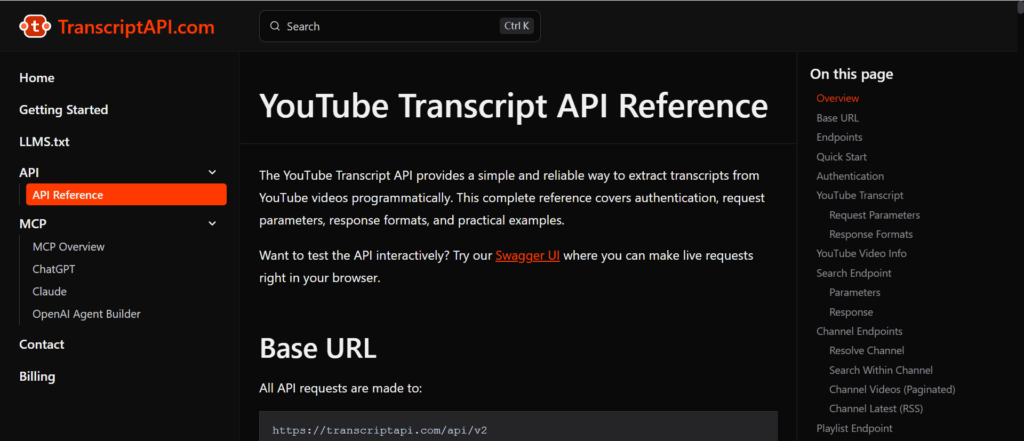
TranscriptAPI is a hosted YouTube transcript service aimed at developers moving beyond local extraction scripts.
Its comparison content emphasizes production concerns such as cloud IP blocking, parser changes, retries, YouTube search, channel listing, playlist workflows, and MCP support. It positions the service as an alternative for teams that no longer want their own servers to communicate directly with undocumented YouTube transcript endpoints.
Key strengths
- Hosted REST API
- YouTube transcript retrieval
- Search, channel, and playlist workflows
- Simple credit model
- MCP support for AI agents
- No proxy pool for the customer to maintain
TranscriptAPI publishes performance and processing-volume figures on its own site. Those numbers can be useful when creating a shortlist, but they should be treated as provider-reported until reproduced with your own videos and deployment environment.
Best for
- YouTube-only applications
- RAG ingestion pipelines
- Channel and playlist research
- AI agents that need YouTube data
- Teams migrating from a fragile Python scraper
Main tradeoff
TranscriptAPI is more specialized around YouTube. If your roadmap includes TikTok, Instagram, uploaded recordings, or consistent AI transcription for videos without caption tracks, a broader transcription platform may be a better architectural fit.
Before committing, test exactly what happens when a video has no captions and confirm whether the API retrieves existing captions, generates new text from audio, or returns an error.
3. Supadata — Best Multi-Platform Alternative With AI Fallback
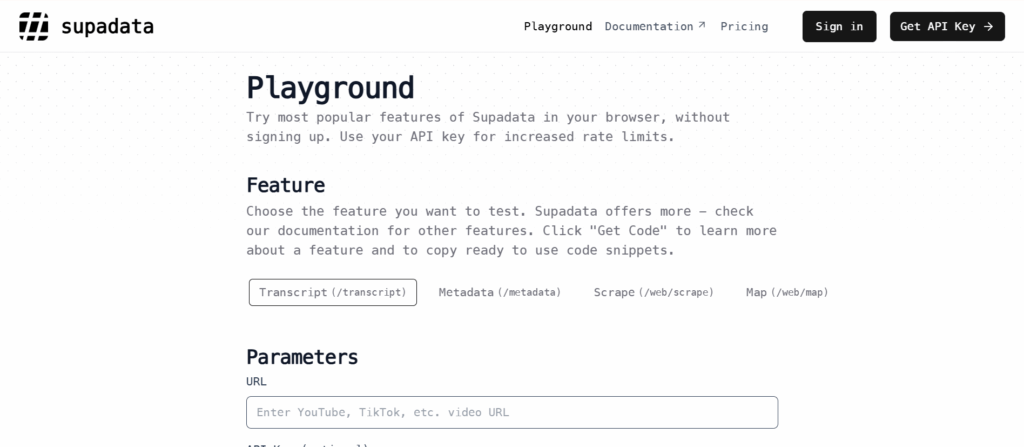
Supadata combines transcript retrieval with broader media and web-data capabilities. It supports YouTube alongside other social platforms and documents an AI transcription fallback for videos without native captions.
That fallback is an important distinction. A normal caption request and an AI-generated transcript can consume different amounts of credit because speech recognition is more computationally intensive.
Key strengths
- YouTube and multi-platform support
- AI fallback for missing captions
- Timestamped transcript segments
- Python and JavaScript tooling
- Batch features
- Translation
- Integrations with automation and agent platforms
Best for
- Products that process several social platforms
- Developers who want caption retrieval and AI fallback from one provider
- No-code and automation workflows
- Transcript translation
- Batch processing
Main tradeoff
The credit model requires careful reading. Normal transcript retrieval, AI-generated transcription, translation, and batch functions may not have the same cost.
Monthly credits can also behave differently from pay-as-you-go credits. Estimate your real workload using video duration and the percentage of videos likely to require AI fallback.
4. ScrapeCreators — Best for Transcripts Plus Social Data
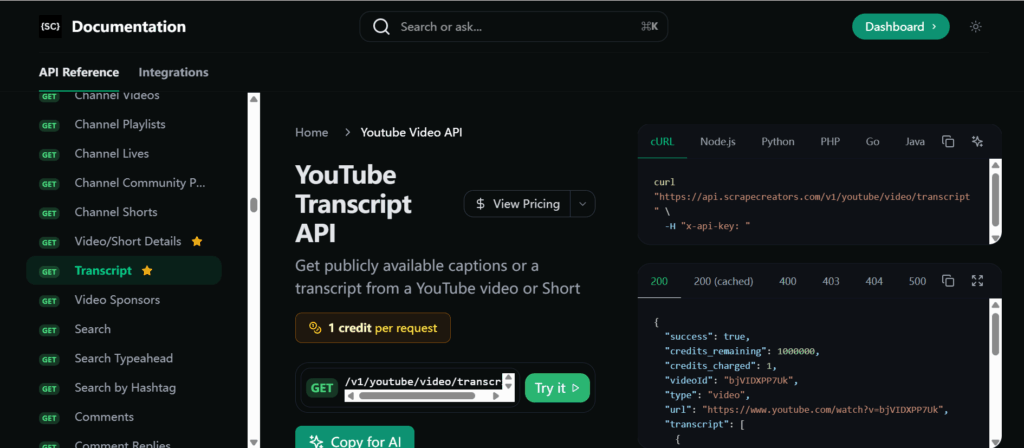
ScrapeCreators is a social-data API rather than a dedicated speech-to-text platform. Its YouTube transcript endpoint is useful when a transcript is only one part of a larger creator-data workflow.
The same service can also provide related information such as video details, comments, search results, channels, Shorts, and data from other social networks.
Its comparison article is particularly transparent about methodology. The author discloses that he runs ScrapeCreators, identifies the date on which prices and documentation were checked, explains which API was called directly, and avoids presenting a small fixture test as proof of long-term uptime.
Key strengths
- Public YouTube transcript requests
- Timed segments and plain text
- Video and channel metadata
- Comments and search data
- Broader social-platform coverage
- Pay-as-you-go positioning
Best for
- Creator analytics
- Social listening
- Competitive research
- Content intelligence
- Products that need transcripts and metadata together
Main tradeoff
ScrapeCreators is not primarily an AI transcription service. If a video has no caption track, do not assume the API will automatically transcribe the audio unless that behavior is explicitly documented.
Choose it when the transcript sits beside social data. Choose a transcription-first service when speaker diarization, subtitle generation, or missing-caption coverage is central to the product.
5. Scrapingdog — Best for Predictable High-Volume Retrieval
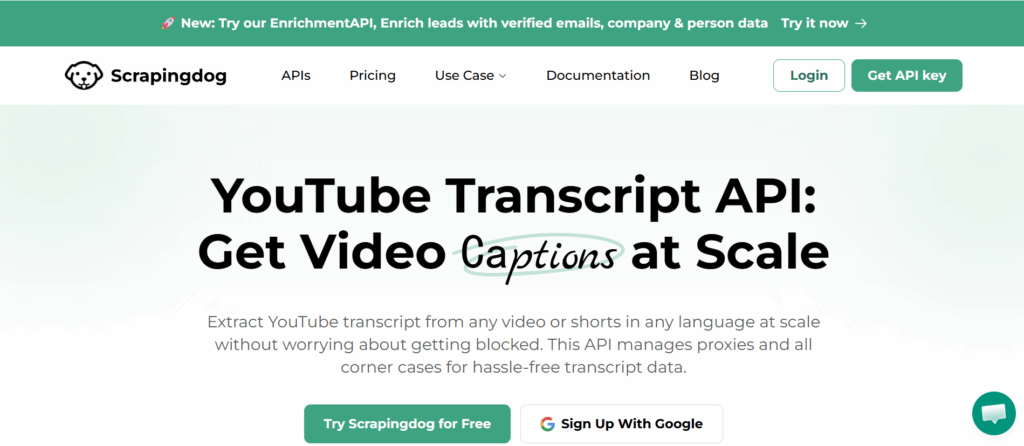
Scrapingdog offers YouTube transcript retrieval within a broader scraping API catalog. Its public material focuses on simple requests, timed caption segments, language selection, and monthly credit plans.
The model can be attractive for teams processing a steady, predictable number of captioned videos every month.
Key strengths
- Hosted transcript endpoint
- Optional language selection
- Timed caption segments
- Large monthly credit pools
- Broader scraping products
Best for
- Consistent monthly workloads
- High-volume caption retrieval
- Teams already using other scraping APIs
- Videos that normally have captions
Main tradeoff
Monthly credits are only economical when the workload uses them. Concurrency can also depend on the selected plan.
Scrapingdog should be evaluated as a caption retrieval option unless its current documentation explicitly promises audio transcription for videos without captions.
Test failure responses, concurrency, language fallback, and whether unsuccessful requests consume credits before using it for a customer-facing feature.
6. youtube-transcript-api — Best Free Python Option
The open-source youtube-transcript-api package is often the first result developers try. It can retrieve manually created and automatically generated YouTube transcripts without requiring a hosted API account.
A basic Python workflow is easy to prototype:
from youtube_transcript_api import YouTubeTranscriptApi

transcript = YouTubeTranscriptApi.get_transcript(\"VIDEO_ID\")

for segment in transcript:
    print(segment[\"start\"], segment[\"text\"])
The exact interface can vary by package version, so check the current project documentation before implementation.
Key strengths
- Free and open source
- Fast local setup
- No SaaS account required
- Language selection
- Timestamped caption segments
- Useful community and ecosystem
Best for
- Local Python scripts
- Personal research
- Early prototypes
- Testing whether transcripts add value to a product
- Projects where occasional failures are acceptable
Main tradeoff
The library depends on YouTube behavior that is not offered as a stable public transcript contract. Your application remains responsible for:
- Cloud IP blocking
- Proxy configuration
- IP rotation
- Retry logic
- Parser updates
- Monitoring
- Upstream changes
It also retrieves captions rather than generating a transcript from audio. If the video has no accessible captions, the library does not provide a built-in speech-to-text fallback.
The package can still be the best option for a small local project. The mistake is assuming that a successful laptop test guarantees the same behavior from a data-center IP.
7. YouTube Data API v3 — Best Official Option for Owned Videos
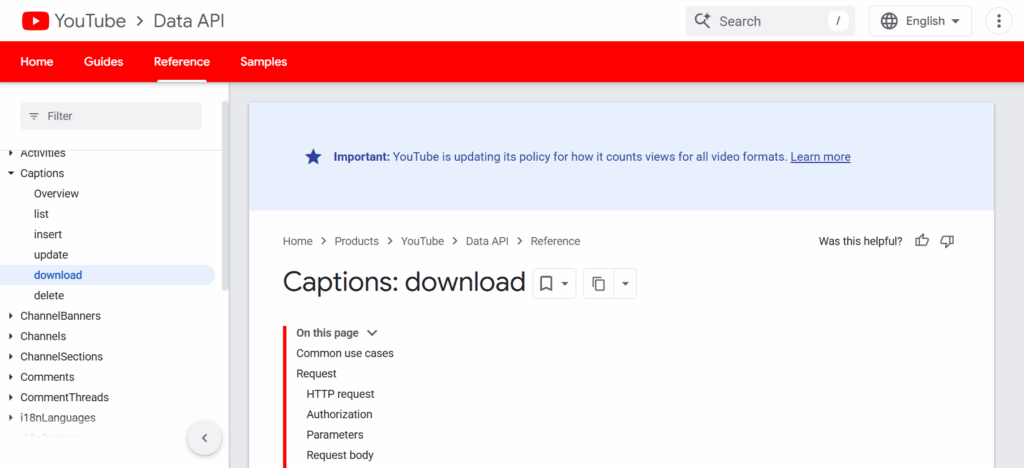
The YouTube Data API v3 is the official Google option, but it is frequently misunderstood in transcript comparisons.
Google provides caption resources and a captions.download endpoint. However, the endpoint requires OAuth authorization, and the authenticated user must have permission to edit the video. According to the official YouTube captions documentation, downloading a caption track also consumes API quota.
This makes the official API appropriate for a creator’s own videos or authorized channel-management workflows. It does not provide an open transcript endpoint for arbitrary public videos submitted by your customers.
Key strengths
- Official Google API
- Documented authentication
- Caption track management
- Video, channel, and playlist metadata
- Appropriate for authorized content workflows
Best for
- Channel owners
- Agencies managing client channels
- Internal creator tools
- Applications already using Google OAuth
- Downloading captions for videos the user controls
Main tradeoff
The official API cannot replace a public YouTube transcript API for most research, summarization, RAG, or user-submitted URL products.
It also has a multi-step workflow: identify the video, list caption tracks, obtain the relevant trackдегі ID, download it with authorization, and parse the returned format.
YouTube Transcript API Pricing Is Easy to Misread
Pricing tables often place every provider in one list even though they bill for different work.
The main models are:
Per-request pricing
The provider charges for retrieving a transcript, regardless of video duration. This can be economical for long videos if the caption track already exists.
Monthly credits
A subscription includes a fixed number of credits that may expire at the end of the billing cycle. This works best for predictable workloads.
Pay-as-you-go credits
Credits are purchased as needed and may not expire. This can be a better fit for irregular ingestion jobs.
Per-minute transcription
Billing is based on media duration because the provider processes the audio. It costs more for long videos but can work when no captions exist.
Open-source infrastructure
The software has no license fee,েৱ but you pay for servers, proxies, retries, monitoring, and developer time.
Google quota
Google API quota is an access limit rather than a normal price per transcript. OAuth and content permissions remain separate requirements.
The most useful cost model is not “price per 1,000 requests.” Calculate the cost of your actual mix:
- Percentage of videos with captions
- Average video duration
- Percentage needing AI fallback
- Retry rate
- Monthly volume
- Peak concurrency
- Proxy and maintenance costs
A cheap caption request that fails on 20% of your library may be more expensive operationally than a duration-based API that completes the entire workload.
Which YouTube Transcript API Should You Choose?
Choose Video Transcriber AI if videos may not have captions and your product needs structured AI transcription, speakers, timestamps, subtitles, translation, or more than one media platform.
Choose TranscriptAPI if your workload is YouTube-only and you want a hosted API for transcript, search, channel, and playlist workflows.
Choose Supadata if you need several social platforms and want documented AI fallback within the same service.
Choose ScrapeCreators if transcript text is part of a larger social-data workflow involving comments, metadata, search, or creator analytics.
Choose Scrapingdog if you have predictable, high-volume caption retrieval and its monthly credits and concurrency fit your workload.
Choose youtube-transcript-api if you are building a local Python prototype and are willing to own proxies, retries, and upstream maintenance.
Choose YouTube Data API v3 if your users own or can manage the videos and an official OAuth workflow is more important than arbitrary public-video access.
A simple decision path looks like this:
Do you own or manage the videos?
├── Yes → Consider YouTube Data API v3
└── No
    ├── Must the workflow handle videos without captions?
    │   ├── Yes → Use an AI transcription API
    │   └── No → Consider a hosted caption retrieval API
    └── Is this only a local Python prototype?
        ├── Yes → Try youtube-transcript-api
        └── No → Use a managed production API
What to Test Before You Choose
Do not evaluate an API with one popular English video. Build a small fixture set that reflects your production traffic.
Include:
- A video with manual captions
- A video with automatic captions
- A video without captions
- A YouTube Short
- A non-English video
- A video with several caption languages
- A multi-speaker podcast
- A technical presentation
- A video longer than one hour
- An unavailable or invalid URL
Run the tests from the same cloud environment you plan to use in production.
Record:
- Success or failure
- HTTP status
- Provider error code
- Time to first response
- Time to completed transcript
- Whether text came from captions or AI transcription
- Transcript completeness
- Timestamp format
- Speaker output
- Credits consumed
- Retry behavior
This test will tell you more than a provider’s “99% reliability” badge because it reflects your content, region, runtime, and failure tolerance.
Frequently Asked Questions
What is the best YouTube transcript API?
There is no single best option for every workload. Video Transcriber AI is a strong choice when videos may not have captions or when you need speakers, timestamps, subtitles, and multiple source platforms. A caption retrieval API may be faster for videos that already have usable caption tracks. The YouTube Data API is best reserved for owned or authorized videos.
Why does youtube-transcript-api work locally but fail on a server?
YouTube may treat residential and data-center IP addresses differently. A script that works from a local connection can encounter HTTP 429 responses, IP blocks, or unavailable transcript data after deployment to a cloud provider. Proxies can reduce the problem, but they introduce cost and maintenance.
Is youtube-transcript-api free?
The Python package is free and open source. A production system built around it may still require paid proxies, servers, retries, monitoring, and engineering maintenance.
Does YouTube have an official transcript API?
YouTube has official caption-management endpoints, but downloading captions requires OAuth and permission to edit the video. It is not a general API for retrieving transcripts from arbitrary public YouTube videos.
Can an API transcribe a YouTube video without captions?
Yes, if the service can process the video’s audio with speech recognition. Caption retrieval alone cannot return a transcript when no caption track exists. Look for an explicitly documented AI transcription or no-caption fallback.
Do YouTube transcript APIs include timestamps?
Many APIs return segment-level timestamps. Some AI transcription services can provide more detailed timing suitable for interactive players, editing, and subtitle generation. Check whether timestamps represent segments, sentences, or individual words.
Can a YouTube transcript API identify speakers?
Only if the provider supports speaker diarization. Standard YouTube captions usually do not provide reliable speaker identity. For interviews, meetings, podcasts, and panels, look for an API that returns a speaker field with each timed segment.
How much does a YouTube transcript API cost?
Costs can be based on requests, credits, subscriptions, media minutes, Google quota, or self-managed infrastructure. Compare the effective cost of your real workload rather than relying only on the advertised price per request.
Final Verdict
The biggest YouTube transcript API problem is not making one successful request. It is building a workflow that continues working when it moves from localhost to the cloud, receives a video without captions, encounters a 429 response, or needs to process an hour-long multi-speaker recording.
Open-source Python tools remain excellent for prototypes. Hosted caption APIs reduce proxy and parser maintenance. AI transcription APIs solve the separate problem of videos without captions and can add speakers, timestamps, subtitles, chapters, and translation. Google’s official API is appropriate when the authenticated user owns or manages the video.
Before choosing, test at least one captioned video, one no-caption video, and one long multi-speaker video from your actual workload. The best YouTube transcript API is the one that handles your failure cases—not just your easiest demo.