


Finding a genuinely free ai note taking app in 2026 is harder than it sounds. Search the term and you will get dozens of lists ranking tools that are not actually free: seven-day trials dressed up as free plans, dollar-zero tiers so limited you cannot do real work, and export buttons that lock behind a paywall after you have already recorded hours of meetings. If you have ever sat through a one-hour call, frantically typing, only to realize you missed the one decision that mattered, you already know why a good free ai note taking app is worth finding. Here are five that actually hold up.
Why a Free AI Note Taking App Matters More Than You Think
What a Free AI Note Taking App Actually Saves You From
A free ai note taking app saves you from the worst part of meetings: the recap. The average professional sits through dozens of meetings a month, and the notes from those meetings live scattered across notebooks, docs, and half-remembered chat threads. A free ai note taking app changes that by recording, transcribing, and summarizing in the background while you actually pay attention to the conversation. Instead of replaying a recording to find one decision, you get structured notes with key points, action items, and speaker labels handed to you.
The payoff compounds quickly. When you stop taking manual notes, you stay present in the meeting, ask better questions, and still leave with a cleaner record than the person who typed the whole time. That is the quiet value of a free ai note taking app: it does not just save you the transcription work, it saves you from the mental split between participating and documenting.
The Trap Most "Free" AI Note Taking Apps Hide Behind
Not every free ai note taking app is honest about its free tier. The three patterns to watch for are predictable. First, the trial in disguise: a sign-up form that asks for a credit card is a subscription, not a free plan. Second, the unusable allowance: a free tier that caps you at thirty minutes a month is a demo, not a tool. Third, the export paywall: some apps let you record and summarize freely, then charge you the moment you try to download your notes as text or PDF. A real free ai note taking app gives you usable monthly minutes, working export, and no card at signup. The five below pass that test, and the free ai note taking app you land on should clear all three without friction.
5 Best Free AI Note Taking App Options in 2026
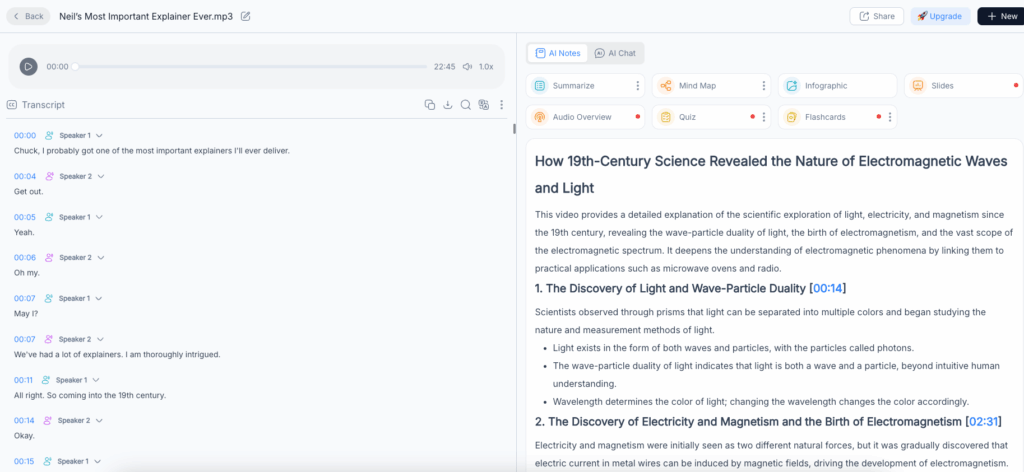
Video Transcriber AI Meeting Note Taker: The Free AI Note Taking App for Video Uploads
Most note takers want to join your meeting live. Video Transcriber AI Meeting Note Taker takes the opposite approach, and for a lot of people it is the better one. Instead of a bot sitting in your call, you upload the recording afterward and get organized notes back. That single difference removes the consent friction, the "who is this bot" moment, and the fear of a visible participant in a sensitive conversation. You can turn any recording, a recorded Zoom, a webinar, an interview, or a lecture, into structured notes without scheduling anything.
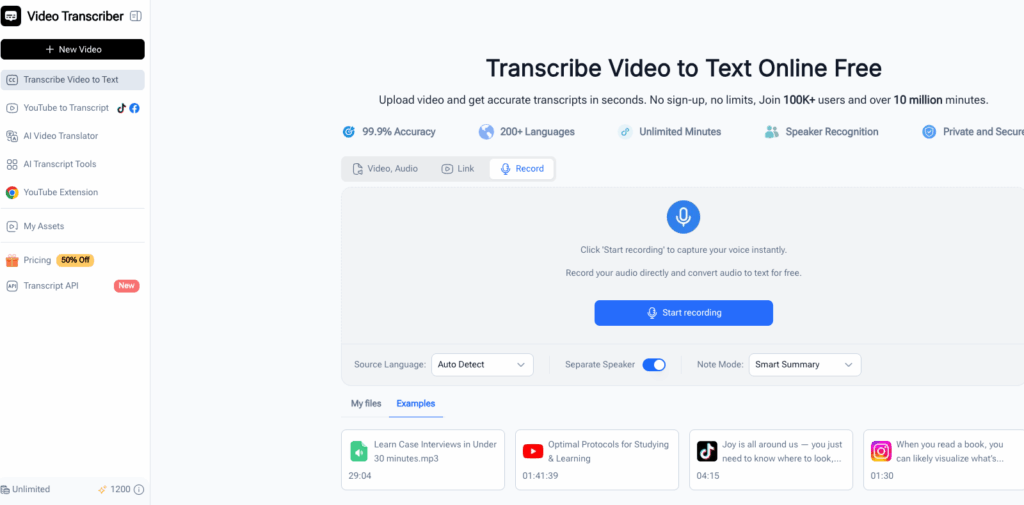
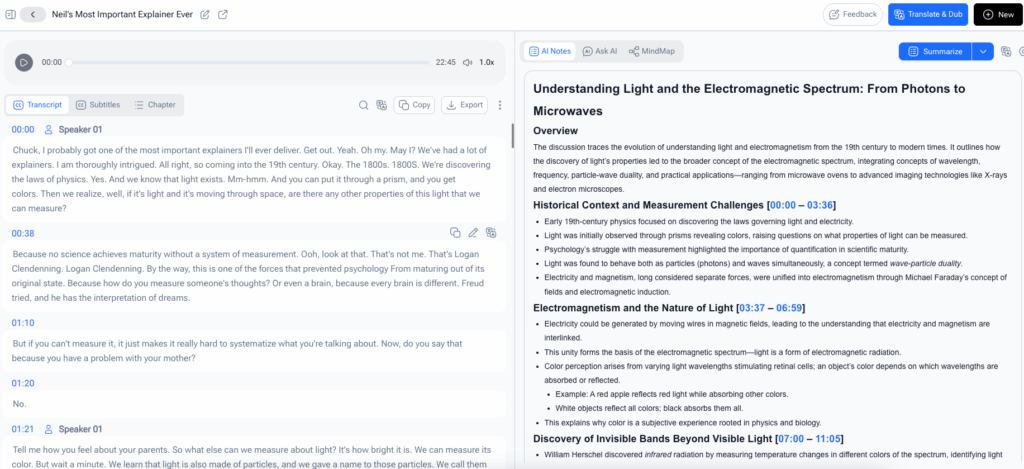
What comes back is genuinely useful. The free ai note taking app identifies speakers, stamps timestamps on the transcript, and generates a smart summary that pulls out decisions, key points, and action items automatically. Notes export in multiple formats and translate into multiple languages, which matters if your team is spread across regions. For anyone who already records their meetings and just wants the recap handled, this is the free ai note taking app that fits an upload-first workflow, and the one this guide links back to throughout.
NoteGPT: The Free AI Note Taking App for Lectures, Videos, and PDFs
NoteGPT takes the broadest view of what "notes" means. It is not built only for meetings; it turns lectures into text, summarizes YouTube videos and PDFs, and distills long documents into structured notes. For a student facing a semester of recorded lectures, or a professional drowning in reports, that range is the point. One free ai note taking app that handles video, audio, and documents means you stop juggling three different tools for three different sources.
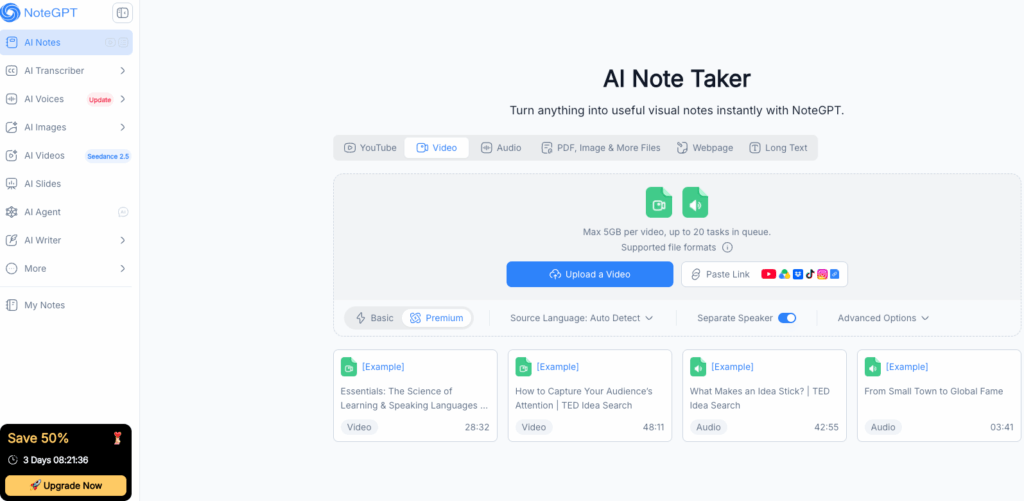
The summaries are where it earns its keep. Drop in a lecture or a long PDF and NoteGPT returns a clean breakdown of the main ideas, which you can then chat with, turn into flashcards, or translate while keeping the formatting intact. The free plan is genuinely usable for light study and research work, which is more than most competitors offer at zero cost. If your note-taking problem is less about live meetings and more about turning existing material into something you can actually learn from, NoteGPT is the free ai note taking app to reach for first.
Otter.ai: The Free AI Note Taking App with the Most Free Minutes
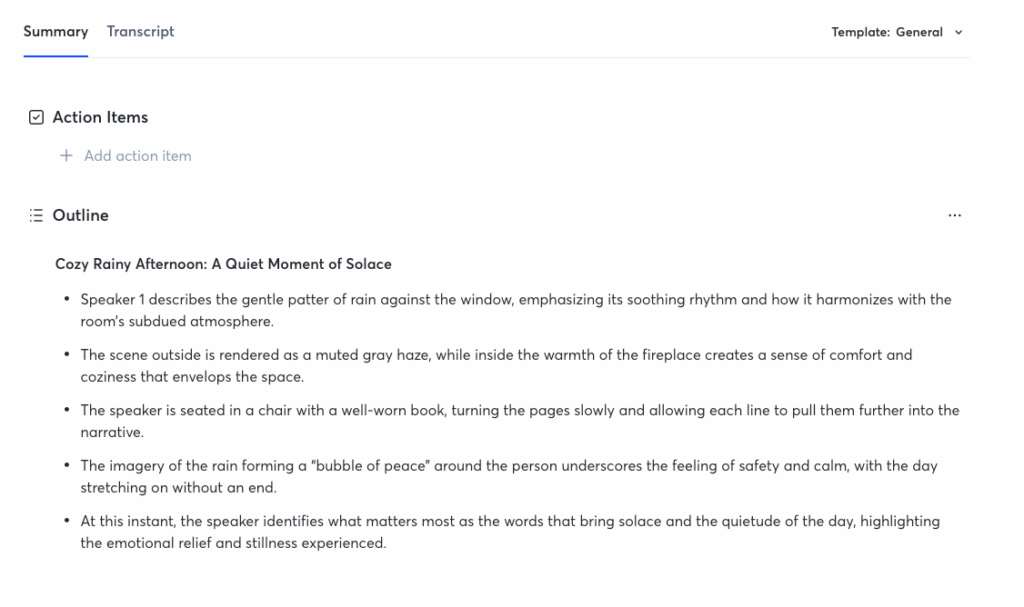
Otter is the name most people already know, and its free tier is the reason. It offers one of the most generous free allowances in the category for English meetings, enough minutes each month to cover a serious share of your calls, and it joins Zoom, Google Meet, and Teams automatically. Speaker identification and AI summaries come standard, so you get a searchable transcript plus a recap without lifting a finger.
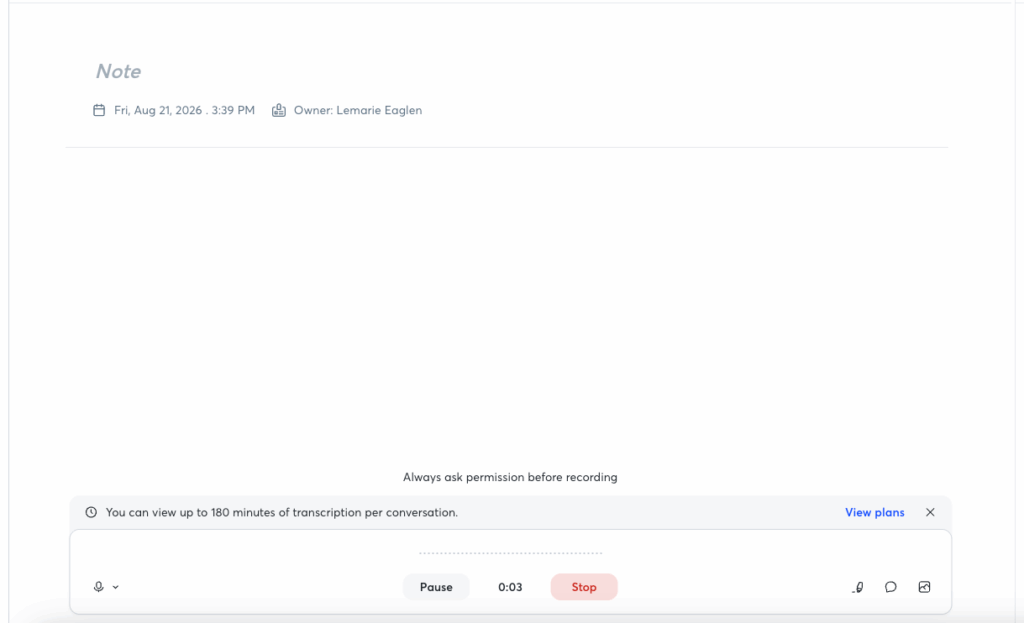
The trade-off is the usual one for a free ai note taking app at this scale: the free tier is English-first, with a per-meeting time cap, and multilingual coverage is thinner than the paid plans. Export works without watermarks, which is not always the case in this category. For anyone whose meetings are mostly English and mostly on the big conferencing platforms, Otter is the free ai note taking app that gives you the most minutes for nothing, and a very easy starting point if you are new to AI note takers.
Fathom: The Free AI Note Taking App That Is Free Forever
Fathom made an unusual bet and it pays off: the entire consumer tier is free, and it has been free long enough that people trust it will stay that way. That is rare in a category where "free" often means "free until we decide otherwise." Fathom focuses on Zoom, Teams, and Google Meet, records and summarizes your calls, and does it without charging solo users a cent.
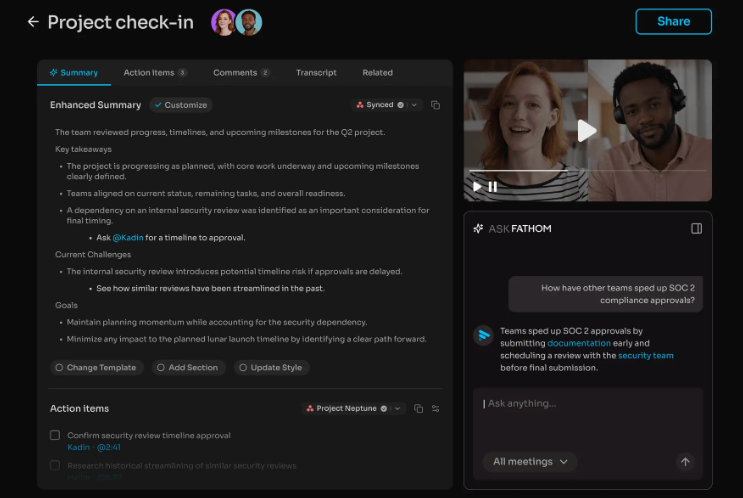
The focus is narrower than a jack-of-all-trades free ai note taking app, which is exactly why it works. Fathom does one thing, video-conference meeting capture and summarization, and it does it cleanly. If you take mostly online meetings in English and want a tool you can adopt without ever worrying about hitting a monthly wall, Fathom is the free ai note taking app that removes the anxiety of free-tier limits entirely.
Fireflies.ai: The Free AI Note Taking App for Team Meetings
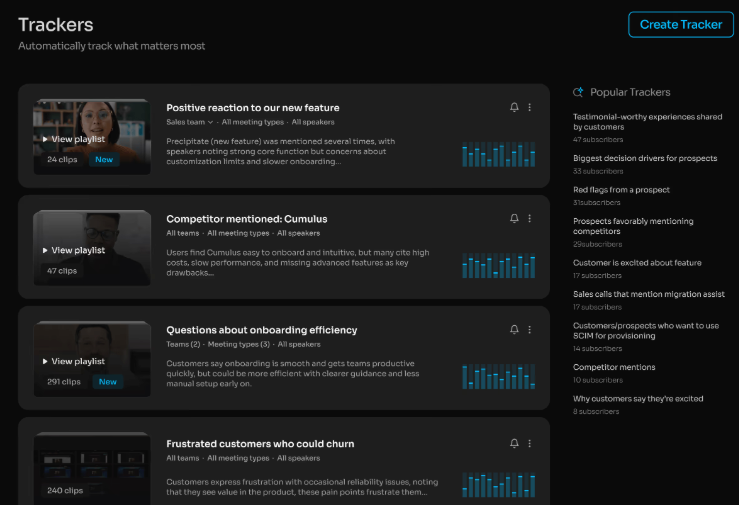
Fireflies is built for the meeting-heavy team, and its free tier is more generous than most. It offers a large block of free transcription minutes each month, plus unlimited transcription of uploaded audio files, which is a genuinely useful combination if your meetings are not always live. AI search, topic detection, and the ability to clip soundbites from a conversation are the features that set it apart for teams who need to share and reference moments, not just read a transcript.
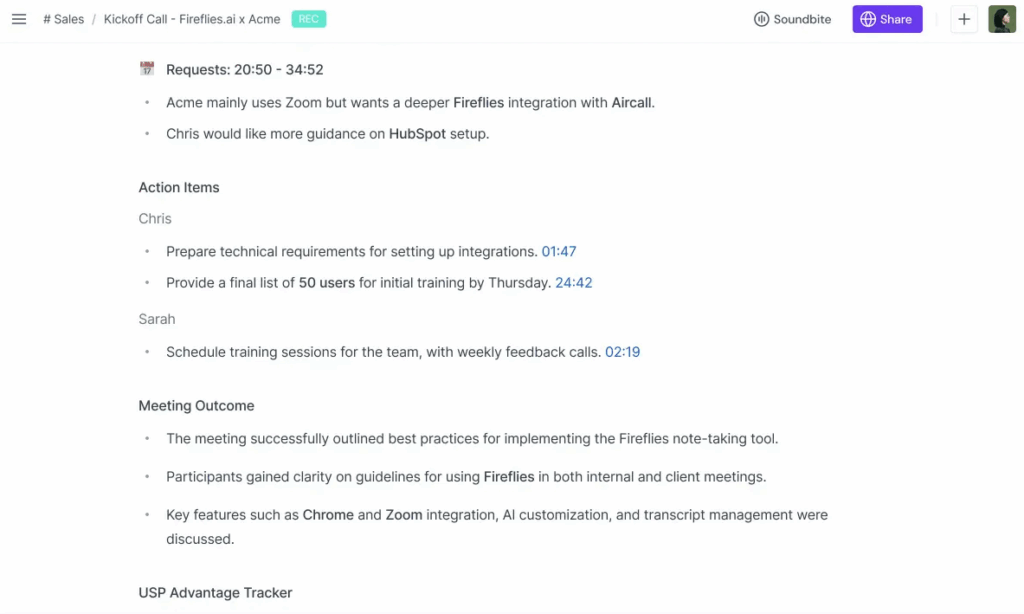
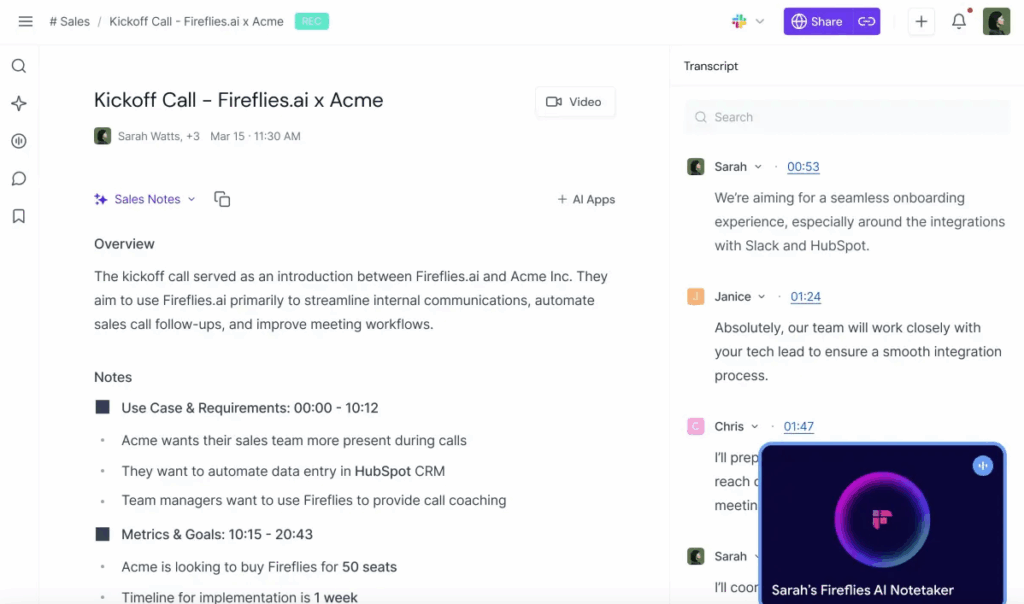
The free ai note taking app shines when collaboration matters. Summaries and searchable transcripts make it easy to point a teammate to the exact moment a decision was made, instead of sending them a two-hour recording with a vague "somewhere in there." Speaker labels and action-item extraction round out the package. For teams that meet constantly and need a shared record of what was decided, Fireflies is the free ai note taking app that treats meeting notes as a team asset rather than a personal one.
How to Pick the Right Free AI Note Taking App for Your Workflow
Match Your Free AI Note Taking App to Where Your Meetings Happen
Start with where your conversations actually occur, not a feature wishlist. If you meet live on Zoom, Teams, or Meet, a free ai note taking app that joins the call, like Otter or Fathom, removes the most friction. If you already record your meetings and want the recap handled afterward, an upload-first free ai note taking app like Video Transcriber AI Meeting Note Taker fits better and sidesteps the bot-in-the-room issue entirely. If your note-taking spans lectures, videos, and PDFs rather than meetings, NoteGPT covers that broader ground.
Also weigh the free tier against your volume. Some free ai note taking apps cap monthly minutes, others cap only the advanced AI features. If you meet twice a week, nearly any free tier works; if you live in back-to-back calls, minute caps will push you to paid quickly. Language support matters if you work globally, and privacy posture matters if your meetings are sensitive. Most people settle on one free ai note taking app for online calls and add a second tool only if their sources change. Choosing the right free ai note taking app is mostly about matching that first pick to how you actually meet.
Free Tier vs. Paid: When a Free AI Note Taking App Stops Being Enough
The free ai note taking app you pick today may not be the one you need in six months, and that is fine. Free tiers are for validating a workflow, not for running a sales team's entire meeting stack. The moment you hit a monthly minute cap, need deeper integrations, or want advanced AI analysis on every call, the free tier has done its job and it is time to pay. The key is to start free, confirm the tool actually fits how you meet, and only then upgrade. Choosing a free ai note taking app first is the low-risk way to figure out what you actually need before spending anything.
FAQ About Free AI Note Taking Apps
Are Free AI Note Taking Apps Really Free?
Yes, but you have to read the fine print. The honest free ai note taking app options on this list offer usable monthly minutes, working export, and no credit card at signup, with the free tier advertised as permanent rather than a limited-time beta. The dishonest ones ask for a card, cap you below a usable allowance, or lock export behind a paywall. The test is simple: sign up without a card, run a real meeting through it, and try to download the notes. If all three work, the free ai note taking app is genuinely free.
Can a Free AI Note Taking App Handle Long Meetings and Multiple Speakers?
It depends on the app and the length. Speaker identification is now standard in the leading free ai note taking app options, and several of the tools above label who said what with timestamps so you can jump to an exact moment. Long recordings are where upload-first tools have an edge, since a video file has no per-meeting time cap the way a live bot sometimes does. For hours-long meetings or webinars, an upload-based free ai note taking app like Video Transcriber AI Meeting Note Taker handles the full recording without splitting it.
Do Free AI Note Taking Apps Keep My Data Private?
The reputable free ai note taking app providers publish their compliance, typically SOC 2 and GDPR, and state explicitly whether your conversations are used to train their models. The practical points matter more than the badges: get consent before recording, since some regions require it, and remember that an AI note taker is recording a real conversation. For sensitive meetings, an upload-first free ai note taking app can feel safer than a bot that sits in the call, because you control what gets uploaded and when.
Conclusion
The best free ai note taking app in 2026 is the one that matches how you actually meet. If you record your meetings and want structured notes from the video afterward, Video Transcriber AI Meeting Note Taker is built exactly for that. If your notes come from lectures, videos, and PDFs, NoteGPT covers the broadest ground. If you want the most free minutes on live English calls, Otter leads. If you want free forever without watching a meter, Fathom is the calm choice. If your team needs a shared searchable record, Fireflies fits. Start with a free ai note taking app, test it on a real meeting, and stop losing decisions to a half-typed notes doc.