


Why You Need a Video Transcript: Unlock Its Hidden Value
Let me ask you: How many times have you watched an info-packed online video but forgotten half of it the next day? Or found a perfect research clip, only to dread transcribing quotes manually? As a blogger and content creator, I wasted hours rewinding—until I found the key to Video Transcription: simple online video transcripts.
A video transcript isn’t just text; it holds hidden value most overlook, and Video Transcription turns it into usable content. It boosts accessibility (game-changing for the deaf/hard-of-hearing, or sound-sensitive spots like offices), lets you repurpose one video into blogs/social snippets (the ultimate content hack), and helps learners search/highlight key points. Skip it, and you’re wasting income/productivity—use a transcript or Video Transcription tool.
Key Features of Excellent Free Video Transcription Tools
Now, before we dive into my top picks, let's talk about what separates the "meh" tools from the "wow!" tools. Not all free Video Transcription software is created equal. After testing what feels like a million of them, here’s my checklist for a top-tier Video Transcription tool.
High Accuracy and Fast Processing Speed
This is the big one. An accurate transcription is the whole point of Video Transcription, right? The best AI video transcription tools today are scarily good, offering near-human levels of accuracy. But speed matters too. I don't want to wait an hour for a 10-minute video. The perfect Video Transcription tool gives me a highly accurate transcript in minutes, or even seconds. Look for tools that boast advanced automatic speech recognition (ASR) technology—this is the backbone of reliable Video Transcription.
Multi-language Recognition Support
The internet is a global village! The ability to handle Video Transcription in Spanish, Mandarin, French, or dozens of other languages is a massive advantage. Whether you're a language student or a creator with an international audience, this feature is a must-have for a truly powerful Video Transcription service.
User-friendly Interface and Flexible Export Options
I'm a busy person. I don't have time to figure out a complicated, clunky Video Transcription tool. The best ones are simple: you see a big box, you paste your link, and you hit "Transcribe." Done. Furthermore, what good is that text if you're stuck with it? I need to be able to download it as a .TXT file, a .DOCX for editing, and—this is critical—an SRT file for subtitles. An SRT export feature is the mark of a pro-level Video Transcription tool.
Top 5 Free AI Tools for Video Transcription (Get Transcripts in 2025)
Alright, the moment you've been waiting for. I’ve taken these Video Transcription tools for a spin so you don't have to. Here are my top 5 free AI tools for online Video Transcription in 2025.
TurboScribe - Free Unlimited and Fast Video Transcription Tool
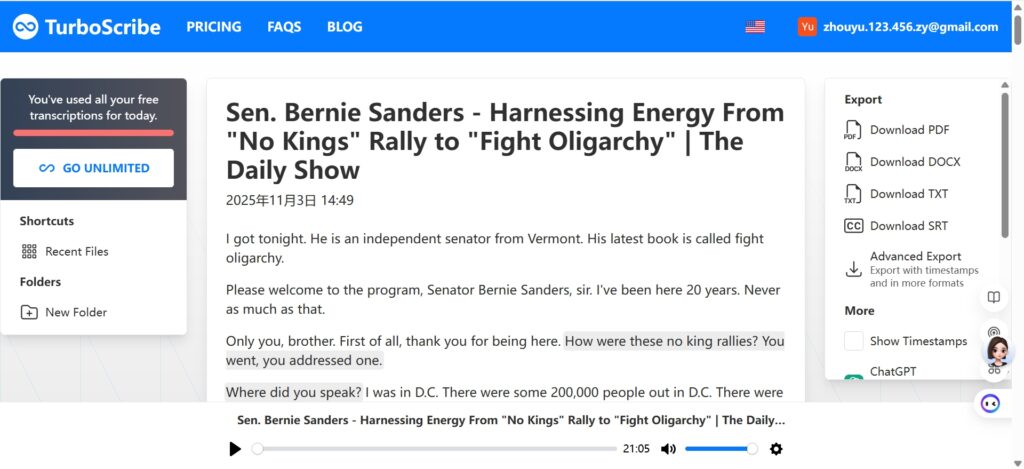
Let's start with a powerhouse. TurboScribe lives up to its name – it’s fast, and it’s built for Video Transcription. The thing that blew my mind about TurboScribe is its "unlimited" free plan. You can process as many videos as you want for Video Transcription, as long as they're under 30 minutes each. The accuracy is fantastic, it supports a ton of languages for global Video Transcription needs, and the processing speed is blazingly quick. It’s my go-to for reliable, no-fuss, free online Video Transcription. If you need a fast video transcript without any limits, start here.
Any2Text - Simple and Straightforward Online Video Transcription Solution
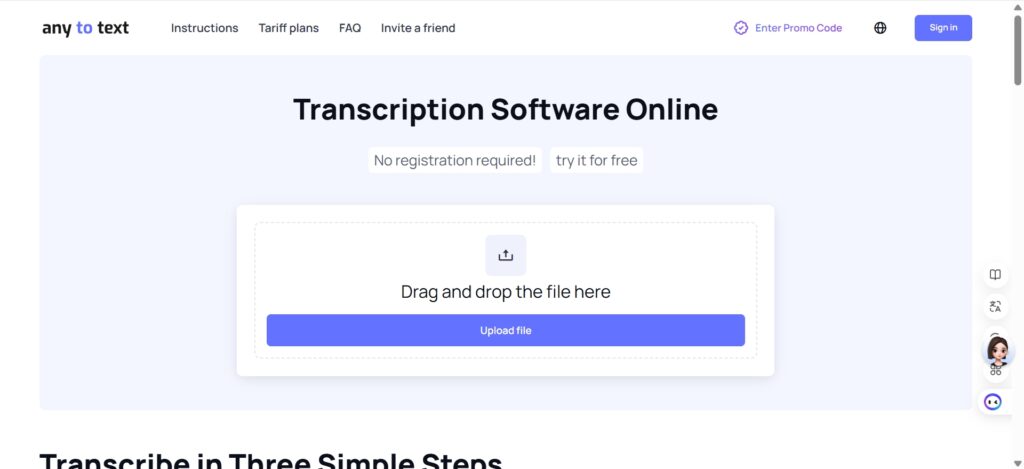
If you hate clutter and just want to get Video Transcription done, you'll love Any2Text. The interface is so clean and simple it’s almost beautiful. The name says it all: give it any (video) and it gives you text via seamless Video Transcription. It’s a fantastic online Video Transcription tool that does one thing and does it very well. It may not have all the bells and whistles of some other tools, but for a quick, accurate, and straightforward online Video Transcription, it’s a perfect choice.
VideoTranscriber - Expert in High-Precision Video Transcription
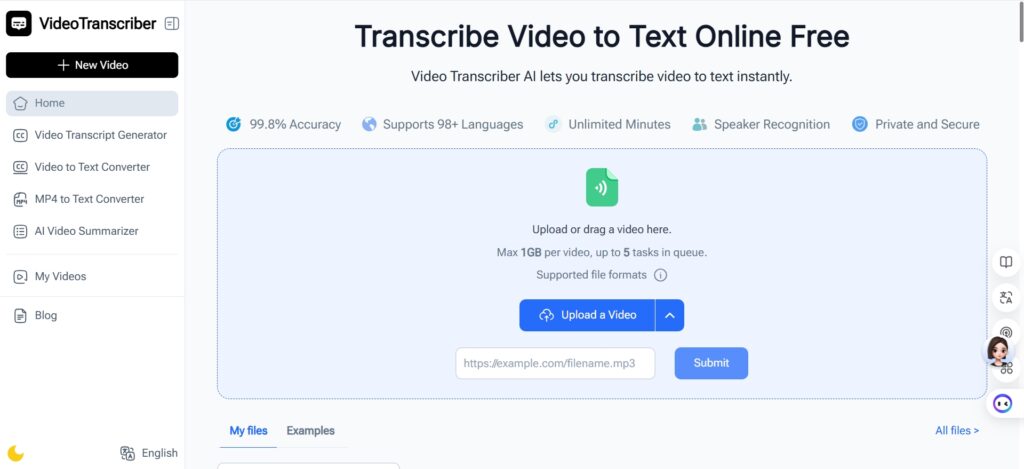
As the name suggests, VideoTranscriber is a specialist in Video Transcription. If you're working with a video that has challenging audio—maybe there's background noise, or multiple speakers, or a heavy accent—this is the Video Transcription tool I'd recommend. Its core strength seems to be in its high-precision audio-to-text conversion for Video Transcription. I tested it with a video of a busy panel discussion, and it handled the speaker transitions and varying audio levels better than most Video Transcription tools. For projects where accuracy is non-negotiable, VideoTranscriber is a solid free Video Transcription software pick.
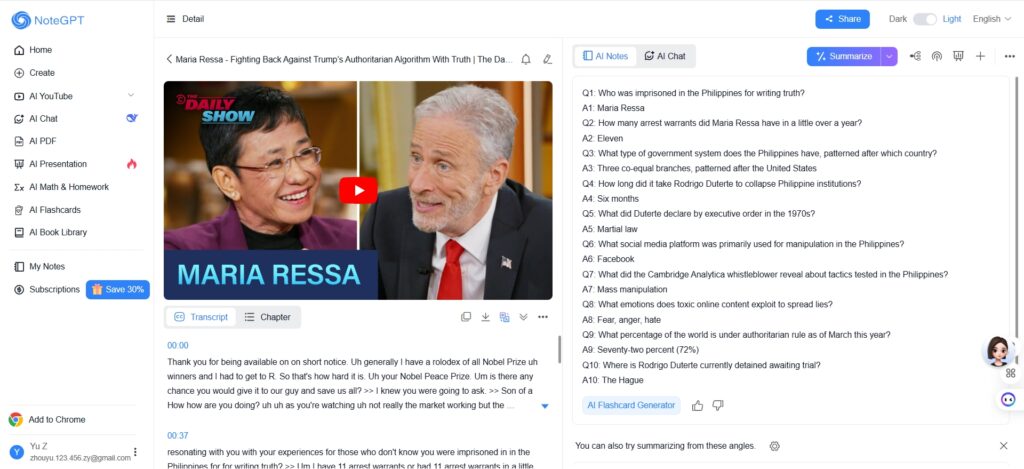
NoteGPT - All-in-One AI Assistant for Video Transcription, Summarization and Smart Notes
Now, this one is a bit different and incredibly smart. NoteGPT isn't just a video Transcription generator; it's a full-on AI assistant. It first handles your Video Transcription with high accuracy, and then—this is the killer feature—it summarizes the transcript for you. You get a neat bullet-point summary of the key ideas. This is a massive time-saver for students and researchers who rely on Video Transcription for content analysis. It’s like having a smart friend who handles the Video Transcription and gives you the CliffsNotes.
ChatGPT - Leverage Smart Prompting to Polish Video Transcription Output
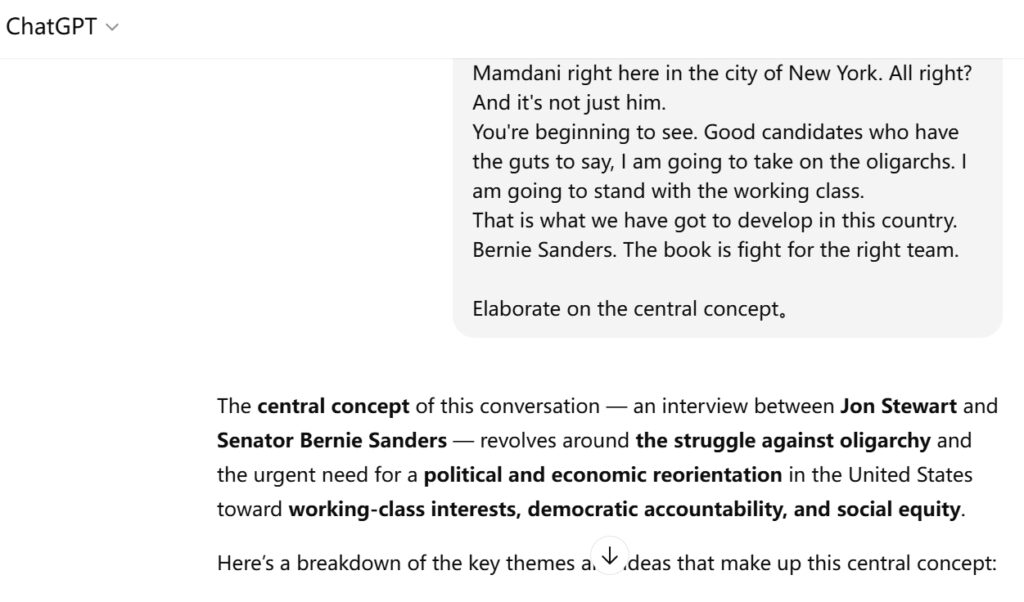
"Wait, ChatGPT?" I hear you ask. Yes! While you can't directly paste an online video URL into standard ChatGPT for Video Transcription, you can use a workaround that makes it incredibly powerful. First, get your raw transcript using one of the Video Transcription tools above (like TurboScribe). Then, you feed that Video Transcription text to ChatGPT. This is where the magic happens. You can command it to: "Summarize this Video Transcription into three key takeaways," "Rewrite this section in a more formal tone," or "Identify all the action items mentioned." It’s the ultimate tool for refining Video Transcription output, turning raw text into a polished piece of content.
Pro Tips for Perfect Free Video Transcription
After doing Video Transcription for hundreds of videos, I've picked up a few tricks to make the process even smoother and the results even better.
Ensure Clear Audio Quality for Best Video Transcription Results
This is the golden rule of Video Transcription. The AI needs a clear signal to work with for accurate Video Transcription. If your video has a lot of background music, muffled speech, or people talking over each other, even the best Video Transcription tool will struggle. For your own videos, use a good microphone to set up ideal conditions for Video Transcription. When choosing videos to transcribe, opt for ones with clean, clear audio for the most accurate Video Transcription results.
Always Proofread and Edit AI Video Transcription Output
I know I just said this, but it's so important it bears repeating. Think of the AI-generated Video Transcription as a fantastic first draft. It will get 95% of the way there, but it might mix up "their," "there," and "they're," or butcher a complex product name. A quick, human proofread is the difference between an amateur and a professional Video Transcription result.
Use SRT Export Feature for Professional Subtitles from Video Transcription
If you're a video creator, this is your secret weapon for maximizing Video Transcription value. Downloading the SRT file from your Video Transcription tool and uploading it to your video is the fastest way to add accurate, synchronized captions. This boosts accessibility (a core benefit of Video Transcription), keeps viewers engaged (especially on mute), and gives your video platform SEO a nice little bump. It’s a win-win-win from a single Video Transcription.
Frequently Asked Questions About Video Transcription
Let's tackle some of the common questions I get about online Video Transcription.
Is It Legal to Get Transcripts via Video Transcription?
This is the #1 question about Video Transcription. In general, for personal, educational, or research purposes, it is perfectly legal to download a transcript via Video Transcription for your own use. However, copyright is key. You cannot take someone else's Video Transcription and claim it as your own, publish it on your site for profit, or use it in a way that infringes on the original creator's copyright. Always respect intellectual property when using Video Transcription tools! When in doubt, use the Video Transcription as a learning aid and not for republication.
Which Free Tool Offers the Highest Accuracy for Video Transcription?
From my extensive 2025 testing, TurboScribe and VideoTranscriber consistently fight for the top spot in terms of raw accuracy for English Video Transcription. TurboScribe has the added benefit of being incredibly fast and offering unlimited Video Transcription. For challenging audio (like background noise or multiple speakers), I'd lean toward VideoTranscriber for more precise Video Transcription. But honestly, for most standard videos, any tool on this list will give you remarkably high Video Transcription accuracy.
Can I Do Multi-Language Video Transcription for Online Videos?
Absolutely! This is one of the coolest features of modern AI Video Transcription tools. Most of the tools I listed, including TurboScribe and Any2Text, support multi-language Video Transcription. You can transcribe videos in Spanish, French, German, Mandarin, Hindi, and many more languages with their Video Transcription capabilities. It's an incredible resource for language learners and global content teams relying on Video Transcription.
Start Your Video Transcription Today
So, what are you waiting for? You now have the knowledge, the Video Transcription tool recommendations, and the step-by-step guide to get started. If you're ready to dive in and want a tool that truly focuses on getting Video Transcription right, I personally recommend you begin with VideoTranscriber.
Why? Because its dedicated focus on high-precision audio-to-text conversion for Video Transcription means you get a cleaner, more accurate transcript from the get-go, saving you valuable editing time on your Video Transcription projects. It’s the perfect tool to reliably handle everything from your clear, solo-presenter videos to more complex content with multiple speakers—all through seamless Video Transcription.
The power to handle Video Transcription and extract text from video is literally at your fingertips. Stop wasting time rewinding and manually writing things down. Head over to VideoTranscriber, grab your favorite online video link, and unlock the hidden value in your content with Video Transcription today. You’ll wonder how you ever managed without it.