


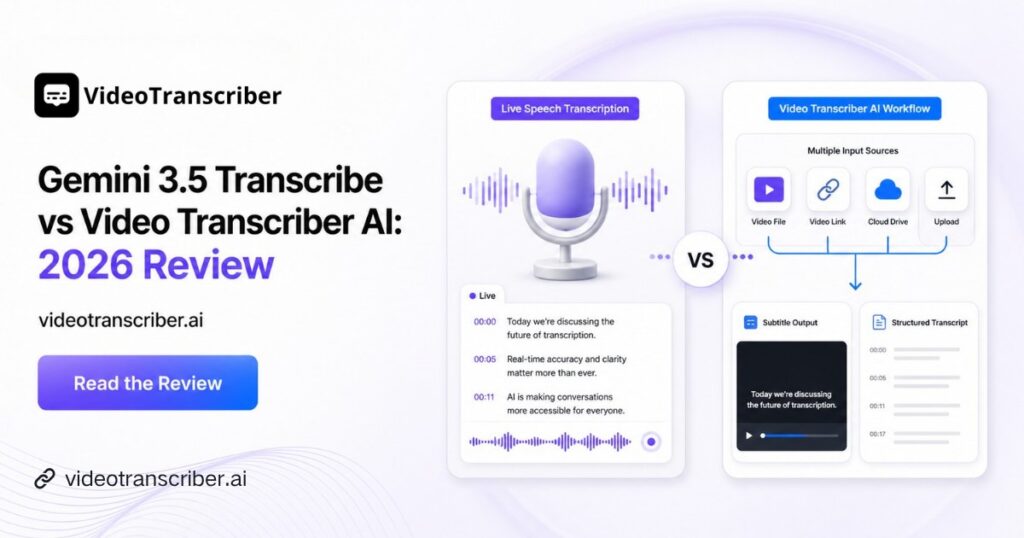
Google introduced Gemini 3.5 Transcribe in August 2026 as a dedicated speech-to-text model built for precise transcription and intelligent voice interactions. Instead of simply adding transcription to a general multimodal model, Google created Gemini 3.5 Transcribe specifically around speech recognition, multilingual audio, smart dictation, custom vocabulary, and real-time voice applications.
For developers, that makes Gemini 3.5 Transcribe an interesting option for voice agents, meeting transcription, call analytics, live captions, professional dictation, and other speech-first products. But many real-world transcription workflows begin with something more complicated than a microphone or an MP3 file. The source might be a two-hour YouTube video, a TikTok URL, a Bilibili lecture, a cloud file, or hundreds of videos collected for an AI content pipeline.
That difference matters. A strong speech-to-text model solves the recognition layer, while a complete transcription API workflow may also need to solve media ingestion, long-form processing, speaker labels, timestamps, subtitle formats, and consistent structured output.
In this Gemini 3.5 Transcribe review, we first examine the model itself—including Gemini 3.5 Transcribe API, Gemini 3.5 Transcribe Live, language support, pricing, accuracy, and documented limits. Then we compare it objectively with Video Transcriber AI Transcript API to see which approach fits different developer workflows.
What Is Gemini 3.5 Transcribe?
Gemini 3.5 Transcribe is Google's dedicated speech-to-text model based on Gemini's audio understanding capabilities. The standard prerecorded model uses gemini-3.5-transcribe, while real-time transcription is available through gemini-3.5-transcribe-live.
Google says Gemini 3.5 Transcribe automatically recognizes more than 85 languages, supports language switching within conversations, and is designed to handle diverse accents and background noise. It also adds capabilities that go beyond basic ASR, including speaker diarization, word-level timestamps, domain-specific vocabulary hints, and Smart Transcription.
Smart Transcription is particularly useful when the goal is readable text rather than a literal record of everything spoken. The model can remove filler words and false starts, resolve spoken corrections, improve punctuation, and format dates, numbers, currencies, paragraphs, and lists automatically. In Google's documentation, for example, spoken monetary values can be normalized into cleaner written forms.
Gemini 3.5 Transcribe API
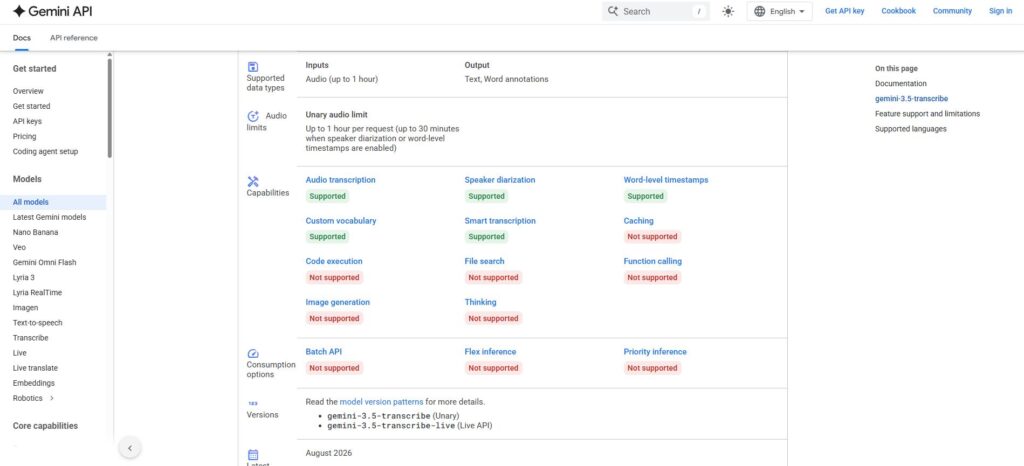
The prerecorded Gemini 3.5 Transcribe API is designed for audio files such as recorded meetings, interviews, call logs, voice notes, and dictation. Google's current workflow uses the Files API to upload an audio file and then passes that file URI to gemini-3.5-transcribe.
Several capabilities stand out:
- 85+ languages with automatic detection and code-switching
- Up to 1,000 custom vocabulary terms, with Google noting that results are typically best with up to 100 targeted terms
- Speaker diarization for up to 8 speakers, although attribution for three or more speakers is currently experimental
- Word-level timestamps for connecting transcript text to exact audio positions
- Verbatim and Smart transcription modes for different output needs
The custom-vocabulary feature makes Gemini 3.5 Transcribe particularly useful for applications dealing with brand names, product codes, medical terminology, acronyms, technical vocabulary, or other uncommon words.
There is one important configuration trade-off. Google's documentation states that Smart Transcription cannot be combined with word-level timestamps or speaker diarization. If you need detailed speaker and timing metadata, Gemini 3.5 Transcribe must use verbatim mode instead. Google also warns that enabling word-level timestamps may reduce overall transcription accuracy.
Gemini 3.5 Transcribe Live
Gemini 3.5 Transcribe Live is the streaming version of the model. Instead of waiting for a completed recording, it accepts bidirectional streaming audio over WebSockets and returns transcription continuously.
Google positions Gemini 3.5 Transcribe Live for low-latency applications such as voice agents, live captioning, conversational interfaces, and real-time speech applications. Its launch announcement describes sub-second latency for interactive voice workflows.
The Live version keeps several core Gemini 3.5 Transcribe capabilities, including automatic detection across 85+ languages, custom vocabulary, code-switching, and Smart Dictation. However, the feature set differs from prerecorded transcription. The current Live endpoint does not support speaker diarization or word-level timestamps, and Google currently limits a Live session to 10 minutes.
This distinction makes the two models suitable for different tasks. Standard Gemini 3.5 Transcribe is better suited to recorded audio where detailed metadata matters; Gemini 3.5 Transcribe Live is more relevant when transcription has to happen while someone is still speaking.
Key Features, Languages, and Pricing
Google published several performance figures when announcing Gemini 3.5 Transcribe. According to the company, Artificial Analysis measured an average Word Error Rate of 2.6% for non-streaming transcription and 4.0% for streaming transcription. Google also reports a 70% improvement in time to final transcription compared with Chirp 3. On Google's reported FLEURS evaluation across selected languages and locales, the model reached 5.04% WER in non-streaming mode and 5.50% in streaming mode.
These benchmarks are useful reference points, but they should not be interpreted as a universal accuracy guarantee. Real performance still depends on accents, overlapping speakers, recording quality, background noise, vocabulary, and the particular Gemini 3.5 Transcribe configuration being used.
Gemini 3.5 Transcribe pricing is also relatively easy to evaluate because Google publishes both token prices and estimated per-minute equivalents. The paid tier currently lists audio input at about $0.003/min and text output at about $0.002/min, for an estimated blended Gemini 3.5 Transcribe price of approximately $0.005/min. For Gemini 3.5 Transcribe Live, Google's estimated blended rate is approximately $0.009/min. A free tier is also currently available.
Where Gemini 3.5 Transcribe Works Best
Real-Time Speech and Voice Applications
The strongest case for Gemini 3.5 Transcribe appears when speech recognition itself is the core product capability.
A voice agent needs low latency and continuous recognition. A dictation product may care about automatic formatting and self-correction. A call-transcription product may need language switching and domain vocabulary. In these situations, Gemini 3.5 Transcribe is solving the central technical problem rather than merely acting as one component of a larger media pipeline.
Gemini 3.5 Transcribe Live makes this particularly clear. Google built a dedicated streaming model rather than asking developers to repeatedly submit audio chunks to the prerecorded endpoint. That architecture makes it well aligned with live captions, conversational AI, real-time customer support, and voice-driven interfaces.
Smart Transcription, Timestamps, and Speaker Diarization
For prerecorded content, Gemini 3.5 Transcribe provides useful control over how a transcript is produced.
If the priority is readability, Smart Transcription can remove disfluencies and organize speech into cleaner text. If the priority is analysis, verbatim mode can preserve the spoken record while adding speaker diarization and word-level timestamps.
That flexibility makes Gemini 3.5 Transcribe API suitable for interviews, call logs, meetings, research recordings, and professional speech workflows. The important point is to choose the correct mode: Smart output and detailed timestamp/diarization metadata cannot currently be enabled together.
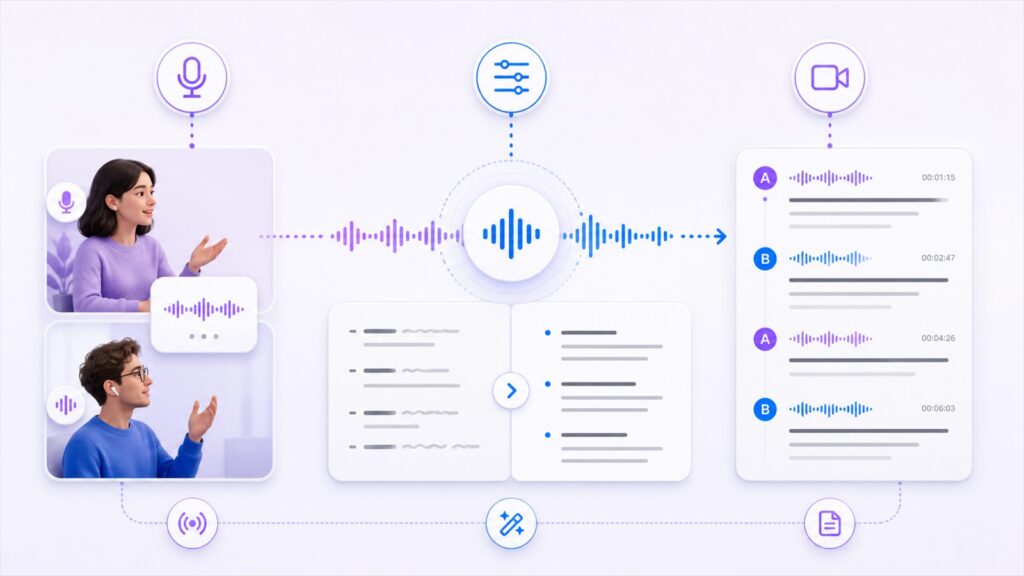
Where Gemini 3.5 Transcribe May Need Extra Workflow Setup
A capable speech model does not necessarily remove every step in a video transcription pipeline. This is where the practical limitations of Gemini 3.5 Transcribe become more relevant.
Long Video and File Handling
Google currently limits standard Gemini 3.5 Transcribe audio requests to 1 hour. When speaker diarization or word-level timestamps are enabled, audio processing is limited to 30 minutes. The Live model has a 10-minute maximum session.
For a 15-minute call, those limits may barely matter. For a 90-minute lecture, two-hour podcast, webinar archive, or long-form YouTube interview, they can change the implementation.
A developer may need to split long media into multiple segments, submit several Gemini 3.5 Transcribe API requests, keep the chunks in the correct order, adjust timestamps, and merge the transcript afterward. That is achievable, but it becomes part of the application's surrounding infrastructure rather than something the transcription model handles automatically.
Video URLs and Social Platform Inputs
The official Gemini 3.5 Transcribe documentation focuses on audio-file transcription. Google's example workflow uploads an audio file through the Files API and supplies it to the model as an audio input.
That is straightforward when an application already has an MP3 or WAV file. It is a different problem when the user enters a YouTube, TikTok, Instagram, Facebook, X, or Bilibili URL.
Those platform URLs are not native Gemini 3.5 Transcribe transcription inputs in Google's current documentation. Developers building around those sources therefore need an external media-handling layer before sending compatible audio into the model.
This is one of the biggest practical differences between an ASR model and a video-oriented transcription API.
Subtitle Formats and Structured Outputs
The same distinction appears after transcription. Gemini 3.5 Transcribe returns the complete transcript text and can provide detailed word annotations with timestamps and speaker information.
But many video products ultimately need more than transcript text. A captioning product may need SRT or VTT. A video-search tool may need consistent JSON. An interactive transcript player needs timing metadata, while an AI agent may need standardized output regardless of whether the original source is YouTube, TikTok, or an uploaded MP4.
When these become core product requirements, Gemini 3.5 Transcribe may need extra workflow logic for media handling and output formatting. Video Transcriber AI Transcript API takes a broader approach by combining multi-source video input with structured transcript and subtitle outputs.
What Is Video Transcriber AI Transcript API?
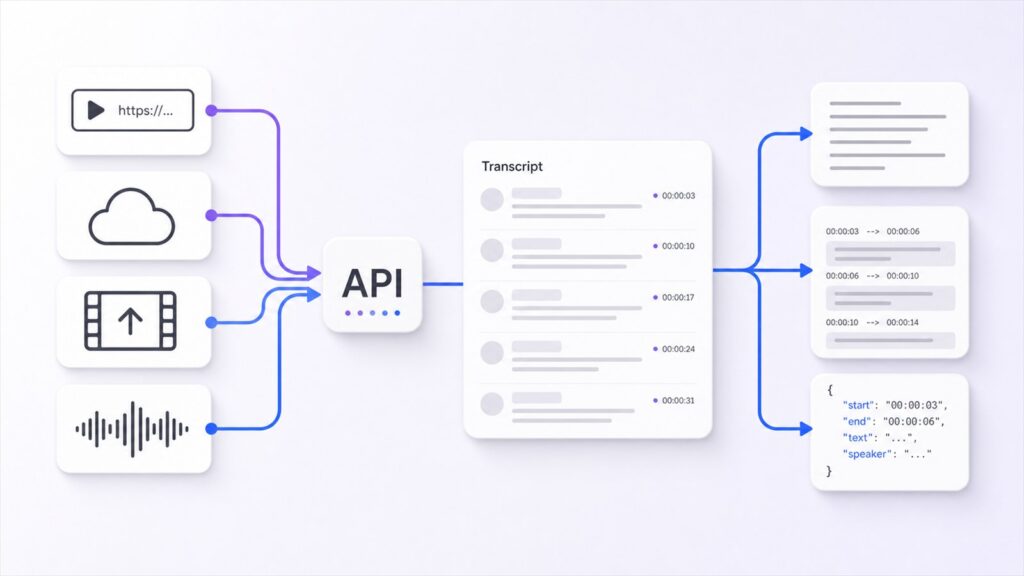
Video Transcriber AI Transcript API approaches transcription from a different layer. Instead of focusing primarily on the underlying speech-to-text model, it is designed around a multi-source media transcription workflow.
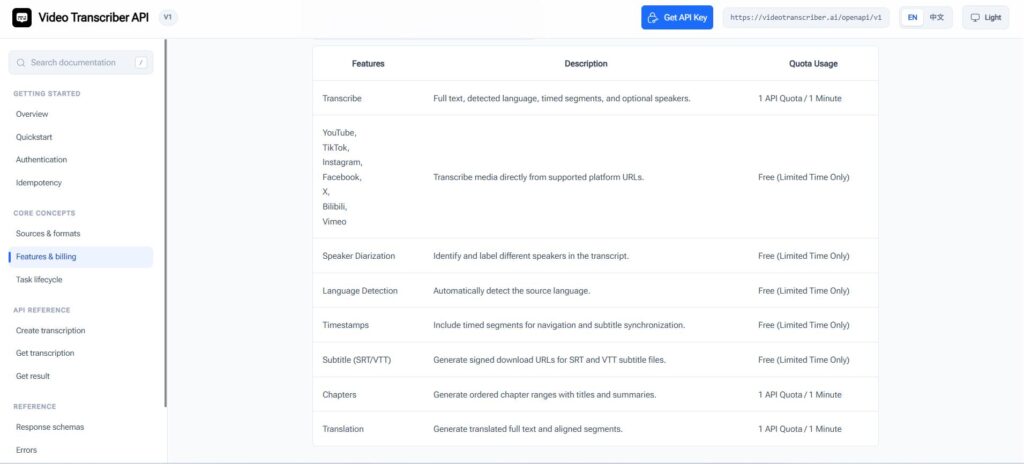
The API accepts supported audio, video, social-platform links, cloud links, and file uploads through one REST endpoint. It currently supports 200+ languages, speaker diarization, timestamps, structured JSON, and subtitle formats including SRT and VTT.
This does not make Video Transcriber AI a direct replacement for every Gemini 3.5 Transcribe use case. Real-time voice transcription and custom vocabulary remain clear strengths of Google's model. Video Transcriber AI becomes more relevant when developers need to process multiple kinds of media through one predictable workflow.
Multi-Source Video and Audio Inputs
Video Transcriber AI currently lists direct support for YouTube, TikTok, Instagram, Facebook, X, Bilibili, Google Drive, Dropbox, and direct file uploads. Those sources use a common request structure and response schema.
For a social listening tool, video summarizer, creator dashboard, educational platform, media-monitoring system, or AI agent, this can remove a meaningful amount of source-specific handling.
Instead of building separate ingestion steps before calling Gemini 3.5 Transcribe, the developer can submit supported media sources through the Transcript API itself.
200+ Languages, Timestamps, and Subtitle Outputs
Video Transcriber AI officially advertises 200+ language support with automatic language detection. Its Transcript API also returns speaker information and timestamped transcript data and supports TXT, JSON, SRT, and VTT output.
The pricing page additionally lists support for local audio and video files up to 5 GB, including formats such as MP3, WAV, MP4, and MOV, together with direct URL support for major video platforms.
These capabilities are especially relevant when transcription is not the final product. If the transcript will feed a subtitle player, search engine, video summarizer, RAG workflow, or content-analysis agent, standardized output can reduce downstream processing.
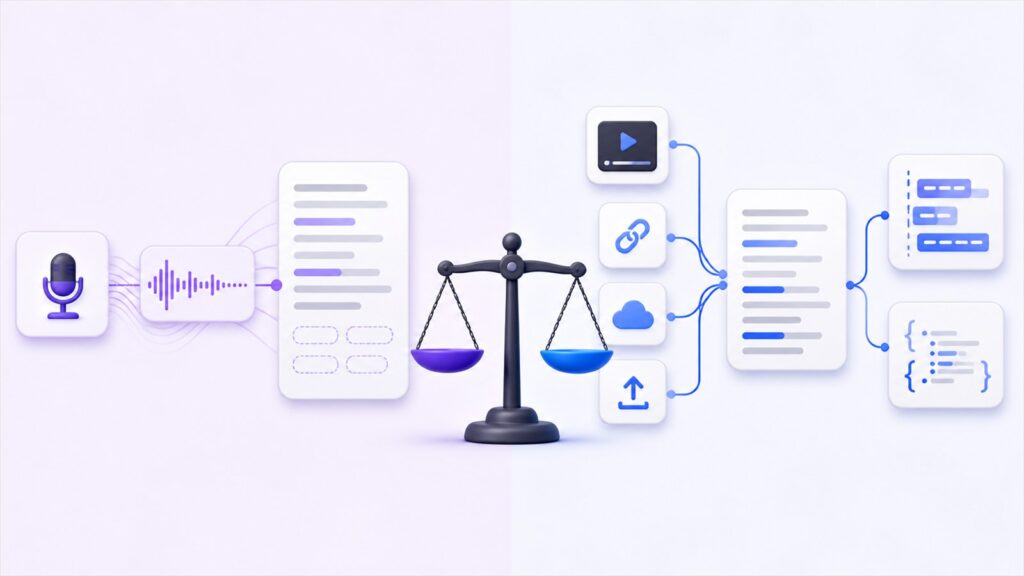
Gemini 3.5 Transcribe vs Video Transcriber AI: Quick Comparison
Inputs, Languages, Live Transcription, and Outputs
The clearest comparison is not simply “which API has more features?” It is which part of the transcription workflow each service is designed to solve.
| Feature | Gemini 3.5 Transcribe | Video Transcriber AI Transcript API |
| Primary focus | Speech-to-text model | Multi-source media transcription workflow |
| Prerecorded transcription | Yes | Yes |
| Live transcription | Yes, via Gemini 3.5 Transcribe Live | Not the core focus |
| Language support | 85+ languages | 200+ languages |
| Word-level timestamps | Yes, prerecorded only | Yes |
| Speaker diarization | Yes, prerecorded only | Yes |
| Custom vocabulary | Up to 1,000 terms | Not a core advertised feature |
| Smart transcription | Yes | Not a core advertised feature |
| YouTube URL input | No native URL input | Directly supported |
| TikTok / social video input | No native URL input | Multiple platforms supported |
| Long-form workflow | Up to 60 min; 30 min with timestamps or diarization | Built around media transcription workflows |
| Subtitle formats | No native SRT/VTT output | SRT and VTT |
| Structured output | Transcript text and annotations | JSON plus TXT/SRT/VTT |
| Pricing | Free tier; paid Transcribe ~$0.005/min, Live ~$0.009/min | From $0.24/hour (~$0.004/min); down to $0.12/hour (~$0.002/min) at the highest listed volume |
| Best fit | Voice, ASR, live speech | Video, social media, content pipelines |
Google's language, duration, Live, timestamp, diarization, vocabulary, and pricing figures above come from current Gemini documentation. Video Transcriber AI's platform, output, language, and API pricing figures come from its current Transcript API and pricing pages.
The comparison shows why neither platform wins every category. Gemini 3.5 Transcribe has the stronger feature set for real-time speech, custom vocabulary, and intelligent dictation. Video Transcriber AI handles a wider range of video sources and provides more video-ready output formats directly.
Pricing and Workflow Complexity
Gemini 3.5 Transcribe pricing starts from Google's estimated paid blended rate of approximately $0.005/min, while Gemini 3.5 Transcribe Live is approximately $0.009/min. Google also currently offers a free tier for these models.
Video Transcriber AI uses prepaid API quotas. Its official pricing page currently lists 3,000 transcription minutes for $12, displayed as $0.24/hour, which is approximately $0.004/min. At the largest listed package, 600,000 minutes cost $1,200, displayed as $0.12/hour, or approximately $0.002/min. Credits are sold as a one-time purchase and do not expire.
Price alone does not tell the entire story. With Gemini 3.5 Transcribe, a team may still need to build media acquisition, long-file segmentation, platform URL handling, subtitle conversion, and output normalization. Video Transcriber AI packages more of those steps into the transcription workflow.
For that reason, developers should compare not only transcription cost per minute, but also the engineering work required before and after the transcription request.
Which API Is Better for Your Workflow?
Choose Gemini 3.5 Transcribe for Live Speech and ASR
Choose Gemini 3.5 Transcribe when speech recognition is the core problem you need to solve.
It is particularly strong for voice agents, live captioning, call transcription, professional dictation, meeting transcription, and applications that benefit from custom vocabulary. If low-latency streaming matters, Gemini 3.5 Transcribe Live is the obvious advantage because it is built specifically around real-time audio.
The ability to choose between Smart and verbatim transcription also gives developers more control over whether they want polished readable text or detailed transcript metadata.
Choose Video Transcriber AI for Video and Multi-Platform Workflows
Video Transcriber AI is more compelling when the workflow starts with videos and URLs rather than clean audio.
For example, an application may need to process a YouTube interview today, a TikTok video tomorrow, an MP4 upload later, and a Bilibili lecture after that. In this scenario, using one Transcript API for multiple sources can be more practical than maintaining separate media-processing steps around Gemini 3.5 Transcribe.
Video Transcriber AI is therefore worth considering for video research, social media monitoring, subtitle generation, media archives, video summarization, educational content, content repurposing, searchable video libraries, and AI-agent workflows.
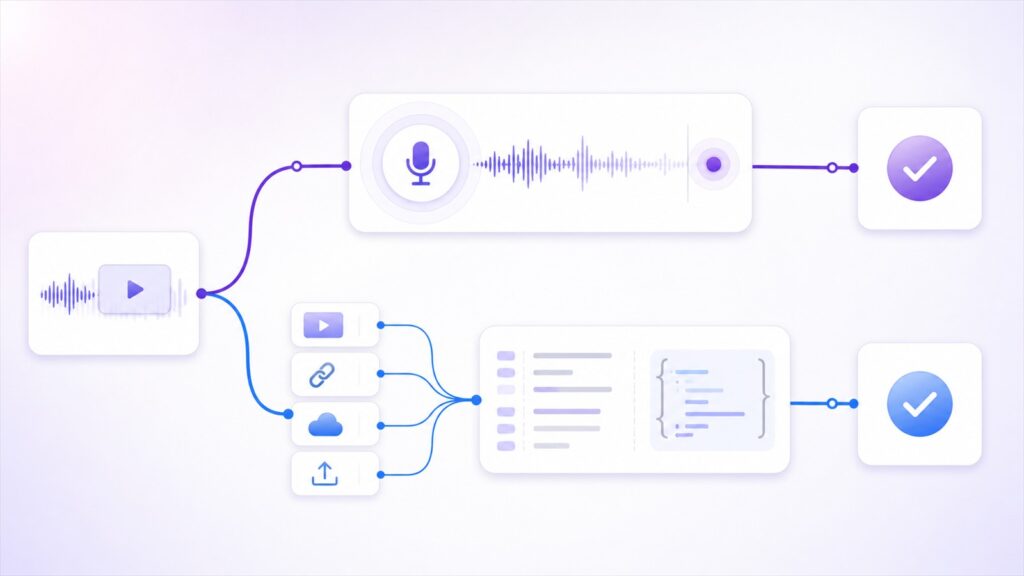
The distinction is simple: Gemini 3.5 Transcribe is primarily a speech-to-text model API; Video Transcriber AI is primarily a multi-source media transcription API.
Frequently Asked Questions About Gemini 3.5 Transcribe
What Is Gemini 3.5 Transcribe Live?
Gemini 3.5 Transcribe Live is Google's low-latency streaming version of Gemini 3.5 Transcribe. It accepts bidirectional streaming audio over WebSockets and is intended for real-time transcription applications such as live captions and voice agents. It currently supports 85+ language detection and custom vocabulary but does not support speaker diarization or word-level timestamps. Live sessions are currently limited to 10 minutes.
How Much Does Gemini 3.5 Transcribe Cost?
Google currently estimates Gemini 3.5 Transcribe pricing at approximately $0.005 per minute on the paid tier when audio-input and text-output costs are combined. Gemini 3.5 Transcribe Live has an estimated blended cost of approximately $0.009 per minute. Google currently provides a free tier as well.
Can Gemini 3.5 Transcribe Handle YouTube or TikTok Videos Directly?
The current Gemini 3.5 Transcribe API documentation describes audio-file input through Google's Files API. YouTube and TikTok URLs are not listed as native transcription inputs, so developers generally need to handle media acquisition before submitting compatible audio to Gemini 3.5 Transcribe.
Video Transcriber AI directly lists YouTube, TikTok, Instagram, Facebook, X, Bilibili, Google Drive, Dropbox, and file uploads among its supported Transcript API sources.
What Is a Good Gemini 3.5 Transcribe Alternative for Video Workflows?
The best Gemini 3.5 Transcribe alternative depends on the workflow. If the priority is real-time voice, smart dictation, or domain-specific vocabulary, Gemini 3.5 Transcribe itself remains a strong choice.
If the main problem is processing videos from multiple platforms and turning them directly into structured transcripts, subtitles, timestamps, and JSON, Video Transcriber AI provides a more video-oriented alternative. The key difference is not simply transcription quality—it is how much of the surrounding media workflow the API handles.
Final Verdict
Gemini 3.5 Transcribe is one of the most notable speech-to-text releases of 2026. Google has combined 85+ language recognition, multilingual code-switching, custom vocabulary, Smart Transcription, speaker diarization, word-level timestamps, and a dedicated Live model into one transcription family. Google's published benchmarks and approximately $0.005/min blended paid pricing also make Gemini 3.5 Transcribe an attractive model to test for new speech applications.
For voice agents, live captions, smart dictation, calls, and other speech-first applications, Gemini 3.5 Transcribe has clear strengths. Gemini 3.5 Transcribe Live is particularly valuable when real-time performance matters.
But video transcription introduces different problems. Long media, platform URLs, cloud files, subtitle formats, multiple sources, and standardized transcript outputs all sit outside the core speech-recognition task.
Video Transcriber AI Transcript API addresses more of that surrounding workflow directly. It supports multiple video platforms and file sources, 200+ languages, speaker information, timestamps, and TXT, JSON, SRT, and VTT output through one media-oriented API.
So the practical choice is not simply whether Gemini 3.5 Transcribe or Video Transcriber AI has the longer feature list. Choose Gemini 3.5 Transcribe when accurate speech recognition, Smart Transcription, custom vocabulary, or real-time ASR is the core requirement. Consider Video Transcriber AI when the bigger challenge is moving from video source to structured, subtitle-ready transcript data across multiple platforms.
For developers building around online video rather than speech alone, that workflow difference may matter more than the transcription model itself.