


Finding a reliable transcriber of wav file in 2026 should be simple. You have a recording sitting on your drive, you want the words on a page, and you do not want to learn a new workflow to get there. The problem is that most "best transcription" lists mix video editors, meeting bots, and browser dictation into one ranking, as if they all solved the same job. They do not. A transcriber of wav file has one job: take a WAV you already recorded and turn it into clean, usable text. Here are five that do that job well.
Why You Need a Transcriber of WAV File in 2026
What a Transcriber of WAV File Actually Does for You
A transcriber of wav file turns an audio recording into written words, but the useful ones do more than spell out sound. They add speaker labels so you know who said what, stamp timestamps so you can jump to an exact moment, and export in formats your actual workflow can consume, like TXT, SRT, or VTT. That last part matters more than people expect. A raw block of text is fine for reading, but if you need captions for a video or subtitles for a podcast, the right transcriber of wav file hands you a ready-to-use file instead of making you reformat it by hand.
The payoff compounds when WAV files are your main input. WAV is the format field recorders, interview rigs, and podcast gear default to, because it is uncompressed and clean. That means the people who most need a transcriber of wav file are exactly the people dealing with long interviews, lectures, and recordings that would be a nightmare to type by hand. The right tool turns hours of audio into minutes of review.
The Real Difference Between a Transcriber of WAV File and a Meeting Bot
Here is the split most rankings blur. A meeting bot joins a live call, listens in real time, and writes notes as the meeting happens. A transcriber of wav file works on a recording that already exists. They are not the same thing, and picking the wrong one wastes your money. If your audio is a WAV you recorded yesterday, a live-call bot is irrelevant; you need something that accepts a file upload and returns text. A genuine transcriber of wav file is built around that upload-first workflow, and the five below all get it right.
5 Best Transcriber of WAV File Tools in 2026
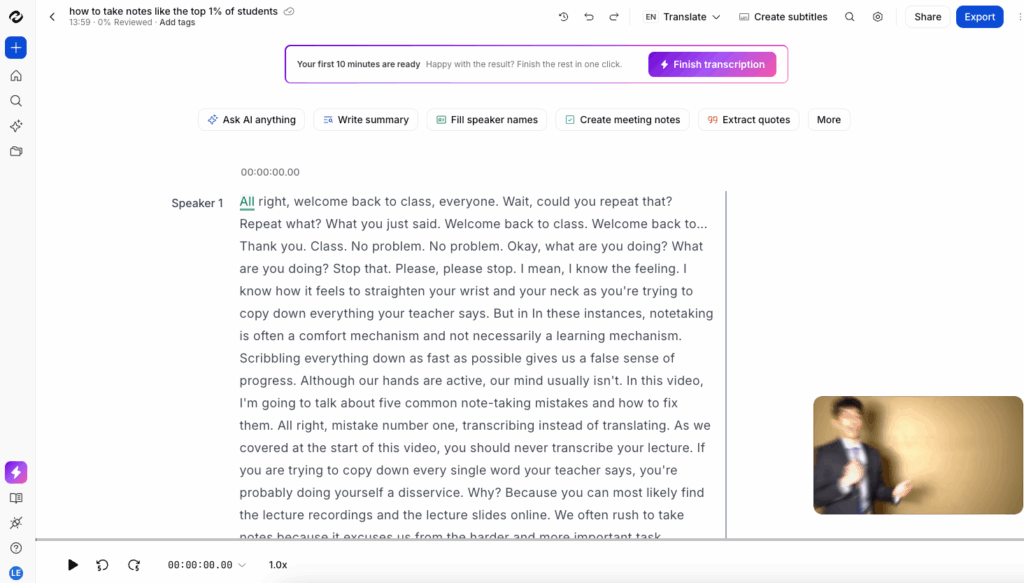
Video Transcriber AI: The Transcriber of WAV File for Video and Audio Uploads
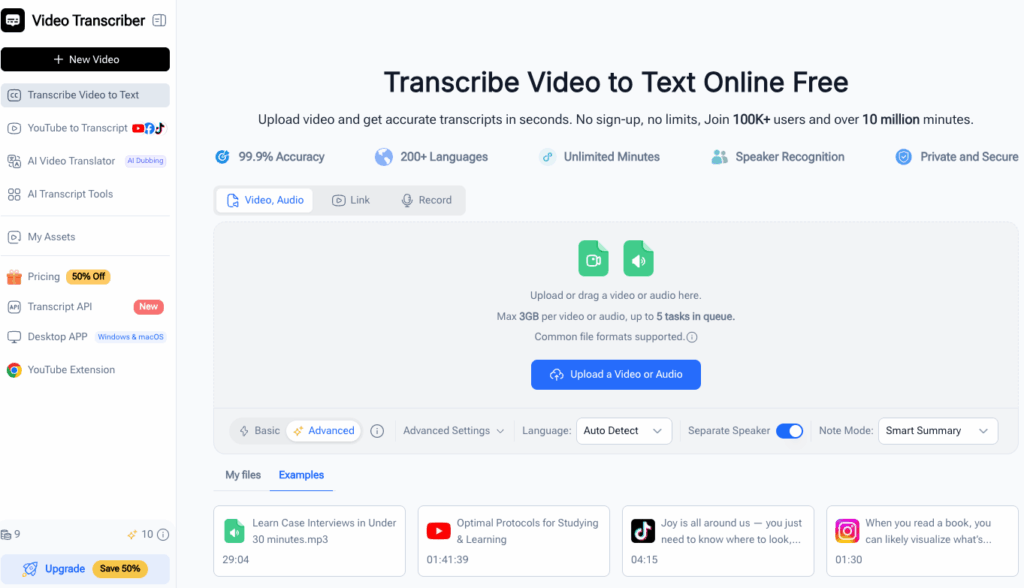
Video Transcriber AI built its WAV-to-text flow around one idea: you should be able to drop a file and get text without jumping through hoops. The free online transcriber of wav file handles batch WAV transcription with files up to 5 GB, which covers almost any interview, lecture, or podcast session you can record. A desktop app pushes that ceiling to 10 GB files, useful when a single recording runs long or you are batch-processing a folder of them.
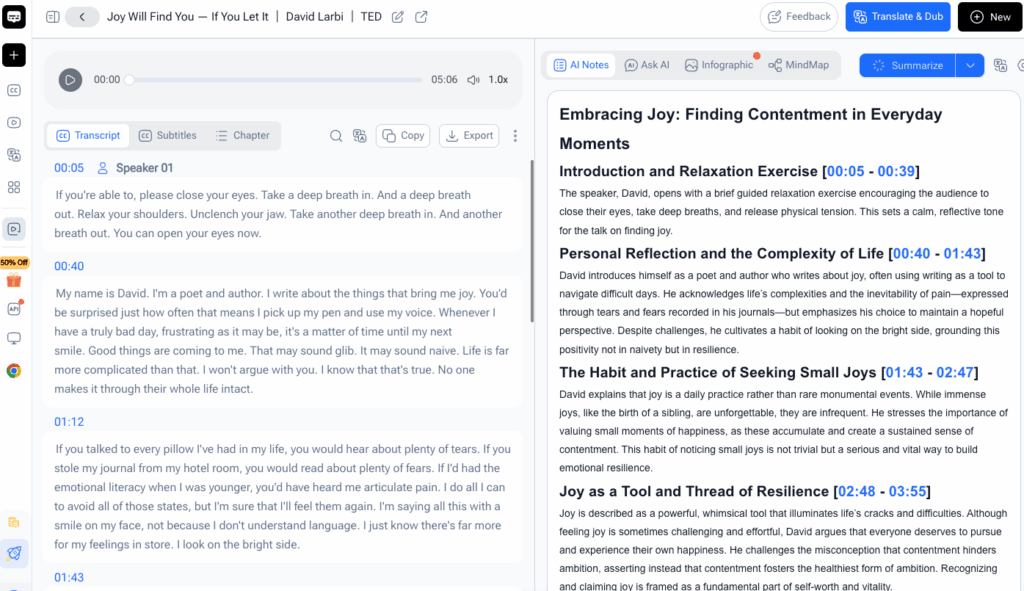
The output is built to be used, not just read. The transcriber of wav file returns speaker labels and timestamps so multi-person recordings stay readable, and the export options mean you are not stuck copy-pasting text into another tool. For anyone whose library is mostly WAV and wants a transcriber of wav file that just works on uploads, this is the place to start, and the one this guide links back to throughout.
NoteGPT: The Transcriber of WAV File That Also Summarizes Your Notes
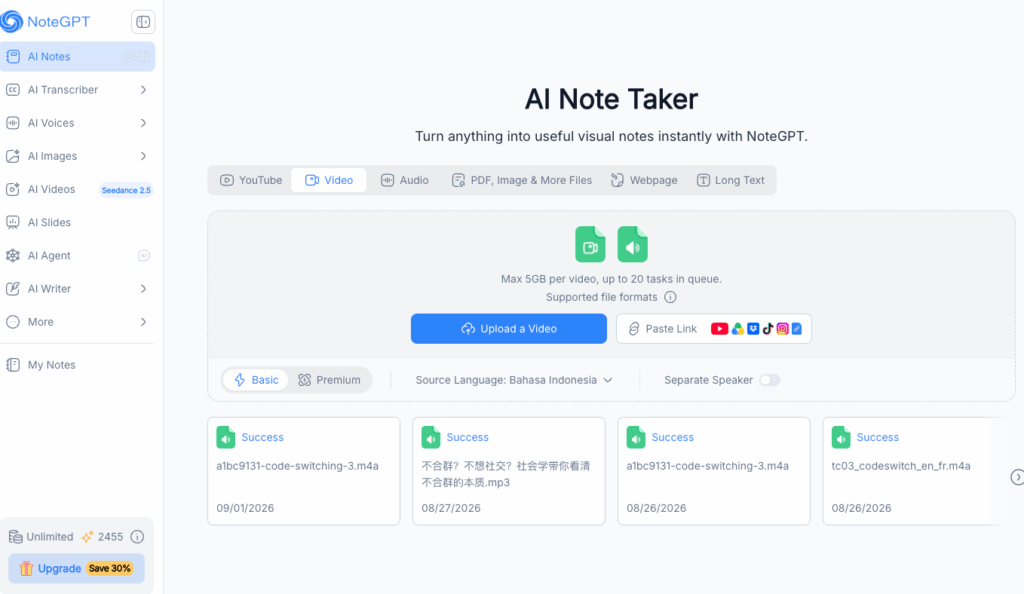
NoteGPT comes at transcription from the learning angle, and that changes what you get out of it. It is not just a transcriber of wav file; it is a tool that takes your audio, turns it into text, and then keeps going, generating summaries, structured notes, and even study aids from the result. For a student with recorded lectures or a professional turning a long meeting into something they can actually review, that extra step is the point.
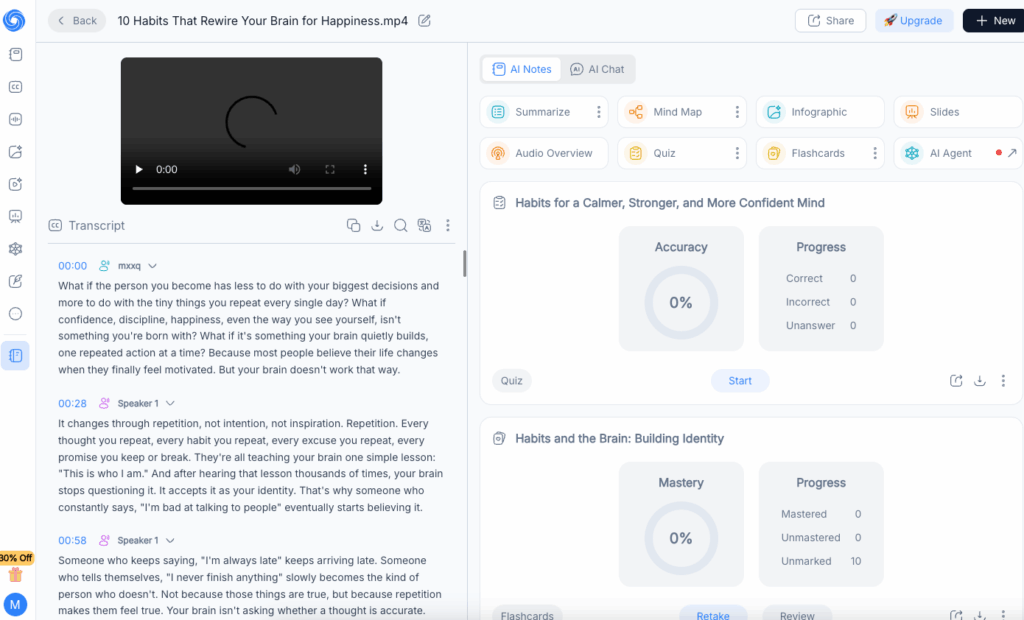
The workflow fits WAV naturally. Upload a recording and NoteGPT returns a transcript you can then summarize, chat with, or turn into flashcards, which is a fundamentally different outcome than a raw text dump. The free plan is usable for light work, which makes it a strong transcriber of wav file for anyone who wants the text and the summary in one place. If your goal is not just to read the words but to understand and reuse them, NoteGPT is the pick.
File Transcribe: The Transcriber of WAV File for Pure Audio Uploads
File Transcribe is the tool for the moment most people actually hit: the WAV is already on your computer, and you want it transcribed without signing up for anything. This transcriber of wav file lets you drop an MP3, WAV, or M4A on the page and try it as a guest, no account required for the first pass. It returns speaker-labeled segments with timestamps, then lets you fix names and jargon in an editor while playback stays in sync with the text.
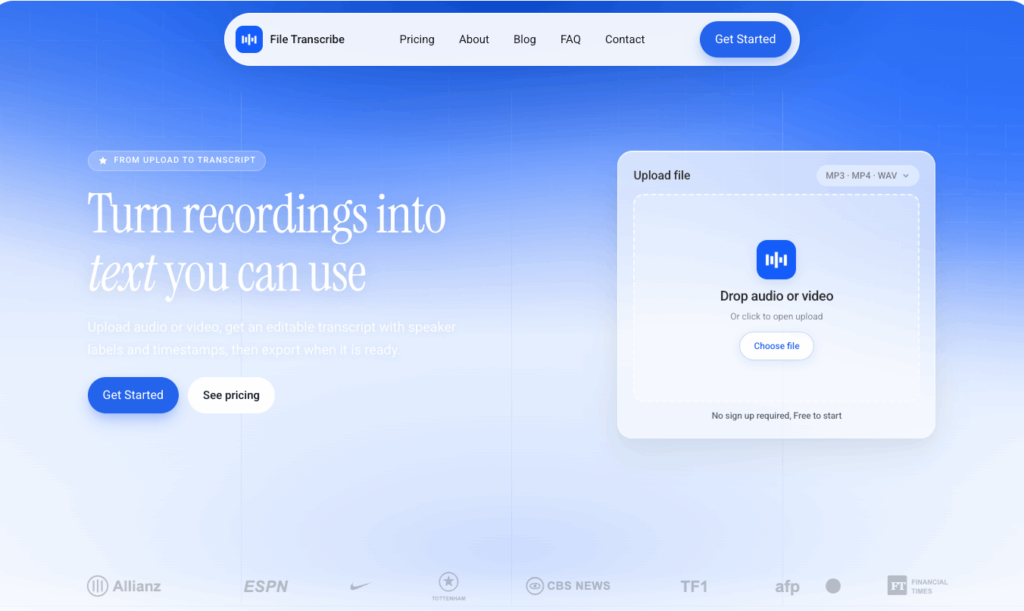
The editor is the differentiator. Most transcription tools hand you a wall of text and leave you to clean it up elsewhere; File Transcribe keeps the audio and the transcript linked so you can correct a speaker name or a jargon term in place. Export covers TXT, DOCX, PDF, SRT, and VTT, which means the output lands ready for whatever comes next. For pure upload-and-edit audio work, this is the transcriber of wav file that respects the fact that you already have the file and just want the text.
Happy Scribe: The Transcriber of WAV File for Multilingual Audio
Happy Scribe earns its spot when your recordings are not all in one language. It covers a long list of languages and adds an optional human proofreading pass for audio where a wrong word would be expensive, like a legal interview or a client deliverable. That human-in-the-loop option is rare among transcriber of wav file tools, and it is the reason teams with accuracy-sensitive content keep coming back.
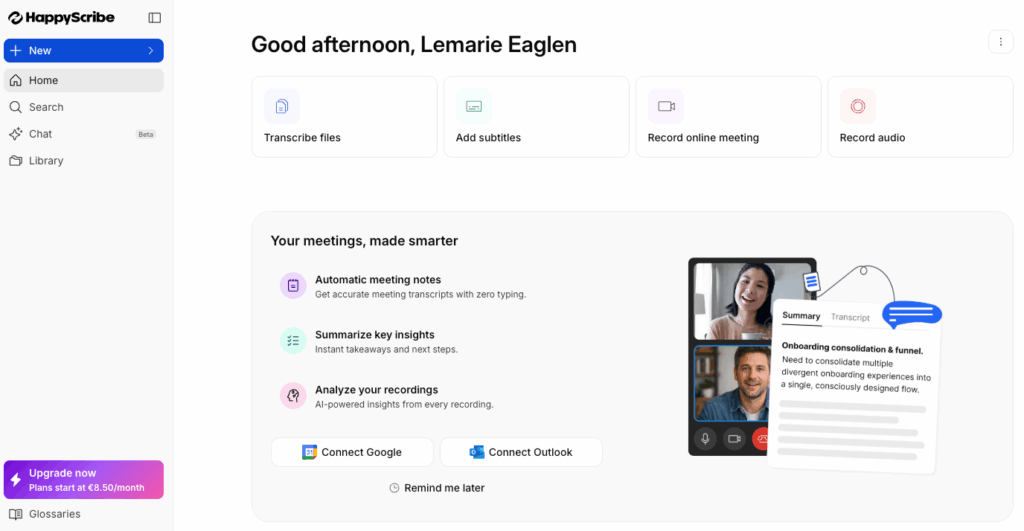
The trade-off is that the AI tier is not the cheapest, and the free tier is thin. What you are paying for is confidence: an AI draft you can escalate to a human when it matters, plus subtitle-oriented export if your WAV will eventually pair with video. For multilingual audio or anything headed to a client that needs sign-off, Happy Scribe is the transcriber of wav file that treats accuracy as something you can actually verify.
Whisper: The Transcriber of WAV File That Runs Locally
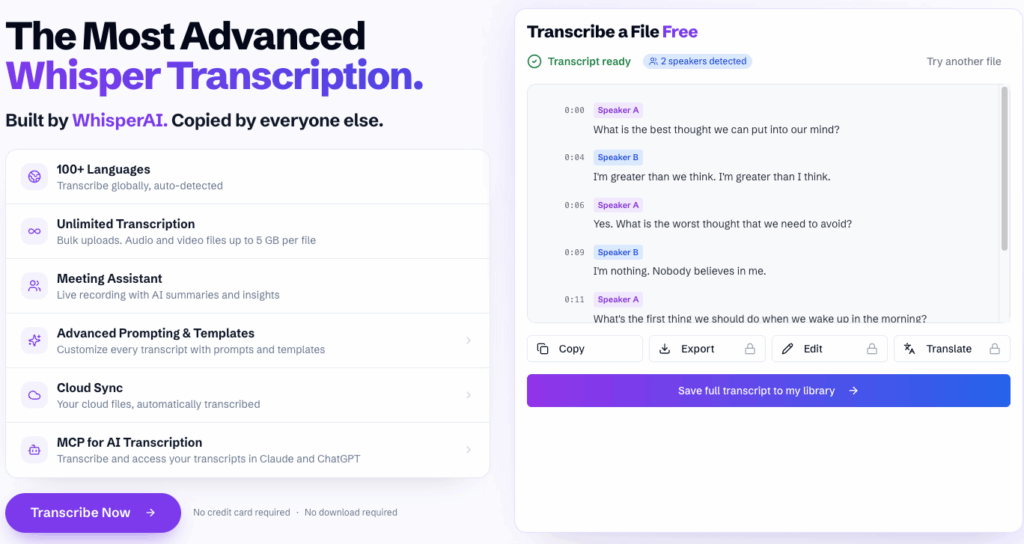
Whisper is the open-source option that never touches a cloud server unless you want it to. Run it locally and your WAV never leaves your machine, which matters when the audio is confidential, a legal recording, or anything with a privacy clause attached. That control is the entire pitch, and for the right user it beats every hosted feature in the list.
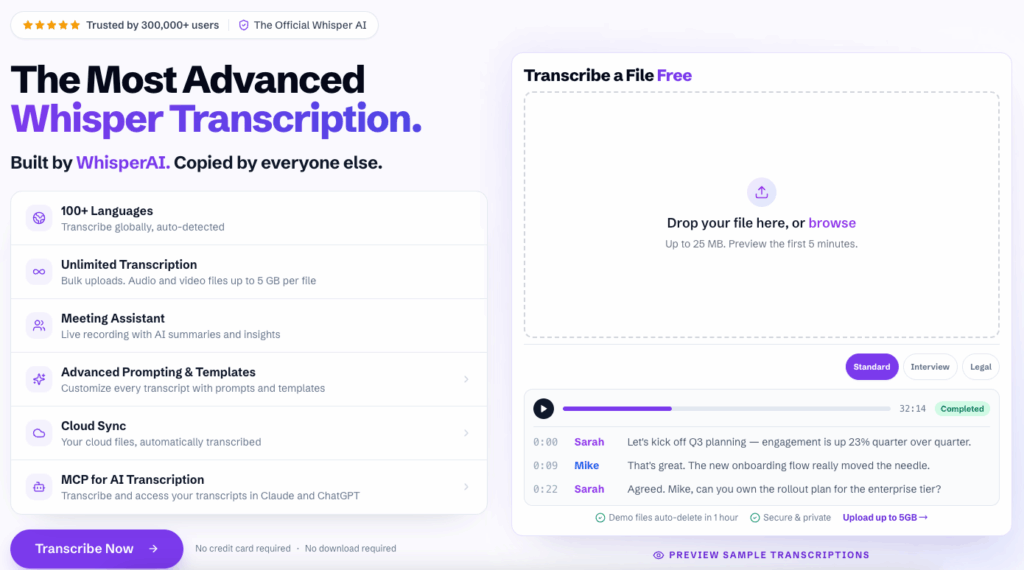
The catch is that "free" here means free software, not free effort. A transcriber of wav file built on Whisper needs some technical comfort, reasonable hardware, and usually a desktop wrapper or a bit of Python to get running. Accuracy is strong, especially on accented and noisy audio, and there are no usage limits or monthly caps to worry about. For privacy-first transcription or anyone already comfortable at a command line, Whisper is the transcriber of wav file that puts your data entirely in your hands.
Here is the quick comparison of all five, side by side:
| Tool | Best For | Free Plan | Standout Feature |
| Video Transcriber AI | Video and audio uploads, batch WAV | Free, files up to 5 GB | Speaker labels and timestamps included |
| NoteGPT | Transcription plus summaries and notes | Free plan available | AI summaries and study aids on top of the text |
| File Transcribe | Pure audio upload with editing | Guest try, no signup needed | Editor stays synced to audio playback |
| Happy Scribe | Multilingual audio, human review | Limited free tier | Optional human proofreading pass |
| Whisper | Private, offline processing | Free, open source | Runs locally, no usage limits |
How to Pick the Right Transcriber of WAV File for Your Audio
Match Your Transcriber of WAV File to Your Recording Source
Start with where your WAV files come from, not a feature checklist. If you record interviews on a field recorder or pull podcast audio from a mixer, a pure upload transcriber of wav file like File Transcribe or Video Transcriber AI fits cleanly. Choosing the right transcriber of wav file starts with that source question, because a tool built for live calls is wasted on a file you recorded yesterday. If your recordings are lectures you also want summarized into study notes, NoteGPT adds the extra layer you actually need. If the audio spans languages or needs a human sign-off, Happy Scribe is the safer bet. If it is confidential and must not leave your machine, Whisper is the only honest answer.
Then weigh volume and size. A transcriber of wav file with a 5 GB upload ceiling handles long sessions and batch folders, while some tools cap files far lower. Speaker labels and timestamps matter if your WAV is an interview with two or three voices, and export format matters if the text has to become captions or subtitles downstream. Match the tool to the source and the output, and the choice mostly makes itself.
Free vs. Paid: When a Transcriber of WAV File Is Worth Paying For
The free transcriber of wav file options handle a surprising amount of real work, and you should start there to validate the workflow before spending anything. The moment a free tier stops you, it is usually one of three things: a file size cap, a monthly minute limit, or a missing feature like human review or deeper export. When you hit one of those, paying is no longer optional, it is the cheaper option than losing the time. The key is to start free, confirm the transcriber of wav file fits your actual recordings, and only then upgrade for the specific limit you actually hit.
FAQ About Transcriber of WAV File Tools
How Accurate Is a Transcriber of WAV File on Noisy Recordings?
Accuracy depends far more on your audio than on the tool's marketing number. WAV files are uncompressed, which already gives a transcriber of wav file a cleaner signal than a compressed MP3, but background noise, overlapping speakers, and heavy accents still degrade results. The stronger models, including Whisper, handle noisy and accented audio better than average. The only way to know is to run a representative clip through a candidate transcriber of wav file before committing, because a tool that wins a clean benchmark can lose on your specific recording.
Can a Transcriber of WAV File Handle Long Files and Multiple Speakers?
Yes, but the limits vary by tool. Speaker labels and timestamps are now standard in the leading transcriber of wav file options, which keeps a two or three person interview readable. Long files are where upload-first tools shine, since a WAV with a 5 GB ceiling covers multi-hour sessions that a live bot or a low-cap uploader would split. If you regularly transcribe long recordings, check the file size cap and whether the transcriber of wav file returns timestamps you can use before you commit.
Is a Free Transcriber of WAV File Private Enough for Sensitive Audio?
For most recordings, the reputable free transcriber of wav file tools are fine, and they publish their compliance and data policy. For genuinely sensitive audio, a local option is the only clean answer, and that is where Whisper earns its spot, because the file never leaves your machine. The practical rules apply regardless: know where your audio is stored, check whether the tool trains on your data, and if the recording is confidential, lean toward a local transcriber of wav file rather than trusting a cloud upload.
Conclusion
The best transcriber of wav file in 2026 is the one that matches where your audio comes from and what you need back. If you want a free, batch-friendly upload that handles WAV up to 5 GB with speaker labels and timestamps, Video Transcriber AI is built for exactly that. If you also want summaries and notes on top of the transcript, NoteGPT adds the extra layer. If you just need to upload and edit a file fast, File Transcribe is the cleanest path. If the audio is multilingual or needs human review, Happy Scribe is the safer bet. If it must stay offline, Whisper is the only honest answer. Start with a free transcriber of wav file, test it on a real recording, and stop typing audio by hand.