


Bilibili hosts tutorials, reviews, lectures, anime commentary, gaming videos, and a large amount of Chinese-language content. But for viewers who don't read Chinese—or anyone trying to study, quote, translate, or reuse a video—the challenge is the same: how do you get Bilibili subtitles when the video shows no usable captions?
The answer depends on what the video provides. Some videos include creator-uploaded or platform-generated captions; others show only danmaku, which is not subtitles. Often the most practical way to get Bilibili subtitles is to extract an existing caption track or generate a transcript from the audio with AI.
This guide covers how to find, download, generate, translate, and export Bilibili subtitles in 2026, and when a subtitle downloader is enough versus when AI transcription makes more sense.
Why Bilibili Subtitles Can Be Hard to Find
Text on a Bilibili video does not always mean real captions are available.
Danmaku are viewer comments that scroll across the screen — reactions and context, not a transcript of what the speaker says. Bilibili subtitles, by contrast, are timed captions of dialogue or narration. Extracting danmaku does not give you usable Bilibili subtitles.
Availability is another issue: a subtitle downloader can only extract a caption track that exists. If none is found, the fix is to transcribe the audio and create new Bilibili subtitles.
This distinction determines which method you need: extract when captions exist, transcribe when they do not.
How to Get Bilibili Subtitles: 4 Practical Methods
1. Use Bilibili’s Built-In Subtitles
Start by checking whether the video already provides captions in the player.
When built-in Bilibili subtitles are available, they're the simplest option for just watching — no extra tool needed.
Built-in Bilibili subtitles depend on an available caption track. If captions are missing, Chinese-only, or hard to reuse outside the player, use another method.
2. Download Existing Bilibili Subtitles
If the video already has captions and you want a reusable file, a Bilibili subtitle downloader can extract the track.
Downloading Bilibili subtitles helps with offline reading, video editing, study notes, and timestamped references. SRT and VTT preserve timing; TXT is easier for reading and notes.
Downloading Bilibili subtitles and generating them are different operations. A pure extractor reads existing captions and may return nothing if none exist. Some newer tools, like BibiGPT, add AI transcription as a fallback when captions are missing.
3. Generate Missing Bilibili Subtitles with AI
When there is no usable caption track, AI transcription can create Bilibili subtitles from the speech.
This works well for lectures, interviews, tutorials, reviews, and other long-form videos that have no existing captions to extract.
A Bilibili transcript generator solves a different problem than a downloader: the downloader checks whether captions exist, while AI transcription figures out what is being said.
For captionless videos, this is often the most flexible way to generate Bilibili subtitles.
4. Translate Bilibili Subtitles into English
For viewers who don't read Chinese, getting the text is only half the job — the next step is translating Chinese Bilibili subtitles into English.
If Chinese captions already exist, extract and translate them. If there are no captions, generate a transcript first and translate the result.
The workflow is:
Video speech → Bilibili subtitles/transcript → English translation
Keeping transcription and translation separate makes names, terms, and timestamps easier to review before translating.
Best Tools to Get Bilibili Subtitles in 2026
Different tools solve different parts of the problem — some extract existing Bilibili subtitles, others generate text from audio or add summaries and automation.
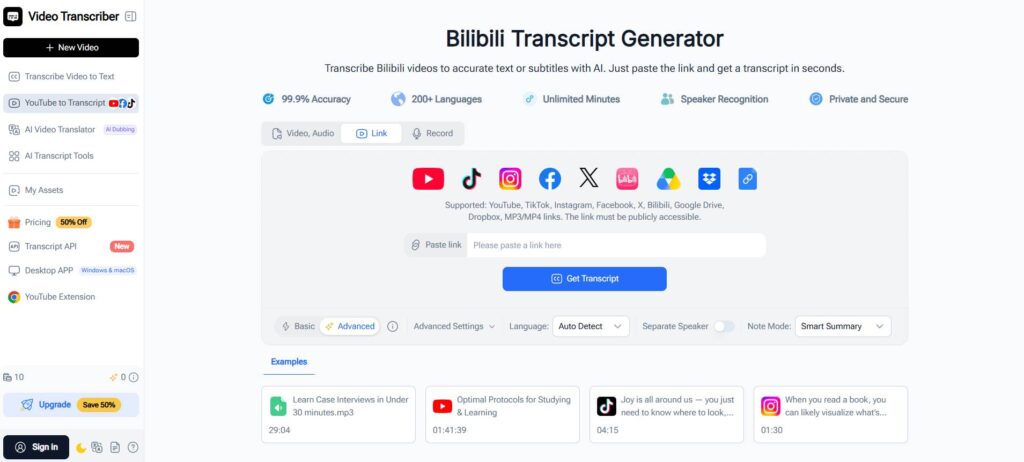
1. Video Transcriber AI - Best for AI-Generated Subtitles and Transcript Workflows
Video Transcriber AI goes beyond a raw subtitle file. Its Bilibili Transcript Generator offers:
- Searchable transcript or subtitles with timestamps, generated from a public Bilibili link
- Speaker recognition plus multiple accuracy modes to balance speed and precision
- Built-in editing, AI summary, and transcript Q&A
- Free to start with no sign-up required, across 200+ supported languages
This makes it a practical choice when Bilibili subtitles are part of a study, research, translation, or content-review workflow rather than a one-time download. For higher volumes, its Transcript API extends the same workflow to batch and automated processing.
2. BibiGPT - Best for Subtitle Extraction with AI Fallback
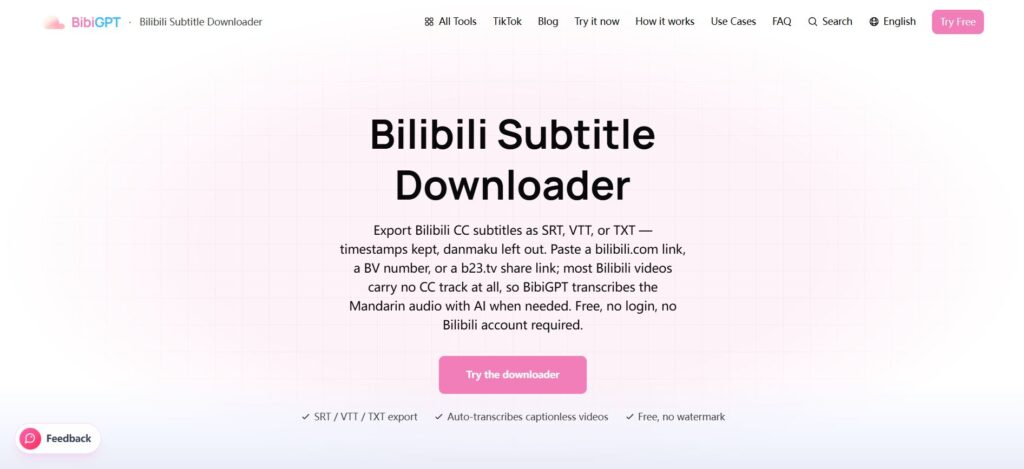
BibiGPT focuses on subtitle extraction and export, with:
- Creator-uploaded or Bilibili auto-captions first, AI-transcribed audio when none exist
- Export as SRT, VTT, TXT, or Markdown, with timestamps preserved
- One-click translation into 5 languages, including a bilingual SRT download
- AI summary and mind map generated from the extracted subtitles
It is a good fit when your main goal is to download Bilibili subtitles quickly while keeping a fallback for captionless videos.
3. Vocova - Best for Long and Multi-Part Bilibili Videos
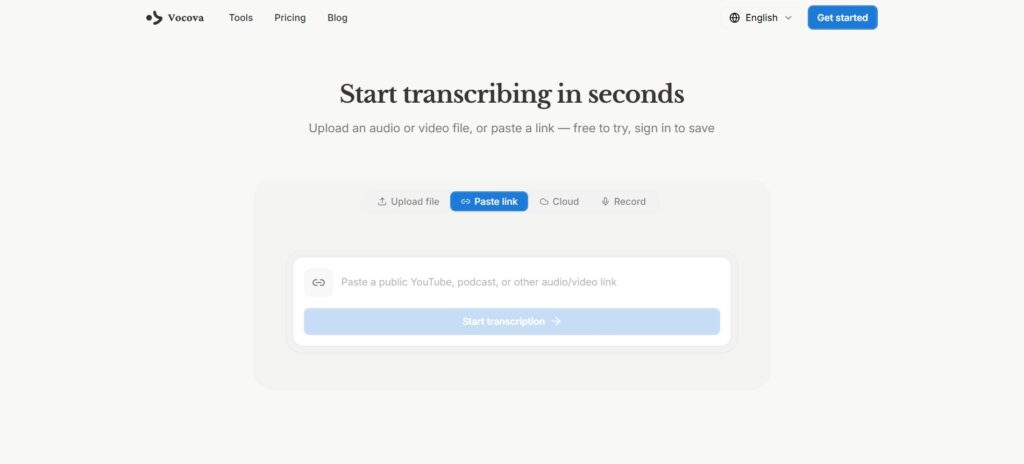
Vocova supports BV and AV links, with:
- Selection of specific parts from multi-part videos, plus speaker diarization and word-level timestamps
- Translation into 140+ languages with a side-by-side bilingual view
- Export as PDF, DOCX, SRT, VTT, TXT, or CSV
- Cloud-based editing and shareable links, with a free plan covering 30 minutes of transcription
This is helpful for long courses or P1/P2/P3-style series where Bilibili subtitles need to be handled by section.
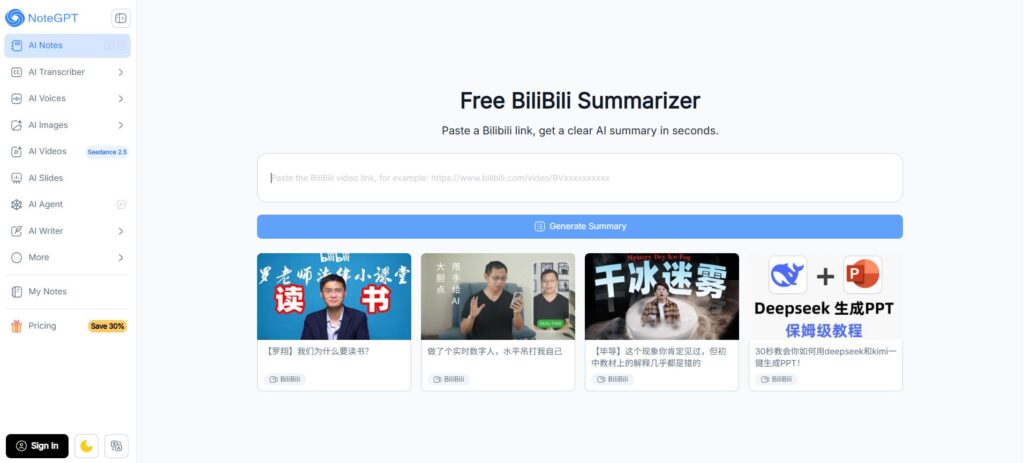
4. NoteGPT — Best for Quick Bilibili Video Summaries
NoteGPT's BiliBili Summarizer:
- Turns a Bilibili link into a full transcript, structured summary, and mind map
- Timestamped key points that jump straight to the matching part of the video
- Bilingual output: Chinese transcript with optional English translation, exportable as text or Markdown
- Free to use, with no credit card required
That makes it a good fit for students and creators who want a fast summary and transcript together, rather than a raw Bilibili subtitles file alone.
5. Skywork — Best for Research and Video Summaries
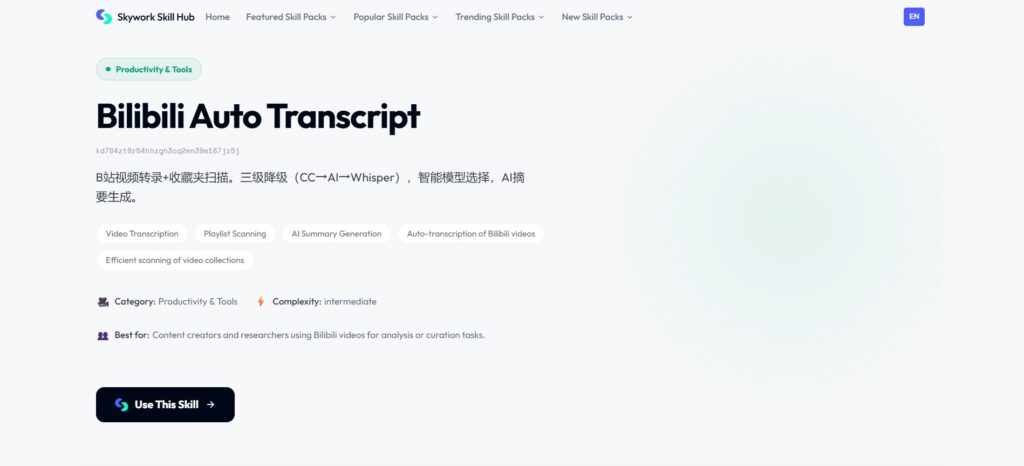
Skywork offers Bilibili-focused skills, including:
- Subtitle extraction paired with AI summarization for a quick read of long videos
- A separate skill that analyzes subtitles, danmaku, and comments as distinct signals
- A workflow suited to research-style breakdowns rather than a single one-click download
It is better suited to understanding and analyzing video content than simply exporting Bilibili subtitles.
Bilibili Subtitle Tools: Quick Comparison
| Tool | Best For | Works Without Existing Captions? | Useful Outputs |
| Video Transcriber AI | AI transcription and transcript workflows | Yes | Transcript, timestamps, subtitles |
| BibiGPT | Subtitle extraction with AI fallback | Yes | SRT, VTT, TXT, Markdown |
| Vocova | Long and multi-part videos | Yes | TXT, SRT, VTT, DOCX, PDF |
| NoteGPT | Quick summaries for students and creators | Reads existing captions | Transcript, summary, mind map |
| Skywork | Research and summarization | Depends on workflow | Text, summaries, analysis |
If you only need Bilibili subtitles that already exist, an extractor may be enough; for videos without captions, choose a tool that transcribes the audio.
How to Generate Bilibili Subtitles with AI
The AI workflow is simple.
Step 1: Copy the Bilibili video link.
Open the public video and copy its URL.
Step 2: Paste it into a Bilibili transcript or subtitle generator.
For example, Video Transcriber AI accepts a Bilibili link directly, so you do not need to download the video first.
Step 3: Generate the transcript.
The spoken audio is converted into timestamped text. Review names, acronyms, and technical terms before using the result.
Step 4: Edit, translate, or export.
Once the Bilibili subtitles are generated, use them for reading, translation, notes, captions, or further AI processing.
This method is most useful when there are no built-in Bilibili subtitles to download.
Bilibili Subtitle Downloader vs AI Subtitle Generator
These tools are often treated as interchangeable, but they solve different problems.
| Question | Subtitle Downloader | AI Subtitle Generator |
| Uses an existing caption track | Usually | Not required |
| Works when captions are missing | Not always | Yes |
| Transcribes spoken audio | Usually no | Yes |
| Creates new Bilibili subtitles | Only with ASR | Yes |
| Best for | Saving captions | Captionless videos |
If good Bilibili subtitles already exist, extracting them is usually fastest. If captions are missing or incomplete, AI transcription is the better fallback.
Which Bilibili Subtitle Format Should You Use?
SRT is the most practical choice for video editing because it stores subtitle text with start and end times.
VTT works well for web players and browser-based video.
TXT is useful when you mainly want to read, search, quote, or paste the transcript into notes.
DOCX or JSON can be better for editing, documentation, databases, or automated AI workflows.
For video work, SRT is often the best format for reusable Bilibili subtitles. For students and researchers, plain text may be easier to review.
What Can You Do with Bilibili Subtitles?
Once a video becomes searchable text, Bilibili subtitles can support much more than passive viewing.
Students can search a long tutorial for one concept instead of rewatching it. Researchers can locate names or claims and jump to the timestamp. Viewers who don't read Chinese can translate the explanations, and creators can use Bilibili subtitles as a starting point for notes or captions.
A transcript can also feed a summary, Q&A session, knowledge base, or study guide. In that sense, Bilibili subtitles make video information easier to navigate, verify, and reuse.
Need to Process Bilibili Videos at Scale?
A browser-based Bilibili transcript generator is enough for one or two videos. For many videos, a searchable content library, or an AI agent pipeline, an API cuts down the repetitive manual work.
Video Transcriber AI's Transcript API accepts Bilibili alongside other sources via REST, with 200+ language support, speaker diarization, word-level timestamps, timestamped JSON, and SRT/VTT output.
That supports batch Bilibili subtitles, video indexing, AI-agent pipelines, research monitoring, or workflows combining Bilibili with YouTube, TikTok, and other sources.
For one video, an API may be unnecessary. For repeated processing, it creates a much cleaner path from video URL to structured text.
Common Bilibili Subtitle Problems and How to Fix Them
Bilibili Video Has No Subtitles
If there's no usable caption track, a normal extractor has nothing to download — use AI transcription to create new Bilibili subtitles from the audio.
Bilibili Subtitles Are Only in Chinese
Extract or generate the Chinese text first, then translate it. Reviewing names and technical terms before translation can improve the final result.
A Subtitle Downloader Cannot Find Captions
Check whether the tool only extracts existing tracks — a video can show danmaku while still lacking real Bilibili subtitles. If so, use AI transcription.
Subtitle Timestamps Do Not Match the Video
Make sure the transcript was generated from the same video version or part. This matters especially with multi-part Bilibili videos. Regenerate or edit affected cues if necessary.
Frequently Asked Questions About Bilibili Subtitles
How do I get subtitles from a Bilibili video?
First check for built-in Bilibili subtitles. If they exist, view or extract them; if not, use AI transcription to generate subtitles from the audio.
Can I download Bilibili subtitles?
Yes. Depending on the tool and available source, Bilibili subtitles can be saved as formats such as SRT, VTT, or TXT.
How do I get English subtitles on Bilibili?
If Chinese captions exist, extract and translate them. If no captions are available, transcribe the video first and then translate the result into English.
What if a Bilibili video has no subtitles?
Use an AI subtitle generator — instead of extracting a nonexistent track, it processes the audio and creates new Bilibili subtitles with timestamps.
Can AI generate subtitles from a Bilibili video?
Yes. AI transcription tools can generate timestamped text from spoken audio even when the original video has no usable captions.
Conclusion
The best way to get Bilibili subtitles depends on what the video already provides.
If good captions exist, use or download them. If not, AI transcription can generate new Bilibili subtitles from speech. For English captions, extract or transcribe first, then translate. For large collections, a Transcript API can automate the workflow.
The simplest rule is: extract when captions exist, transcribe when they do not, then translate or export Bilibili subtitles based on what you need next.