


If you have ever needed to review what was said during a trial, hearing, or deposition, learning how to get court transcripts can feel like navigating a maze with no map. Whether you are a lawyer building an appeal, a journalist covering a case, or a member of the public seeking legal records, knowing how to get court transcripts efficiently saves time, money, and frustration.
This guide walks you through exactly how to get court transcripts using Court Transcript, step by step: what court transcripts actually contain, why they matter, how the tool turns audio into text, and insider tips to get the best results every time. If you would rather skip the paperwork and get transcripts instantly, Video Transcriber AI's court transcript product is the simplest way to learn how to get court transcripts today, offering a fast, automated alternative for how to get court transcripts.
What Are Court Transcripts?

Before you figure out how to get court transcripts, it helps to know exactly what you are asking for. Learning how to get court transcripts starts with understanding the document itself. Court transcripts are verbatim, word-for-word written records of everything spoken during a legal proceeding. They are prepared by certified court reporters or digital recording systems, and once finalized, they become the official record. Understanding what court transcripts include makes the process of how to get court transcripts much clearer, whether you go the traditional route or use an AI tool like Court Transcript.
Key Components of a Court Transcript
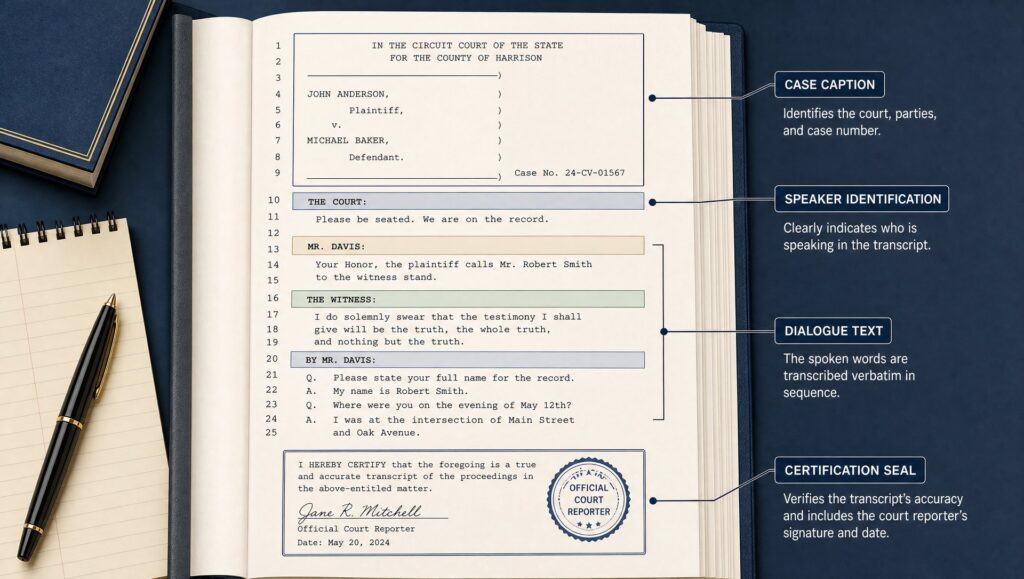
A proper court transcript includes: the case caption and docket number at the top of every page; speaker identification for each person who talks; timestamps in more modern transcripts; an index in longer proceedings; and a certification page signed by the court reporter. Page numbers, line numbers, and standardized margins make court transcripts easy to cite in legal filings. Knowing how to get court transcripts also means understanding how to format and organize them effectively, and a well-structured original makes downstream work much smoother when you use Court Transcript.
Court Transcripts vs. Audio Recordings: What's the Difference?
Many courts keep audio recordings available to the public for a small fee. But a court transcript is a different animal. An audio recording gives you what was said; court transcripts give you a searchable, citable, professionally verified document you can actually use in court. If you plan to file an appeal or reference testimony, you almost always need the transcript, and understanding how to get court transcripts efficiently is essential before deadlines sneak up on you. For those who need how to get court transcripts from audio recordings for personal reference, AI tools like Court Transcript can help bridge the gap between raw audio and usable text.
Why Getting Court Transcripts Matters
People learn how to get court transcripts for predictable reasons, but each one carries real stakes.
Appeals and Legal Review
The single most common reason people search for how to get court transcripts is to support an appeal. Appellate courts do not re-hear testimony, they review the record, and the transcript is that record. Without a fast, reliable way for how to get court transcripts in time for your appeal deadline, arguing that the trial judge made a mistake becomes nearly impossible.
Case Preparation and Research
Trial lawyers use transcript records from earlier proceedings to prepare for cross-examination and identify inconsistencies in the other side's case. Paralegals spend hours combing through court transcripts to build timelines and fact summaries. Once you have mastered how to get court transcripts efficiently, you unlock a powerful resource for every stage of litigation. For processing large volumes of testimony, knowing how to get court transcripts quickly with an AI tool like Court Transcript can dramatically speed up research compared to waiting for traditional court reporter turnaround.
Public Records and Transparency
Journalists, researchers, and citizens also need to learn how to get court transcripts quickly and affordably. Court proceedings are generally public, and the written record is the most accessible way to understand what happened inside the courtroom. Knowing how to get court transcripts provides a level of detail that news summaries cannot match.
How to Get Court Transcripts: Step-by-Step Guide with Court Transcript
The fastest way to learn how to get court transcripts is by using an AI transcription tool designed for legal audio. Court Transcript by Video Transcriber AI automates the entire process, turning courtroom recordings into accurate, searchable text in minutes. Here is exactly how it works.
Step 1: Get Your Court Audio Recording
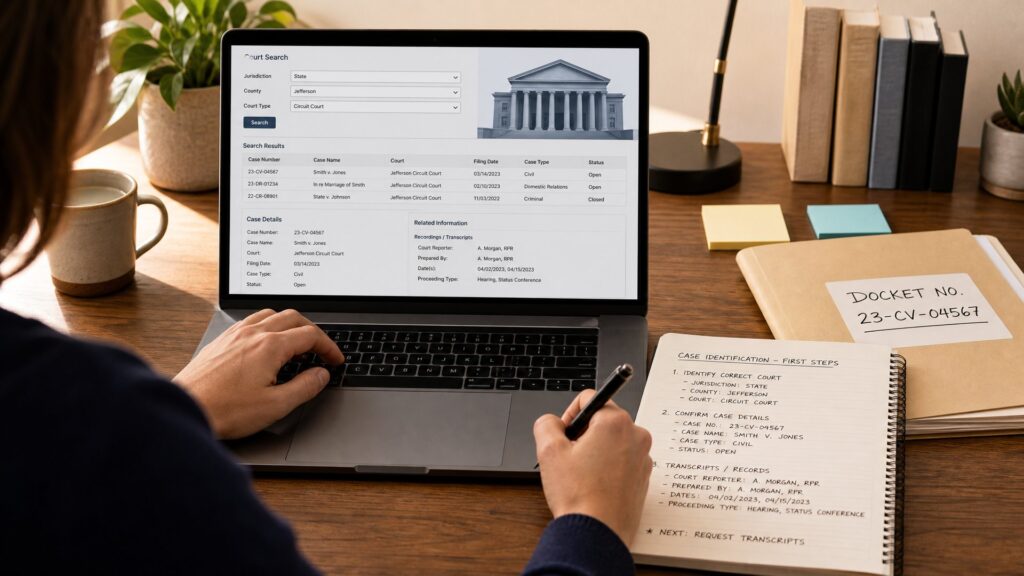
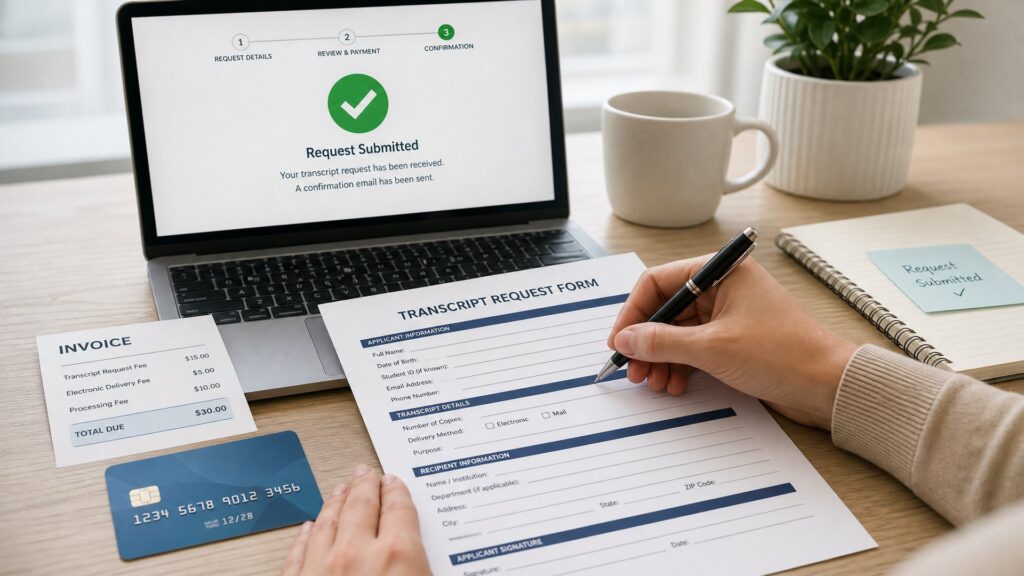
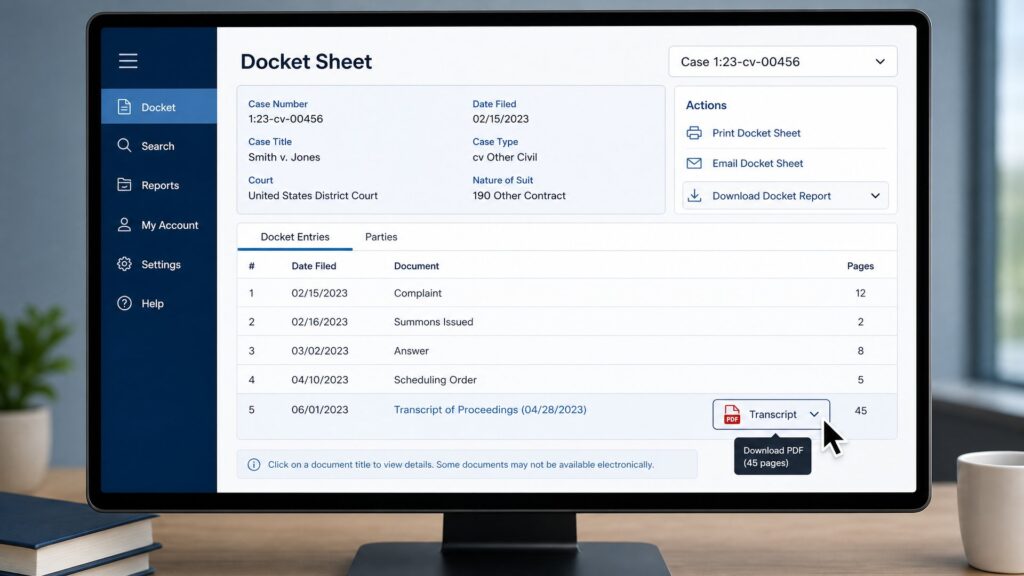
The first step in how to get court transcripts with Court Transcript is getting your audio file. If you attended the proceeding in person, you may have recorded it yourself with the court's permission. In many jurisdictions, you can request an official audio recording from the court clerk's office for a nominal fee, typically on a CD or as a downloadable digital file. Federal courts and many state courts make digital audio available through their case management systems. Once you have the file, save it to your computer in a common format like MP3, WAV, or M4A: Court Transcript accepts them all.
Step 2: Upload Your Audio to Court Transcript
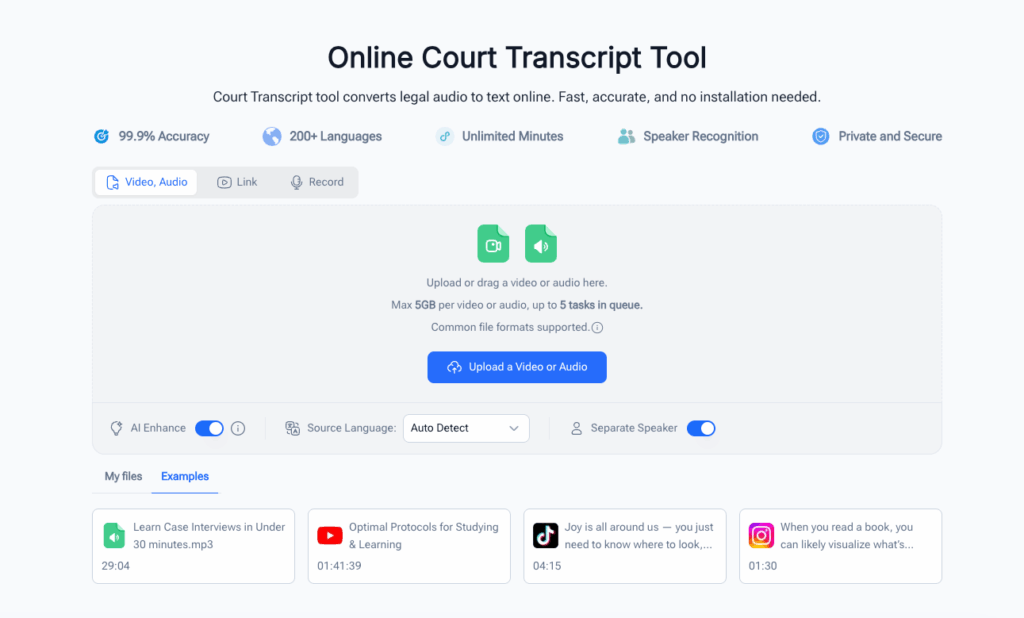
Head to the how to get court transcripts page and upload your audio file. You can simply drag and drop your recording, or click to browse and select it from your device. Court Transcript supports files of any length, from a 10-minute motion hearing to an 8-hour trial day. No registration hoops, no hidden fees for uploading: just drop your file and move on to the next step.
Step 3: Let AI Transcribe Your Audio
Once uploaded, Court Transcript's AI gets to work, making how to get court transcripts faster than any traditional method. The engine is trained to handle legal terminology, courtroom jargon, and multi-speaker conversations: it identifies different speakers, timestamps every line, and distinguishes between the judge, attorneys, witnesses, and other participants. Most recordings are transcribed in a matter of minutes, depending on file length. While you wait, you can grab a coffee: the status bar shows real-time progress, and you will be notified as soon as the transcript is ready.
Step 4: Review and Edit the Transcript
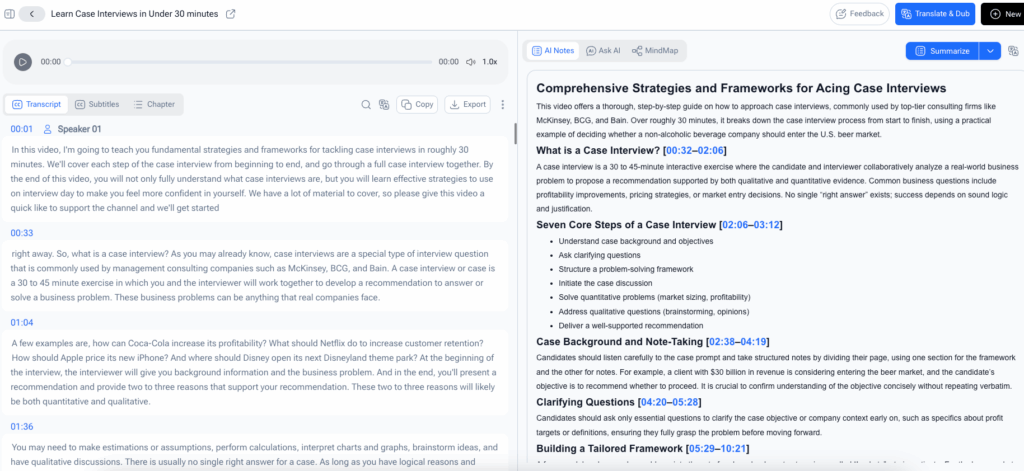
When your court transcript is ready, open it in the built-in editor. The AI is highly accurate, but like any automated system, it benefits from a quick human review. Court Transcript makes this easy: click any word to jump to that exact moment in the audio, so you can verify and correct in seconds. You can rename speakers (for example, change "Speaker 1" to "Judge Roberts"), adjust timestamps, and fix any words the AI may have misheard. A five-minute review is usually all it takes to get a polished final transcript, making how to get court transcripts far simpler than the traditional court reporter route.
Step 5: Export and Use Your Transcript
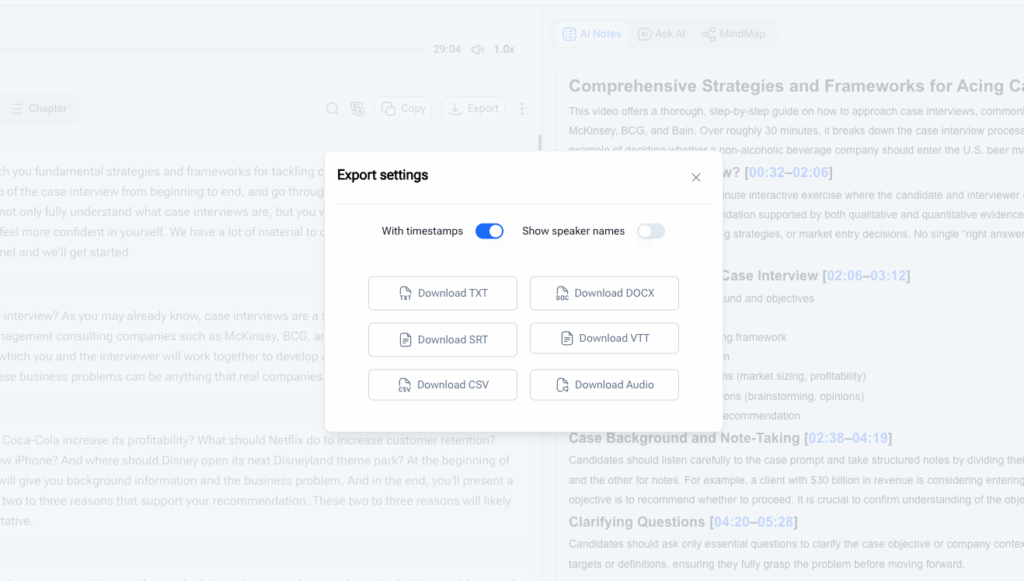
Once you are satisfied, export your transcript in the format that fits your workflow. Court Transcript lets you download as plain text, PDF, or Word document, and you can copy the full text to your clipboard with one click. Use the transcript to prepare for an appeal, share it with your legal team, quote testimony in a motion, or archive it for future reference. That is how to get court transcripts with Court Transcript: five steps, no phone calls, no mailed checks, and no four-week wait.
Pro Tips for Better Results with Court Transcript
Now that you know how to get court transcripts quickly with Court Transcript, these pro tips will help you squeeze the most out of every transcription and master how to get court transcripts like a seasoned professional.
Tip 1: Start with the Best Audio Quality You Can Get
The cleaner your input audio, the more accurate the transcript. If you recorded the proceeding yourself, position your device as close to the speaker as possible and avoid background noise. If you are requesting an official recording from the court, ask for the highest-quality digital file available, not a compressed copy. Court Transcript handles less-than-perfect audio surprisingly well, but starting with a clean recording will always produce better results when learning how to get court transcripts the right way.
Tip 2: Use Speaker Labels to Keep Things Organized
Court Transcript automatically detects and labels different speakers, but taking a moment to rename them makes the final document far more useful. After transcription, replace generic labels like "Speaker 1" and "Speaker 2" with actual names or roles: "Judge," "Defense Counsel," "Witness: Dr. Chen." This small step is part of knowing how to get court transcripts professionally: it turns a raw transcript into a usable legal document you can reference and cite without confusion.
Tip 3: Combine Audio and Text for the Best Workflow
One of the most powerful features of how to get court transcripts with Court Transcript is the synchronized audio and text. Click any word to hear that exact moment in the recording, which makes fact-checking, quote verification, and context review effortless. For legal professionals who need absolute accuracy before filing, mastering how to get court transcripts with this feature alone saves hours of rewinding and re-listening.
Real-World Examples: How People Use Court Transcript
Example 1: A Lawyer Preparing for Appeal
A public defender in Chicago has three days to file an appeal on a sentencing ruling. She needs a transcript of the 45-minute hearing, but the official court reporter's backlog is two weeks. She pulls the audio recording from the court's digital system, uploads it to Court Transcript, and has a searchable, timestamped transcript in under 10 minutes. She just learned how to get court transcripts faster than she ever thought possible. She reviews it over coffee, exports it as a PDF, and attaches it to her filing that same afternoon: a perfect demonstration of how to get court transcripts without the traditional court reporter backlog.
Example 2: A Journalist Investigating a Public Hearing

A freelance journalist is covering a city council hearing on zoning changes. The hearing ran for over two hours, and her handwritten notes are messy and incomplete. She requested and received the official audio recording from the city clerk, uploaded it to Court Transcript, and received a full transcript with speaker labels and timestamps. She uses the search function to jump straight to the key moments for her article, quotes council members verbatim, and files her story ahead of deadline, proving how to get court transcripts quickly even on a tight schedule.
Frequently Asked Questions
How accurate is Court Transcript's AI transcription?
Court Transcript typically achieves above 95 percent accuracy for clear courtroom audio, making how to get court transcripts with reliable results straightforward. Accuracy depends on audio quality, speaker clarity, and background noise. The built-in editor with synchronized audio playback makes it easy to review and correct any errors in minutes. For how to get court transcripts that are court-ready, a quick human review after AI transcription is the best practice.
What audio formats does Court Transcript support?
Court Transcript supports MP3, WAV, M4A, AAC, FLAC, and most other common audio formats. It accepts files of any size and duration, so whether you need how to get court transcripts for a 5-minute hearing excerpt or a full-day trial recording, the process is the same. If your court provides audio in an unusual format, converting it to MP3 or WAV first will ensure compatibility.
How long does it take to get court transcripts with Court Transcript?
Most recordings are transcribed in minutes: this is by far the fastest way to learn how to get court transcripts without the traditional wait. A typical 30-minute hearing takes around 2 to 5 minutes to process; a full-day 6-hour trial recording may take 15 to 20 minutes. You will see a progress indicator while the AI works, and you will be notified as soon as the transcript is ready for review.
Is my legal audio data secure?
Yes. All audio uploaded to Court Transcript is processed over an encrypted connection (HTTPS). Video Transcriber AI does not store your audio files permanently after transcription is complete, and your data is not used for training or shared with third parties. If you are handling sensitive case information, knowing how to get court transcripts securely matters, and you can use Court Transcript with confidence.
Conclusion
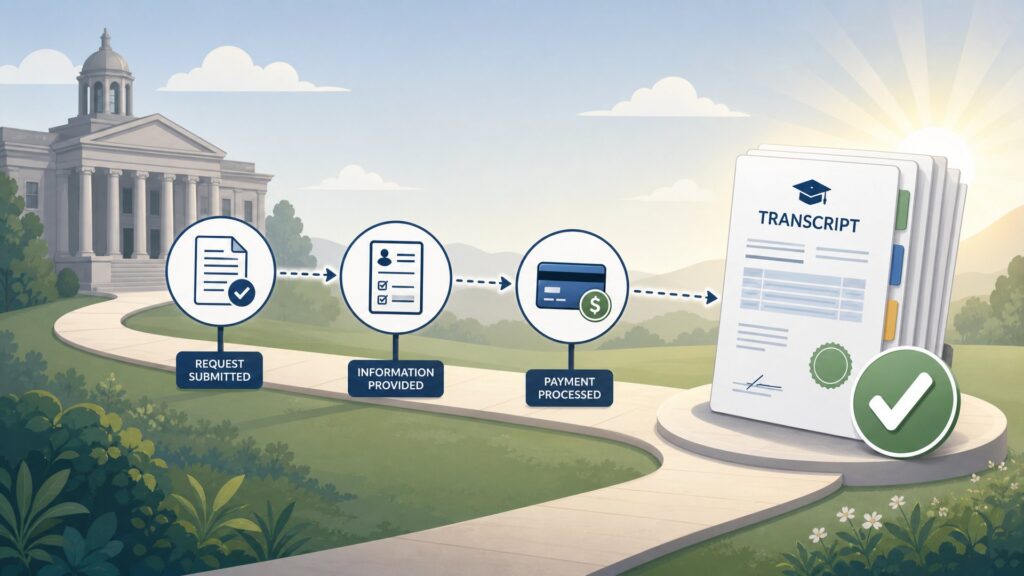
Learning how to get court transcripts does not have to involve phone calls, paper forms, and weeks of waiting. Whether you are a lawyer, journalist, or researcher, knowing how to get court transcripts the right way means getting your transcript faster and with less hassle. Court Transcript makes how to get court transcripts a simple process: upload, transcribe, review, export. All in less time than filling out a traditional request form.
The entire guide has walked you through how to get court transcripts step by step: from obtaining your audio recording to exporting a polished final document. Each step shows why Court Transcript is the smartest answer for how to get court transcripts today. No court clerk calls, no mailed checks, no 30-day turnaround, just fast, accurate text from your audio.
Whether you are a lawyer preparing for trial, a journalist chasing a deadline, or a researcher analyzing legal proceedings, how to get court transcripts with Court Transcript gives you fast, accurate, searchable text you can actually use. If you have been wondering how to get court transcripts without the wait and paperwork, try it with your next recording. Once you experience how to get court transcripts in minutes instead of weeks, you will never go back to the old way.