


If you have ever stared at a video and wanted to transcribe video link content instantly, this guide is for you. Whether you are a developer building an automated pipeline, a content marketer repurposing webinars, or a researcher processing lecture recordings, Video Transcriber AI's Transcript API makes it possible to convert any video URL into accurate text in minutes.
This guide shows you exactly how to transcribe video link content with the Transcript API, from getting your key to exporting the final transcript, and by the end you will wonder why you ever did it any other way.
By the end, you will know how to transcribe video link content step by step, the best practices for getting clean results, and how to plug the API into your own workflow. One of the API's biggest strengths is that it accepts links from YouTube, TikTok, Instagram, Facebook, X, BiliBili, Google Drive, and Dropbox. No clunky software installs, no manual typing: just a link in, a transcript out.
What Is Video Link Transcription?
Before you learn how to transcribe video link content, it helps to understand what the process actually involves. Video link transcription is the act of taking a video URL (from YouTube, TikTok, Instagram, Facebook, X, BiliBili, Google Drive, or Dropbox) and converting the spoken audio into written text automatically. Instead of downloading the video, extracting audio, and feeding it through a desktop tool, you send the link directly to an API and receive a structured transcript back.
That is the essence of how to transcribe video link content in the modern, API-driven way.
How a Transcript API Works
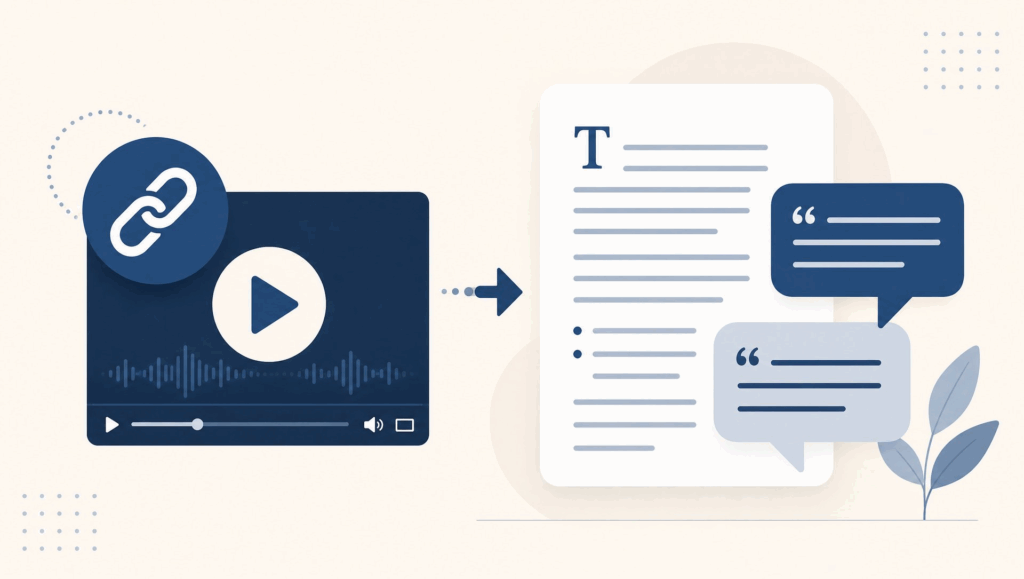
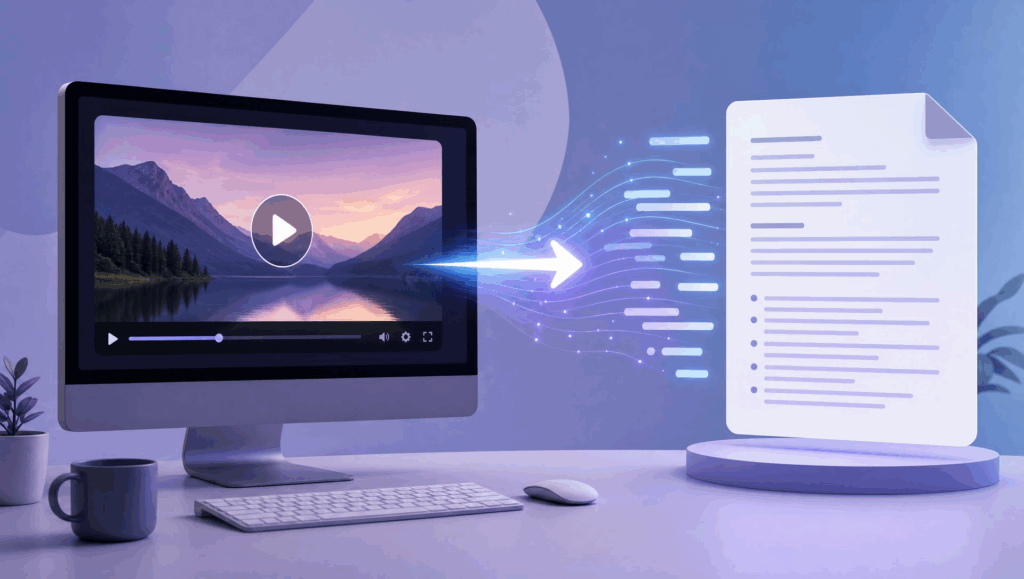
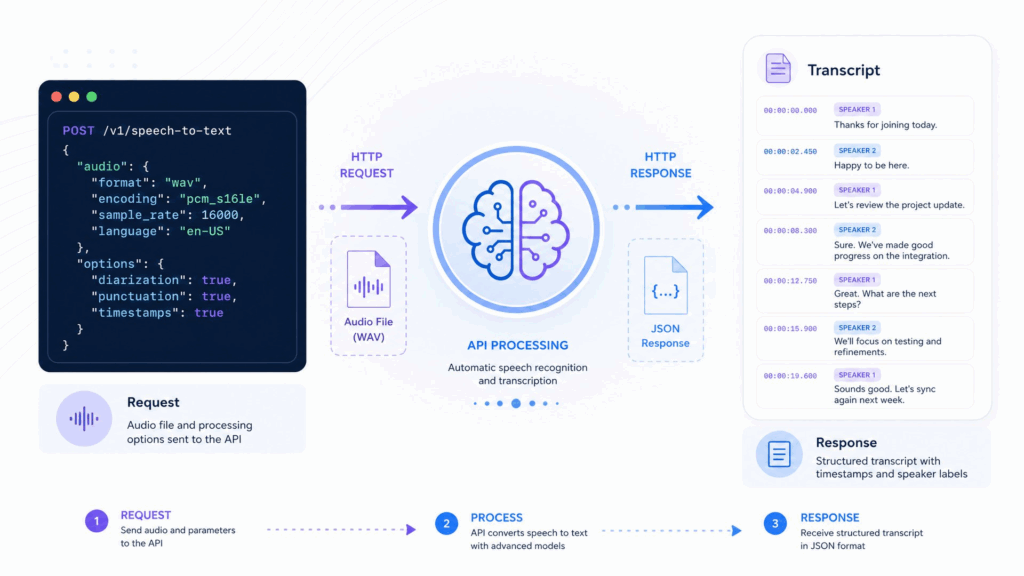
The Transcript API works through a simple request-response cycle. You send a video link to the API endpoint with your authentication, the API processes the audio using speech recognition, and it returns a transcript with timestamps and speaker labels. Video Transcriber AI's Transcript API handles the heavy lifting: audio extraction, language detection, and multi-speaker separation all happen server-side, so you do not need to manage any infrastructure.
This is the fastest way to transcribe video link content at scale, and the reason so many teams now transcribe video link content through the API instead of by hand.
Transcribing Video Link vs. Manual Transcription
Manual transcription means listening to a video and typing every word yourself: a one-hour video easily takes three to four hours to transcribe by hand. When you transcribe video link content with the Transcript API, that same one-hour video is processed in minutes. The trade-off is a quick human review pass, but the time savings are enormous. For anything beyond a short clip, the API approach is the clear winner, and it is exactly why so many people now learn how to transcribe video link content rather than type it out.
Why Transcribe Video Links Matters
People learn how to transcribe video link content for a few predictable reasons, and each one pays off quickly. Whether you want to repurpose, make content searchable, or scale, the ability to transcribe video link content is the common thread, and once you see how easy it is to transcribe video link content from all the major platforms, you will understand why the Transcript API has become the go-to choice.
Save Hours on Content Repurposing
The single biggest reason to transcribe video link content is content repurposing. A one-hour webinar becomes a blog post, a newsletter, a batch of social media snippets, and an SEO article, all from the same transcript. Instead of starting from a blank page, your writer starts from a ready-made draft. Video Transcriber AI's Transcript API makes this turnaround nearly instant, which is why teams that regularly transcribe video link content ship so much more of it. The ability to transcribe video link content fast is what turns a single video into a week's worth of content.
Make Videos Searchable and Accessible
Transcripts turn video into searchable text. When you transcribe video link content, viewers can jump to the exact moment they need, search engines can index your spoken content, and viewers with hearing impairments get an accessible text alternative. For any content team, captions and transcripts are no longer optional: they are table stakes, and the Transcript API is how you add them without a manual production line. Once you know how to transcribe video link content reliably, accessibility stops being an afterthought.
Scale Transcription Across Any Volume
Manual transcription does not scale. Ten videos a month is manageable; a hundred is a full-time job. When you transcribe video link content through an API, volume stops being a constraint. You can process one video or ten thousand with the same integration, which is why developers and content platforms build the Transcript API directly into their products. Once a team learns how to transcribe video link content at scale, transcription stops being a cost center entirely.
Transcribe Video Links from Every Major Platform
Most transcription tools lock you into a single platform, but the Transcript API accepts links from eight major sources: YouTube, TikTok, Instagram, Facebook, X, BiliBili, Google Drive, and Dropbox. Paste any of these links and the same single API call handles them all.
This broad support means you do not need a separate integration for each video source, and it is a huge part of what makes the Transcript API so easy to adopt. Whether your videos live on social media, a public platform, or a cloud drive, you can transcribe video link content from all of them with one consistent workflow, and that consistency is exactly what teams need when they transcribe video link content across many different sources every day.
How to Transcribe Video Link: Step-by-Step Guide with Transcript API
Now for the practical part. Here is how to transcribe video link content with the Video Transcriber AI Transcript API, in five steps. Follow them in order and you will have your first transcript before your coffee goes cold.
Step 1: Get Your Video Transcriber AI API Key
Everything starts with authentication. Sign up for a Video Transcriber AI account and navigate to the API section to generate your API key. This key is what the Transcript API uses to verify your requests and track your usage, so keep it somewhere secure. Most developers store the key in an environment variable rather than hardcoding it into source code.
Once you have the key, you are ready to make your first request and transcribe video link content programmatically, which is where the real power of the API shows up. With the key in hand, knowing how to transcribe video link content becomes a matter of a single API call.
Step 2: Prepare Your Video Link
The next step is making sure you have a valid, accessible video link. The Transcript API accepts links from YouTube, TikTok, Instagram, Facebook, X, BiliBili, Google Drive, and Dropbox. If your video is private, adjust its sharing settings so the API can reach it, or use a direct file link from your cloud drive.
A clean, working link is the foundation of a successful request when you transcribe video link content, and the fact that you can transcribe video link content from so many different platforms is one of the API's most underrated strengths.
Step 3: Send the Video Link to the Transcript API
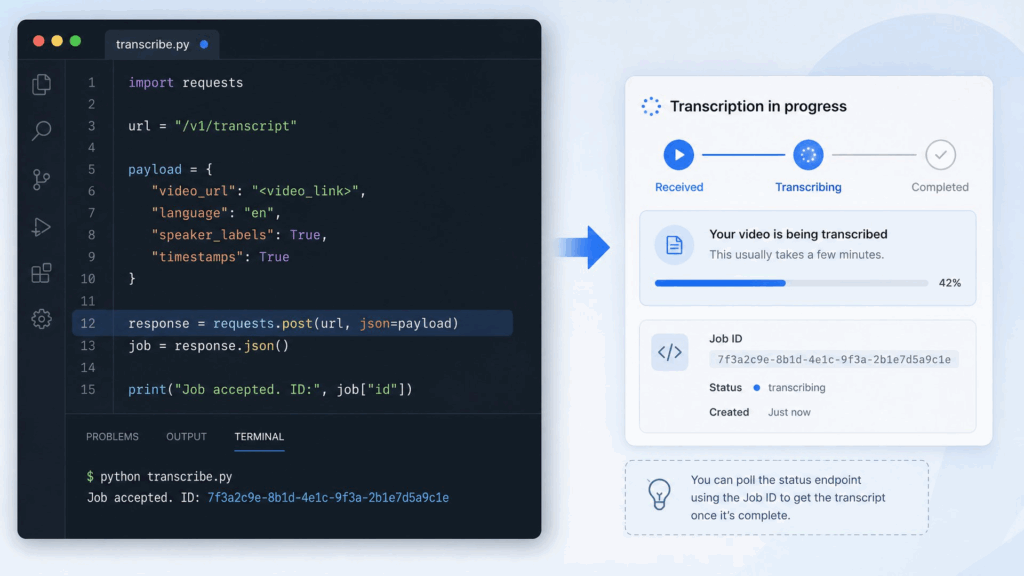
Now you actually transcribe video link content. Send an authenticated POST request to the Transcript API endpoint with your video link in the request body, along with any options like output format or speaker diarization. The API returns a job ID immediately, then processes the audio in the background.
For a quick start, Video Transcriber AI provides code samples in Python, JavaScript, and cURL, so you can copy a working example and adapt it in minutes. This single request is the core of how to transcribe video link content at scale.
Step 4: Review and Edit the Transcript
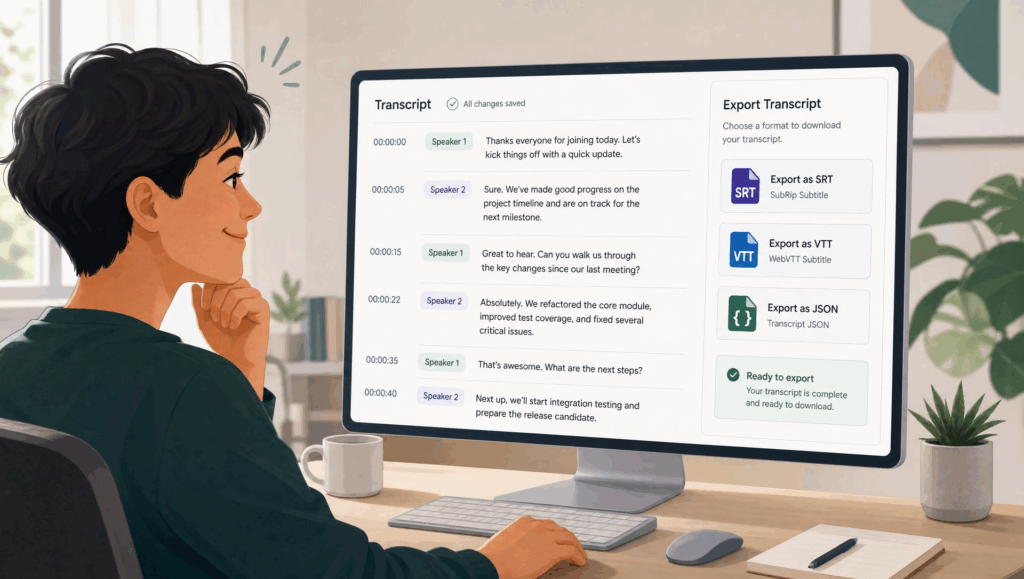
When the job completes, the API returns your transcript with timestamps and speaker labels. The AI is highly accurate, but a quick human review is always good practice before you publish. Fix any proper nouns the model may have misheard, confirm speaker labels are correct, and clean up any filler words you do not want in the final text. A five-minute review is usually all it takes to turn a raw API output into a polished, publishable transcript,
and it is the step that separates casual use from learning how to transcribe video link content to a professional standard. Every time you transcribe video link content for publishing, this review habit is what keeps your output clean.
Step 5: Export and Use Your Transcript
Finally, export the transcript in the format that fits your workflow: plain text, SRT for captions, VTT for web video, or JSON for further processing. Use the text to write a blog post, generate subtitles, build a searchable video library, or feed it into your own analytics pipeline.
That is the complete loop of how to transcribe video link content with the Transcript API: five steps, fully automatable, ready to scale, and simple enough to learn how to transcribe video link content in a single afternoon.
Pro Tips for Better Results with Transcript API
Once you know the basics of how to transcribe video link content, these tips help you get the cleanest output from every request.
Tip 1: Use High-Quality Source Videos for Cleaner Text
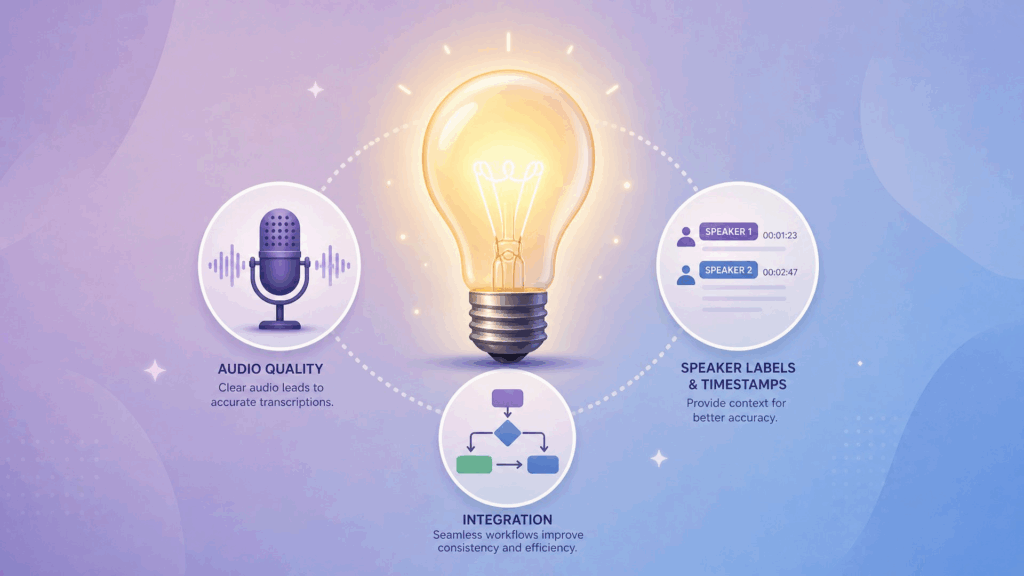
The quality of your transcript starts with the quality of your source. Clear audio, minimal background noise, and a single primary speaker produce the most accurate results. If you control the recording, use a decent microphone and a quiet room.
When you transcribe video link content from a third-party video, prefer the highest-resolution version available, since it often carries the cleanest audio track. Better input, better output: it is that simple, and it is the fastest way to improve every time you transcribe video link content.
Tip 2: Leverage Speaker Labels and Timestamps
The Transcript API can automatically detect different speakers and attach timestamps to every line. Take advantage of both. Rename generic speaker labels ("Speaker 1") to actual names or roles so the transcript reads naturally, and use the timestamps to jump straight to key moments when reviewing or quoting. These two features turn a raw transcript into a genuinely useful document, which is where knowing how to transcribe video link content properly really pays off in everyday work.
Tip 3: Combine API Output with Your Existing Workflow
The Transcript API is built to integrate, not to stand alone. Connect it to your CMS so transcripts auto-publish alongside videos, pipe the JSON output into your search index, or trigger transcription automatically whenever a new video lands in your storage bucket.
The more you automate the pipeline, the more value you squeeze out of every request. This is the difference between occasionally transcribing a video and building a system that can transcribe video link content around the clock, so treat every integration as a chance to transcribe video link content with zero extra effort.
Real-World Examples: How People Use Transcript API
Theory is helpful, but seeing how to transcribe video link content works in practice makes it click, and these two scenarios show just how quickly the API pays for itself.
Example 1: A Content Team Turning Webinars into Blog Posts
A SaaS marketing team runs a weekly webinar. Each week, the webinar recording lands on YouTube, and the team used to spend a full day manually transcribing it for the blog. Now they pipe each video link through the Transcript API automatically: the transcript arrives in minutes, an editor cleans it up in under an hour, and the blog post goes live the same day.
The team discovered that knowing how to transcribe video link content at scale is what finally let their content keep pace with their video output, and now they transcribe video link content for every webinar without a second thought.
Example 2: A Developer Building an Automated Transcription Pipeline
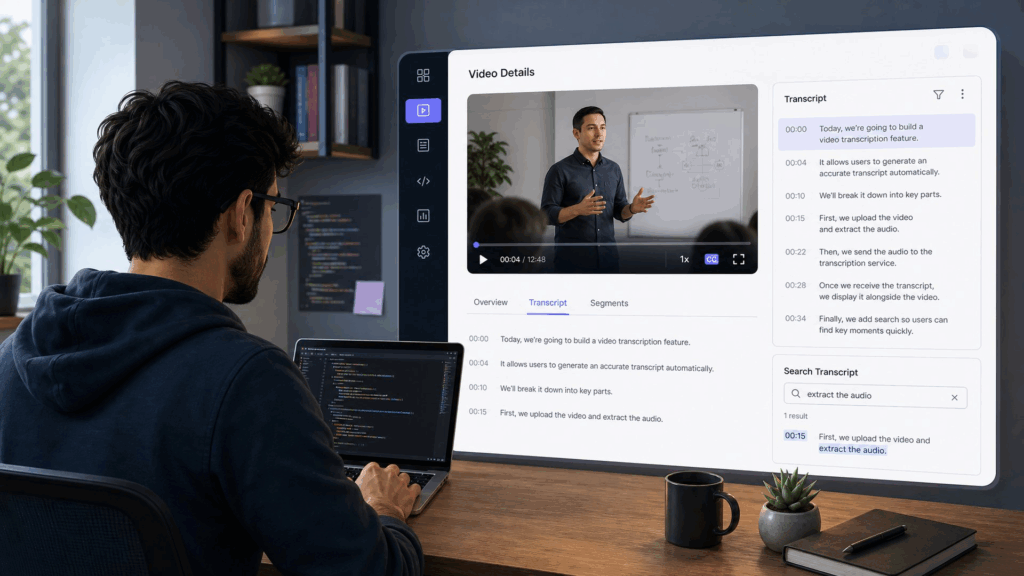
An indie developer is building a video note-taking app. Instead of building speech recognition from scratch, they integrate the Video Transcriber AI Transcript API. When a user pastes a video link into the app, the app sends it to the API, receives a timestamped transcript, and displays it alongside the video with a search box. The developer shipped the feature in a weekend and pays only for what they use. For them, knowing how to transcribe video link content through an API was the difference between launching and getting stuck in infrastructure, and it is the same lesson any team learns once they discover how easy it is to transcribe video link content with a few lines of code.
When you can transcribe video link content from inside your own app, the feature stops being a differentiator and becomes an expectation.
Frequently Asked Questions
How accurate is the Transcript API?
The Video Transcriber AI Transcript API typically achieves high accuracy for clear speech, generally in the low single-digit word error rate for clean audio. Accuracy depends on audio quality, accents, background noise, and speaker clarity.
The API includes speaker diarization and timestamps, and a quick human review after generation is the best practice for anything you plan to publish. For most use cases, the raw output is already good enough to transcribe video link content with minimal editing, so you can trust it for everyday workflows.
What video platforms does the video link transcription support?
The Transcript API accepts links from YouTube, TikTok, Instagram, Facebook, X, BiliBili, Google Drive, and Dropbox. As long as the API can reach the file, it can transcribe video link content from it, which is why the API works for teams that transcribe video link content across many different platforms.
Check the current documentation for the full list of supported sources and any per-platform requirements before you transcribe video link content in production.
How long does it take to transcribe a video link?
Processing time scales with video length, but it is far faster than real time. A short clip often completes in under a minute, while a one-hour video typically finishes in a few minutes. The API returns a job ID immediately and processes asynchronously, so you can poll for completion or set up a webhook to be notified when the transcript is ready.
This is a core advantage of learning how to transcribe video link content programmatically instead of waiting on a manual service, and it means you can transcribe video link content at whatever pace your project demands.
Is my video data secure with the Transcript API?
Yes. Video Transcriber AI processes your data over encrypted connections and does not use your content for training or share it with third parties. Your API key authenticates every request, and you control access to your own account.
For sensitive or confidential video content, review the platform's data handling and retention policy to confirm it meets your requirements before you transcribe video link content through the API. When you transcribe video link content through a reputable API, security should be the last thing on your mind.
Conclusion
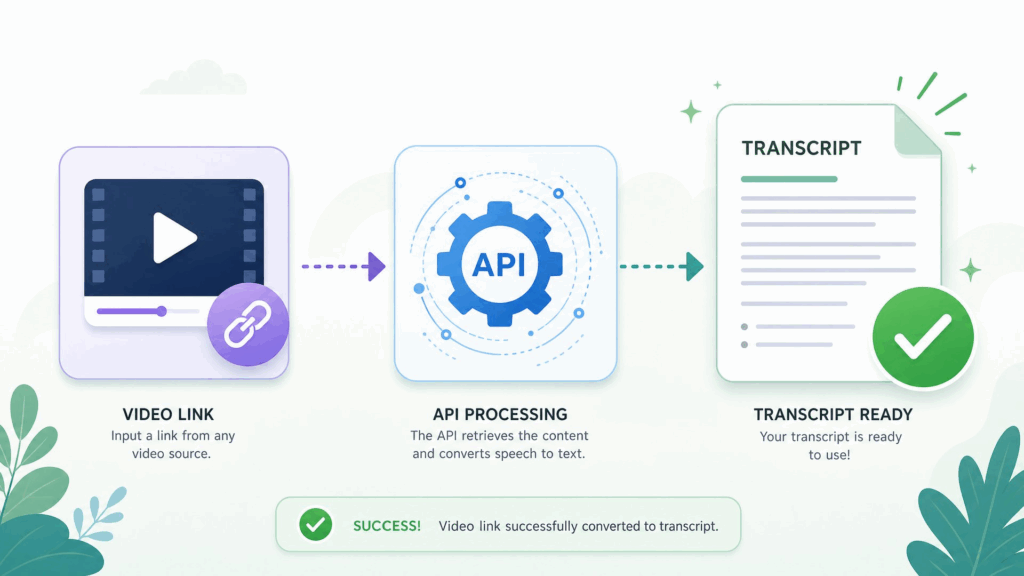
Learning how to transcribe video link content used to mean hours of manual typing, but the Transcript API has turned it into a five-minute, fully automatable process. Get your API key, prepare your link, send the request, review the output, and export: that is the whole workflow, and once you know how to transcribe video link content this way, it becomes second nature.
Whether you are repurposing webinars, building a product, or making your videos searchable, knowing how to transcribe video link content with the Video Transcriber AI Transcript API gives you fast, accurate, structured text you can actually use. If you have been looking for a reliable way to transcribe video link at scale, try the Transcript API with your next video and see how much easier the process can be. Whether your link comes from YouTube, TikTok, Instagram, Facebook, X, BiliBili, Google Drive, or Dropbox, the API handles it, so you can transcribe video link content without switching tools.
Once you experience how to transcribe video link content in minutes instead of hours, you will never go back to doing it by hand, and you will have a workflow for how to transcribe video link content that scales with you.